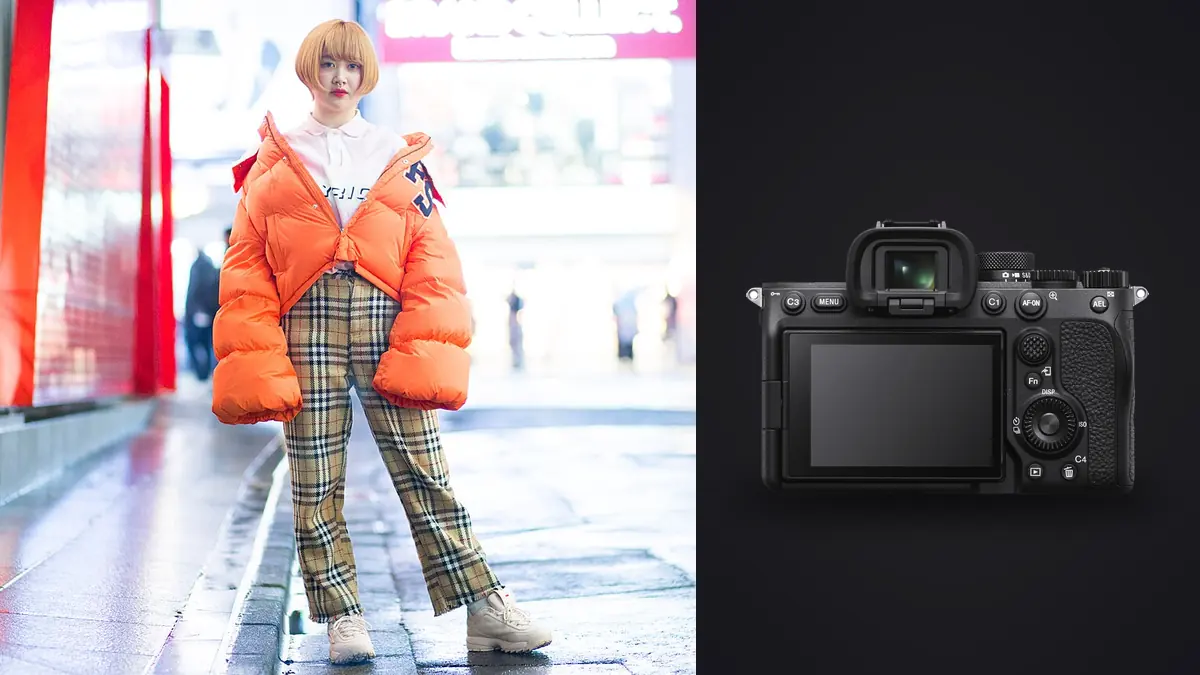
Picture a twelve-look e-commerce lookbook for a swimwear brand, shot on an A7 III, with delivery needed in four days. When I moved from the A7 III to the A7 IV, I assumed the jump would be mostly resolution: 24 megapixels to 33. It wasn't. The bigger change was how the camera behaved across a full day of continuous, repetitive shooting, which is what a commercial lookbook actually is. Nobody talks about single decisive-moment frames on a lookbook set. You talk about how many looks you can clear before the model needs a break and the client starts checking their phone.
This is a practical rundown of what the A7 IV does well for that specific job, where it falls short, and how the file volume it produces changes your afternoon once the shoot wraps and the actual editing starts.
Why the A7 IV fits the lookbook brief better than it fits, say, sports or wildlife
A commercial lookbook is not a fast-action genre in the way people usually mean it. You're not tracking a bird in flight or a hockey puck. But you are shooting in short, dense bursts, usually 8 to 15 frames every time the model hits a pose, because garments move, hair moves, and the one frame where the fabric drapes correctly is rarely the first or last frame in the sequence. Across a 20 to 30 look day that adds up fast. A full lookbook day typically yields somewhere between 900 and 1,400 raw files, and maybe 35 to 45 of those actually ship to the client after selects and retouch.
The A7 IV's 10fps mechanical/electronic shutter ceiling is plenty for that cadence. You don't need the A9 II's 20fps or the A1's blackout-free viewfinder for a model changing pose every three or four seconds. What you do need is a buffer deep enough that you're not waiting on the camera mid-sequence, and a sensor that holds up when you crop a three-quarter shot down to a tight product detail for the brand's e-commerce grid. The 33MP sensor gives you that cropping headroom without the file bloat of the A7R V, and the buffer on CFexpress Type A clears fast enough that the camera isn't going to lock you out mid-burst at that cadence.
Where it actually struggles
Rolling shutter on the electronic shutter is the one thing I'd flag before anyone buys this body specifically for lookbook work. If you're shooting silent (which suits shows and anywhere a mechanical shutter click is distracting, or a shared studio space with other shoots running) and a model does a fast hair flip or a spin for a movement shot, you can get skew. It's subtle, and most clients will never notice it in a static lookbook frame, but if you're delivering any motion-heavy content alongside the stills, be aware the sensor readout isn't stacked-CMOS fast.
The other limitation is dynamic range headroom compared to the A7R V. On overcast days shooting white or pale garments against white backdrops (a very common lookbook setup) I've pulled highlight detail back on the A7 IV without trouble, but it's not as forgiving as the higher-resolution body if you blow a channel. I now underexpose by a third of a stop as a habit on bright fabric days rather than trust I can fully recover it.
Lens pairings that actually earn their keep on a lookbook set
Three lenses on the A7 IV cover almost every commercial lookbook brief.
- 24-70mm f/2.8 GM II is the workhorse. Full-length looks, three-quarter crops, and detail shots all come off one lens without a change, which matters when you're trying to clear looks quickly and the client is standing behind you watching the clock.
- 85mm f/1.4 GM for beauty crops and any shot where the client wants separation from a plain backdrop. It's slower to work with because you're physically further from the model and directing becomes shouting distance, but the compression and skin rendering are worth it for hero images.
- 50mm f/1.2 GM when a brand wants a slightly more editorial, less catalog-flat look. It's the lens to reach for least often on strict e-commerce lookbooks (the client usually wants consistent geometry across looks, and a 50mm at f/1.2 introduces more perspective variation than a zoom held at a fixed distance) but it's the one that produces the images that actually get reposted.
Studio settings that matter more than people expect
A few menu and lighting details specific to this camera and this kind of shoot, learned the annoying way:
Flash sync. The A7 IV's native flash sync is 1/250s with the mechanical shutter. For a lookbook shot with strobes and a wide aperture to separate the model from the set, that's usually fine indoors, but if you're supplementing ambient light outdoors you'll want HSS or a variable ND rather than pushing shutter speed past sync and getting banding from the electronic first-curtain shutter under certain LED panels.
LED banding. If the studio is running continuous LED panels instead of strobes (common for video-adjacent lookbook jobs that also need behind-the-scenes footage), check your shutter speed against the panel's flicker frequency before the shoot, not after. I got burned once on a job with rented LED panels running at an odd frequency and half a day's frames had visible banding I didn't catch until reviewing on a bigger screen that evening.
AF area. Wide tracking with Eye AF locked to human works for probably 80% of lookbook frames, but for tight product or fabric detail shots I switch to a single expanded point. Eye AF will happily lock onto the model's face when you're actually trying to nail focus on a jacket zipper in the foreground, and that mismatch wastes frames.
Body comparison for this specific job
A common question is why a lookbook isn't shot on "the expensive Sony," meaning the A1 or A7R V. Here's how I'd actually lay out the tradeoffs for lookbook work specifically, not for general use.
| Body | Resolution | Burst (mech/e-shutter) | Raw buffer (CFexpress A) | Dual card slots | Used market price (approx.) | Best fit for lookbook work |
|---|---|---|---|---|---|---|
| A7 III | 24MP | 10fps | ~40-60 raw | Yes (UHS-II only) | €1,000-1,300 | Budget e-comm catalogs, tight crops not needed |
| A7 IV | 33MP | 10fps | Effectively unlimited on CFexpress A | Yes (CFexpress A / SD) | €2,000-2,300 | Full-day lookbooks needing crop room without file bloat |
| A7R V | 61MP | 10fps (7fps mech) | ~80-100 raw | Yes (CFexpress A / SD) | €3,300-3,700 | Billboard/large-format retail, heavy post-crop campaigns |
| A9 II | 24MP | 20fps e-shutter | Very deep | Yes (dual SD UHS-II) | €2,200-2,600 used | Runway/movement-heavy shows, not static lookbooks |
For most lookbook briefs, the A7 IV sits at the sensible middle. The A7R V's resolution is genuinely wasted unless the client is printing large or the brand does aggressive post-crop repurposing for multiple ad formats. The A9 II's burst speed solves a problem lookbook shooting mostly doesn't have.
The part nobody warns new commercial shooters about: the file pile
Here's the actual math from a recent 24-look e-commerce lookbook job. 24 looks, roughly 40 frames per look once you include the wardrobe changes, detail shots, and safety frames, comes to just under a thousand raw files by the end of the day. At 33MP the A7 IV's compressed raw files run somewhere in the 35-45MB range depending on scene complexity, so that's easily 35-40GB of raw off a single shoot day before anything gets touched.
Culling that by eye, opening each burst and squinting at focus on a laptop screen, is the part of the job that eats the evening. First-pass culling alone can take two to three hours on a job that size, mostly spent flipping between near-identical frames trying to spot which one actually nailed focus on the eyes versus which one just looked sharp at thumbnail size. That's dead time a client isn't paying for, and it's where moving the culling pass over to imagic helps most. It runs the sharpness and focus scoring locally on the machine, no upload step, which matters when you're contractually not supposed to send unretouched client images anywhere before delivery. It also groups the burst sequences automatically, so instead of scrolling through forty near-duplicate frames of one look I'm looking at maybe six or seven that the software has already flagged as genuinely different attempts within that burst.
The other piece that's specific to lookbook work is color consistency across looks shot at different times of day or under slightly different lighting setups. Once you've graded the first handful of hero images for a brand, matching that same grade across another 900 frames by hand is its own multi-hour task. imagic's apply_my_style feature, which trains a preset off your own already-edited images rather than a generic LUT, can cut that step down considerably for a repeat brand once you've built up a library of your prior edits for its house look. It's not a replacement for a proper grading pass on the hero shots, but for the bulk of secondary and detail frames it gets close enough that the manual touch-up is minor.
Delivery timelines and what changed
Before I changed the culling workflow, a 24-look job with a 4-day turnaround felt tight. Day one was the shoot, day two was almost entirely culling and organizing, days three and four were retouching and export. Now day two's culling pass is closer to 45 minutes to an hour of review rather than a full afternoon, because the software has already done the sharpness sort and duplicate grouping and I'm mostly confirming its picks and making the creative call between two or three genuinely close options per look. That extra day goes back into retouching quality, which is the part clients actually notice.
If you're weighing your own workflow and want a broader sense of what culling software can and can't automate for you, the how AI photo culling actually works piece covers the mechanics in more depth than I can here. And if speed across the whole pipeline, not just culling, is the bottleneck, the faster photo workflow tips are worth a look regardless of what camera you're shooting on.
Frequently Asked Questions
Is 33 megapixels overkill for a lookbook that's only going on a brand's e-commerce site?
Not overkill exactly, but it's more than the final web export needs. The reason it's still worth having is cropping flexibility: a lookbook shoot regularly gets re-purposed into square social crops, vertical story crops, and tight product details after the fact, and the extra resolution means you're not upscaling or losing quality when the client comes back three weeks later asking for a crop nobody planned for on shoot day.
Can I get away with a cheaper zoom instead of the 24-70mm GM II for a budget lookbook job?
Yes, for a lot of jobs. The Tamron 28-75mm f/2.8 G2 or Sony's own 24-70mm f/4 will both get you through a standard e-commerce catalog fine, especially outdoors where you're stopped down anyway. Where the GM II earns the price difference is wide open at f/2.8 in dimmer studio conditions and in AF speed when the model is moving between poses quickly, which matters more on high-volume days.
Does the A7 IV handle flash and continuous shooting together without issues?
Mostly yes, within the 1/250s sync limit on mechanical shutter. Where people run into trouble is trying to combine high-speed continuous shooting with recycling strobes that can't keep up, which produces underexposed frames partway through a burst as the pack falls behind. That's a strobe pack limitation, not a camera one, but it shows up as a camera problem if you're not watching for it.
What's the fastest realistic way to cull 900+ raw files down to client-ready selects?
In my experience the bottleneck isn't the software you use, it's whether you're culling burst-by-burst or frame-by-frame. Reviewing a burst as a group and asking "which one or two of these are actually distinct" is much faster than scrolling linearly through a thousand thumbnails. Automated sharpness scoring and duplicate grouping (which is what imagic's local processing does) speeds that grouping step up considerably, but the underlying habit of culling in bursts rather than frame-by-frame matters even without software help.