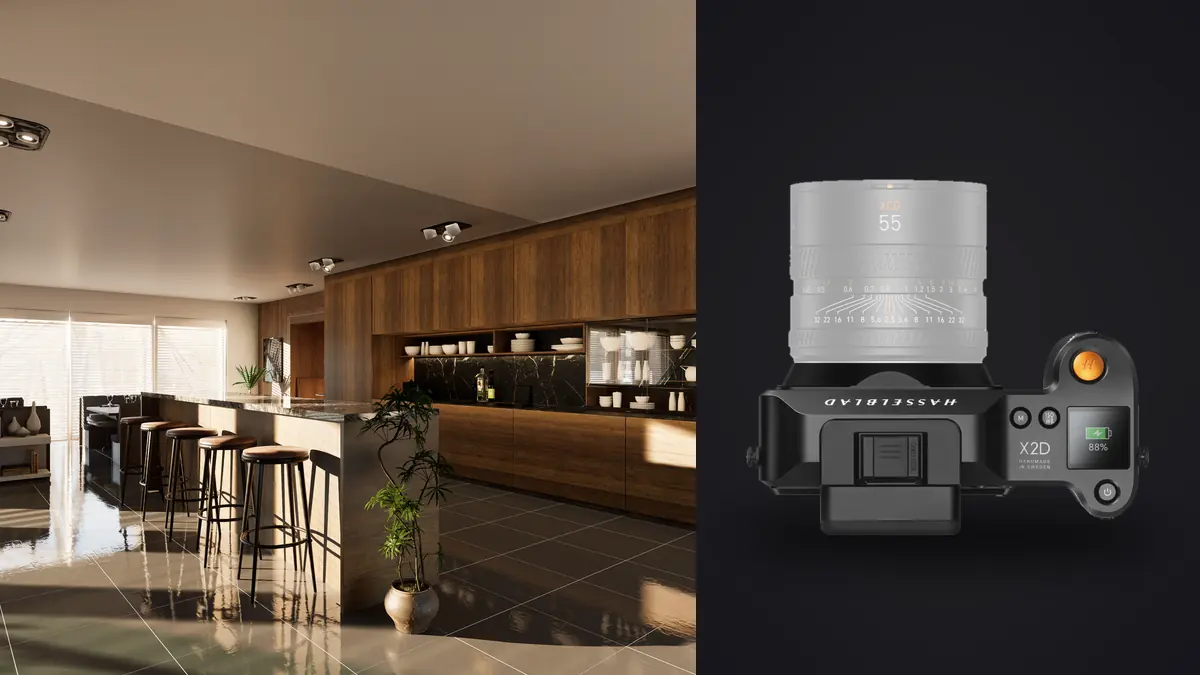
Picture four days photographing a gut renovation in a converted mill building outside Manchester, the kind of job where the architect wants every sightline documented and the client wants the kitchen island to look like it belongs in a magazine. Shoot it on a Hasselblad X2D 100C, a camera better known for portrait and product work, and it forces a rethink of some habits built around full-frame architecture shooting. This isn't a spec-sheet review. It's what actually happens when you point a 100-megapixel medium format body at rooms, stairwells, and one very stubborn spiral staircase that no lens wants to behave in front of.
Why medium format actually matters once you're standing in a room
The sensor in the X2D 100C is 43.8 by 32.9mm, noticeably bigger than a full-frame chip even though people casually lump both into "professional" territory. At 100 megapixels that works out to files around 11,600 by 8,700 pixels, and the extra real estate on the sensor shows up most clearly in exactly the situation interior work throws at you constantly: a bright window on one wall and a shadowed reading nook on the other, in the same frame, at the same exposure. Hasselblad quotes roughly 15 stops of dynamic range on this sensor, and while I don't put much stock in manufacturer numbers as gospel, I can say I stopped bracketing quite as aggressively as I used to on full-frame bodies. A single raw file recovers window detail and shadow detail in the same edit far more often than not.
The 16-bit color depth matters more than people expect too. Flat painted walls and matte plaster under raking window light are exactly the surfaces that show banding first, and I just didn't see it, even when I pushed a gradient hard to even out a wall that had two different light sources hitting it. For a firm that's printing portfolio boards at two feet wide, or licensing images to a furniture brand that will blow a shot up on a trade show wall, that resolution actually gets used. It's wasted on an Instagram carousel, and I'd tell anyone shooting for social feeds not to bother with this camera on that basis alone.
The lens problem nobody puts in the marketing copy
Here's the thing that caught me off guard, and it should be the first question anyone considering this camera for architecture asks: Hasselblad does not make a shift or tilt-shift lens for the XCD mount. If you've shot architecture on Canon with a TS-E 17mm or on Nikon with a PC lens, you're used to physically shifting the lens to keep verticals parallel without cropping into the frame. There's no equivalent XCD lens to do that. You're shooting with fixed, rectilinear wide-angle glass and correcting perspective in post, full stop.
In practice I used the XCD 21mm f/4 for most of the tight rooms and the 18mm f/2.8 for a couple of stairwells where even 21mm couldn't back up far enough. The workaround I settled into: shoot level, with the horizon dead center and extra headroom above and below the composition, then straighten converging verticals in Phocus or Lightroom afterward and crop to the final frame. That crop costs you resolution at the edges of the shot, sometimes 15 to 20 percent of the frame depending on how aggressive the correction needs to be. On a 24-megapixel body that would leave you with a mushy 18 or 19 megapixel result. Starting from 100 megapixels, you can afford to lose that margin and still hand over a file north of 70 megapixels. That's really the trade the sensor is buying you here: not perfect optical correction, but enough resolution that digital correction doesn't gut the final image. If your work leans heavily on architecture over interiors, and precise optical shift genuinely matters to your process, a technical camera setup or a full-frame body with a true PC lens will serve you better than this system will.
Mixed lighting is where interior work actually gets hard
Every real room I shot had three light sources fighting each other: daylight through the windows, warm tungsten table lamps, and cool-ish LED downlights the electrician had installed without asking anyone which color temperature they'd chosen. Hasselblad's color science, which they call the Natural Colour Solution, is tuned with a history in product and portrait work, and I found it handled wood tones and painted walls with less of a magenta shift than I get out of some full-frame color profiles under mixed light. It's a genuinely pleasant starting point straight out of the camera.
It's still a starting point, not a finish line. For anything where color accuracy matters, shoot a color reference card in the first frame of every room and correct precisely from there, because "pleasant" and "accurate to the actual paint color" are not the same standard. What actually saves time on a four-day interior job isn't the color science itself, it's that once you've built a correction that balances a specific room's mixed lighting, you don't want to rebuild that same correction by eye forty more times across the rest of the building. I run my edited files through imagic's apply_my_style feature, which learns the adjustments from images I've already graded and applies a matching style to the rest of the set, so the color balance I dialed in for one room carried through consistently instead of me re-eyeballing white balance sliders in every single space.
What a hundred-megapixel interiors shoot does to your evening
Nobody warns you about this part until you've lived it. A single 16-bit raw file off this sensor runs close to 200MB. Bracket three or five exposures per setup, which I do routinely for window-to-interior balance even with the extra dynamic range, and one room can produce over a gigabyte of raw data. A full house with twenty or so setups, some of them re-shot because the stylist moved a vase, gets you into the tens of gigabytes before lunch.
Sorting that at the end of a shoot day by scrolling through a folder of near-identical thumbnails, trying to remember which of five bracketed frames of the same window was actually the sharp one, is not how I want to spend an evening. I run the take through imagic before I do anything else, entirely on the machine, since uploading twenty gigabytes of an unreleased renovation to somebody's cloud server is a nonstarter. It clusters the bracketed sets and near-duplicate frames together automatically and scores sharpness locally so I can pull the best exposure out of each burst without eyeballing every frame myself. If you want the mechanics of how that culling actually works under the hood, this breakdown of AI photo culling covers it in more depth than I need to here. Between that and a faster culling pass generally, I've picked up a few habits worth stealing that I laid out in a separate piece on speeding up the whole workflow, and interior shoots are exactly where that time gets eaten fastest.
How it stacks up against the other systems architecture photographers actually reach for
I get asked constantly whether this camera is a sensible choice against the alternatives people already associate with architecture work. Here's the honest comparison based on what I've shot with or rented over the past couple of years, not spec sheets alone.
| System | Native shift control | Resolution | Approx. body + wide lens price | Where it actually wins |
|---|---|---|---|---|
| Hasselblad X2D 100C + XCD 21mm f/4 | None (correct in post) | 100MP | ~$9,800 | Color accuracy and print-scale detail on high-end residential and hospitality work |
| Fujifilm GFX100 II + GF20-35mm | None (correct in post) | 102MP | ~$8,700 | Faster overall handling, better battery life, similar file ceiling for less |
| Phase One XT + IQ4 150MP | Full mechanical shift, no rear standard | 151MP | ~$57,000 | True optical perspective control for pure architecture, no crop penalty |
| Canon R5 + TS-E 17mm f/4L | Full mechanical shift | 45MP | ~$5,300 | Budget-conscious architecture work with real optical correction |
The Phase One XT is the only setup in that table that actually solves the perspective problem the way old-school view cameras did, and it costs more than a small car. For nearly everyone else, it's a choice between resolution headroom (Hasselblad, Fuji) and optical correction (Canon with a true PC lens), and I don't think there's a universally right answer. I keep the X2D for shoots where color and print quality carry the most weight, and I'd reach for a shift lens setup if someone specifically needed pixel-perfect verticals with zero post-processing.
Where the X2D actually struggles on this kind of job
Weight adds up faster than the spec sheet suggests. The body alone is under a kilogram, but stack a couple of XCD primes, a tripod rated for a heavier medium format setup, and a color checker kit, and you're carrying real weight up four flights of a stairwell that has no elevator, more than once a day, for days in a row. My shoulder noticed by day three.
Battery life is the other honest weak point. I got somewhere in the range of 200 to 250 frames per charge in real shooting conditions with the screen active between shots, which sounds fine until you remember you're also chimping every bracket set to check exposure on a 100-megapixel file. I carry four batteries for a full shoot day and still watch the meter. There's also just one SD card slot alongside the built-in 1TB SSD, so redundancy depends on you actually offloading to both regularly rather than trusting dual card slots the way some competing bodies let you. And the price is the price: body alone lands around $8,200, before a single lens, which puts this well outside the range most people starting out in real estate or interior photography should even consider. It makes sense once the work justifies it and not a moment before.
Frequently Asked Questions
Do you need a tilt-shift lens to shoot interiors with the X2D 100C?
No, but you need a plan for perspective correction because the camera doesn't give you one natively. I shoot level with extra frame margin and correct converging verticals afterward, which the 100MP resolution can absorb without leaving you with a soft final crop the way a lower-resolution body would.
Is the X2D 100C worth it for everyday real estate listing photography?
Honestly, no, for most listing work. Standard MLS photography doesn't need or reward 100 megapixels, and the price and file sizes will slow down a high-volume business more than they help it. This camera earns its keep on high-end residential, hospitality, and architecture jobs where large prints, licensing, or portfolio-grade detail are actually part of the brief.
How many rooms can you realistically shoot in a day with this setup?
On the mill building job I averaged five to six fully lit and bracketed rooms per day, including styling adjustments and reshoots. That pace is set more by lighting setup time and battery changes than by the camera itself, but the file sizes do mean you're offloading and backing up more often than you would on a lighter-file system.
What's the actual workflow bottleneck with 100-megapixel interior files?
It's not shooting, it's sorting. Bracket sets across twenty-plus rooms produce hundreds of near-identical raw files that eat storage and evening hours if you're culling by eye. Local, automated culling that clusters bracket sets and flags the sharpest frame is what actually keeps a shoot like this from swallowing your following day.