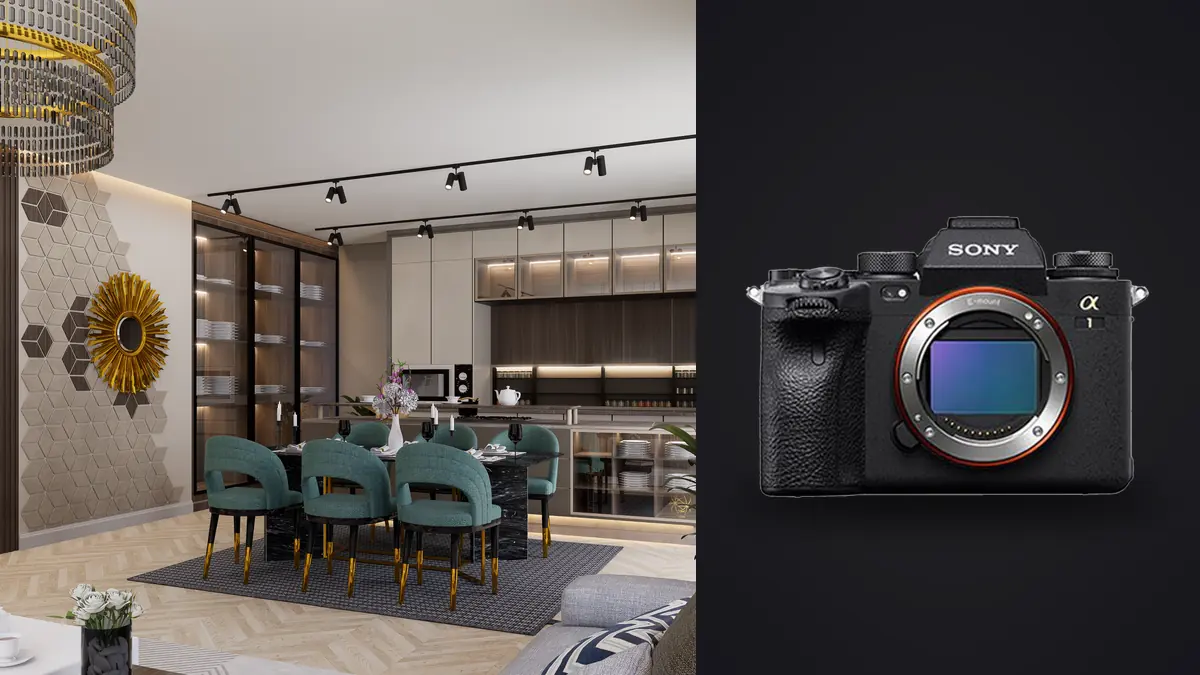
The Sony A1 gets marketed as a camera for people chasing birds in flight or shooting a football final under floodlights. Thirty frames a second, real time eye tracking, 8K video most owners will never touch. None of that has much to do with photographing a kitchen renovation or a hotel lobby for a design portfolio. And yet a fair number of architectural and interior photographers own one anyway, quite a few of them buying used now that the A1 II has taken over as Sony's flagship, because underneath the sports-camera marketing sits a 50 megapixel stacked sensor with genuinely strong dynamic range and a pixel shift mode that still isn't standard at this resolution across the market.
Interior work with the A1 often means small architecture firms that want portfolio images before a project goes to press, plus occasional short-term rental clients who care more about fast turnaround than absolute detail. This isn't a spec sheet rundown. It's what actually matters when the subject is a room instead of a runner.
What Actually Matters When You're Shooting Rooms, Not Runners
Most of the A1's headline specs are dead weight for this work. Nobody needs 30fps for a dining room that isn't moving, and the real time subject tracking that Sony built for sports and wildlife mostly sits idle unless you're photographing a client's dog for a lifestyle shot. What actually earns its keep on an interior shoot is quieter and less exciting on paper.
Dynamic range matters more than almost anything else, because window light blowing out against a shaded interior is the single most common exposure problem in this genre. The A1's sensor holds recoverable detail in shadows well enough that a single well-exposed raw can often replace what used to require a three-frame HDR blend, though I still bracket as insurance. Silent electronic shutter matters too, more than I expected before I started shooting occupied buildings: a hotel doesn't want mechanical shutter clatter echoing down a hallway during business hours, and neither does a homeowner who's still living in the house you're photographing. In-body stabilization earns its place on handheld walkthrough and detail shots, even though every hero frame ends up on a tripod with stabilization switched off. And dual card slots matter in a way that has nothing to do with buffer depth: if a card fails on a real estate shoot, you cannot ask a stager to redo the living room next week. Tethering and a reliable app for client-side review on a laptop matter more on this kind of job than they ever did shooting events, because designers and agents want to approve or redirect a shot while you're still in the room.
Pixel Shift Multi Shooting Is the Feature That Actually Sells This Camera Here
This is the one Sony feature that has a genuine, specific use case in architectural work rather than being a marketing checkbox. The A1 can shoot a 4-frame composite that improves color fidelity at the native 50MP resolution, or a 16-frame composite that Sony's Imaging Edge Desktop software stitches into a roughly 199 megapixel TIFF. Both require a locked-off tripod and a completely static scene, because the sensor physically shifts by sub-pixel increments between frames and any motion between exposures shows up as smearing or ghosting in the merge. That static requirement is exactly what makes it useful for interiors and useless for almost everything else Sony built the A1 for. An empty conference room, a staged bedroom, a lobby shot before opening hours, these hold still. A living room with a ceiling fan running, sheer curtains moving in an HVAC draft, or a glossy tile floor reflecting anyone walking past a window, these don't, and I've had 16-shot composites ruined by all three. When it works, the file size is genuinely useful for large-format architectural prints or double-page magazine spreads where a native 50MP file starts showing its limits when cropped. For a standard real estate listing that's going to display at 2000 pixels wide on a website, it's a waste of the extra four or five minutes per setup the mode costs you in the field, plus the merge time afterward.
One side effect nobody warns you about: once you're shooting pixel shift alongside a normal exposure bracket, your card fills up with the sixteen raw sub-frames, the merged composite, and your regular three or five frame bracket, all from the same tripod position within about ninety seconds of each other. Sorting that by eye at the end of a twelve-room shoot is tedious enough that I now run everything through imagic first and let its duplicate and burst clustering group those near-identical frames together before I touch anything, rather than trying to remember which of forty thumbnails in a row belongs to which composite.
Lenses That Actually Ride on the A1 for This Work
The 16-35mm f/2.8 GM II is the lens that stays mounted for most of a shoot. It's sharp enough into the corners to justify the sensor's resolution, and at 16mm it fits most hallways and standard bedrooms without backing into a wall. For genuinely large great rooms or hotel lobbies, the 12-24mm f/2.8 GM earns its place, though I'm careful with it near the edges of the frame, where perspective distortion starts pulling vertical lines outward in a way that reads as unnatural even after correction. The 24-70mm f/2.8 GM II handles material and furniture detail shots and doubles as the exterior lens for anything with distance to work with. Sony doesn't make a full-frame tilt-shift lens, so anyone chasing perfectly parallel verticals in-camera ends up adapting a Canon TS-E 17mm f/4L or TS-E 24mm f/3.5L II with a manual mount adapter, giving up autofocus for shift movement. Honestly, with 50 megapixels of resolution to spare, I do most of my vertical correction digitally in Lightroom or Capture One rather than carrying tilt-shift glass. That trade-off is specific to a high-resolution body like this one. On a 24MP camera, digital correction eats into detail you can't afford to lose; on the A1, it barely registers.
Mixed and Difficult Interior Light
Interiors rarely give you one light source. You're usually balancing daylight through a window, warm tungsten or LED practicals inside the room, and sometimes fluorescent ceiling fixtures in an office or retail space, all with different color temperatures fighting each other in the same frame. I shoot raw brackets rather than trying to nail a single exposure, typically a five-frame AEB at one-stop intervals, and settle white balance in post once I can see how the blend behaves. The A1's anti-flicker shooting mode is worth turning on for anything under fluorescent or cheap LED fixtures, since those light sources pulse fast enough to cause visible banding or shifting color casts across a burst if the camera doesn't sync its shutter timing to the flicker frequency. It's a small feature, easy to forget, and the kind of thing that ruins an otherwise good office interior shoot if you skip it. For evening shots balancing interior glow against a darkening exterior sky, I switch to a wired or app-based remote release rather than the self-timer, and I turn IBIS off entirely once the camera's on a tripod, since stabilization systems can occasionally introduce their own micro-vibration when there's no actual handheld motion for them to correct.
| Camera | Native resolution | Pixel-shift composite | Approx. body price (2026) | Best fit for this work |
|---|---|---|---|---|
| Sony A1 | 50MP | ~199MP (16-shot) | $4,300-4,900 (used, post-A1 II) | Hybrid shooters who also need speed/video |
| Sony A7R V | 61MP | ~240MP (16-shot) | ~$3,300 new | Dedicated interiors on a tripod, best value at high resolution |
| Sony A7 IV | 33MP | Not available | ~$2,300 new | Budget-conscious real estate, fast turnaround listings |
| Fujifilm GFX 100S II | 102MP (medium format) | ~400MP (pixel shift) | ~$5,000 new | Print and commercial jobs where maximum detail outweighs speed |
| Canon EOS R5 II | 45MP | Not available | ~$4,300 new | Existing Canon shooters with TS-E tilt-shift glass already owned |
What a Shoot Day Actually Produces
A twelve-room house, shot properly with brackets on every angle and pixel shift on the two or three hero rooms, easily generates four to six hundred raw files by the end of the day. Most of those are near-duplicates: sub-frames from composites, brackets a stop apart, a second attempt at a shot because someone walked past a window mid-sequence. Culling that by hand at the end of a long day is where most of the actual time loss happens on this kind of job, more than the shooting itself. That's the part of the workflow I've changed the most over the past year. I run the day's card through imagic before I open Lightroom at all. Its local sharpness scoring catches the handheld detail and lifestyle frames that look fine on a 3-inch screen but are a hair soft at 100%, which matters more on a 50MP file than it ever did on lower resolution bodies, since softness that would be invisible cropped down to web size becomes obvious the moment a client wants a print. Because everything runs locally rather than through a cloud upload, it's also the right tool for shoots at unreleased developments or properties under an NDA, where nothing should leave the laptop before a client has signed off, something that is sometimes written explicitly into contracts. Once the field culling is done, I lean on the apply_my_style preset, trained on my own past edits, to keep white balance and material color consistent across every room in a single job rather than re-grading each space from scratch. Consistency matters more to architecture clients than any single striking frame does; a portfolio where the hallway looks warmer than the kitchen reads as sloppy even if both shots are individually good. If you're new to bracket-heavy workflows like this, it's worth reading up on how AI photo culling actually works before you commit to shooting this volume on every job, and there's a broader rundown of field-to-delivery habits in 10 tips for a faster photo workflow that applies just as well to interiors as it does to events.
Is It Actually Worth It for This Work?
Honestly, if interiors and architecture were the only thing I shot, I'd have a hard time justifying the A1 over the A7R V. The R V costs less new, has more native resolution, and shares the same pixel shift feature set. The A1's advantages, blistering burst rate, video specs, subject tracking built for sports, simply don't apply to a tripod-and-bracket workflow. Where the A1 makes sense is for photographers who split their time: architecture and interiors during the week, then events, sports, or video work on the side, where one body needs to do both jobs well rather than being the ideal tool for either. That's my situation, and it's probably the honest reason to buy this camera for this genre rather than a resolution or dynamic range argument alone.
Frequently Asked Questions
Do I need pixel shift multi shooting, or is 50MP native enough for real estate work?
For standard listing photography destined for a website or MLS, native 50MP is more than enough, and pixel shift just adds time in the field and at the desk for no visible benefit at typical display sizes. Reach for it on hero shots headed to print, a magazine spread, or a large lobby installation where the extra resolution is actually going to be seen.
Can I use tilt-shift lenses with the Sony A1?
Sony doesn't make a full-frame tilt-shift lens for E-mount, so most A1 owners doing architecture adapt a Canon TS-E lens through a manual mount adapter, which means giving up autofocus. Given how much resolution the A1 has to spare, I'd only bother with tilt-shift glass if you're shooting extremely tall subjects where digital vertical correction would cost you too much of the frame; for typical interior and residential work, correcting in post works fine.
Is the Sony A1 overkill for interior photography compared to something like the A7R V?
In terms of pure suitability for the task, yes, mostly. The A7R V matches its pixel shift capability, beats it on native resolution, and costs meaningfully less. The A1 only makes sense here if you also need its speed and tracking for other kinds of work and don't want to own two camera bodies.
How does the A1 handle mixed interior lighting, like daylight windows next to tungsten lamps?
No camera nails mixed color temperatures automatically, and the A1 is no exception. I shoot raw exposure brackets and settle white balance manually in post once I can judge the blend, and I turn on anti-flicker shooting whenever fluorescent or cheap LED fixtures are in the room, since those can introduce visible banding or color shifts across a fast burst that anti-flicker mode largely eliminates.