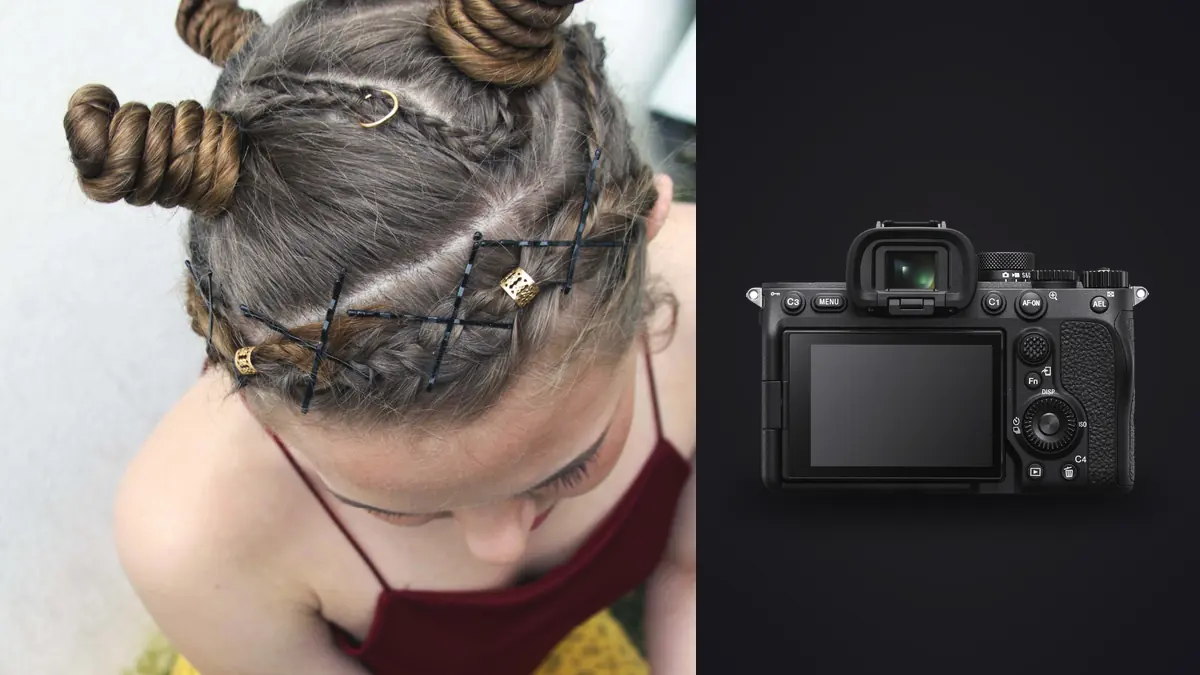
The brief was simple on paper: forty looks, one model, one day, delivered as a clean lookbook the brand could drop straight into their wholesale deck. The reality of shooting that on a Sony A7 IV taught me more about buffer management and file triage than any spec sheet ever did. This is what actually changes when you bring the A7 IV onto a commercial fashion set, not the marketing version.
Why the A7 IV holds up for this kind of work
Lookbook shooting is repetitive in a way that exposes weaknesses fast. You are running the same lighting setup, roughly the same distance, roughly the same pose language, forty or sixty times over, and any friction in the camera compounds across the day. The A7 IV's 33-megapixel sensor sits in a sweet spot for this: enough resolution that a client can crop a full-length shot down to a tight detail for social without it falling apart, but not so much that a day's shoot turns into a 400GB card-swapping exercise the way a high-resolution body would.
The dual card slot setup matters more here than people expect. One CFexpress Type A/SD combo slot and one SD-only slot means you can run simultaneous RAW backup to two cards without babysitting it, which on a paid commercial job is not optional, it is the difference between a bad afternoon and an unrecoverable one if a card fails. I run CFexpress in the primary slot for buffer clearing speed and a fast UHS-II SD as the mirror.
In-body stabilization is a smaller win on a tripod-heavy lookbook day, but it earns its keep the moment the art director wants handheld movement shots between the static setups, walking looks, jacket flares, that sort of thing. Five and a half stops of correction lets you hand-hold at shutter speeds you would not trust on an unstabilized body without cranking ISO past where you want it for clean skin tones.
Battery life is the unglamorous detail nobody puts in a review. A single NP-FZ100 gets you through a morning of shooting with chimping and client review between setups, not a full ten-hour day. Bring three batteries minimum and rotate them through a charger during lunch, because losing power mid-look with a model already dressed and lit is the kind of delay a client remembers.
The lenses that actually earn a spot in the bag
For full-length and three-quarter shots, the 24-70mm f/2.8 GM II does most of the work. It is noticeably lighter than the original 24-70 GM, which matters when you are hand-holding it through fifty-plus looks, and the autofocus keeps pace with a model shifting weight between poses without hunting. I shoot it around f/5.6 to f/8 for full-length garment shots so the whole outfit reads sharp from shoulder to hem, not just the focus point.
For beauty and detail crops, an 85mm f/1.4 GM comes out. The compression flattens the background into something usable even in a cluttered studio corner, and wide open it separates the model from set clutter when you need a quieter frame for the lookbook's opening or closing page. I stop it down to f/2 or f/2.8 for anything that needs fabric texture to hold, because f/1.4 on a garment detail shot often throws more of the outfit out of focus than you want to see.
A 35mm f/1.4 GM or a 16-35mm f/2.8 GM II covers the environmental and lifestyle-adjacent frames that most lookbooks now want mixed in alongside the straight product shots, walking through a doorway, leaning against a wall, the kind of image that makes a wholesale catalog look like an editorial. Wide lenses on a fashion set need discipline though, get sloppy with distance and garment proportions distort in a way that makes a client nervous about how the piece actually fits.
One trick worth knowing: the A7 IV's APS-C crop mode gives you roughly a 1.5x reach boost at the cost of dropping to about 14 effective megapixels. On a day where you cannot physically get closer for a fabric or hardware detail shot, cropping in-camera on the 85mm beats cropping a full-frame file in post, because you are working with native resolution rather than throwing pixels away after the fact.
Settings by shot type
I stopped trying to run one universal setup years ago. A lookbook day mixes static product-forward shots with movement shots and detail crops, and each wants a different combination of shutter, aperture, and drive mode. Here is roughly what I dial in for each, shooting a mix of strobe and continuous LED depending on the set:
| Shot type | Aperture | Shutter | Drive mode | AF area |
|---|---|---|---|---|
| Full-length on-model (strobe) | f/6.3 | 1/160s | Single, occasional burst on movement | Tracking: Zone |
| Beauty / detail crop (strobe) | f/2.8 | 1/160s | Single | Tracking: Spot, eye AF on |
| Movement / fabric flow (continuous LED) | f/4 | 1/640s or faster | Hi+ continuous burst | Tracking: Wide |
| Flat-lay / product detail (tripod) | f/8 | 1/60s, base ISO | Single, self-timer or tether release | Manual focus, focus peaking |
Two things in that table trip people up the first time they shoot a lookbook on this body. First, mechanical shutter for anything under continuous LED, not electronic. The A7 IV's sensor is not stacked, and electronic shutter under LED panels will occasionally introduce banding depending on the panel's refresh rate, which you will not notice on the back of the camera and absolutely will notice on a calibrated monitor at delivery. Second, the movement row needs real shutter speed, not just a fast burst rate. A jacket flaring out at 1/160s is a blur smear, not a usable frame, and clients shooting for e-commerce or social clips inside the same lookbook day will call that out.
Tethering and keeping a client in the loop
Almost every commercial lookbook I shoot now runs tethered, USB-C straight into a laptop running Capture One with the Sony tether plugin. Sony's own Imaging Edge Desktop works too and it is free, but Capture One's tethered capture tab gives an art director a much faster way to flag which frame from a burst is the keeper without pulling the camera away from you to chimp on the back screen.
The A7 IV's USB-C port handles tethering reliably enough that I have stopped carrying a backup tether cable brand for insurance, which used to be standard practice on older Sony bodies where the port would occasionally drop connection mid-burst. Wireless tethering exists as an option but the latency is bad enough that a fast-paced lookbook day, where you are changing poses every few seconds, is not the place for it. Save wireless tether for slower editorial setups where a two-second lag between capture and preview does not matter.
What tethering does not solve is the volume problem. A forty-look day shooting bursts on movement frames and multiple takes per static setup easily produces two to three thousand frames by wrap. Somebody has to look at every one of those before the client sees a shortlist, and doing that by eye at midnight is where good work starts sliding into rushed work.
What actually happens after the shoot wraps
This is the part nobody puts in gear reviews and it is the part that eats the most hours on a lookbook job. You leave set with two full cards mirrored for safety, a laptop full of tethered captures, and a client who wants a shortlist by the next morning. Sorting three thousand frames down to the forty or so that make the final lookbook, picking the sharpest frame out of each burst, catching the one where the model blinked or the fabric caught wrong, is a job that used to take me most of a night.
Run everything through imagic before it touches a client review folder. It scores sharpness and focus locally on the machine and groups burst sequences and near-duplicates together, so instead of scrubbing through two hundred nearly identical frames of a walking shot one at a time, I am comparing four or five real candidates it has already clustered for me. On lookbook jobs specifically, the fact that it processes everything on the machine rather than uploading unreleased campaign images to a cloud service matters, brands are understandably particular about product shots for a season that has not launched yet, and local-only processing means that is never a conversation to have with a client's legal team. For background on how that kind of local scoring actually works, this breakdown of how AI photo culling works covers the mechanics in more depth than I can here.
The other piece that saves real time on a lookbook delivery is consistency of look across forty-plus final images. Once I have edited a handful of frames to the color and contrast the brand wants, imagic's apply_my_style feature learns from those edits and applies that same treatment across the rest of the selects, trained on my own adjustments rather than a generic preset pulled off a marketplace. It is not a substitute for a final pass by eye, skin tones especially still need individual attention, but it closes most of the gap between a shortlist and a delivered set in far less time than applying a preset one image at a time and then hand-correcting each one.
A few things that go wrong on lookbook days
Rolling shutter is the one that catches people who are used to shooting stacked-sensor bodies. If the brief calls for a lot of fast movement, whip pans on hair, fabric caught mid-flare, shooting those frames on electronic shutter on the A7 IV will skew straight lines into a slight diagonal warp. Mechanical shutter for anything with real motion, full stop, even though it caps your burst rate lower than the headline 10fps electronic figure.
Buffer depth drops off a cliff the moment you switch from compressed to uncompressed RAW. If you are shooting bursts on movement frames, stick with lossless compressed RAW rather than uncompressed, the file quality difference is not visible in a lookbook deliverable and the buffer headroom difference is enormous when a client asks for "just a few more" takes of the same look.
Card speed matters more than people budget for. A slower SD card in the secondary slot will bottleneck your buffer clearing even if the primary CFexpress card is fast, because the camera writes to both simultaneously when backup recording is on. I learned this the expensive way on a shoot where the buffer kept locking up mid-burst and the secondary card turned out to be a budget UHS-I card that had no business being paired with CFexpress.
Continuous autofocus tracking on a moving model in loose, patterned fabric occasionally locks onto the print instead of the eye. Eye AF is genuinely reliable on this body for a face looking roughly toward camera, but on a profile turn or a fast spin, Zone or Wide tracking sometimes grabs the highest-contrast patch of fabric instead. Worth a glance at the AF point overlay between takes rather than trusting it blind for the whole burst.
Frequently Asked Questions
Is the Sony A7 IV good enough for a paid commercial fashion lookbook?
Yes, for the vast majority of wholesale and e-commerce-facing lookbook work. Where it starts to strain is high-end editorial work destined for large print or heavy retouching workflows that want more resolution headroom, or fast-action shoots where a stacked-sensor body's rolling shutter advantage would matter more. For a standard forty-to-sixty-look brand lookbook shot for digital and catalog use, the file quality and reliability are well past what the deliverable actually demands.
Should I shoot compressed or uncompressed RAW for a lookbook job?
Compressed RAW, specifically lossless compressed, for nearly everything. The visual difference from uncompressed is not something a client or their retoucher will notice on a garment shot, and the buffer and card space you get back lets you shoot the extra takes a lookbook day always ends up needing. Reserve uncompressed for the handful of hero images you know are going to a large-format use case.
What's the fastest way to sort thousands of lookbook frames without missing the best take in a burst?
Don't sort by scrubbing linearly through the whole card. Group by burst first, either manually by timestamp or with software that clusters near-duplicate frames automatically, then compare only within each cluster. This is exactly the workflow imagic is built around, and pairing that with a faster general triage approach like the one in these workflow tips will cut a night of culling down to well under an hour on a typical lookbook set.
Do I need to use APS-C crop mode for detail shots on the A7 IV?
Only when you physically cannot move closer, a locked composition, a garment on a mannequin you cannot reposition, that kind of constraint. Otherwise, walking closer with the 85mm or switching to it from the 24-70 GM II preserves full sensor resolution and gives you more room to crop later. APS-C mode is a useful tool to have, not a default setting.