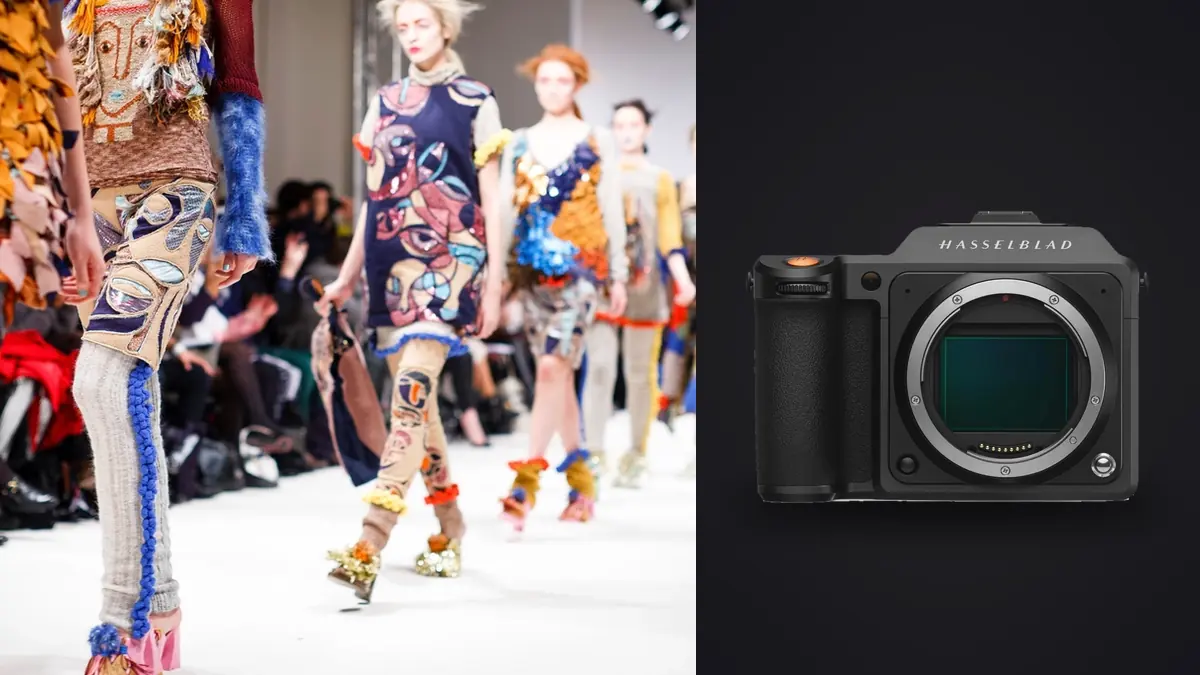
A lookbook is a catalogue problem disguised as a creative one. A single collection can mean dozens of looks, several frames per look, and a client who needs every garment colour to match the fabric on the rack. Add a 100 megapixel medium format camera and a RAW Workflow becomes a question of arithmetic: how many large files can be shot, stored, selected and delivered in a day without losing track of any of them? This article works through that arithmetic for the Hasselblad X2D 100C, with attention to colour accuracy and to one significant caveat about file formats.
The camera facts a lookbook cares about
These are the published specifications, selected for relevance to fashion work:
- 100 megapixel medium format sensor (44 by 33 millimetres), with a deep tonal range suited to fabric texture and skin.
- XCD lens mount with leaf shutters in the lenses. Leaf shutters allow flash sync at high shutter speeds, which helps when mixing flash with daylight.
- In-body image stabilization. Useful when shooting handheld on location.
- Internal SSD storage plus a CFexpress Type B card slot. Two places to write files, and fast tethering-free offload by cable.
- 3FR raw files. Hasselblad's own raw format, normally processed in Hasselblad's Phocus software.
The X2D is a deliberate, high-quality camera, not a fast sports body. Its strengths are image quality and colour, and its workflow costs are file size and processing time.
File format caveat: 3FR is not on every tool's list
Before building a workflow around third-party software, check that it opens your files. The X2D writes 3FR, and 3FR is not among the raw formats the imagic desktop app imports (CR2, CR3, NEF, ARW, RAF, ORF, RW2, DNG and PEF). The desktop app does not open X2D raw files directly. If you want to use any non-Hasselblad tool for part of the job, confirm the format is supported on a sample file first, and check whether Phocus can export your raws to a format that your other software reads.
What imagic can do in this workflow is work on exported images. Developed JPEG or TIFF files from Phocus can be culled, compared and batch-adjusted in the desktop app, which is useful for the selection stage. Treat that as a second stage after development, and not as a replacement for the manufacturer's raw converter, where colour from the camera is handled first.
Batch size arithmetic for a lookbook day
A practical way to plan is to count frames per look, then multiply.
| Item | Planning question | Why it matters |
|---|---|---|
| Looks in the collection | How many outfits, including variants? | Sets the minimum number of finals. |
| Poses and angles per look | Front, back, detail, movement? | Sets how many frames are needed per look. |
| Safety multiplier | How many extra frames for blinks and motion? | Models and fabric move; plan extra. |
| File size per frame | Large 3FR files, plus developed TIFFs | Sets the drive capacity you need. |
| Storage copies | At least two, in separate places | Sets the total storage to carry. |
The point of the table is not to produce a figure but to force the questions. A lookbook day with forty looks and six frames per look is already hundreds of files before the safety multiplier, and each is large. Put the arithmetic in a spreadsheet the night before and buy or bring enough storage that you never need to delete on set.
Capture: colour discipline from the first frame
Fashion clients judge a lookbook by whether the dress is the right shade of green. Colour accuracy therefore starts on set, not in the edit.
Shoot a reference at every lighting setup
Photograph a grey card or colour chart in the first frame of each lighting setup, and again whenever the light changes. Software can then set neutral and match colour across the batch from that frame. It takes seconds on set and saves hours later.
Keep the light consistent
Daylight shifts, so on location shoot a set of looks quickly, or work in a controlled studio. If you mix flash and ambient light, the leaf shutter's flash sync flexibility helps balance them, but keep the mix consistent across looks.
Use the stabilization and the screen wisely
In-body stabilization helps handheld frames, while a tripod or stand produces the repeatable framing that lookbooks need. Consistent framing from look to look makes the final grid read as a set.
Choose capture quality deliberately
A 100 megapixel file is rarely needed for web catalogue images, but it provides flexibility for crops and print. Decide on the day whether you need every look at full quality or whether a smaller format will do for some frames.
Protecting the files on set
The X2D's internal SSD and card slot give two destinations. Check the camera settings to see how files are directed to each, and decide whether you want duplicates or a split. Then build a routine:
- Write to both the internal SSD and the card where the settings allow it.
- Offload to a laptop with a fast external drive during breaks, not only at the end of the day.
- Keep a second copy on a separate drive, and carry one drive away from the first.
- Name folders by look number or date, so a missing frame is easy to spot.
- Do not delete anything on set. Clear storage only after the client has signed off.
Client work is not repeatable. A model's booking and a venue's availability cannot be reproduced, so a duplicate of every file is cheap insurance.
Colour-critical selection
Selecting for a lookbook is different from selecting for a portfolio. The garment matters more than the mood, and consistency matters more than variety.
Step one: technical pass
Reject frames with missed focus, blurred hands, closed eyes and fabric folded in an unflattering way. At 100 megapixels, even small focus misses are visible when zoomed in. Burst and duplicate grouping helps with the second part of this pass by collapsing near-identical frames into a group where only one needs a decision.
Step two: garment pass
For each look, choose the frame that best shows the cut, fit, fabric and details. A frame where a hand hides a pocket or a sleeve hides a seam will draw an objection from the designer.
Step three: model and mood
Among frames that show the garment well, choose the best expression and posture. Keep the model's best angles consistent across the whole set, so the lookbook feels like one shoot.
Step four: client review
Share a contact sheet of the picks and ask for a decision on each look. Designers often want a second option for certain pieces, so keep the runner-up frame until the final sign-off.
imagic can help at this stage on developed exports: it scores sharpness and closed eyes and groups similar frames on your own computer, so the first screen of your selection is already sorted. It handles JPEG and TIFF exports from a raw converter, and it does not read 3FR itself, so the sequence is develop, export, then cull.
Development in Phocus and colour management
Phocus is the manufacturer's tool for 3FR files and it applies the colour profile designed for the camera's sensor. A sensible sequence:
- Import the 3FR files and apply a neutral base with the grey card frame for white balance.
- Copy those settings to the other frames from the same lighting setup.
- Adjust exposure and contrast globally, then check the garment colour against a physical swatch or the client's colour reference.
- Export to a high quality TIFF or JPEG with a clear colour space, usually sRGB for web catalogues and a wider space for print.
Check colour on a calibrated monitor. A screen that is off by a few percent will make a garment's colour wrong for everyone else. If you do not have hardware calibration, at least avoid editing in a room with strong coloured light on the walls.
Fine retouching, such as fabric steaming, wrinkle removal or compositing, is beyond what imagic does, because it has no layers or retouching tools. A fashion job often needs a dedicated retouching program for that stage, and agreeing a retouching scope with the client in advance prevents surprises.
Delivery for web, print and the client's team
A lookbook rarely has a single destination. Export in layers of use:
- Web and e-commerce: JPEG at the size the client specifies, in sRGB, named by style code and view.
- Print and press: TIFF or high quality JPEG at full resolution with the colour profile embedded.
- Review set: smaller JPEGs with the look number visible, for quick client approval.
Consistent naming is a deliverable in itself. A file named after the client's style code saves the e-commerce team hours. For the exported-image stage, the imagic desktop app handles batch resizing and export. The AI and Technology category collects workflow reading.
Pre-flight checks before every look
A short routine between looks protects both quality and schedule. Check that the garment is steamed and sitting correctly, that the grey card frame has been taken whenever the light changed, and that the focus point is on the same part of the frame as in the previous look, such as the near eye. Glance at the histogram for blown whites on pale fabric, because white garments clip easily. Confirm the look number is recorded, whether on a slate in the frame or in a shot list, so that files can be matched to garments afterward.
Handing off for retouching and delivery
When the client wants further work, such as removing a stray thread or smoothing a seam, agree who does it and in which program. Hand over developed TIFF files with the look number in the name, and keep the untouched Phocus export as the reference. Keep every handoff on encrypted storage and note who received what. After approval, run the final export in a single pass from the approved masters so that every image shares the same size, profile and naming, then archive the 3FR originals together with the Phocus settings so the shoot can be reproduced later.
Frequently asked questions
Can imagic open Hasselblad X2D 3FR files directly?
Not in the desktop app. The X2D records 3FR, which is not among the raw formats the desktop app imports. Develop the files in Phocus first, then use imagic on the exported JPEG or TIFF files for culling and batch adjustments.
Does the X2D 100C back up to two places?
It has an internal SSD and a CFexpress Type B card slot, so files can be written to two destinations depending on the camera settings. Even so, offload to a computer and a second drive during the day and keep everything until the client signs off.
Is 100 megapixels necessary for a fashion lookbook?
For web catalogue use it is more than enough, but the extra resolution helps with crops and large prints, and the tonal quality of the medium format sensor suits fabric and skin. The cost is storage and processing time, so plan drives and development accordingly.