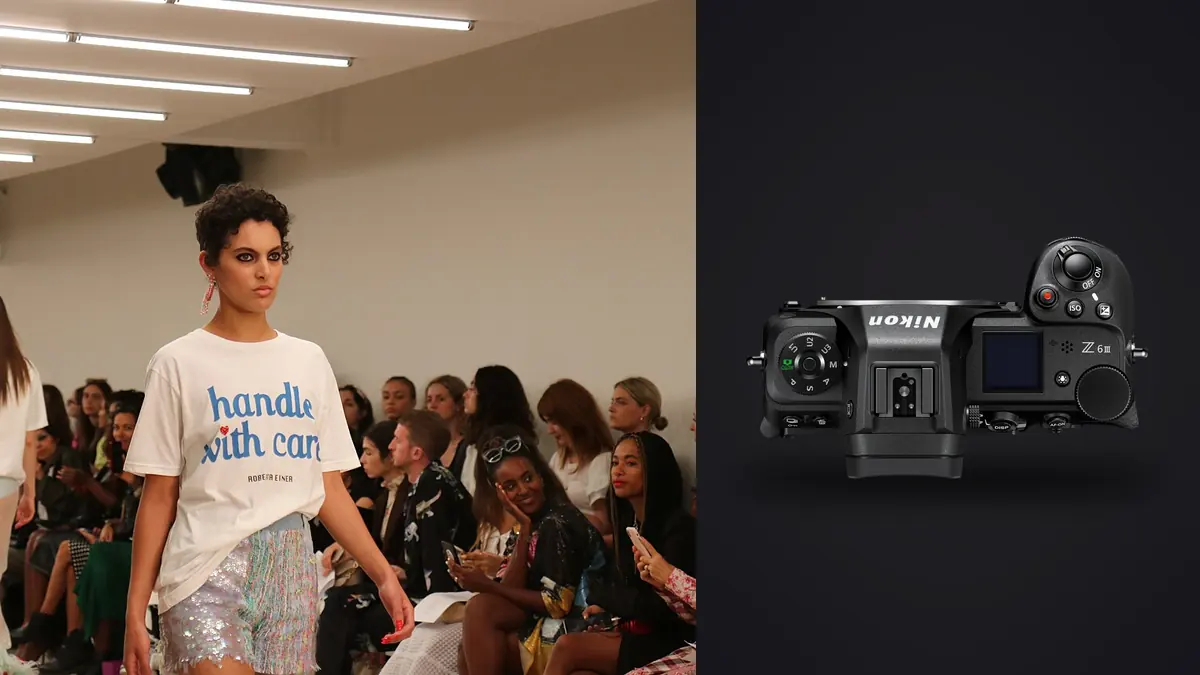
A fashion lookbook has two parallel standards. Each photograph must work visually, and the complete delivery must document every approved look, angle, detail, and output shape. Nikon Z6 III NEF files provide room for tonal and color adjustment, but no RAW latitude can repair a missing back view, mislabeled colorway, or unapproved retouch.
This RAW Workflow begins with product codes and a delivery matrix. It keeps on-set capture separate from local review, verifies card and tether copies, culls by requirement before style, matches garment color across lighting groups, and maintains a clear lineage from NEF source to final export.
Build the delivery matrix before capture
Assign each garment or styled combination a stable look code linked to product name, colorway, sample notes, and required uses. List the mandatory views, such as front, back, side, movement, close detail, horizontal banner, or vertical social crop. Keep optional editorial ideas in another column so they cannot replace contracted coverage.
Define acceptance criteria with the client. A product frame may require readable construction, accurate color, consistent crop, and an unobstructed silhouette. A campaign-style frame may prioritize motion or expression. Use separate statuses for these purposes instead of forcing one keeper label to represent both.
Synchronize cameras and computers and establish a slate method for every look change. The slate can be a frame of the approved look card without personal data, followed by the actual sequence. If a look is revisited, add a revision code and note why, rather than merging the late files invisibly with the earlier attempt.
Capture NEF groups around stable light and styling
Select a NEF option appropriate to quality, storage, and downstream compatibility, then keep it stable. Hold white balance and exposure within each lighting setup. Automatic shifts caused by a dark coat or pale dress can make a contact sheet inconsistent and complicate accurate product-color review.
Begin each setup with a neutral reference and a representative full-length frame. Repeat after a meaningful move of the key light, change of ambient source, or location transition. A reference is not a magic color solution, but it provides a measurable baseline for files made under the same conditions.
Use short movement bursts and deliberate singles. Pause after any adjustment to collar, hem, belt, bag, jewelry, hair, or set dressing. That boundary helps the culler avoid selecting a good expression from the flawed styling sequence.
Reconcile tethered and card copies safely
imagic does not provide tethered capture, so use a compatible camera or capture application on set when live client review is required. Treat the tether folder as a working capture location, not the only backup. A cable interruption, filter, or transfer setting can leave the computer and card with different file sets.
Copy each card to a card-specific originals folder, verify count and representative NEF files, then make a second verified copy on separate storage. Compare tether and card inventories before declaring either complete. Preserve card structure until duplicates and omissions are understood.
Keep untouched originals, tether previews, review files, selects, developed masters, retouching handoffs, proofs, and finals in separate directories. This prevents a quick on-set JPEG from entering final delivery and protects the NEF source from later version cleanup.
Rename only after preserving source identity
A working filename can combine project, look code, view, camera, and padded sequence. Maintain a manifest that maps it to the original camera name and card. When two cameras create the same original number, the card and body fields prevent ambiguity.
Do not embed confidential product names or unreleased campaign details in public-facing filenames unless the client requests it. A neutral code can remain consistent through proofs and finals while the protected matrix carries the descriptive information.
Record revisions instead of overwriting. If a retouch, crop, or color correction changes after approval, create a new version and mark the superseded file. The delivery manifest should identify only the active version.
Complete a coverage cull before ranking beauty
For every row in the delivery matrix, confirm at least one technically credible candidate and a backup where appropriate. Flag missing coverage immediately while reshooting is still possible. Only after the matrix is complete should the edit focus on hero expressions, movement, and campaign rhythm.
imagic supports NEF and can analyze sharpness, exposure, closed eyes, composition, and duplicate or burst relationships locally. Culling changes status without deleting originals. Use the results to navigate repeated poses, then evaluate garment presentation and client requirement manually.
A closed-eye motion frame can be intentional, while a perfectly sharp image may fail because a product feature is hidden. Automated quality is one layer. Product truth, styling, pose, layout, and approval are additional layers that require the shot list and a human reviewer.
Inspect focus, movement, and fabric together
Review the intended eye or face, then the key product feature, hands, hem, and moving fabric. A file that supports a small web tile may not support a large crop or close detail. Judge the rendered result at its destination size after using magnification to diagnose focus.
Fine textiles can produce moire that changes between near-duplicates. Compare adjacent body angles and camera distances before planning a correction. Selecting a neighboring clean frame preserves material texture more honestly than strong blur. Keep the source NEF intact for reference.
Differentiate camera motion, subject motion, and missed focus. A static set edge can reveal camera movement, while a sharp background behind a soft face points toward focus placement. Record the failure reason so future capture changes address the source rather than applying excess sharpening.
Create a color baseline per lighting setup
Apply profile, lens correction, white balance, exposure, and basic contrast to the reference file. Sync only to images made under the same light. Compare approved product colors on a controlled display and avoid judging from memory or a highly saturated screen.
Protect pale fabric highlights and maintain separation in dark materials. Lifting black garments too far can reveal noise and weaken the intended tone; crushing them can remove seams and fit information. Saturation and local contrast should support faithful texture, not create a more dramatic but inaccurate sample.
A style learned from the photographer's own prior edits can be applied in imagic only if a style profile exists. Treat it as a starting point and verify every look. A learned style cannot reconcile different lights or replace the client's brand color references.
Match cameras before the page edit
If another body covered wide or motion frames, develop each camera to a neutral baseline first. Compare matched frames under the same light and bring white balance, exposure, black level, contrast, and skin into a coherent range. Exact numerical equality is not required and may not be possible.
Normalize crop and product scale according to the approved layout. Different sensor ratios, focal lengths, and camera heights can make a garment jump between pages. Preserve perspective where it serves the creative concept, but do not let accidental framing inconsistency undermine a catalog sequence.
Interleave files only after clock order and look codes are verified. Keep the camera identifier in metadata or the manifest even if client-facing names become simpler. That trace helps diagnose a late color or focus concern.
Control retouching and approvals by filename
Write a retouch note for each selected source. Distinguish lint, temporary marks, and background defects from genuine stitching, texture, fit, and construction. Changes that could misrepresent the product should receive explicit client approval.
imagic is not a layered retouching tool and does not offer generative fill, although Plus and Max include a Heal / Remove brush with clone. Export a suitable high-quality file for a dedicated retouching application, then link each returned master to its NEF source and retouch brief. Never overwrite the approved natural version.
Generate proof JPEGs from proof-eligible masters and record feedback against exact filenames. Avoid comments such as "the third blue image" that can become ambiguous after sorting. A structured approval table reduces the chance of delivering an old crop or color version.
Preflight exports against the matrix
Before export, verify every mandatory row, selected source, crop, retouch status, approval, and target filename. Open the proposed final directory by itself and remove proofs, alternates, and superseded versions. Compare count and sort order with the delivery specification.
Export JPEG or TIFF to an explicitly chosen destination with agreed dimensions, color profile, compression, and output sharpening. Inspect the actual files for crop, orientation, banding, profile, and product color. Do not assume an editor preview proves the export recipe was applied correctly.
The desktop page describes local file processing, and related topics appear in AI and Technology. Archive NEF originals, matrices, mappings, adjustments, retouch masters, approvals, and delivered files as one traceable project.
Manage client review as a versioned workflow
Freeze the proof set before sending it and record its filename list. When feedback arrives, attach each comment to an exact file and version. Avoid replacing a proof under the same name while the client is reviewing, because cached previews and downloaded copies can show different images with identical labels.
Classify feedback as select, crop, color, retouch, naming, or usage. This routing makes responsibility clear and prevents a color note from being lost inside a general approval message. If two reviewers conflict, pause the affected file until the authorized decision-maker resolves it.
Issue a new proof version after material changes and preserve the prior review record. The final manifest should identify the approved source, retouch, crop, and filename. Approval of one version does not automatically approve later edits.
Archive product truth beside the polished delivery
Keep the untouched NEF, neutral reference, shot list, and retouch instruction beside every final lineage. A future question about garment color or construction should be answerable from source evidence rather than a compressed marketing file.
Record license scope, embargo, and any expiration that affects stored or published images. Archive access should remain limited to authorized roles, especially when the collection or campaign has not launched.
Preserve an output sample from the approved campaign page or proof when authorized. It provides context for crop and color decisions without replacing the editable master or the formal delivery specification.
Audit archive permissions whenever the campaign moves from embargoed to public. Publication does not make rejected frames, internal shot lists, sample notes, or alternate product views public. Keep role-based access on those materials and record any files intentionally released for later retailer or press use.
Frequently asked questions
Can imagic tether the Nikon Z6 III?
No. imagic does not provide tethered capture. Use a compatible capture tool on set, then bring supported NEF files into the local culling and editing workflow.
Should lookbook culling begin with the most attractive portraits?
No. Confirm required views and product coverage first, then refine expression and editorial rhythm. A beautiful set can still fail if a contracted angle is missing.
How should a revised retouch be delivered?
Create a new version linked to the same source and mark the older file as superseded. Build final delivery from the approved-version manifest, not from a folder sorted by modification time.