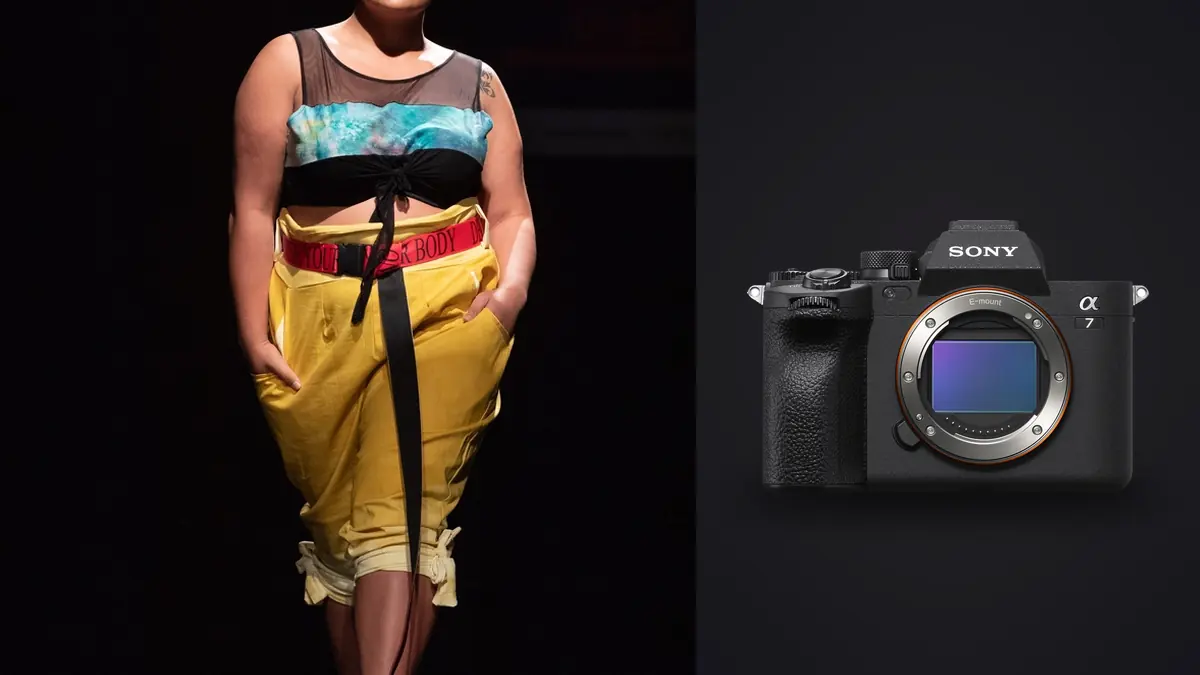
A lookbook day is not a fashion editorial. Nobody is chasing a mood for three hours to get one hero image. You've got a rack of forty to seventy outfits, a stylist who needs every look photographed, steamed, and off the rail before lunch, and a client who wants the whole thing wrapped by 5pm because the studio is booked again tomorrow. I've shot maybe a dozen of these on the Sony A7 IV over the past two years, ranging from a streetwear drop with 38 looks to a swimwear catalog that ran past 120, and the camera's strengths and weaknesses in that specific context are different from what you'd care about shooting a bridal editorial or a landscape trip. This is what actually matters when the brief is volume, consistency, and speed rather than a handful of perfect frames.
Why the A7 IV suits this kind of day better than its spec sheet suggests
On paper the A7 IV reads like a hybrid stills/video camera aimed at wedding and event shooters, and that's mostly how it gets reviewed. But two things about it map directly onto lookbook work. First, the 33 megapixel sensor gives you enough resolution to shoot a look once, wide enough to include the full outfit and some environment, and still crop into a tight product detail for the client's website without re-shooting. On a day where re-setting a look costs five minutes you don't have, that headroom pays for itself by lunchtime. Second, the menu system and custom button layout let you build a genuinely repeatable capture routine. A dedicated custom mode (C1) set to a lookbook baseline works well: 1/200s, f/6.3, ISO fixed depending on the room, back-button focus, wide-area tracking. Every new look starts from that exact state with one twist of the dial, which matters when you're resetting exposure forty separate times before noon.
Resolution as a deliverables problem, not a bragging-rights one
Clients rarely ask for one crop anymore. A single look usually needs to service a product detail page (tight crop, full outfit visible), a homepage banner (wide crop with negative space for text), and sometimes a social carousel that wants a portrait crop cut from a landscape frame. Shooting at 33MP means one well-composed frame per look can usually cover all three without a second capture. Going higher resolution (the A7R series) buys you more crop room but at the cost of buffer depth and file size, both of which hurt more on a volume day than they help.
Autofocus with a stylist working in real time
The thing nobody mentions about lookbook shoots is that the model is rarely standing still and waiting for you. A good stylist is adjusting a collar or pinning a hem while the model holds a pose, and you're often shooting through that adjustment because the client wants "natural" energy rather than stiff catalog poses. Real-time tracking with eye AF on the A7 IV handles this well as long as you're using wide tracking rather than a small, fixed AF point. I lock onto the eye once at the top of a look and let the tracking box follow the model through small movements and turns. It loses the eye occasionally when a stylist's hand crosses the face, but it reacquires fast enough that I rarely notice in the edit.
Where it struggles is fast garment movement, specifically flowing fabric, veils, or anything with a lot of loose material catching air from a fan (common on swimwear and eveningwear lookbooks). The tracking box sometimes locks onto the fabric edge instead of the model. My workaround is switching to a smaller tracking zone for those specific looks rather than fighting the wide-area setting, which is one more reason to build custom modes ahead of the shoot instead of adjusting on the fly.
RAW format and buffer: the math that actually decides your workflow
This is the part that catches people who've only shot the A7 IV casually. On a lookbook day you're not firing long high-speed bursts like a sports shoot, but you are shooting constantly and rapidly across dozens of setups, and the RAW format you pick determines whether the buffer becomes a bottleneck by mid-afternoon. Here's roughly how the three options behaved for me across actual shoot days, using a CFexpress Type A card in the primary slot:
| RAW setting | Approx. file size | Frames before buffer slowdown | When to use it on a lookbook day |
|---|---|---|---|
| Compressed RAW | ~35-42MB | 200+ (rarely hit the wall) | Default for 90% of the day. Every standard look, every quick sequence. |
| Lossless Compressed RAW | ~55-68MB | ~85-110 | Hero looks going straight to a lookbook cover or paid ad, where I want zero compression artifacts in shadow recovery. |
| Uncompressed RAW | ~65-78MB | ~40-50 | Almost never. Only for a single beauty close-up the client specifically flagged for heavy retouching. |
The practical takeaway: shooting everything in Lossless Compressed "just to be safe" is the single most common mistake I see other photographers make on volume days with this camera. You'll clear the buffer fine on any individual look, but across 60 looks and a few dozen frames each, your card fills faster, your backup takes longer that night, and your culling pile is enormous for no real image-quality benefit the client will ever notice in a JPEG delivered at 2000px wide.
Lens pairings that earned a permanent spot in the bag
A sensible kit for this specific job is three lenses, rather than a wider spread. The 24-70mm f/2.8 GM II does the bulk of the day, it's fast enough for studio strobes, close enough focusing distance for a tight two-thirds crop without changing lenses, and light enough that my wrist isn't done by 3pm. For hero shots and any look flagged in advance as a potential cover, switch to an 85mm at f/2 to f/2.8, which compresses the background and gives a noticeably more "campaign" look than the zoom, even at matched framing. The third lens, a 35mm f/1.4, comes out specifically for full-length looks with an environmental element, a doorway, a wall, a prop, where I want more context in frame without stepping back so far the strobe falls off.
What I stopped bringing: a 50mm. On paper it sits between the 35 and the 85 and should be useful, but in practice I never reached for it because the 24-70 already covers that range at f/2.8, and the extra lens change wasn't worth the marginal look difference on a day where speed matters more than a slightly different bokeh signature.
Sync speed and why silent shutter mode isn't free
Lookbook sets usually run music and sometimes have a small audience (client, stylist, assistant, maybe a second brand rep), so there's a temptation to shoot in fully silent electronic shutter mode to keep things quiet between claps and direction. Don't do this if you're syncing strobes. The A7 IV's electronic shutter reads the sensor line by line, and at typical strobe sync speeds this produces partial-frame exposure or banding you won't notice on the tiny rear screen but will absolutely see once you're grading on a calibrated monitor that night. I keep the camera on mechanical shutter for anything lit with flash, and only drop to silent/electronic for the handful of natural-light or continuous-LED setups scattered through the day, usually behind-the-scenes or a "get ready" sequence a brand might want for social.
Color out of camera and matching a brand's existing palette
Most lookbook clients have an established look, warmer skin tones for a swim brand, cooler and more neutral for streetwear, and they expect the delivered images to sit next to last season's without looking like a different camera shot them. I don't try to nail this entirely in-camera, but setting the Creative Look profile closest to the target on the day (usually a flatter, slightly desaturated profile rather than Sony's default vivid setting) makes the on-set preview and the client's live review far more representative of the final grade. It also means less surprise for the client watching a tethered feed, which matters more than people admit when you've got a creative director standing behind you all day.
Tethering and the review problem
The A7 IV's USB-C tethering is stable enough to run the whole day connected to Capture One on a laptop, with the client and stylist watching a second monitor. This changes the pace of the shoot considerably: instead of shooting a look, chimping the back screen, and moving on, you're shooting a look and the room is watching it appear at full size in real time. It's genuinely useful for catching a collar flip or a wrinkle nobody spotted through the viewfinder, but it also means every look gets scrutinized more than it would on a purely camera-back workflow, which can slow the day if you let the room debate every frame instead of moving forward and sorting properly afterward.
Where the volume problem actually shows up
Here's the part of a lookbook day that doesn't get discussed nearly enough: by the time you wrap, you're not looking at a curated set of favorites, you're looking at 3,000 to 6,000 raw frames across dozens of near-identical sequences, because every look got shot several times to cover blinks, hand position, and fabric settling. Sorting that by hand, look by look, frame by frame, is where most of a lookbook project's actual hours go, not the shoot itself. This is the point where I stopped trying to do everything in Capture One's culling flags and started running the day's card through imagic before I even open a grading tool. Its sharpness scoring flags the genuinely soft frames (usually caused by that fabric-tracking issue I mentioned earlier) straight away, and the burst clustering groups each look's near-duplicate frames together so I'm choosing between five similar shots instead of scrolling past all 6,000 in sequence.
The other place it earns its keep on this specific job is client confidentiality. A lot of these shoots are unreleased collections under an NDA, and a swimwear brand's unannounced season should not be uploaded to anyone's cloud server to get it culled. Because imagic processes everything locally on the machine, the culling pass happens before the files leave the machine, which matters more on this kind of commercial work than it ever did on the personal and travel shoots I used to run through cloud-based tools without thinking twice about it.
Keeping the edit consistent across sixty looks
The other volume problem is grading consistency. Sixty looks shot across a full day, sometimes spanning a lighting change at lunch, need to look like one coherent set when delivered, not sixty individually-graded photos with drifting white balance and contrast. Build a base look once in Capture One on a strong hero frame from an earlier shoot, then train imagic's apply_my_style feature on that set of edits, so a fresh batch of raws from a new lookbook day gets your starting grade applied automatically instead of rebuilding white balance and contrast from a flat profile sixty separate times. Still hand-finish the ten or so hero looks that will actually run as ads, but the bulk of the catalog gets a consistent, fast first pass that used to eat most of an evening. Our tips for a faster photo workflow cover more ways to tighten up that post-shoot review step generally, beyond just this one camera.
What I'd tell someone buying this camera specifically for lookbook work
If your business is largely this kind of catalog and e-commerce volume work, the A7 IV is a genuinely sound choice, not because any single spec is class-leading, but because the combination of resolution, tracking autofocus, stable tethering, and a buffer that behaves predictably under Compressed RAW covers the actual demands of the day. Where it falls short is battery life on a long tethered shoot (expect to go through two NP-FZ100s on a full day without video) and the fact that CFexpress Type A cards remain expensive relative to the SD cards most other bodies in this price range use, which adds real cost if you're running dual-card redundancy on every job, which for client work under contract, you should be.
If you're weighing camera bodies against each other for this exact use case, it's worth reading up on general culling and delivery workflow separately from the gear choice, since the biggest time sink on a lookbook project has less to do with which camera you shot on and more to do with how you get from six thousand raw frames to a finished, consistent delivery. Our breakdown of how AI photo culling actually works covers the mechanics behind the sharpness and duplicate detection I leaned on above, if you want the technical side of that part.
Frequently Asked Questions
Is the A7 IV fast enough for a stylist doing quick changes between looks?
Yes, for the shooting itself. Ten frames per second on the mechanical shutter with Compressed RAW is more than enough to catch a model settling into a pose, and the buffer won't stall you mid-look under that setting. The bottleneck on a fast-paced day is never the camera keeping up with the stylist, it's how fast you personally can review a look on the tethered screen and greenlight the next change.
Do I need Lossless Compressed RAW for lookbook delivery, or is Compressed RAW enough?
For the vast majority of looks, Compressed RAW is genuinely enough. Lookbook deliverables are typically JPEGs at web resolution, and the compression artifacts you're avoiding with Lossless only show up under aggressive shadow recovery, which most catalog images don't need. Reserve Lossless or Uncompressed for the specific hero shots you know are going to a large print or a heavily retouched ad.
Can I shoot silent (electronic shutter) mode through the whole day to keep the set quiet?
Not if you're using strobes. The electronic shutter's rolling readout causes banding or partial exposure at typical flash sync speeds, and it won't be obvious on the camera's rear screen. Stick to mechanical shutter for anything lit with flash, and save silent mode for continuous-light or natural-light segments of the day.
Is a 33MP sensor actually necessary for e-commerce and lookbook work, or is it overkill?
It's close to the sweet spot for this specific job. You get enough resolution to pull a tight product crop from a full-body frame without a second capture, but the files stay small enough that buffer depth and end-of-day storage don't become their own problem the way they would shooting the same volume on a 60+ megapixel body.