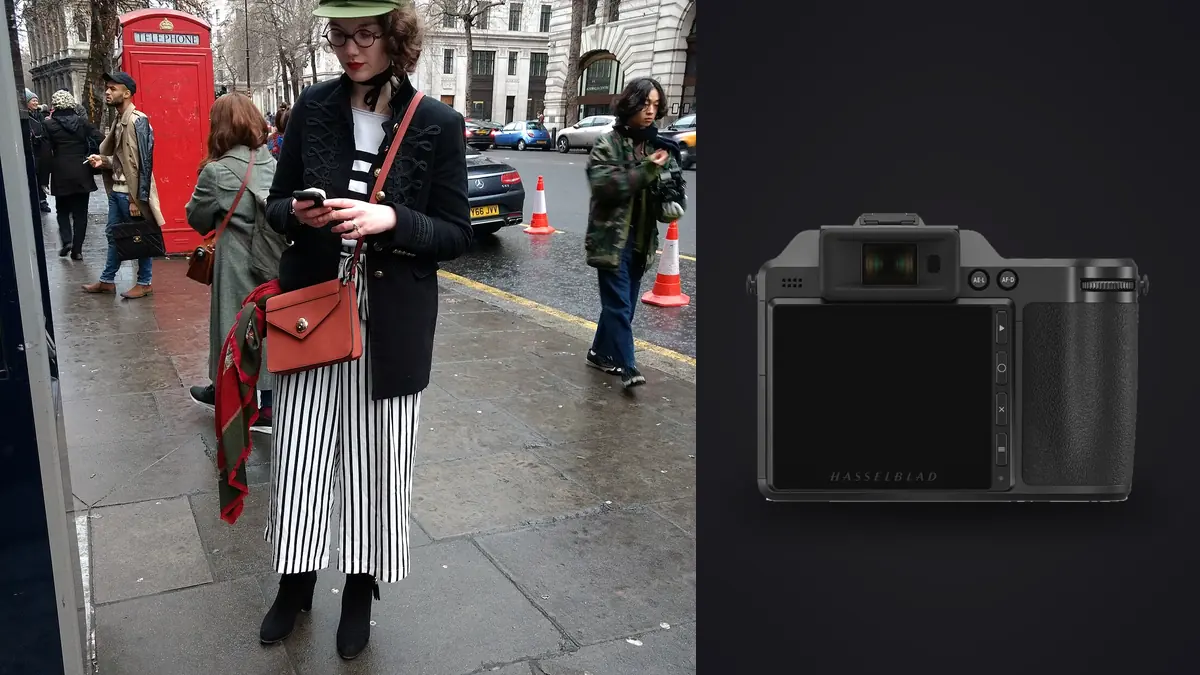
Somewhere around a studio's third or fourth lookbook season, the question stops being whether a camera can produce a beautiful file and starts being what it costs, in money and in hours, to turn fifty-plus garments into fifty-plus client-ready images on a deadline. The Hasselblad X2D 100C gets recommended for this job constantly, and the recommendation is usually correct, but it's worth working through why in terms that actually matter to someone running the numbers on a shoot rather than just admiring a spec sheet.
What a lookbook actually asks of a camera
Resolution gets the headlines, but resolution isn't the thing that makes or breaks a lookbook delivery. What actually matters is repeatability: garment number one and garment number fifty need to read as the same color temperature, the same white point, the same skin rendering, even though the light shifted across the day, the model got tired, and three different assistants handled white balance checks at different points. A camera that nails one hero frame and drifts slightly on the next forty isn't solving the actual problem a brand is paying for.
This is the real case for the X2D 100C on this kind of job. The 100-megapixel sensor gets you crop flexibility for the inevitable request to pull a tighter product shot out of a full-length frame, but the bigger value is upstream of that, in how consistently the color comes off the sensor before you've touched a single slider.
The sensor and color pipeline, and why it matters for dye lots
The sensor itself is a 43.8mm by 32.9mm CMOS chip, base ISO 64, outputting 16-bit raw files. None of that is exotic anymore on its own; several medium format competitors are in the same neighborhood on paper. What's specific to Hasselblad is the Natural Colour Solution profiling behind it, which is tuned for accurate hue separation across a wide gamut rather than for the punchier, slightly oversaturated look a lot of consumer-facing camera profiles default to. On a lookbook rack full of dye lots (a burgundy that's actually burgundy and not drifting toward brick red, a cobalt that doesn't clip toward pure blue under strobe), that profiling does real work before you open an editor.
The practical upshot: fewer per-garment color corrections, and fewer moments where a brand's color-matching person flags a swatch mismatch on image forty-two that wasn't a problem on image three. That's a smaller line item than resolution on a spec sheet, and a bigger one on an invoice, because chasing color drift across a large delivery eats hours that don't show up anywhere except the final bill.
Autofocus and buffer: adequate, not fast
The X2D 100C runs a hybrid autofocus system, phase-detect pixels mixed with contrast detection, which is a real step up from the contrast-only system in Hasselblad's earlier X1D bodies but still noticeably behind a modern full-frame mirrorless body when a subject is actually moving. Burst tops out around 3.3 frames per second. For a lookbook where the model holds a pose for a beat while a stylist adjusts a cuff, that's not a limitation you feel. For a walking shot, a spin, anything with real motion, it will hunt more than you want it to.
The adjustment that actually matters here isn't buying a different camera, it's changing habit: single-point back-button focus, a pre-focus on the model's mark before they settle, and real caution about how thin depth of field gets at f/2.8 to f/4 once you're resolving 100 megapixels at typical lookbook working distance. A garment that reads sharp at the shoulder and soft at the hem because the model shifted two inches is an easy miss on this system, and it's exactly the kind of miss that's hard to catch on a laptop screen at anything less than full zoom.
Weighing it against the alternatives
Studios evaluating an X2D 100C purchase are almost always also weighing the Fujifilm GFX100 II, and increasingly a high-resolution full-frame body like the Sony A7R V, since the resolution gap has narrowed. Here's how the three actually compare for lookbook work specifically, not for landscape or product photography where the priorities are different.
| Factor | Hasselblad X2D 100C | Fujifilm GFX100 II | Sony A7R V |
|---|---|---|---|
| Sensor size / resolution | 43.8 x 32.9mm, 100MP | 43.8 x 32.9mm, 102MP | 35.9 x 24mm, 61MP |
| Burst rate | 3.3fps | up to 8fps | up to 10fps |
| Autofocus for moving subjects | adequate for held poses only | noticeably quicker, more confident | fastest of the three, AI subject tracking |
| On-set storage | 1TB internal SSD + 1 SD slot | dual CFexpress Type B | dual CFexpress A / SD |
| Where it wins on a lookbook job | hero color-critical looks, static poses | higher-volume days, faster turnover between looks | days with real movement, fastest overall pace |
None of these is the objectively correct choice for every studio. The GFX100 II closes most of the speed gap while keeping the larger sensor, which is why studios running high-volume, fast-turnover lookbook work have increasingly shifted toward it. The X2D 100C's case is narrower: if the brand cares intensely about color accuracy on hero images and the shoot is genuinely static, the file quality is difficult to match at any price below full medium format.
A minimal lens kit, not a full bag
It's tempting to build out four or five XCD lenses for a lookbook kit. In practice, two cover most of the job. The XCD 55V (roughly a 43mm full-frame equivalent) handles the bulk of full-length, catalog-clean looks at a natural perspective without the slight foreshortening a wider lens introduces on a standing figure. The XCD 90V (about 71mm equivalent) takes over for waist-up crops and detail shots where you want the garment to read completely flat, which matters the moment a client zooms into a lapel or a seam on their monitor.
A third lens is worth adding only if the brief specifically calls for it: something wider for environmental or group frames, or a longer option for tight fabric texture crops that a brand wants for an e-commerce zoom feature. Buying that third lens before you've had a brief that actually needs it is money that would be better spent on storage and backup drives, which every X2D 100C shoot needs more of than people budget for going in.
What this actually costs to run
The body alone runs well into five figures in most currencies, and a two-lens XCD kit adds a comparable amount again, so the up-front number is not small. What tends to get missed in that conversation is the ongoing cost on the software side. A subscription-based culling or grading tool compounds across every lookbook season a studio runs for years, in a way a one-time license doesn't. If you're pricing that out, it's worth checking imagic's current license tiers against whatever subscription tool you're currently paying monthly for, since the math tends to favor a one-time purchase once you're running more than a handful of shoots a year.
Storage is the other real cost. A single 3FR raw file off this sensor runs 100 to 200MB depending on scene complexity, and a fifty-look day with safety frames at each stopping point clears half a terabyte before you've deleted anything. Budget two card copies and a same-day drive backup as a fixed cost of the job, not an optional extra, especially on collections that haven't been announced yet.
Once the tether session ends
Phocus handles the tether and gives a solid starting color profile on set, but the actual consistency work happens afterward, and this is where a lot of lookbook deliveries quietly fall apart: someone grades the first dozen hero looks carefully, runs low on time, and eyeballs the rest. The client notices the drift in the final PDF even if nobody can quite say why look forty feels slightly off from look four.
The fix that's worked for me is grading a representative handful of looks properly, then letting imagic's apply_my_style feature carry that same edit character across the rest of the set. It learns the preset from edits you've actually made rather than applying a generic filter, so a brand's specific white point or a location's particular warmth carries through consistently instead of getting smoothed into something generic. It runs locally on the machine, which is worth mentioning specifically for lookbook work: garment photography almost always covers a collection before the brand has announced it, and nothing about the process requires uploading those files anywhere to get a consistent grade. For a deeper look at grading approaches beyond a single preset, this guide to color grading workflow is worth reading before locking in a pipeline.
Sorting through the actual volume
A fifty-look day with three to five frames per look and safety duplicates for blinks and focus misses lands somewhere around four hundred to six hundred raw files before anything gets touched, and a chunk of those look nearly identical to the eye: same light, same garment, same pose, one frame apart. Going through that manually at full resolution is the part of a lookbook job nobody prices correctly when they're quoting a job.
This is where the file volume and the cost conversation from earlier actually connect. imagic's duplicate and burst clustering groups those near-identical frames from each stopping point automatically, and its local sharpness scoring flags which frame in each cluster actually landed focus on the garment rather than drifting onto a shoulder or an earring, which on a razor-thin-depth-of-field 100-megapixel frame isn't always the one that looks sharpest on a quick glance. Because it runs on the machine rather than through a cloud queue, there's no per-image processing charge stacking on top of the license, and no wait on an upload before the evening's sort can start. If you're comparing this against other culling tools before committing to one, this comparison of current photo culling software covers how the local-processing approach stacks up against the cloud-based alternatives.
Frequently Asked Questions
Do 3FR files from the X2D 100C work directly in most third-party culling and editing tools?
Not always natively. Most third-party culling and editing software, including the tool referenced earlier in this piece, reads DNG rather than Hasselblad's proprietary 3FR format, so the standard workaround is converting through Phocus or Adobe's DNG Converter as part of your ingest routine. It's a fast step once it's built into your process, not extra work so much as a checkpoint you add to the ingest you're already doing.
How does Hasselblad's color science actually change garment color compared to a standard camera profile?
The Natural Colour Solution profiling is built for accurate hue separation across saturated colors rather than a punchier default look, which matters specifically for dye lots that other systems can shift or clip. In practice it shows up as fewer per-garment corrections needed to match an approved swatch, particularly on deep reds, blues, and the synthetic brights common in activewear.
Is the price difference over a full-frame body actually justified for lookbook work?
If a brand cares intensely about exact color matching on hero images and the shoot is largely static poses, yes, the file quality and color pipeline are hard to replicate below true medium format. If the budget is tighter and color tolerance is looser, a high-resolution full-frame body will produce a perfectly usable lookbook at a fraction of the up-front and ongoing cost.
Is carrying this camera handheld for a full shoot day realistic?
It's on the heavier side for a mirrorless body, and paired with an XCD lens it adds up over several hours of handholding. Most studios running a full lookbook day either keep it on a tripod or geared head for the majority of static looks and only go handheld for occasional movement or environmental frames, rather than handholding the entire session.