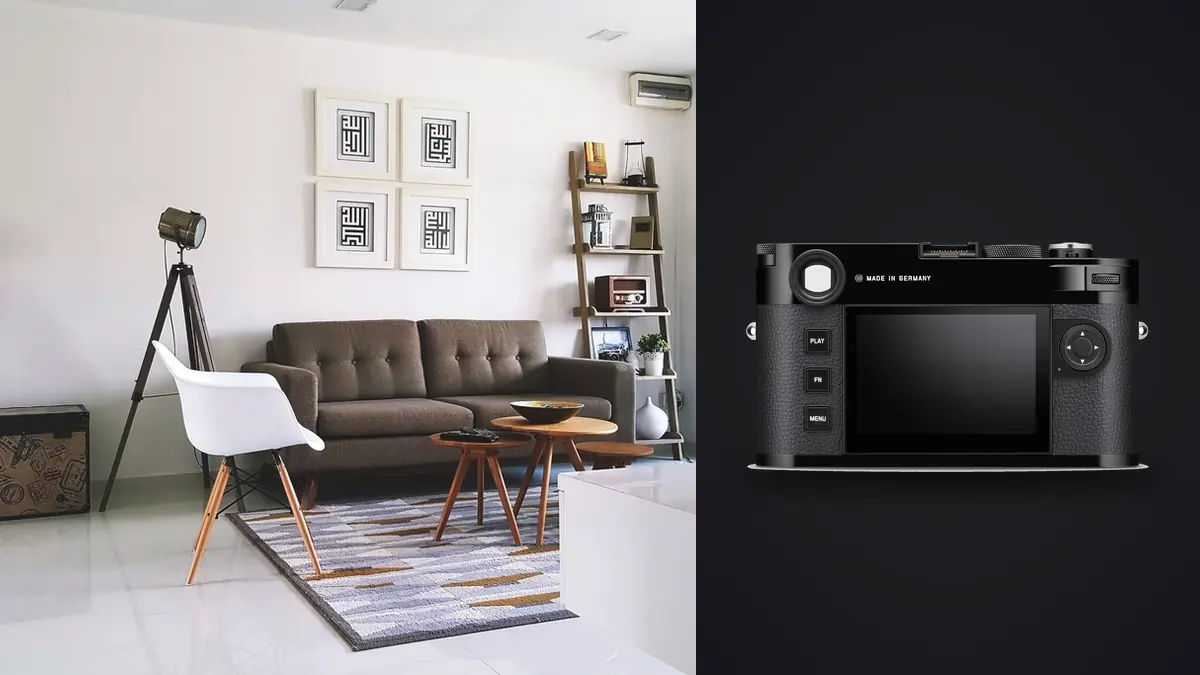
I get asked, usually by someone who just watched a rangefinder review on YouTube, whether the Leica M11 makes sense for shooting interiors and architecture. The honest answer is that it does one part of the job better than almost anything else I own, and it is genuinely awkward at another part of the same job. Nobody tells you that in the marketing copy, so here is what actually happens when you take a manual-focus rangefinder into a client's living room or a half-finished renovation and try to come home with usable frames.
The rangefinder problem, specifically indoors
Outdoors, at a distance, a rangefinder is fast. You frame, you nudge the focus lever until the double image in the patch snaps together, you shoot. Indoors, the working distances are shorter, the rooms are smaller, and the built-in frame lines on the M11 stop at 28mm. If you're shooting a small bathroom, a stairwell, or anything where you need an 18mm or 21mm field of view to get the whole space in, the camera's optical finder simply doesn't show you that frame. You either bolt on an external optical finder (Leica sells dedicated ones for the wide primes) and guess-focus using distance markings and depth of field, or you switch to the rear screen and focus the slow way, magnified, off a tripod.
That second method is what I actually use for most interior work, and it's worth saying plainly: it is not faster than a mirrorless camera with focus peaking and an articulating screen. The M11's rear LCD is fixed. Shooting low, which happens constantly in interiors, angling up at a ceiling detail or down at a herringbone floor, means crouching or lying on the floor to see the screen rather than tilting it toward you. On a tripod at a comfortable working height it's fine. Hand-held, chasing a stylist repositioning a chair between takes, it's the least pleasant part of owning this camera.
The lenses that actually earn a place in the bag
For interiors I carry three M-mount lenses and barely touch the rest of the kit: the Super-Elmar-M 21mm f/3.4 ASPH for full rooms, the Elmarit-M 28mm f/2.8 ASPH for anything with a bit more breathing room, and a 35mm Summicron for detail shots, tabletop styling, material close-ups. The 18mm exists and I own it, but it sees less use than I expected because at that focal length the corner rendering on close subjects (a common situation in tight interiors) gets soft enough that I'd rather crop a 21mm frame.
What keeps me buying into the system for this genre isn't sharpness charts, it's how these lenses render wood grain, brushed brass, linen, and matte paint under mixed light. There's a restraint to the microcontrast that suits interior design work specifically: it doesn't oversharpen texture the way some modern optics do, so a shot of an oak dining table doesn't look like it's been run through a texture filter. Whether that's worth the lens prices is a separate argument I won't relitigate here, but for editorial interior work where the images sit next to a designer's own aesthetic choices, it matters more than it would for, say, sports.
No tilt-shift, and what I actually do about it
This is the real limitation, and I'd rather say it outright than dance around it: there is no tilt-shift M-mount lens, and there never will be, because the mount's flange distance and rangefinder coupling don't accommodate the shift mechanism the way an SLR or view camera mount does. Every convergent vertical you see in an M11 architecture shot got corrected one of three ways: the camera was leveled and the composition cropped from a wider frame with headroom built in, the shot was made from a stitched two- or three-frame panorama to fake a higher vantage point, or the verticals were pulled straight afterward in Lightroom or Photoshop's upright tool.
All three work. None of them is free. Cropping for level verticals costs you resolution, which is less painful on a 60-megapixel sensor than it would be on a 24MP body, but it's still a real cost when a client wants a full-bleed magazine spread. Stitching costs you time on location and a tripod head that can pivot cleanly, which is fine for a controlled shoot but a nuisance on a rushed real estate walkthrough. And digital correction has a ceiling: push it too far and you get stretched pixels in the corners, especially on a wide lens where the geometry was already doing some of the work for you optically. If a project genuinely needs elevation-accurate architectural documentation, I still reach for a view camera or a tilt-shift lens on a different body. The M11 is for rooms that need to look good, not for facades that need to measure correctly.
A quick note on levels
The optical viewfinder gives you no electronic level. You're eyeballing the frame lines against a doorframe or a visible horizontal. Switch to live view on the rear screen and there's a digital horizon overlay, which I turn on for every interior job and genuinely never turn off. Skipping it is how you end up back at your desk noticing a two-degree lean across an entire bracketed set.
How it stacks up against the obvious alternatives
People considering an M11 for this work are usually also considering a tilt-shift DSLR/mirrorless kit or a medium format body. Here's how they actually compare for interior and architectural jobs, based on kits I've either owned or rented for specific shoots.
| Consideration | Leica M11 + 21mm/28mm primes | Fujifilm GFX 100S II + adapted lens | Full-frame body + 17mm tilt-shift |
|---|---|---|---|
| Native perspective correction | None; crop, stitch, or fix in post | None on adapted glass; needs a shift adapter or software | Yes, mechanical shift on the lens itself |
| Resolution headroom for crop-correcting verticals | 60MP native, plenty to crop into | 102MP, the most headroom of the three | Usually 24-45MP, tight if you're cropping too |
| Focusing method indoors | Manual, rangefinder or magnified live view | Manual on adapted glass, focus peaking helps | Manual (tilt-shift lenses have no AF) |
| Rear screen | Fixed | Fully articulating on most builds | Tilting or fully articulating, camera-dependent |
| Typical wide-kit weight (body + one lens) | Roughly 800g | Roughly 1.4kg | Roughly 1.6-1.8kg |
| Where it wins | Discretion, speed of setup, color rendering | Absolute resolution and dynamic range | Geometrically accurate architectural documentation |
Nothing in that table is a knockout blow either way. The M11 wins on how unobtrusive it is in an occupied home, which matters more than gear reviewers tend to admit. The GFX wins if a print is going six feet wide. The tilt-shift rig wins the moment a client actually needs the building to read as geometrically correct rather than just pleasant to look at.
ISO 64, dynamic range, and shooting in someone's actual living room
Interior work is a dynamic range problem disguised as a lighting problem. You've got a bright window, a dim corner, and a client who doesn't want three light stands cluttering their newly staged room. The M11's native ISO 64 gives real extra latitude in the shadows compared to shooting at a standard ISO 100 base, which shows up specifically in these mixed-light rooms where you're pulling detail out of a shadowed reading nook while keeping a window from blowing out completely. I still bracket, because no single sensor reading handles a west-facing window at 4pm and the room behind it in one frame, but the bracket spread I need is narrower than it used to be on older bodies.
The other thing worth mentioning, because it's rarely brought up in spec sheet comparisons, is the electronic shutter option. Interior design shoots often happen in occupied homes or quiet retail spaces where a loud mechanical shutter draws attention every single frame. Switching to the M11's silent electronic shutter mode for a walkthrough sequence means you're not interrupting a conversation between the designer and the homeowner every three seconds. It's a small thing until you're the person standing in someone's kitchen making noise.
Getting from card to delivery without losing a weekend
Here's the part nobody mentions when they talk about rangefinders and architecture: bracketed interior shoots generate an enormous number of visually near-identical frames. A single room, shot at three exposures per angle across six angles, with a couple of retakes because the rangefinder patch wasn't quite snapped on a detail shot, is fifty or sixty frames that all look the same at a glance. Sorting that by eye, at the end of a twelve-hour shoot day, is where most of the actual fatigue in this work comes from, not the shooting itself.
This is where I lean on automated culling rather than scrubbing through a folder manually. I run the day's cards through imagic and let its duplicate and burst clustering group each bracket set together instead of me hunting for which three frames belong to which angle. Because it scores sharpness locally on the actual pixels rather than trusting a thumbnail, it also catches the handful of frames where the rangefinder patch looked snapped through the viewfinder but the focus had drifted slightly at f/2.8 on a detail shot, the kind of miss that's genuinely easy to make on a manual-focus body and genuinely easy to miss yourself at 1am. And because interior shoots are often under an embargo (a designer doesn't want a client's unfinished renovation showing up anywhere before the reveal), doing that culling entirely offline instead of pushing everything through a cloud service is not a minor convenience, it's a real requirement on some contracts.
The other piece that's saved me actual editing hours is training imagic's apply_my_style preset on a set of interior edits I'm already happy with (a specific white balance approach for mixed tungsten-and-daylight rooms, a particular way I pull shadow detail without crushing wood tones) and then letting it apply that starting point across a fresh shoot before I go in and do the room-by-room fine tuning. It doesn't replace judgment on a job where every room has different light, but it removes the flat, generic starting point you'd otherwise begin every single frame from.
Where I'd reach for something else
I want to be straightforward about the limits rather than sell past them. If a job requires geometrically precise elevations for a construction or listing agency that measures things off the photo, skip the M11 and rent a tilt-shift kit or a technical camera. If you're shooting handheld walkthroughs quickly for a real estate client who wants forty rooms covered before lunch, autofocus earns its keep and a rangefinder will slow you down and frustrate you. And if the deliverable is a huge print where every bit of resolution matters after you've already cropped for level verticals, medium format has a real, measurable edge.
Where the M11 actually wins is smaller and more specific than "architecture photography" as a category: boutique interior design portfolios, magazine-style room features, and any shoot where being quiet and small in someone's home matters as much as the technical result. That's a narrower use case than the marketing around this camera usually admits, but it's a real one, and it's the reason mine still comes out of the bag more often than the tilt-shift kit does.
Frequently Asked Questions
Can you shoot real estate interiors on a Leica M11 without a tripod?
You can, but you're trading away the two things that make interiors easiest: a level horizon you can dial in carefully and a slow, deliberate focus check. Hand-held, at typical room-light apertures, I'd rather have a mirrorless body with in-body stabilization and autofocus for a fast walkthrough. The M11 earns its keep on slower, more considered shoots where a tripod is already part of the workflow.
Does the lack of tilt-shift lenses actually rule out architectural work?
It rules out geometrically precise elevation shots where a client or engineer needs straight lines to actually be straight in the file, not just corrected to look straight. For editorial and interior design work, where a slightly cropped, digitally leveled frame is completely acceptable, it's a workaround rather than a dealbreaker.
Is the 60-megapixel sensor overkill for interior photography?
Not really, mostly because of how much of that resolution gets spent on cropping. Between leveling verticals in post and occasionally reframing a composition after the fact, you use up megapixels faster on interior work than on most other genres. The camera's triple-resolution DNG option (60, 36, or 18 megapixels) is genuinely useful here too, since a quick client preview set doesn't need full-resolution files the way a final delivery does.
What's the biggest workflow bottleneck once you're back from an interior shoot?
Sorting bracketed sets, not editing them. A day of interior work can produce several hundred frames that are exposure variants of the same forty or fifty compositions, and manually figuring out which three belong together, and which one is actually sharpest, eats more time than the color grading does. That's the specific problem an organized culling workflow solves, and it's the step most people underestimate before their first big shoot.