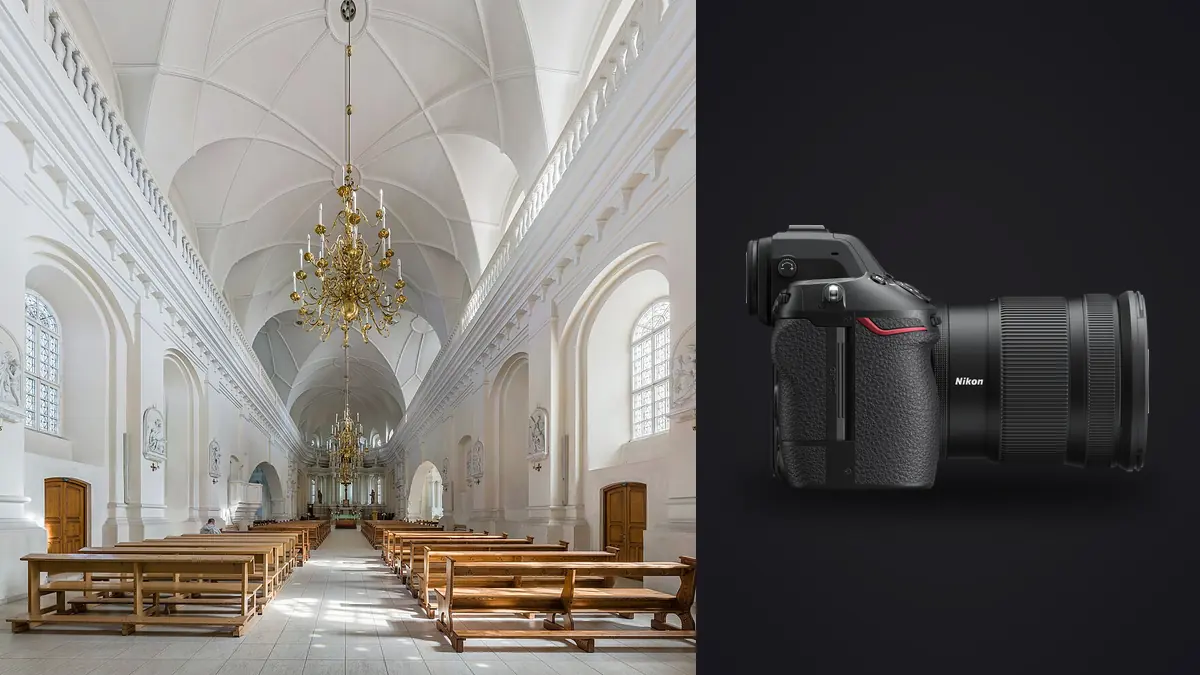
A Nikon Z8 architecture and interior design RAW Workflow should treat every NEF as either a finished candidate or a documented component. A final room image may depend on a geometric base, highlight and shadow brackets, several flash passes, a clean plate, and a neutral reference. Similar thumbnails can represent very different jobs.
The Z8's high-resolution stacked sensor, electronic shutter operation, and mixed CFexpress Type B or XQD plus SD storage require deliberate choices. The workflow protects precise alignment, tests artificial light for banding, keeps component sets intact, and hands complex merges to software designed for layers, HDR, or panorama work.
Assign every viewpoint a component map
Build a shot list by property area and exact viewpoint. Give each composition a short code, then list the expected base, bracket, flash, plate, and detail files. A lobby may have several distinct angles, so a room name alone is not enough.
Record tripod position, height, focal length, focus, orientation, and intended crop. Keep the camera locked during components meant to align. If the camera moves, begin a new set instead of hoping software will conceal a changed viewpoint.
Note people, curtains, screens, traffic, water, and other moving elements. Identify approved occupied frames and clean plates. Consent and property restrictions should follow the set through editing and export.
Choose NEF settings from the master requirement
Select a RAW compression option that every application can decode with current firmware. Carry sample NEF files through development, composite work, retouch, and export before an important property. Preserve the native NEF as the archival source.
Use high resolution when detail, crop, or print needs it. It also reveals movement, vibration, lens edges, dust, and alignment errors. Choose aperture for required depth and optical performance, then verify near and far details at full size.
Keep preview contrast and white balance restrained. A dramatic display look can hide window clipping or shadow color. Photograph a neutral reference in the relevant mixed light and repeat it after a meaningful source change.
Protect geometry before exposure
Level the camera and keep the sensor plane parallel to defining verticals when possible. Check the building rather than trusting one old floor or leaning wall. Upward tilt creates convergence and consumes edge area during correction.
Choose focal length for believable spatial relationships. An extremely wide lens can stretch foreground furniture and make a room feel larger. Step back when allowed, simplify the composition, or use a shift lens appropriate to the assignment.
Use stable support, a remote release or delay, and a setup that cannot drift during bracket or flash passes. Configure stabilization according to Nikon guidance for the support. Recheck composition after anyone touches the tripod or floor nearby.
Test electronic shutter under artificial light
The Z8 operates with an electronic shutter. Some LED, fluorescent, display, or dimmed sources can produce bands or uneven color at certain shutter timings. Photograph plain walls and illuminated surfaces across a small sequence before the room is reset.
If artifacts appear, adjust shutter timing or the controllable light source and repeat the test. Long ambient exposures may average some flicker, while shorter flash or detail frames can reveal it differently. Verify each capture method rather than assuming one result covers all.
Screens and signs may refresh independently from room lights. Decide whether they should be on, off, or synchronized to a tested setting. A banded display is easier to correct at capture than through selective repair later.
Bracket only for a defined range problem
Keep aperture, focus, framing, and white balance stable across exposure brackets, changing shutter time unless the method requires another approach. Record enough range for meaningful windows and interior shadows without filling the set with redundant steps.
Inspect the darkest member for required exterior detail and the brightest for usable interior material. A direct lamp or sun reflection may remain bright. Protect what the design and delivery need, not every luminous point.
Mark group boundaries with a slate, rating, or note. At ingest, timestamps and exposure metadata help reconstruct order. Similar composition does not make brackets duplicate files.
Keep ambient, flash, and clean plates distinct
Use ambient frames to preserve natural gradients and practical-light relationships. Flash passes can clarify color, texture, and shadowed areas. Record every light position and make a clean plate after stands or people leave when the composite plan needs one.
Inspect mirrors, glass, polished metal, and stone for the camera, light, cable, photographer, and unwanted room detail. Move or flag reflections at capture when possible. High resolution can reveal a small reflection missed on the rear screen.
Do not let flash flatten the lighting design. Blend only what supports truthful material and space. Mixed color may require local correction, but a global neutralization can erase intentional practical warmth.
Route mixed media with a transfer log
The Z8 combines a CFexpress Type B or XQD slot with an SD slot. Configure duplicate NEF, RAW and JPEG separation, or overflow deliberately and verify both destinations. Different media can shape the practical recording plan.
Label cards and log viewpoint ranges, copy destinations, verification, and return state. Keep blank, exposed, and copied media physically distinct. Do not format after merely seeing previews on a laptop.
Create a stable working copy and separate verified backup before card reuse. Open a complete bracket and flash set from each card. Keep originals apart from catalogs, composites, and exports.
Cull for set completeness first
Audit every viewpoint against its component map while the property may still be available. Confirm a sharp geometric base, required brackets, flash passes, clean plates, and references. Mark gaps before choosing the most attractive frame.
Then inspect focus, vibration, moving objects, reflections, verticals, edge quality, and exposure coverage. A component can look poor alone and remain essential to a window or reflection blend. Preserve its role.
imagic supports NEF files and can locally score sharpness, exposure, closed eyes, and composition while grouping similar images. It cannot know that a darker frame is the required window component. Culling sets status and never deletes the original.
Develop a conservative geometric base
Choose the strongest base from camera position, focus, movement state, and exposure. Apply suitable lens correction, then adjust verticals and horizon without forcing every building into false mathematical perfection. Watch objects near the frame edge for stretching.
Set white balance and broad tone from the correct reference. Synchronize only adjustments that belong across components. Avoid local contrast, strong sharpening, or masks before a merge unless the chosen composite method requires them.
Leave crop margin for transformation and delivery ratios. Compare the corrected frame with the approved shot orientation. A strong perspective correction can reduce usable width and alter planned text space.
Build composites in dedicated software
imagic can make non-destructive adjustments and export JPEG or TIFF, but it does not merge HDR brackets, stitch panoramas, or provide layers. Prepare compatible component files, then use a dedicated application. Keep a manifest of every source NEF.
Inspect masks around window frames, lamps, plants, curtains, furniture, and people. Check for halos, repeated objects, inconsistent reflections, and impossible shadow direction. Preserve an editable master for revisions.
Define truth boundaries before retouching. Removing temporary equipment may be allowed, while changing permanent architecture, views, dimensions, or safety features can misrepresent the property. Record approved alterations.
Review the property as a sequence
Create a contact sheet of approved frames. Compare camera height, vertical treatment, window brightness, color, and contrast across rooms. Consistency helps the property feel connected, while each space should retain its actual material and light character.
Flag intentional exceptions such as twilight exterior, detail study, occupied lifestyle frame, or monochrome archival view. Documenting them prevents a later global correction from flattening meaningful differences.
Track visits and property state. Renovation, staging, season, and occupancy can change between sessions. Do not combine components from different dates without explicit approval and accurate disclosure.
Control screen, window, and replacement content
Televisions, digital signs, projected art, and window views can require separate exposures or approved replacement content. Record the source and capture time for every inserted element. A blank screen is not permission to add unrelated imagery, and a replacement view should not imply a condition that was never present.
Match perspective, brightness, color, reflections, and depth when compositing approved content. Check screen bezels, window mullions, glass glare, and spill onto nearby surfaces. A technically clean insertion can still look false when it ignores the room's light.
Keep licensing and privacy records for any supplied image or artwork. Do not leave temporary download names detached from the master. The component manifest should identify whether content came from the camera, property representative, or another authorized source.
Archive component manifests with editable masters
For every final composite, retain the viewpoint code, source NEF range, excluded frames, masks or layer master, approved changes, and exported versions. This makes a new crop or profile possible without guessing which bracket or flash pass was used.
Open a representative editable master before archiving to confirm that linked or embedded components remain available. Store a rendered reference beside it for future comparison. Remove temporary caches only after the manifest and master can restore the final result.
Export by recipient and property policy
Confirm JPEG or TIFF, color space, dimensions, compression, sharpening, filename, metadata, crop variants, and destination. Generate derivatives from the approved master. Keep the viewpoint code and version traceable.
The imagic desktop workflow explains local processing of supported files, while Camera Hardware gives broader equipment context. Layered compositing, printing, and full archive cataloging remain outside imagic.
Open every final and inspect verticals, seams, gradients, profile, crop, and private metadata. Compare the delivered set with the shot list. Archive NEF originals, component maps, editable masters, approvals, and derivatives according to policy.
Use a Z8 architecture RAW workflow checklist
- Map: assign every viewpoint and required component role.
- Format: verify NEF through development, composite, and archive.
- Geometry: level, stabilize, and preserve alignment.
- Shutter: test artificial lights and displays for bands.
- Components: separate brackets, ambient, flash, and clean plates.
- Cards: verify CFexpress or XQD and SD routing.
- Audit: confirm complete sets before leaving the property.
- Develop: correct base geometry and tone conservatively.
- Merge: use dedicated software and retain a source manifest.
- Deliver: audit sequences, metadata, crops, versions, and count.
Frequently asked questions
Can imagic merge Z8 architectural brackets?
No. It can cull and adjust supported NEF files, but HDR merging, panorama stitching, and layers require dedicated software. Preserve every component role.
Can electronic shutter create bands in static interiors?
Yes, some pulsing artificial lights and displays can interact with shutter timing even when the room is static. Test the actual sources and adjust the capture method.
Should perspective correction make every wall perfectly vertical?
Correct according to the intended architecture and viewpoint. Old or designed surfaces may not be square, and excessive transforms can stretch edges or misrepresent the space.