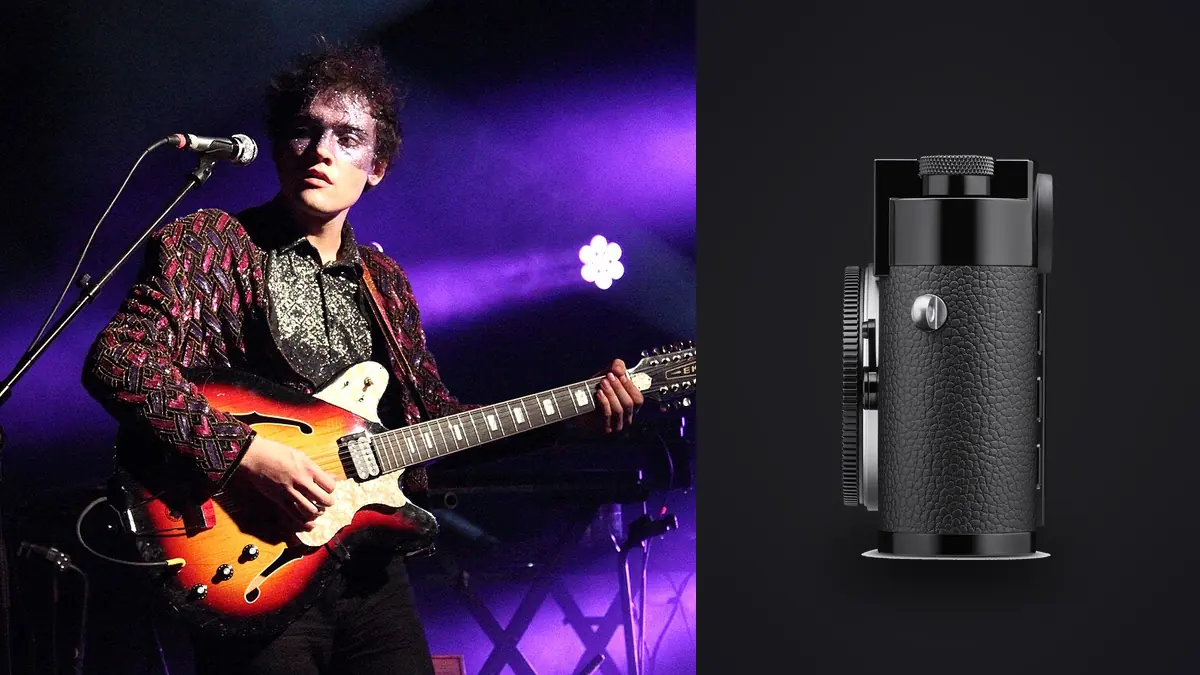
A dependable Leica M11 concert and live music photography RAW Workflow starts with the finished photographs, not with a software preset. The intended sequence, crop, viewing size, color treatment, and deadline determine which files deserve protection and how much latitude the RAW master must retain. This guide follows that exact RAW Workflow from capture through backup, selection, development, quality control, and export.
The M11 is a manual-focus digital rangefinder with a 60.3 megapixel full-frame sensor, lossless-compressed DNG recording, selectable 60, 36, and 18 megapixel resolutions, one SD slot, and 64 GB of internal memory. Its quiet, compact operation can suit restricted venues, but it does not provide autofocus to follow a performer. That identity matters because a sound concert and live music photography process uses the camera's real strengths while respecting its practical limits. It does not treat a high frame rate, large sensor, subject detector, or compact body as a guarantee of a useful photograph. Every stage should preserve enough evidence to reverse a choice without confusing a derivative file with the original.
Define the result before selecting a RAW option
Write a deliverable note for the Leica M11 assignment before formatting cards. Include the number of final images, likely aspect ratios, largest reproduction size, color space, file type, naming rules, and whether the client expects individual frames or a visual sequence. For concert and live music photography, add the editorial tests that matter but cannot be inferred from sharpness alone. Those may include gesture, subject identity, continuity, atmosphere, product accuracy, privacy, or the relationship between adjacent frames.
Choose DNG as the Leica M11 master when the concert and live music photography brief needs recoverable white balance, careful highlight handling, or substantial tonal work. A simultaneous JPEG can help with reference and rapid communication, but it should not silently replace the RAW source. Test the selected compression option in the actual processor before a paid assignment. Smaller files are useful only when their compatibility, bit depth, and editing behavior remain suitable for the delivery.
| File role | Purpose | Rule |
|---|---|---|
| DNG master | Maximum reversible editing latitude | Preserve unchanged |
| Review JPEG | Fast comparison and communication | Mark as a derivative |
| Working edit | Adjustment decisions and versions | Keep linked to the master |
| Delivery file | Client or publication use | Export to a written specification |
Configure capture around the subject, not the menu
Set the M11 shutter speed from performer movement, not from the apparent brightness of the stage. A singer at a microphone may permit a slower exposure than a drummer, guitarist, or jumping artist. Use manual exposure when the performer remains under stable light and the background changes, then watch individual channels as saturated LEDs intensify. Reserve bursts for short gestures because the rangefinder buffer and manual focus favor anticipation.
Focus the M11 rangefinder on a high-contrast feature near the intended plane, such as an eye, microphone edge, instrument detail, or clothing seam. Pre-focus on a marked stage position when movement repeats, and allow enough depth of field for a small error. Check rangefinder and lens calibration before the assignment, since a consistent offset is difficult to diagnose from noisy concert previews.
Make a controlled test under the expected light and inspect it at full resolution. Check the intended plane of focus, subject movement, fine texture, bright channels, dark transitions, and any repeated light source that could band under an electronic shutter. Stabilization can reduce camera movement, but it cannot stop a moving subject. Likewise, subject recognition can assist acquisition, but the photographer still chooses the relevant subject and decisive instant in a Leica M11 concert and live music photography frame.
Give the lens, position, and light distinct jobs
A 35mm or 50mm M lens can show the performer and environment from close access, while a 75mm or 90mm view can isolate from farther back if focusing remains manageable. Choose one or two focal lengths around the permitted position rather than changing lenses in dust, darkness, or a crowded pit. Bright apertures help exposure, but stopping down slightly can increase the useful focus margin.
Create a neutral color reference for the Leica M11 concert and live music photography set whenever the lighting permits it. Photograph a gray target or known neutral under each materially different source, then leave the reference in the same folder as the affected images. A reference is a starting point, not an instruction to remove every intentional color cast. It helps distinguish a camera or processing shift from the actual character of the scene.
Protect important Leica M11 highlights using the histogram and channel warnings rather than LCD brightness alone. In concert and live music photography, a pale garment, reflective surface, spotlight, white structure, or bright sky can clip in one channel before the overall preview looks damaged. RAW offers adjustment latitude, but a fully clipped channel contains no texture for the processor to recover.
Preserve sequence identity on the cards
Configure the M11 internal memory and SD card intentionally. The backup option can write DNG and JPEG to both, while split and overflow modes serve different needs. Record the chosen behavior in the ingest note, then copy both sources even if one was expected to duplicate the other. Do not format internal storage until its files and the SD contents have been reconciled.
JOB_CODE/
  01_CAMERA_ORIGINALS/
    LEICA_M11_CARD_001/
  02_VERIFIED_BACKUP/
  03_REVIEW/
  04_WORKING_EDITS/
  05_EXPORT/
  06_DELIVERY_NOTES/
Copy the complete card structure into a uniquely named folder. Do not scatter files from several cards into one directory until duplicate filenames, camera clocks, and sequence boundaries have been checked. If two bodies are involved, synchronize their clocks before capture and retain a camera identifier in the folder or filename. This makes a Leica M11 concert and live music photography sequence traceable after sorting changes the display order.
Verify two copies before culling
Copy the Leica M11 concert and live music photography originals to a working drive, create an independent second copy, and verify both before returning media to circulation. A folder that appears in a file browser is not proof that every byte arrived. Use a copy tool with verification or generate checksums, then spot-open files from the destination. Keep the two copies on separate devices, and move one away from the working system when the risk of loss justifies it.
imagic supports M11 DNG files for local culling and editing. It can group similar frames and flag technical concerns, but manual-focus accuracy and the narrative value of a concert moment still require close human review.
Cull technical failures before editorial alternatives
Begin the Leica M11 concert and live music photography review at sequence level. Group frames made from the same action, pose, focus bracket, lighting setup, or composition, then compare within each group. Reject obvious accidents first: unintended releases, blocked frames, irrecoverable clipping, focus on the wrong plane, severe motion that has no expressive purpose, and duplicates with no independent value. Do not delete at this stage. A reject status is reversible and keeps the original available for audit.
Inspect M11 concert frames for true rangefinder focus, meaningful expression, clean hand and instrument position, microphone obstruction, stage clutter, and usable LED color. A little motion can communicate performance, while movement across the eyes often weakens a portrait-like frame. Build a set that includes wide context, identifiable performers, interaction, and detail instead of choosing only the brightest close-ups.
imagic can assess sharpness, exposure, closed eyes, and composition while grouping bursts and near-duplicates locally on Windows or macOS. For this Leica M11 concert and live music photography set, treat those results as a structured review aid. The photographer remains responsible for factual importance, consent, narrative, styling accuracy, and any intentional departure from technical perfection. Culling changes status rather than deleting the camera original.
Develop the RAW master in a repeatable order
Open the DNG files with a neutral treatment and establish exposure before noise reduction. Recover bright stage areas only when a channel still contains information, and let truly black backgrounds remain dark. Use chroma noise control before luminance smoothing, then inspect hair, fabric, instrument strings, and smoke so noise reduction does not remove real texture.
Concert LEDs can drive one channel to clipping while another remains dark. Correct each lighting scene as a separate group, reduce an overpowering channel only enough to restore shape, and preserve the designed color when it remains printable. Skin does not need to become neutral under every theatrical light, but adjacent images from the same song should not vary because of inconsistent processing.
Apply global corrections to the Leica M11 concert and live music photography files before local ones. A practical order is camera profile, white balance, exposure, highlight and shadow placement, tone curve, color, lens correction, noise treatment, and capture sharpening. This prevents a local mask from compensating for a global error. Recheck earlier controls after a major exposure or profile change because the apparent need for saturation, contrast, or noise reduction may disappear.
Judge sharpening for the Leica M11 concert and live music photography file at an appropriate magnification, and separate capture sharpening from output sharpening. Its fine detail can invite aggressive settings that emphasize pores, dust, foliage edges, fabric texture, or noise more than the subject. Noise reduction should address objectionable noise without erasing the small structures that make this photograph credible. Inspect both a critical detail and a smooth tonal area before synchronizing settings.
Keep composite and special captures honest
The M11 resolution choice should reflect output and storage rather than a hope that fewer pixels will fix movement or missed focus. Keep the original DNG resolution recorded in the metadata and avoid mixing camera crops with full-frame files unknowingly. A monochrome treatment should be a reversible version, especially when colored light carries part of the performance story.
Batch by lighting group, then inspect exceptions
Create Leica M11 adjustment groups from real concert and live music photography capture conditions, not from the whole card. Useful boundaries include a lighting change, lens change, room, set, stage act, weather shift, subject distance, or exposure strategy. Choose a representative frame from the middle of each group, establish a neutral baseline, and synchronize only controls that should genuinely match. Crop, healing, aggressive highlight recovery, and subject-specific masks usually need individual review.
After synchronizing the Leica M11 concert and live music photography group, inspect the first, middle, and last image plus every keeper with a different histogram. This catches drift from changing light, flash recycling, passing clouds, stage LEDs, or a shifted subject position. A learned style can provide continuity when it has been trained from the photographer's own edits, but it should follow technical normalization rather than conceal inconsistent exposure or white balance.
Export for the destination and verify the files
Export captioned concert JPEGs to the publication's pixel and color requirements, and retain larger DNG-derived masters for later licensing. Verify artist names, frame order, metadata, and embargo instructions separately from image quality. Check dark gradients and colored spotlights on another display because compression can reveal banding that the working view hides.
Set output dimensions, color space, bit depth, compression, metadata, and naming from the written brief. JPEG is suitable for many web and gallery deliveries, while TIFF can preserve more information for a downstream print or retouching stage. Do not enlarge, strip metadata, watermark, or sharpen by habit. Each choice should answer a delivery requirement for the Leica M11 concert and live music photography project.
For more context around the Leica M11 concert and live music photography process, the desktop workflow explains local culling and non-destructive editing. The single-photo web editor is useful for a quick derivative edit, while more selection and finishing systems appear in the Camera Hardware blog collection. The job's own written requirements still take priority over a general reference.
Use a capture-to-delivery checklist
- Brief: record subject priorities, sequence needs, crop, output, and privacy limits.
- Capture: confirm DNG, shutter behavior, focus method, white balance reference, and highlight margin.
- Media: label cards or internal storage and keep exposed media physically distinct.
- Ingest: preserve card structure, record counts, and verify two independent copies.
- Group: keep bursts, brackets, poses, and lighting changes visible as sequences.
- Cull: separate technical rejection from editorial selection and retain reversible statuses.
- Develop: normalize globally, synchronize by condition, and inspect exceptions.
- Special work: preserve every component of a stack, bracket, composite, or merge.
- Export: render to the destination specification and inspect files outside the editor.
- Archive: keep camera masters, adjustment records, approvals, and the export recipe.
Frequently asked questions
Should every Leica M11 concert and live music photography frame be recorded as RAW?
For Leica M11 concert and live music photography, RAW is appropriate when the job needs maximum correction latitude or a durable editing master. A JPEG-only choice can be reasonable for a tightly controlled, immediate use, but it should be deliberate and tested against the actual destination.
Can automated scoring choose the final concert and live music photography story?
No. In a Leica M11 concert and live music photography review, scoring and duplicate grouping can narrow technical choices, but they do not know which subject, gesture, garment, play, species behavior, or spatial relationship matters to the brief. Final selection remains an editorial decision.
When is the Leica M11 RAW Workflow finished?
The Leica M11 concert and live music photography workflow is finished when approved files have been exported to specification, opened and checked, delivered through a verified copy, and archived with their masters and adjustment records. Finishing the edit without verifying derivatives leaves the workflow incomplete.