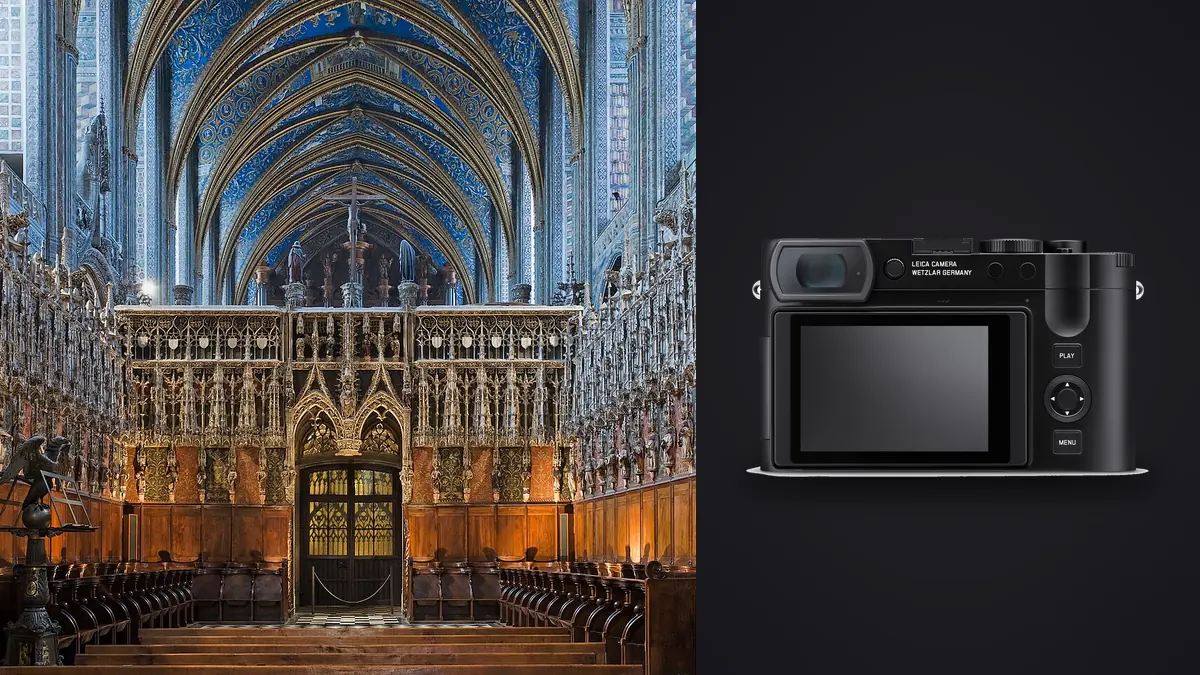
Picture being asked by a design studio to shoot a completed residential renovation with whatever you had in the bag that day, which happened to be a Leica Q3 and nothing else. No tilt-shift lens, no second body, no wide zoom. That scenario shapes how I think about the Q3 for this kind of work, and it's worth walking through honestly, because the camera is neither the obvious pick nor the obvious mistake that most gear write-ups make it out to be.
The case for a fixed 28mm in someone's living room
Architectural and interior photographers usually reach for something in the 16-24mm range on a full-frame body, often a tilt-shift lens specifically so verticals stay straight without cropping away half the ceiling in post. A fixed 28mm sounds narrow by comparison, and in a genuinely tight bathroom or a galley kitchen it is. But 28mm is also the focal length that keeps rooms looking like rooms instead of fisheye caricatures. I've seen plenty of real estate listings shot at 12-14mm where the client's actual furniture looks like it belongs in a dollhouse. The Q3's 28mm forces you to shoot from a sensible spot in the room, which usually means the photos also look like somewhere a person would want to live.
The lens itself, a Summilux 28mm f/1.7 ASPH, resolves detail edge to edge even stopped down to f/8 or f/11, which is where you'll live for most interior work anyway. Corner softness that plagues cheaper wide primes just isn't something I've had to think about with this lens.
Crop modes are a framing tool, not a focal length change
The Q3 gives you in-camera crop lines for 35mm, 50mm, 75mm, and 90mm equivalents, and because the sensor is 60 megapixels, cropping to 50mm still leaves you with roughly 24-26 effective megapixels, which is plenty for a double-page magazine spread or a large print. I use the 35mm crop constantly for detail shots inside a room I've already covered wide (a light fixture, a stair rail, a tap) because it saves a lens change I don't have to make in the first place.
What the crop modes are not is a substitute for an actual longer lens. You're still capturing through a 28mm optic, so depth of field and perspective compression stay exactly what a 28mm gives you, even though the frame lines make it feel like you zoomed. For furniture catalog work where compression matters, that limitation shows. For general interior documentation, I genuinely don't miss having a zoom.
In-camera perspective correction versus an actual tilt-shift
The Q3 has a digital perspective correction option that uses the built-in level sensor to straighten converging verticals when you're pointed up at a tall interior or an exterior facade, then crops the frame to compensate. It works, and for a quick real estate turnaround it's genuinely useful because you get a straightened JPEG or DNG without touching Lightroom's transform panel.
It is not the same thing as shifting a tilt-shift lens's front element while keeping the sensor plane parallel to a wall. Optical shift preserves the full resolution and the full angle of view because you're moving glass, not throwing away pixels. Digital correction on the Q3 always costs you some percentage of the 60MP frame, more the more extreme the correction. On a shoot with an 11-foot ceiling and a tight room, I've lost close to 15% of the frame to correction cropping. That's a real trade-off, and if your deliverable needs the absolute maximum resolution at extreme angles, a rented Canon TS-E or Nikon PC lens on a tripod-mounted body will still beat it. For handheld, move-fast interior walkthroughs, I'll take the Q3's convenience every time.
What 60 megapixels and the sensor's dynamic range actually buy you
Interiors are brutal on dynamic range. You've got a window blowing out at 1/60s while the far corner of the room sits in shadow, and the client wants both readable in one frame. The Q3's sensor has enough highlight and shadow latitude that I can expose for the window and pull the shadows back close to two stops without banding showing up, which means fewer bracketed exposures and less HDR blending than I needed with older full-frame bodies. I still bracket for anything with direct sun through glass, but for even, diffused daylight interiors, a single RAW usually gets me there.
The resolution matters less for the final web-sized listing photo and much more for two things: cropping flexibility when a composition needs adjusting after the fact, and print work, where a 60MP file gives a design studio room to output large without upsampling. If you're only ever delivering 2000px-wide images for a property listing site, the extra resolution is mostly wasted, and honestly a 24MP body would serve that client just as well.
Q3 vs. Q3 43 vs. a traditional architecture kit
I put together a comparison based on what I've actually carried on interior jobs, not spec sheet numbers pulled from a press release. Prices are rounded to what these actually sell for used and new as of this year, not list price from launch.
| Setup | Effective focal length | Native perspective control | Kit weight | Close focus | Approx. price |
|---|---|---|---|---|---|
| Leica Q3 | 28mm fixed (35/50/75/90mm crop lines) | Digital, crops frame | ~743g body+lens | 17cm (macro mode) | ~$5,995 |
| Leica Q3 43 | 43mm fixed (60/75/90mm crop lines) | Digital, crops frame | ~750g body+lens | 27cm | ~$6,995 |
| Canon R5 + TS-E 17mm f/4L | 17mm, shiftable | Optical shift, full resolution kept | ~1.56kg | 25cm, no AF on TS-E | ~$5,300 combined (new) |
| Sony a7R V + 16-35mm GM | 16-35mm zoom, no shift | None native, post-crop only | ~1.27kg | 28cm at 35mm | ~$5,700 combined (new) |
The R5 and tilt-shift combo wins on optical correction and true wide coverage for tight rooms, and it's the setup to pick for a commercial architecture shoot where the client wants billboard-scale prints. The Q3 wins on weight, discretion (the leaf shutter is close to silent, which matters when you're shooting an occupied home or office), and speed of turnaround, since there's no lens swapping and the files come out of camera closer to finished.
Where the Q3 genuinely struggles in this genre
Small bathrooms and closets are the honest weak point. At 28mm, backing into a corner still sometimes isn't enough to fit a full vanity wall, and there's no wider lens to swap to. You may have to shoot two frames and stitch a panorama for exactly this reason, which works fine for a static room but adds time you don't always have on a paid walkthrough with a client waiting. If more than a third of your typical job is small residential bathrooms and closets, budget for either the stitching workflow or a different camera.
The other limitation is that this is a fixed-lens rangefinder-style body, so there's no shift lens option ever, no tilt for selective focus across a long dining table, and no interchangeable wide options if a job genuinely needs 16mm. Know that going in rather than discovering it on site.
A shoot-day workflow that actually works
On a typical interior job I'll shoot 400-700 frames across a house: full-room wides, the 35mm crop for details, a couple of bracketed sets for anything with strong window light, and usually a few near-duplicate frames per room because I've nudged the tripod or waited out a shadow. Culling that pile by hand at the end of a long day is where most of my evening used to disappear.
I run the day's card through imagic before I touch anything in Lightroom. It groups the near-identical frames from each room into clusters and flags the sharpest one per cluster using local focus scoring, so I'm not opening forty variations of the same window-light bracket to find the one that's actually in focus. Because it runs entirely on my machine, nothing gets uploaded to anyone's server, which matters more than people think when the subject is an unlisted property or a pre-launch listing.
Once I've culled down to the keepers, I lean on the apply_my_style preset in imagic, which is trained on my own past interior edits rather than some generic architectural preset pack. Interior work lives and dies on consistent white balance and shadow lift across a whole property, and having a starting point built from my own editing history gets me to a usable base edit faster than starting from a Lightroom default every time.
Q3 versus Q3 43: which one for interiors specifically
Leica sells both bodies side by side now, and for architecture and interiors the difference isn't trivial. The original Q3's 28mm covers full rooms and establishes context, which is most of what an interior job needs. The Q3 43's 43mm is closer to a normal human perspective and reads more like a furniture or product shot than an environmental one. I'd pick the 28mm Q3 for any job where showing the whole room is the point (real estate, hospitality, most residential architecture) and would only reach for a 43mm body as a second camera for close, considered furniture and material detail shots where the point is the object, not the space around it. If you can only own one, the 28mm is the more versatile choice for this genre specifically.
Frequently Asked Questions
Is a 28mm fixed lens actually wide enough for interior photography?
For most living rooms, bedrooms, kitchens, and open-plan spaces, yes. For small bathrooms, closets, and cramped hallways, you'll sometimes need to shoot a two-frame panorama and stitch it, since there's no wider lens to switch to. Budget extra time for those rooms specifically rather than assuming every space will fit in one frame.
Does the Leica Q3 have real tilt-shift correction for straight verticals?
No. It has a digital perspective correction mode that uses the camera's level sensor to straighten converging lines and then crops the frame to compensate, which costs you resolution proportional to how much correction is applied. A true tilt-shift lens shifts the glass itself and keeps the full sensor resolution, so for extreme-angle architectural work at maximum print size, an optical shift lens still has the edge.
Is the 60-megapixel sensor overkill for real estate listing photos?
If your only deliverable is web-sized listing images, yes, largely. Where it pays off is cropping flexibility after the shoot and any print or large-format deliverable a design studio or architecture firm might want. Match the resolution need to the actual deliverable before deciding it's a must-have for this specific use case.
How does the Q3 compare to a mirrorless body with a wide zoom for this work?
A zoom like a 16-35mm gives you true focal length flexibility the Q3's crop modes can't match, since the crop lines are just framing guides on a 28mm optic rather than an actual optical zoom. What you give up going that route is the Q3's weight, its near-silent shutter for occupied spaces, and the simplicity of one lens that never needs swapping mid-shoot. Which matters more depends on whether your jobs skew toward tight, varied rooms or toward fast, straightforward walkthroughs.
For more on getting through a large interior shoot without losing an evening to culling, see our tips for a faster photo workflow, and for consistent color across a whole property, our guide to photo color grading covers the same shadow-and-white-balance consistency problem interior work runs into constantly.