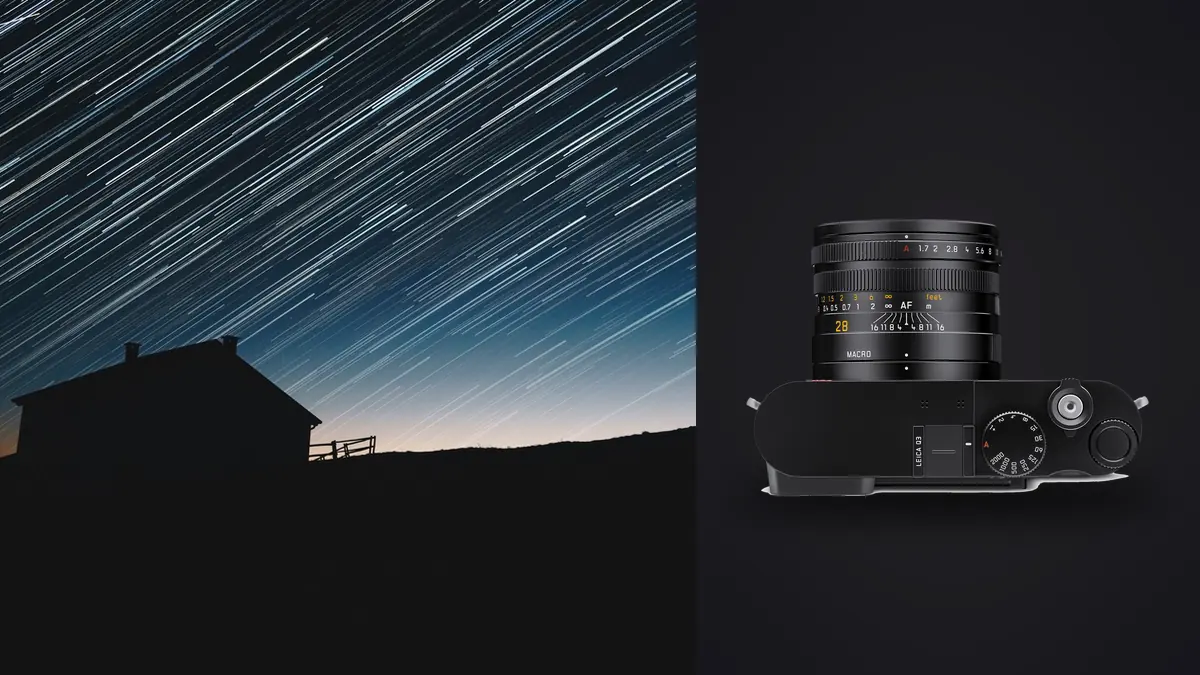
I didn't buy a Leica Q3 to shoot stars. I bought it because I wanted one camera that could go from a casual walkaround to a flat-lay without swapping lenses, and the 28mm Summilux seemed like a reasonable compromise for that kind of work. It was only on a trip to a dark-sky site in the hills outside Fuerteventura, waiting on a sunrise shoot with nothing else to do at 2am, that I pointed it straight up and found out the thing is genuinely good at this too. Not because Leica built it as an astro camera (they didn't, there's no dedicated night mode, no built-in intervalometer worth the name), but because a fast, sharp, high-resolution fixed lens turns out to be most of what star stacking actually needs.
This is a guide to that specific combination: a 60-megapixel full-frame compact with a single non-interchangeable 28mm f/1.7 lens, used for widefield night sky work and stacked afterward to pull detail and noise out of a sequence of exposures. It is not a guide to deep-sky imaging with a tracker and a 600mm lens. If you want nebula close-ups, this isn't your camera and no amount of stacking software fixes that. If you want a clean, richly detailed Milky Way arch over a real landscape, the Q3 has an odd set of advantages most people overlook because they see "fixed 28mm compact" and assume it's a street camera that happens to also do everything else adequately.
What the Q3 actually brings to a night sky session
Three things matter here, and none of them are the megapixel number people usually lead with.
First, f/1.7 is fast for a lens this sharp. Most landscape astro shooters are working with something in the f/2.8 to f/4 range on a wide zoom, or an f/1.8 to f/2.8 prime if they've bought one specifically for this. The Q3's fixed lens is a full stop or more faster than a typical 16-35mm f/2.8, which in real terms means you can drop ISO by a full stop, or shorten your shutter speed by a full stop, for the same amount of light on the sensor. On a stacked sequence that difference compounds: shorter individual exposures mean less star trailing per frame and cleaner data going into the stack.
Second, the 60-megapixel BSI sensor is unusually clean for its resolution, but it is not magic, and the pixel density changes how you should think about exposure length. A 60MP full-frame sensor has a pixel pitch around 3.76 microns, noticeably tighter than the 4.3 to 5.9 micron pitch you'd find on a 24 to 36MP full-frame body. Tighter pixels resolve star movement sooner. The old "500 rule" (500 divided by focal length equals your safe shutter speed) was designed around lower-resolution sensors and will let stars smear at 60MP before you notice it on the rear screen. I use the NPF rule instead, which factors in aperture and pixel pitch, and at 28mm f/1.7 on the Q3 that works out to roughly 4 to 6 seconds before trailing becomes visible at 100% crop, not the 15 to 18 seconds the 500 rule would suggest.
Third, the triple-resolution sensor mode is a genuinely useful trick for astro that Leica built for an entirely different reason (digital crop to simulate 35mm, 50mm, 75mm, and 90mm framing). Shooting the full 60MP file and cropping in post during stacking gives you more working resolution for a tighter final composition than the in-camera crop modes do, so in practice I ignore the crop modes for night work and just shoot full frame DNG every time, deciding on framing later once I can actually see the stacked result.
Exposure settings before a single stack begins
Wide open at f/1.7, the Q3's coma control is decent but not flawless. Bright stars near the frame corners pick up a slight wing shape, more pronounced than you'd want if you're printing large. Stopping down to f/2 through f/2.2 cleans this up substantially while still gathering close to a stop more light than a typical f/2.8 astro lens. My default for a Milky Way session is f/2, ISO 4000, 5 seconds, which keeps individual frames close to the trailing threshold at 28mm while leaving enough headroom in the files for stacking to do real work on noise.
I shoot DNG, not JPEG, for obvious reasons, and the Q3's raw files are well behaved in every stacking tool I've tried. Some fixed-lens compacts produce raw files with baked-in lens correction metadata that confuses alignment algorithms in older stacking software. I haven't run into that problem here, DeepSkyStacker and Sequator both read the Q3's DNGs without complaint.
White balance doesn't matter at the raw stage since you're adjusting it after the stack, but I set it manually to around 3800K in camera anyway just so the histogram and the rear-screen preview are useful for judging exposure in the field, rather than shooting a wildly blue or orange preview that makes it hard to read.
A note on the lack of a real intervalometer
This is the one place the Q3 shows its non-astro design intent. There's no built-in interval timer menu worth relying on for a 30-to-60-frame stacking sequence. What I actually do is tether the camera to the Leica FOTOS app on my phone and trigger frames from there, which is clumsy compared to a dedicated intervalometer cable but works once you've got the phone propped against something stable and the screen brightness turned all the way down so it doesn't wreck your night vision. A cheap third-party remote release into the camera's port is the other option, though you're setting a fixed exposure gap manually rather than getting true programmable intervals.
Building the light-frame sequence
For a Milky Way stack I shoot 25 to 35 light frames at the settings above, back to back, keeping the tripod completely still and the lens's optical stabilization switched off (leaving OIS on for a tripod exposure fights the very stillness you're trying to capture, and on the Q3 it will visibly soften stars if you forget to disable it). Between frames there's roughly a one-second gap while the buffer clears, which over a 30-frame sequence adds up to about four minutes of total capture time, worth knowing if the sky is moving fast or you're working against a rising moon.
Immediately after the light frames, I cap the lens and shoot 10 dark frames at the identical settings, same ISO, same shutter speed, same ambient temperature, since sensor noise patterns shift with heat and you want the darks captured close in time to the lights. These darks get subtracted during stacking to remove the fixed-pattern noise and hot pixels that a 60MP sensor running at ISO 4000 for several minutes straight will absolutely produce. Skipping this step is the single biggest mistake I see in other photographers' Q3 astro stacks, the hot pixels show up as a scatter of colored dots that no amount of stacking averages away if there's no dark frame to subtract them against.
Choosing stacking software for a fixed 28mm workflow
The wide field of view actually simplifies software choice compared to a telephoto deep-sky rig, because you're aligning on a starfield with dozens of usable reference points rather than a tight, sparse cluster. Here's how the three tools I actually use compare for this specific use case.
| Tool | Alignment approach | Keeps foreground sharp | Cost | Best fit for Q3 files |
|---|---|---|---|---|
| Sequator | Star-region masking, aligns sky only | Yes, with manual mask painting | Free (Windows) | Landscape compositions with a real horizon in frame |
| DeepSkyStacker | Whole-frame star alignment | No, blurs any foreground | Free (Windows) | Sky-only crops, star trail source frames, no horizon |
| Starry Landscape Stacker | Star-region masking with manual refinement | Yes, best masking control of the three | $39 (Mac) | Complex foregrounds, tree lines, rock silhouettes |
| Photoshop median stack | Manual alignment, statistical blend mode | Depends on manual masking effort | Subscription | One-off frames, quick tests, not a full 30-frame sequence |
For most Milky Way-over-landscape shots with the Q3 I default to Sequator, because the 28mm field of view usually includes enough foreground (a ridge line, a building, a tree) that whole-frame stacking in DeepSkyStacker would blur it into mush. Sequator's sky-region mask lets the software know which part of the frame is stars and which part is ground, stacking the two separately and recombining them. It takes a few minutes of brush work to get the mask edge clean along something fiddly like tree branches, but the result holds up.
When I want a pure star field, no horizon, cropped in tighter using that extra 60MP resolution, DeepSkyStacker's whole-frame alignment is faster and the output is marginally cleaner since it isn't juggling two separate alignment passes.
What the stack actually buys you
A single 5-second frame at ISO 4000 on the Q3 is usable but grainy in the shadows, and faint dust lanes in the Milky Way core barely register. Stack 30 of those frames with proper dark-frame subtraction and the improvement isn't subtle. Read noise drops by roughly the square root of the frame count, so 30 frames gets you close to a 5.5x reduction in random noise compared to a single exposure, which is the difference between a core that looks like a smudge and one where you can actually see structure in the dust lanes. Faint stars that were sitting right at the noise floor in any individual frame become real, countable points once averaged across the sequence.
The resolution advantage compounds here too. Because you started with 60MP files, the stacked composite still has plenty of room to crop into the most interesting quarter of the frame, say the core rising over a specific rock formation, without the softness you'd get cropping that hard out of a 24MP file.
Where the file management actually gets painful
A single night session doing this properly generates 30 to 40 light frames, 10 darks, and usually another 60 to 100 test and framing shots as you walk the location trying different compositions before committing to the final sequence. That's 150-plus 60MP DNGs from one night, most of which are throwaway framing tests that all look nearly identical at a glance and need sorting before you even open a stacking tool.
This is where I actually use imagic rather than scrolling through a grid view at 1am. It runs locally on the machine, no upload, which matters when you're working off a laptop at a remote site with no signal, and it clusters the near-duplicate framing tests into groups so I'm not manually comparing forty nearly identical compositions of the same ridge line. I still keep every actual light frame for the stack itself, since stacking wants all the data, but for weeding out the framing experiments and picking a favorite before I decide what to stack, the burst and duplicate clustering saves a genuinely annoying chunk of a very short night's sleep. If you haven't looked at how AI photo culling actually works under the hood, it's worth understanding before trusting it with a folder of astro files that all look identical to the naked eye.
Once the stack is done and I've got a single flattened TIFF out of Sequator, the color grading pass is where the Q3's files show their character, warm and slightly saturated straight out of camera compared to, say, a Sony body. I run my own preset through imagic's apply_my_style feature at that stage since it's trained on how I already grade my landscape and travel work, which keeps a stacked night shot looking like it belongs in the same set as everything else from the same trip rather than sticking out as an obviously different processing chain. For the actual grading mechanics beyond that, the site's color grading guide covers the manual side of pulling detail out of a Milky Way core without crushing the rest of the frame.
Mistakes worth avoiding
- Leaving OIS engaged. On a tripod it has nothing to stabilize against and can introduce a soft double-image effect on stars.
- Shooting wide open at f/1.7 for a final composite. Fine for scouting exposure, but the corner coma is worth the third of a stop you give up by closing to f/2.
- Skipping dark frames because it's cold and you want to get back in the car. The hot pixel scatter in the final stack isn't fixable after the fact.
- Trusting the rear screen for focus. Use focus peaking and zoom in digitally on a bright star before locking manual focus. The Q3 autofocus will hunt indefinitely in true dark-sky conditions.
- Not letting the lens acclimate. Moving the Q3 from a warm car into cold night air produces internal condensation that fogs the front element for the first ten minutes, exactly when you want to be shooting.
Frequently Asked Questions
Do I need a star tracker to get good results stacking Q3 files?
No, and honestly a tracker doesn't pair naturally with this camera anyway since the fixed 28mm lens is built for wide landscape framing, not tight deep-sky targets where tracking really earns its keep. Stationary stacking (sometimes called static or "poor man's" stacking) is the right approach here: multiple short exposures averaged together to fight noise, rather than one long tracked exposure. It's slower per shot but works with any tripod and no extra hardware.
What ISO and shutter speed should I start with for a Milky Way shot on the Q3?
f/2, ISO 4000, 5 seconds is my starting point at 28mm, adjusted down in ISO if I'm at a genuinely dark site with no light pollution, or up toward ISO 6400 if there's ambient skyglow eating into the dynamic range. Check the histogram, not just the screen preview, since the Q3's rear display can look brighter than the actual raw data supports.
Is 28mm too wide to get meaningful detail out of a stacked star field?
For point sources like stars, focal length affects framing and trailing threshold far more than resolvable detail, which comes mostly from aperture, sensor resolution, and stack count. What 28mm limits is how tightly you can frame the Milky Way core relative to the whole sky. You're trading close-up structure for context and scale, which is exactly what this lens is good at: a recognizable landscape under a genuinely detailed sky, not a tight crop of the core alone.
Can the Q3's electronic shutter cause banding or artifacts on long stacked exposures?
I use the mechanical shutter for anything past about half a second rather than the electronic option, mainly out of habit from other bodies where rolling readout on the electronic shutter has caused banding under certain lighting. In practice, for the still, dark conditions of a night sky shoot with no flicker source in frame, I haven't seen a meaningful difference between the two on the Q3. Mechanical remains my default simply because it's one less variable to troubleshoot at 2am.