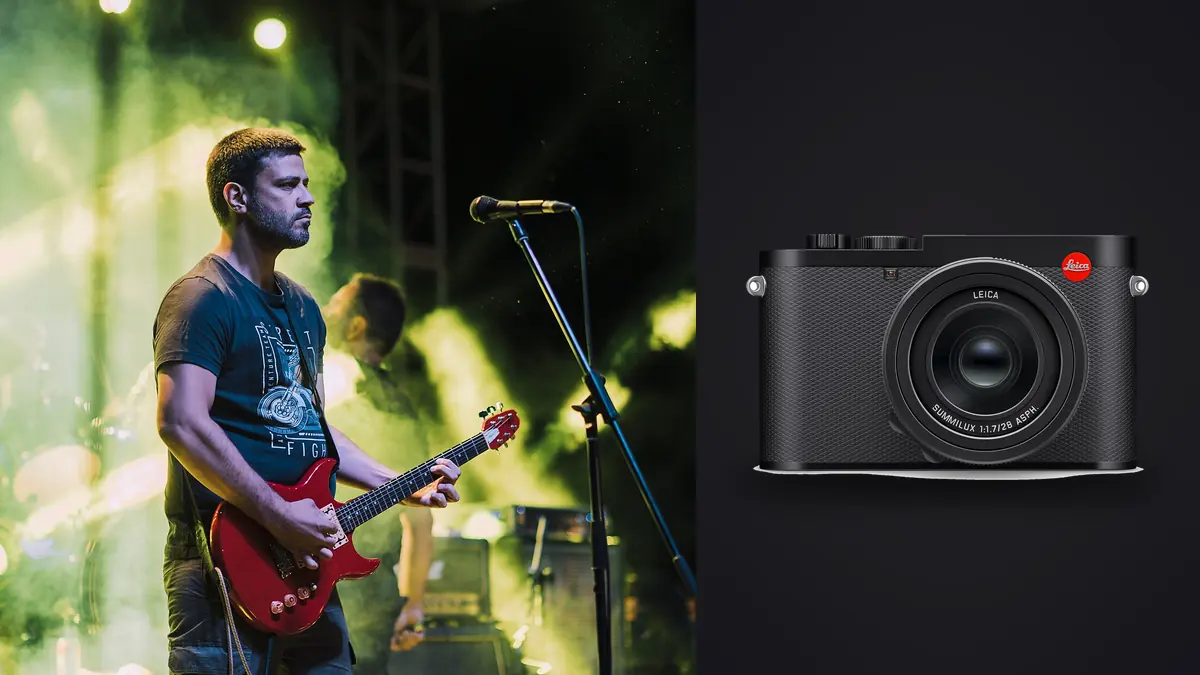
Every few months someone posts in a music photographer forum asking whether a Leica Q3 is a serious option for shooting bands, and every few months the thread splits into two camps: people who've never used one insisting a fixed 28mm lens is a non-starter for a photo pit, and people who actually shoot with one saying it's become their go-to camera for smaller rooms. Both are half right. The Q3 is not a general-purpose concert camera. It's a very good camera for a specific kind of concert photography, and a frustrating one for another kind. The difference comes down to how far you sit from the stage and how much you're willing to lean on the digital crop modes instead of an actual zoom.
This isn't a spec sheet rehash. It's what changes in practice when you bring a fixed-lens 60-megapixel full-frame camera into a dark room full of moving people and unpredictable light.
The 28mm problem, and what the crop modes actually give you
The Summilux 28mm f/1.7 is the whole story with this camera. There's no swapping it out. In a small club where the stage is three or four meters from the barrier, 28mm is genuinely useful: it's wide enough to catch the singer, the guitarist, and a slice of the crowd's raised hands in one frame without backing into the sound desk. That's a shot a 50mm or 85mm can't give you without stitching, and it's the kind of image editors actually want from small-venue coverage. The trouble starts the moment you're not close. Leica's answer is the in-camera digital crop, which uses the sensor's extra resolution to simulate 35mm, 50mm, and 75mm framing without moving glass. It works better than digital zoom on cheaper cameras because you're still pulling from a genuinely high-resolution file rather than upscaling a small one, but the megapixel count drops fast as you crop in, and that matters if the photo is going to a print run or a full-bleed magazine spread rather than a web gallery.
| Crop setting | Approx. resolution | Realistic concert use |
|---|---|---|
| 28mm (native, no crop) | ~60 MP | Full-stage wides, crowd context shots, anything where you can physically stand close |
| 35mm crop | ~37 MP | Loose performer portraits from the front of a small pit; still plenty of resolution for print |
| 50mm crop | ~19 MP | Tighter single-performer shots from mid-pit distance; fine for web and most editorial use |
| 75mm crop | ~8 MP | Emergency reach when you can't move closer; usable for social posts, thin margin for anything bigger |
The honest way to think about it: the 75mm crop is a "you're stuck, use it anyway" setting, not a substitute for a telephoto. If your usual coverage involves a barrier ten meters back from an arena stage, the Q3's crop modes will not save you. If you're usually close enough to touch the monitor wedges, they're more than adequate.
Aperture over ISO number
f/1.7 wide open is the actual reason this camera works in dim rooms, more than the ISO ceiling gets credit for. A stop and a half of extra light at the lens lets you shoot a stop or two lower on ISO than an f/2.8 zoom would need for the same shutter speed, and that difference shows up directly in how clean the shadows look once you start pulling detail out of a dark stage in post. In practice I'm comfortable up to somewhere around ISO 6400 to 10000 depending on how much noise reduction I'm willing to apply later; past that the files still resolve but you're trading detail for cleanliness in a way that's obvious on a big screen. Metering is the part people underestimate. Stage lighting is rarely even, and a single follow spot or a backlit rig will fool center-weighted or matrix metering into underexposing the performer's face while blowing out the light source behind them. Spot metering off skin, then dialing in exposure compensation by feel once you've seen a frame or two, gets you there faster than trusting the meter through a whole set.
Mechanical clack or silent shutter
The Q3 gives you a real choice here, and it matters more at shows than most gear reviews mention. A mechanical shutter is audible, and in a hushed acoustic set or a small listening-room show, that clack during a quiet verse is the kind of thing that gets a photographer a dirty look from the front row. The electronic shutter is silent, which is the obvious win for exactly those rooms. What it costs you is rolling shutter risk. Electronic shutters read the sensor line by line rather than all at once, so anything moving fast through the frame (a drummer's arm at the top of a fill, a guitarist swinging the neck of the instrument) can pick up a subtle skew. Under flickering or pulsed LED lighting, which is now standard rigging at almost every mid-size venue, electronic shutter can also introduce banding as the shutter reads across a frame that the lights are cycling through mid-exposure. My rule of thumb: mechanical for anything with fast physical movement or LED walls behind the band, electronic for quieter sets where the room itself demands silence.
Autofocus in haze, backlight, and strobes
The Q3's phase-detect autofocus is quick in normal light, but concert lighting is not normal light. Fog or haze machines scatter contrast the AF system wants to lock onto, and a hard backlight turning a performer into a silhouette will sometimes have the camera hunting for the rim of light around them instead of the face. Single-point AF placed manually, rather than letting the camera pick a zone, solves most of this. For the moments where a singer is fully backlit and there's no usable contrast on the front of the face at all, switching to manual focus with focus peaking and pre-focusing on the mic stand position is more reliable than fighting the autofocus through three failed attempts while the moment passes.
What a full night of shooting does to your workflow
A 60-megapixel sensor produces files somewhere around 70 to 90 megabytes each in compressed RAW, and a three-band bill shot in bursts through every chorus and drop adds up to a genuinely large card by the end of the night. The bigger issue isn't storage, it's what you do with all of it afterward. Firing a burst through a two-second stage move gives you a run of eight or ten nearly identical frames, and doing that across three sets means hundreds of near-duplicates sitting between the handful of usable shots. This is the part of shooting a Q3 gig that actually eats an evening if you're doing it by hand. I run everything through imagic afterward specifically because it clusters those burst sequences and duplicate frames automatically instead of making me click through each one, and its local sharpness scoring catches the frames where a fast headbang or a whip-pan caught the electronic shutter's rolling skew before I've wasted time zooming into each candidate at 100%. Because it runs entirely offline, I can do that culling pass on a laptop backstage or in the car on the drive home without needing venue wifi, which at most clubs is either nonexistent or not something you want your show files anywhere near. If you haven't looked at how automated culling actually separates the keepers from the noise, this breakdown of how AI photo culling works covers the mechanics in more depth than I will here.
The other thing multi-band nights expose is how differently each act lights their set. A support band under a single amber wash and a headliner under shifting RGB LED walls need almost opposite color treatment, and manually re-grading each set from scratch is tedious when you're trying to get a gallery up before people lose interest in the show. I built a preset in imagic's apply_my_style feature off a batch of edits from rooms I shoot regularly, and running new sets through it gets me most of the way to a consistent look across a mixed bill before I do any manual touch-up, which saves the kind of time that used to disappear into repetitive white balance corrections at 1am.
Where it genuinely falls short
I don't think it's useful to pretend this camera is right for every kind of show, so here's where it isn't. Arena and large festival photo pits, where you're often thirty to sixty meters from the stage even in the photographer's area, need real telephoto reach that no digital crop mode replaces. A 75mm-equivalent crop at reduced resolution is not the same as a 200mm lens, and trying to make it work at that distance means either accepting heavily cropped, lower-resolution files or missing shots entirely. Buffer depth is the other practical limit. Shooting a long burst through an entire guitar solo at the camera's fastest continuous rate will fill the buffer and slow the frame rate mid-sequence, right when you don't want it to. And because there's no second body or lens to fall back on if something about the framing isn't working, a Q3-only kit forces you to fully commit to shooting one focal length philosophy for the night. That's fine for a small room. It's a real constraint at anything bigger.
A rough starting point by venue type
| Venue type | Starting ISO range | Shutter starting point | Main challenge |
|---|---|---|---|
| Basement / DIY show, single bulb or wash | 3200-12500 | 1/250-1/500 | One hard light source, huge range between highlight and shadow on stage |
| Mid-size club, LED wash rig | 1600-6400 | 1/500-1/1000 | Color-shifting gels changing white balance every few seconds |
| Theater with follow spot | 800-3200 | 1/500 | Spotlight blows out while the rest of the stage stays dark |
| Festival main stage, night set | 800-4000 | 1/640-1/1250 | Barrier distance forces crop modes, and buffer fills fast during peak choruses |
Treat these as starting points to dial in during soundcheck or the first song, not settings to lock in and forget. Most photo pits only give you two or three songs before you're escorted out, so whatever you land on in that first minute is largely what you're stuck with for the set.
Frequently Asked Questions
Is the Leica Q3's 28mm lens too wide for photo pit work?
For small to mid-size venues where you can stand close to the stage, no, it's often an advantage because it captures context a longer lens would crop out. For large venues or festival pits with real distance between the barrier and the stage, yes, it's a genuine limitation the crop modes only partly solve.
Can I rely on the digital crop modes instead of carrying a second lens?
Up to about the 50mm crop, the resulting files hold enough resolution for most editorial and print use. Past that, at the 75mm crop, you're working with a fraction of the sensor's output, which is fine for a social post but thin for anything printed larger than a few inches.
Does the Q3 handle flickering LED stage walls well?
The mechanical shutter avoids most banding issues that pulsed LED lighting causes. The electronic shutter, while silent, is more prone to both banding under flickering light and rolling shutter skew during fast performer movement, so it's worth switching shutter modes based on what's rigged behind the band rather than leaving one setting on for the whole night.
How do I manage the file volume from a multi-band night without losing hours to sorting?
The practical fix is automating the first pass rather than clicking through every frame by hand. Running the night's files through a faster culling workflow that groups burst sequences and flags soft frames before you sit down to edit cuts the sorting time down to a fraction of doing it manually, which matters most on nights when you're trying to get a gallery live before the next show starts.