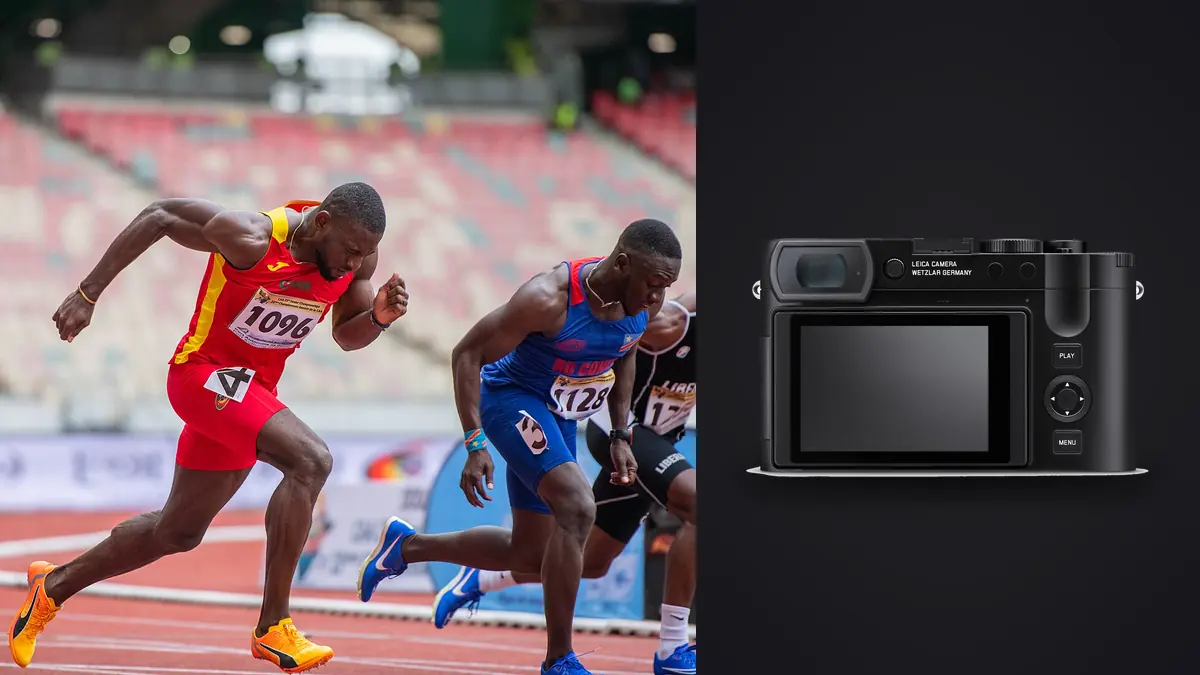
A Leica Q3 sports and track action RAW Workflow should be designed for proximity and context. The fixed 28mm f/1.7 lens cannot become a sideline telephoto, even though the 60-megapixel DNG offers crop latitude. Its strongest role is often close environmental action, team preparation, officials, venue atmosphere, finish-line emotion, and sports where approved access places the photographer inside the scene.
That role makes cropping, sequence context, and safety central to the file process. A wide frame can contain distracting edges or identifiable bystanders, while a tight crop can remove the very setting that justifies using the Q3. The workflow must preserve the uncropped DNG, record any crop-mode preview, and separate technical quality from the editorial purpose of the frame.
Assign the Q3 an honest role
List the moments that can be reached safely with a wide lens: athlete arrival, equipment details, warm-up lanes, huddles, staging areas, podiums, crowd reaction, and a finish near an approved position. Do not plan to enter a field of play or escape route to compensate for focal length. Remote or telephoto coverage is a different assignment.
Decide whether the final story needs full-width environmental frames, moderate crops, or several aspect-ratio derivatives. Record the expected output size before capture. A web gallery tolerates a different crop from a large print, but sharpness, atmosphere, and movement also limit what the file can provide. Resolution alone is not a permission slip for arbitrary enlargement.
Write the Q3 role into the ingest folder or collection name when another body covers tight action. This prevents direct ranking between unlike pictures. A wide reaction and a telephoto peak moment solve different editorial needs and should first be reviewed within their roles.
Preserve DNG and crop-mode information
The Q3 can record DNG files while showing crop guides for narrower fields of view. Treat those guides as composition aids and metadata, not as a replacement for the original lens capture. Preserve the full DNG so framing can be reconsidered, and retain the camera preview if it communicates the intended crop clearly.
Choose DNG plus JPEG only when the JPEG has a defined purpose, such as rapid reference or a camera-rendering proof. Keep paired base names aligned. If the JPEG reflects a crop guide or look, label it as a reference so it is not confused with a fully reviewed final.
Set a stable white balance and rendering for coherent previews across an event segment. RAW development remains adjustable, but wildly changing previews make exposure and selection harder. Check important highlights in the DNG, especially white kits, reflective helmets, lane markings, and sunlit skin.
Build short sequences around predictable action
With a fixed wide lens, action changes scale quickly as it approaches. Begin a short sequence before the subject enters the intended zone, hold position, and stop after the interaction. Do not step backward while looking through the camera. A designated spot and rehearsed framing are more important than adding frames.
Use autofocus settings that start on the intended subject, then verify the first and peak frames. When several athletes cross, the camera may favor the nearest face. That can be technically correct but editorially wrong. A smaller area or deliberate reacquisition provides more control than relying on a broad search in a crowded frame.
Check shutter behavior under the actual light. Electronic capture may interact with pulsing fixtures or fast movement, while other shutter choices may impose different operating limits. Photograph straight lines, wheels, rackets, and LED boards during warm-up, then keep the mode that renders the required action cleanly.
Transfer after each meaningful event block
Establish a card and transfer routine that does not depend on an assumed second copy inside the camera. After a heat, match, or ceremony, copy the DNG files to a named working directory and separate backup when the schedule and environment permit. Do not format media until both copies are verified and representative files open.
Use event, date, camera, and segment in the folder structure. Preserve timestamps and sequence numbers. If a second camera is involved, synchronize clocks beforehand or document the offset. A wide Q3 frame made seconds before a telephoto image may provide the context needed for a paired story.
Keep original DNG files apart from previews, crops, and exports. Store notes about crop-mode intent, access, athlete identity, and consent in controlled metadata or a companion record. Avoid putting private contact details into fields that may be exported publicly.
Cull full frames before judging crops
Review every candidate at its full captured field first. Inspect edges for officials, signage, spectators, limbs, equipment, and safety boundaries. A crop may remove a distraction, but it can also change the apparent distance between people or hide context that explains the action. Decide what the frame means before narrowing it.
Next compare sequence members for focus, gesture, body position, and background overlap. The moment with the highest jump or widest expression is not always the clearest. Check whether hands and equipment are cut awkwardly, whether the event identifier remains visible, and whether a bystander becomes prominent.
Create virtual or non-destructive crop versions for likely outputs while retaining the original framing. A horizontal report, square social card, and vertical story may need different files from the same DNG. Do not bake one crop into the only edited master.
Use local scoring as a technical filter
imagic supports DNG and can process a copied folder locally on Windows or macOS. It can score sharpness, exposure, closed eyes, and composition and group similar frames. For wide sports scenes, verify where sharpness was assessed and whether the editorial subject is the same person the automated signal emphasized.
Use burst groups to compare nearby instants, but preserve a frame that carries a unique reaction or relationship. Culling changes a status and never deletes the original, so technical rejects can remain recoverable. Physical deletion should follow the archive policy, not happen during a pressured selection.
Composition scoring cannot know that a sponsor board, lane number, or venue landmark is required. Build a manual checklist for those elements. Automated review is most useful when it narrows repeated technical comparison while the photographer keeps control of content and context.
Develop the DNG before committing to crop
Set exposure, white balance, lens corrections, and broad contrast on the full frame. Wide scenes often contain bright sky and deep shade, so protect the subject without making every background region equally bright. A local adjustment may be needed in a capable editor, but the global baseline should remain natural.
Evaluate detail at the intended crop and output. Noise reduction that looks gentle on the full image may erase a small cropped face, while sharpening for a deep crop can make the wider version brittle. Create separate output versions when crop scale differs substantially rather than forcing one detail setting onto all uses.
Watch the fixed lens edges after correction. People near corners can stretch, and a perspective correction can increase that effect. Reconsider the crop or use a frame with cleaner placement. Do not reshape people to hide a compositional problem.
Keep environmental color credible
Track venues can mix daylight, colored surfaces, tents, and LED displays. Batch by actual light rather than by event name alone. A runner moving from sun to shade may need a separate baseline within one sequence. Keep uniform and lane colors recognizable when they carry identity.
Fixed white balance can make a segment coherent, while the DNG leaves room for correction. Use a neutral reference when one can be made without disrupting the event. Avoid neutralizing every warm evening or colored indoor cue, since atmosphere is part of the environmental frame.
Inspect individual channels around saturated signage and artificial light. If color detail was clipped at capture, reducing saturation later does not restore it. Select an adjacent frame or a different exposure when the lost color affects the subject.
Preserve access and caption context
Wide sports photographs often include more people, signs, and venue information than a telephoto frame. Record athlete names, event phase, heat or match, location, and any publication restriction against the stable file ID. Do not identify a person from appearance alone when an official roster or caption source is available.
Keep accreditation limits and private-area permissions with the project notes. A frame made legally from an approved position can still reveal a medical discussion, credential, or minor who should not be published. Review the entire image at full size before metadata and captions travel to an outlet.
When a crop removes a scoreboard or lane marker, verify that the caption remains supported by another reliable source. The full DNG can preserve evidence absent from the final composition, but private details in that source should remain controlled securely.
Export a story, not a collection of crops
Build the final edit by function: opening context, preparation, peak action within reach, detail, relationship, reaction, and closure. The Q3 should add proximity and place rather than imitate every telephoto frame. Keep sequence order when chronology matters and caption any reconstructed arrangement clearly.
imagic stores edits non-destructively and can export JPEG or TIFF. The desktop workflow explains local processing, while Workflow and Editing covers broader selection practice. Confirm the destination, dimensions, color profile, crop suffix, filename, and metadata before rendering.
Open each export and inspect the actual crop. Check faces near edges, signage, profiles, and sharpening. Compare the delivered count and order with the approved story. Archive the original DNG, crop versions, edit records, captions, and final derivatives so a future layout can return to the uncropped scene.
Use a fixed-lens sports RAW checklist
- Role: assign the Q3 to safe, close, environmental coverage.
- Output: define likely crop ratios and delivery sizes before capture.
- Files: preserve full DNG data and any crop-mode reference.
- Sequence: photograph short action phases from a fixed approved position.
- Copies: verify working and backup storage before card reuse.
- Context: cull full frames before creating crop variants.
- Quality: judge focus and detail at each intended output scale.
- Story: select atmosphere, action, relationships, and reaction by role.
- Export: audit crop suffixes, metadata, profiles, order, and final files.
Frequently asked questions
Can the Leica Q3 replace a telephoto sports camera?
Not for distant action. Its fixed 28mm lens is better suited to approved close positions, environmental frames, preparation, and reactions where context is valuable.
Does a Q3 crop mode discard the full DNG frame?
The crop guide can communicate intended framing while the RAW workflow preserves the full captured DNG. Keep that original so later layouts can reconsider the crop.
Can imagic decide how tightly a sports frame should be cropped?
No. It can provide technical and composition signals, but crop meaning depends on action, context, output, and editorial requirements. Make crop versions non-destructively and review each at delivery size.