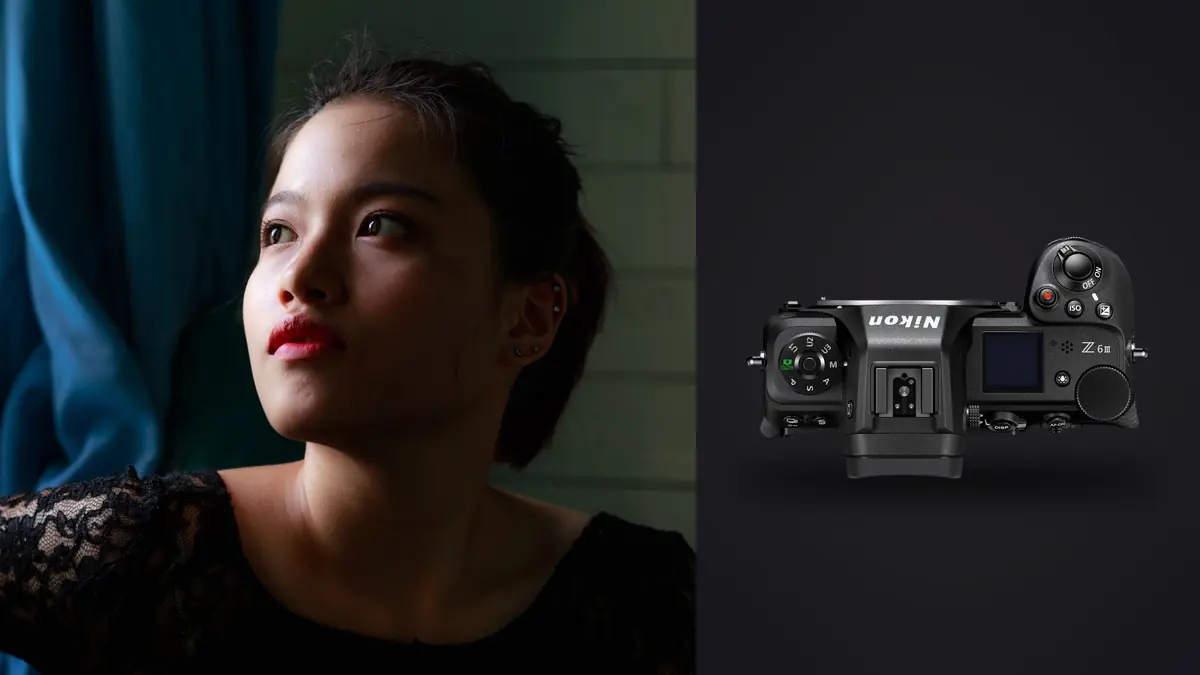
I picked up a Z6 III eight months ago specifically because my old Z6 was starting to feel undergunned for the autofocus demands of shallow-depth-of-field work in dim rooms. What follows isn't a spec sheet regurgitation. It's what actually changed in how I shoot this genre, and where the camera still makes me work around it.
Boudoir asks different things from a body than most genres
Sports shooters want tracking through chaos. Wildlife shooters want reach and burst depth. Boudoir and intimate portrait work wants something quieter: a camera that disappears in a small room, holds focus on an eye at f/1.4 while a client shifts weight from one hip to the other, and doesn't need a flash popping every two seconds to kill the mood you spent twenty minutes building with music and conversation. The Z6 III's partially stacked sensor (Nikon borrowed the readout architecture from the Z8/Z9 line rather than the older Z6 II design) is the single spec that matters most here, because it's what makes the electronic shutter usable as a primary shooting mode instead of a novelty buried in a menu.
Working ISO range for the lighting you'll actually encounter
Most boudoir work happens in bedrooms, hotel rooms, or small home studios with one or two light sources, not a lit soundstage. I shoot the bulk of my frames between ISO 400 and ISO 6400, and the Z6 III's files hold up cleanly through that entire range with default noise reduction in camera. Above ISO 6400 you start seeing chroma noise in shadow areas of skin, which is more forgiving than it sounds since boudoir editing almost always includes some skin smoothing anyway, but I still treat 6400 as my practical ceiling for anything I want tack sharp before retouching.
Settings I actually dial in, by scenario
| Setup | Primary light | Aperture | Shutter | ISO |
|---|---|---|---|---|
| Hotel room, single north-facing window | Overcast daylight | f/1.8 | 1/125 | 800-1600 |
| Bedroom, one continuous LED softbox at 45° | Continuous, no fill | f/2.2 | 1/160 | 400-800 |
| Moody single practical lamp, tungsten | Ambient tungsten | f/1.4 | 1/100 | 3200-6400 |
| Studio, single beauty dish overhead | Strobe, full sync | f/4 | 1/200 | 100 |
| Sheer curtain, backlit silhouette | Direct window backlight | f/2.8 | 1/250 | 200-400 |
The tungsten practical row is where the Z6 III earns its keep over the Z6 II I used to shoot. That combination used to produce visibly mushier detail around eyelashes and hair at anything past ISO 3200 on the older sensor. It doesn't fully disappear here, but it's a genuine step better, enough that I stopped avoiding lamp-only setups out of fear the files wouldn't hold together.
Silent shooting changes the energy in the room
This is the part nobody puts in a spec comparison but it's arguably the biggest practical shift for this specific genre. Switching to fully electronic shutter means no mechanical clack between frames. For a client who is already nervous about being photographed in lingerie or less, a camera that stays quiet while you fire off six or eight frames through a pose change matters more than most people expect. Subjects are far more likely to forget you are shooting when there is no sound cueing them to "perform" for the camera. The partially stacked readout keeps rolling shutter artifacts under control even with some hand or fabric movement, though I have caught faint banding under a couple of cheap LED panels running at odd frequencies, so it's worth a quick test shot under whatever light you're bringing before you commit to silent mode for a whole session.
Autofocus with fast primes wide open
Shooting f/1.2 or f/1.4 for most of a boudoir session means your margin for AF error is basically zero. Eye-detect on the Z6 III holds through hair falling across a face, through a subject turning her head mid-pose, and through the kind of soft directional movement that used to make my old body hunt and lose the eye entirely. It's not flawless. In very low, warm-toned light (that tungsten lamp scenario again) it occasionally locks onto a cheekbone instead of the near eye if there's strong shadow across half the face, and I've learned to just recompose slightly rather than fight the algorithm. But compared to the first-generation Z6, this is a different category of reliability for wide-aperture work.
Handling in rooms that were never designed for photography
Hotel rooms and bedrooms rarely give you space to back up, and boudoir shooters end up on floors, on chairs, and leaning over beds constantly. The 4-axis tilting screen is genuinely useful here, more useful than the fully articulating screens on some competing bodies, because it lets you shoot low-angle floor compositions and high overhead bed shots without twisting the camera sideways or guessing at framing. In-body stabilization rated around 8 stops means I can hand-hold at 1/15 or 1/20 in a dim room when a tripod would just be one more piece of furniture the subject has to navigate around, which matters in spaces as small as some hotel rooms actually are.
Lens choices that make sense for tight rooms
The 50mm f/1.2 S is the lens I reach for most often, but it's genuinely too tight in a lot of bedrooms once you factor in furniture and needing headroom for full-length poses. The 35mm f/1.4 earns its place in the bag specifically for cramped spaces. The 85mm f/1.2 S is stunning for close detail and single-subject portraits but you need real distance to use it, which rules it out in a lot of client homes. If budget matters, the Z 50mm f/1.8 S gets you close to the character of the f/1.2 for a fraction of the price and weight, and weight adds up fast during a two-hour session where you're constantly changing shooting height.
The part after the shoot nobody talks about enough
A single boudoir session with a client who wants variety (different outfits, different rooms, different poses) routinely produces 700 to 1,100 frames once you count burst sequences shot to catch fabric movement or a natural laugh. Culling that volume by eye, at full resolution, checking focus on every frame at f/1.2, is genuinely the slowest part of my workflow now, slower than the shoot itself. I run everything through imagic before I touch Lightroom, mainly because its sharpness scoring catches the soft-focus misses that are easy to overlook when you're skimming thumbnails quickly, which happens constantly with this much shallow-depth-of-field work in a single set. The duplicate and burst clustering also groups the six-frame sequences from a single pose so I'm comparing five near-identical shots against each other instead of scrolling past them one at a time.
The privacy angle matters more here than in most photography genres too. These are intimate images clients are trusting you with, and running everything through a tool that processes locally rather than uploading to someone else's cloud server is not a small detail when the files in question are boudoir photos. That's a real reason I moved my culling step off a cloud-based tool entirely.
If you want the mechanics of how algorithmic culling actually scores a frame, this breakdown of how AI photo culling works covers it in more depth than I will here.
Color and skin tone out of camera
Nikon's color science has always leaned warm and forgiving on skin, and the Z6 III continues that. Straight out of camera with a neutral Picture Control and a small warmth bump, skin tones need less correction than I was doing on other systems I've shot. Once I have a look dialed in across a handful of edited images from a set, I train imagic's apply_my_style feature on those edits and let it carry the same grading logic across the rest of the gallery, which saves real time on sessions with a thousand-plus selects. It's not a substitute for doing the first pass of grading by hand, but it removes the tedium of manually reapplying the same curve and color balance decisions across hundreds of near-identical lighting setups. For a deeper look at grading approach generally, this color grading guide is worth a read alongside whatever tool you use to apply it.
Where it doesn't quite deliver
I want to be honest about the limits rather than just sell the camera. Buffer depth with a slower SD card in the second slot is mediocre, you need CFexpress in the primary slot to get the real benefit of the sensor's readout speed during long burst sequences. There's no built-in ND, so shooting wide open near a bright window at midday sometimes forces a compromise between aperture and shutter speed I'd rather not make. The body itself isn't light, and after a two-hour session shooting handheld through multiple wardrobe and location changes, my wrist knows it by the end. And base ISO output under warm tungsten light runs slightly cooler than I expect from Nikon's reputation, which means a white balance correction most sessions rather than trusting auto white balance blindly.
Frequently Asked Questions
Is the Z6 III overkill for boudoir, or would a cheaper body do the job just as well?
A cheaper body will absolutely produce good boudoir images, plenty of working photographers shoot this genre on older Z6 or Z6 II bodies. What you're paying for with the Z6 III specifically is autofocus reliability wide open in low light and a genuinely silent shutter. If your rooms are consistently bright and you're comfortable with a slightly louder shutter, you don't need this camera to get good results.
Does shooting fully electronic (silent) mode cause banding under typical bedroom lighting?
Sometimes, depending on the light source. Standard household LED bulbs and most photography-grade continuous LEDs have been fine in my experience, but a couple of budget LED panels I've tested against showed faint horizontal banding at certain shutter speeds. Always shoot a test frame under the specific light you're using before committing to silent mode for an entire session.
What's a realistic starter lens kit for boudoir work with this body?
A 35mm and a 50mm cover the vast majority of typical bedroom and hotel room spaces. The f/1.8 S versions of both are genuinely capable and considerably cheaper and lighter than the f/1.2 S primes, which matters more than people expect once you're hand-holding through a long session.
How do you handle client privacy when culling and editing this many sensitive images?
Keep the workflow local where possible. I cull and pre-process in imagic specifically because it runs offline without uploading files anywhere, which matters a lot given the nature of the images. Beyond the software, I'd also recommend being explicit with clients up front about where their files live and for how long, since that conversation builds more trust than any tool choice does.