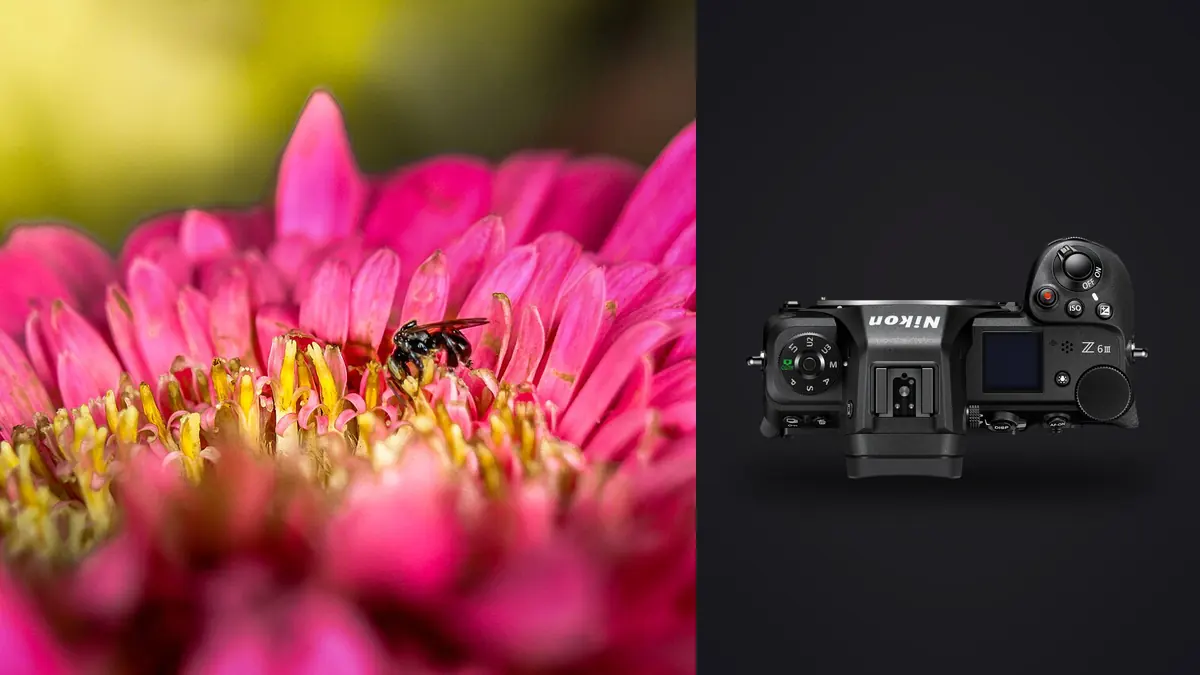
The Z6 III was not built with dragonflies in mind. Nikon's marketing for this body leans hard on sports and video, the partially stacked sensor, the 6K raw internal recording, the brighter EVF. None of that is aimed at someone lying on wet grass at 6am trying to get a jumping spider's front eyes in focus before it decides to jump. And yet the camera turns out to be a genuinely good macro insect tool, for reasons that have almost nothing to do with the spec sheet Nikon leads with.
I've been shooting insects with this body since spring, mostly with a Nikon 105mm f/2.8 MC and occasionally a Laowa 100mm 2x for the smaller stuff, jumping spiders under 4mm and the like. What follows is what actually matters when you're chasing something that can fly away or drop off a leaf the instant your shadow crosses it.
Why this body works better than the spec sheet suggests
Three things matter for macro insect work: how the sensor handles readout in live view for focus peaking accuracy, how usable the AF is at extreme close focus distances, and how the body behaves at high shutter speeds with strobes or continuous light. The Z6 III does well on all three, but not because of any single headline feature.
The partially stacked sensor gives a noticeably faster live view refresh than the Z6 II had, which sounds trivial until you're trying to time a shot on a bee that's vibrating its wings at 200Hz while feeding. The older Z6 II's live view lag meant you were often composing on a half-second-old frame. On the Z6 III that lag is small enough that what you see is close enough to what's actually happening to time a shutter press against erratic insect movement.
The other underrated point is the mechanical shutter's flash sync ceiling. At 1/200s sync you can freeze wing motion on most flies and small bees using a diffused speedlight or a dedicated macro flash bracket, without resorting to high-speed sync, which costs you a stop or more of flash power you don't have to spare when you're already stopped down to f/13 for depth of field.
Where it falls short
Eye-detect AF, which Nikon has genuinely improved generation over generation for birds and animals, does not reliably recognize insect eyes. It will occasionally lock onto a large moth or a dragonfly's compound eye if the insect is close to filling the frame and well lit, but on anything under about 15mm, jumping spiders, small beetles, most native bees, it just doesn't fire the eye-detect box at all. You're back to single-point AF or manual focus for the majority of true macro subjects, and that's worth knowing before you buy into the idea that subject-detect AF will do the work for you here.
Autofocus settings that actually help
Continuous AF (AF-C) with a single, small AF point is what I use for anything that's still moving, a fly grooming itself, a spider adjusting position. But single point AF-C on the Z6 III still hunts noticeably at magnifications above roughly 0.7x, because contrast detail gets thin once you're that close. Past that point I switch to manual focus and use the "rock" technique, focus roughly with the lens ring, then move my whole body forward and back a few millimeters at a time, firing when the eye or the leading edge of the subject snaps into the plane of focus.
A setting people skip that actually earns its keep: pixel-level focus peaking color set to red against green foliage, and peaking sensitivity turned up one notch from default. On the Z6 III's EVF this is legible even in bright midday sun, which was not reliably true on the older Z6.
For anything stationary, a resting butterfly, a spider in its web at dawn before it warms up, I'll use AF-S with the smallest single point, half-press to confirm, then nudge focus manually a hair to land exactly on the nearest eye. Autofocus gets you close; the final few microns of precision on a compound eye almost always need a manual correction.
| Subject behavior | Recommended AF mode | Aperture range that actually works | Realistic keeper rate |
|---|---|---|---|
| Resting butterfly, cool morning | AF-S, single point, manual fine-tune | f/8 to f/11 | 60-75% |
| Feeding bee or hoverfly | AF-C, small point, continuous burst | f/11 to f/16 | 15-25% |
| Jumping spider, alert but stationary | Manual focus, rocking technique | f/13 to f/18 | 30-40% |
| Dragonfly in flight | AF-C, wide-area small, 3D-tracking off | f/8 to f/11 | under 5% |
| Static focus-stack subject (dew, texture) | Manual focus, tripod, remote release | f/5.6 to f/8 per frame | 90%+ (per stack) |
Focus stacking with the in-camera bracketing function
The Z6 III's focus shift shooting menu lets you set up to 300 frames per stack with a defined step width, and it's genuinely usable for macro work as long as your subject holds still, which in practice means dew-covered spiderwebs at dawn, dead insects mounted for study shots, or living subjects that have gone torpid in the cold. I run stacks of 25-40 frames at f/6.3 or f/7.1, step width around 5, and let the camera fire through the sequence at its own pace rather than the fastest interval option, because at the fastest setting the shutter shock on a macro rail setup introduces just enough vibration to soften alternating frames.
One habit that saves real time later: shoot a test stack of 3-4 frames first at your intended step width, pull them onto the LCD, and zoom to 100% on adjacent frames to check for overlap in the focus plane. If there are gaps between frames, sharp bands with a soft strip between them, tighten the step width before committing to the full sequence. I learned this the expensive way on a mayfly wing that had three thin unfocused bands running straight through the most detailed part of the frame, on a stack I didn't have time to reshoot before the subject dried out and shifted position.
After a stacking session you'll typically have several full sequences plus a handful of aborted or vibration-soft attempts sitting in the same folder, and separating the sharp stack frames from the discards by eye at 100% zoom is slow. This is one spot where I've leaned on imagic's local sharpness scoring, since it flags the genuinely soft frames in a stack fast enough that I'm not scrubbing through 40 near-identical images manually before loading the good ones into stacking software.
A note on stacking software choice
Helicon Focus and Zerene Stacker both handle Z6 III raw files without issue once you've run them through your raw converter. I don't have a strong preference between the two for insect work specifically, Helicon's pyramid method tends to handle fuzzy antennae and fine hair better, Zerene's PMax is occasionally cleaner on hard-edged subjects like beetle elytra. Neither matters as much as getting your source frames right in the field, which is the actual bottleneck.
Lens pairing and working distance
The Nikon Z MC 105mm f/2.8 VR S is the obvious pairing and it's a genuinely excellent lens, sharp wide open at 1:1, with in-lens VR that stacks with the Z6 III's in-body stabilization for handheld work at moderate magnification. Working distance at 1:1 is around 14cm from the front element, which is enough room that most bees and butterflies tolerate your approach, though anything genuinely defensive, wasps guarding a nest entrance, will still clear off at that range.
For subjects smaller than about 8mm I switch to a Laowa 100mm f/2.8 2x Ultra Macro on the FTZ adapter. Manual focus and manual aperture only, no electronic contacts at all, but 2x magnification opens up a size class of subject the Nikon 105mm simply can't reach cleanly, tiny jumping spiders, aphids, the individual facets of a fly's compound eye. The tradeoff is real: no AF assistance whatsoever and a working distance under 10cm at 2x, which means you're closer to genuinely nervous subjects than the native lens requires.
Extension tubes on the 105mm push magnification a bit further without buying a second lens, but you lose infinity focus and light falls off enough that you'll want supplemental flash even in decent daylight.
Field workflow that actually gets you through a card of insect shots
A morning of insect photography with this body produces a lot of near-duplicate frames, three or four shots of the same fly from slightly different focus positions while you rock forward hunting for the eye, plus whatever burst frames came out of AF-C tracking a moving subject. That volume adds up fast: a two-hour session can easily leave 600-900 raw files, and the useful keepers are maybe 40 of them.
Back at the laptop I don't try to eyeball all of that. I run the card through imagic first, which clusters the near-identical burst and rocking-technique sequences together and scores each frame's actual focus sharpness locally, no upload, nothing leaving the machine, which matters when a session is 40GB of raw files and the last thing I want is to wait on a cloud round trip before I even know if the shot worked. It surfaces the sharpest frame in each burst so I'm reviewing tens of candidates rather than hundreds of near-duplicates.
Once I'm down to the real shortlist, I've built up an apply_my_style preset in imagic trained on my own past macro edits, slightly cooler white balance to counteract the warm cast that morning backlighting through foliage tends to add, a specific shadow lift I use on most insect shots to keep detail in the underside of the abdomen without blowing the highlights on the wings. Running that preset across the shortlist gets me to a reviewable set fast, and I still go through and hand-adjust the two or three shots that are actually going somewhere, a print, a submission, a stock upload.
If you're weighing culling tools generally rather than committing to one, it's worth reading through how AI photo culling actually works before you build a workflow around it, since the sharpness-scoring approach matters a lot more for macro work than it does for, say, portrait sessions where focus is rarely in question on more than one plane.
Battery life and heat, the unglamorous stuff
Macro sessions are slow and stop-and-go, which is actually kinder to the EN-EL15c battery than continuous burst shooting. I typically get through a 3-hour morning session on one battery with room to spare, even with the EVF running at high refresh and focus peaking active the whole time, both of which do draw more power than the rear LCD alone. I still carry a spare because a dead battery an hour into a good insect morning, when the light and the subjects are both cooperating, is not a risk worth taking for the weight of one extra cell.
Heat has not been an issue for stills work at all. It's a real concern for the Z6 III's 6K video mode, well documented elsewhere, but for stills shooting, even long focus-stacking sequences, I've never seen a thermal warning.
Frequently Asked Questions
Does the Z6 III's subject-detect AF work on insects at all?
Partially. It occasionally recognizes larger insects, dragonflies, big moths, mantises, when they're framed large and well lit, treating them loosely under the animal-detect category. It essentially never fires reliably on anything under about 15mm, jumping spiders, small bees, beetles, so for true macro work you should plan around single-point AF or manual focus rather than counting on subject detection.
Is the 105mm f/2.8 MC enough, or do I need a specialty macro lens for small insects?
For anything down to about 8-10mm the native 105mm at 1:1 is genuinely enough, and it's the lens I'd recommend starting with. Below that size, jumping spiders under 5mm, individual insect eyes, you'll want something like the Laowa 100mm 2x, accepting the loss of autofocus in exchange for the extra magnification.
What's a realistic keeper rate to expect from a morning of insect shooting?
Lower than most other genres. For handheld AF-C work on moving insects, 15-25% is typical even with good technique. Static subjects shot with manual focus and the rocking technique run higher, 30-40%. Focus-stacked static subjects, dew, mounted specimens, approach 90%+ per completed stack, since the failure mode there is mostly aborted stacks rather than individually missed frames.
Does focus stacking in-camera actually save time over stacking manually in post?
It saves time on the capture side, since the camera handles the step-and-shoot sequence faster and more consistently than manual rail adjustment. It doesn't remove the need for stacking software afterward, Helicon Focus or Zerene Stacker still have to blend the frames. Where it genuinely helps is repeatability: once you've dialed in a step width for a given magnification, every subsequent stack at that magnification uses the same setting without recalculating.