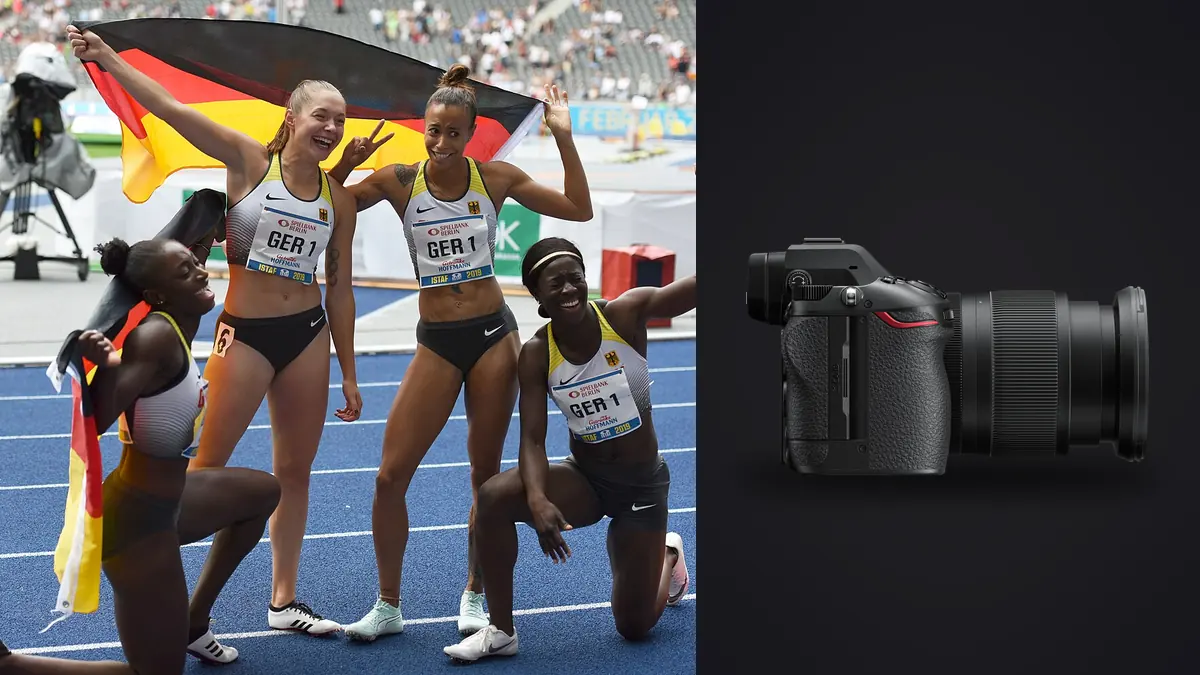
A track meet is really four or five different assignments stacked on top of each other, and you rarely get to pick which one is happening in front of your lens at any given moment. The 100m final is over in ten seconds. The long jump runway gives you three usable strides and a sand cloud. Pole vault rewards patience and punishes anyone who chimps the LCD at the wrong second, and the shot put circle is close enough that a bad AF lock means a blown frame you can't get back. I've spent enough Saturdays at regional and college meets with the Nikon Z6 III to have real opinions about which of its features earn their keep on an oval and infield, and which ones read better on a spec sheet than they perform with a meet official waving you off the track apron mid-race.
The Partially Stacked Sensor Is the Real Story, Not the Megapixel Count
24.5 megapixels looks modest next to some of the sensors Nikon and its competitors are shipping right now, and if you're coming from a Z6 II or a D850 you might assume this is a step sideways. It isn't. The number that matters here is the readout speed of the partially stacked sensor paired with the EXPEED 7 processor, because that's what lets the Z6 III shoot at up to 20 fps in full-resolution RAW with continuous AF and AE using the electronic shutter, with far less of the skew and jello effect that made the Z6 II's silent mode nearly unusable for anything moving fast across the frame.
That last part matters more at a track meet than almost anywhere else. Sprinters at the finish line, a discus mid-rotation, a pole vaulter's body arching over the bar: these are exactly the subjects that expose rolling shutter distortion on a slower sensor, showing up as a subtly slanted torso or a bent lane line in the background. On the Z6 III I've stopped avoiding electronic shutter for these shots. On the Z6 II I never trusted it for anything but static portraits between events.
Where the lower pixel count actually costs you is cropping room. If you're stuck shooting the far turn from the home straight with a 200mm lens because that's the credential zone you got assigned, you'll feel the difference versus a 45MP body. Bring the longest glass you can justify and treat cropping as a last resort, not a plan.
Dialing In AF and Drive Settings Event by Event
The single biggest mistake I see other photographers make at meets is leaving the camera on one AF configuration for the whole day. Track and field is really several different sports wearing the same uniform, and the autofocus settings that nail a sprinter are wrong for a javelin thrower.
Sprints and hurdles
3D-tracking with Auto-area AF and the People detection mode set to prioritize the eye works well here as long as the lanes are clean and there isn't a rival athlete crossing behind your subject at the wrong depth. I keep AF-ON back-button focus mapped so I can release and re-acquire cleanly between the gun and the first stride, since the initial burst off the blocks is where the camera has the least amount of subject to lock onto. For hurdles specifically, switch to Wide-area AF (Small or Medium) rather than full Auto-area. The hurdle itself can steal focus from the athlete's body if you let the camera decide too freely, and I've lost more hurdle frames to the AF grabbing the barrier than to anything else on this camera.
Jumps: long, triple, and high jump
These events are about the plant and the peak, not continuous tracking through a full sprint. I pre-focus on the takeoff board or the bar using a single AF point, half-press to confirm, and let the burst do the work through the arc. For high jump, position yourself so the bar is roughly perpendicular to your sensor plane and use a narrow AF area locked to the athlete's torso; the sky background behind a Fosbury flop gives the camera nothing to false-focus on, which actually works in your favor here.
Throws: shot put, discus, javelin
Javelin in particular punishes slow AF because the release happens in a fraction of a second and the implement itself is thin enough to confuse subject detection. I turn off animal and vehicle detection entirely for throwing events (they're irrelevant and just add processing overhead to the AF search) and rely on People detection with a wider area so the system can find the athlete's torso rather than chasing the javelin shaft.
Pole vault
This is the one event where I actually drop the frame rate. Shooting the full 20fps electronic burst through an entire vault attempt fills your buffer with near-duplicate frames of the athlete mid-air, and you'll spend twice as long culling for one usable shot at the bar clearance. I shoot Continuous High at roughly 10 fps here and time my finger for the plant, the inversion, and the bar clearance as three distinct moments rather than one long spray.
Buffer Depth and the Truth About 20fps
Nikon's marketing number for the Z6 III's top burst speed is real, but what determines whether you actually get to use it all day is card choice and file format, not the number on the box. RAW 14-bit lossless compressed files eat buffer fast at 20fps. Here's what actually happens across a meet depending on how you've configured the second slot:
| Setup | Sustained burst before slowdown | Where it bites you at a meet |
|---|---|---|
| CFexpress Type B, RAW 14-bit lossless compressed | Effectively unlimited for any single event (well past 100 frames) | Never a problem, even shooting a full 4x100 relay leg by leg |
| CFexpress Type B, RAW 12-bit + JPEG Fine simultaneously | Long, but the JPEG write adds real overhead | Only worth it if you need same-day proofs for a coach or the school paper |
| UHS-II SD only, RAW 14-bit lossless compressed | Roughly 30 to 40 frames before the buffer clears slower than you're firing | You feel it mid-relay or partway through a long jump series; the camera doesn't stop, but frame rate drops noticeably |
| UHS-II SD, JPEG Fine only | Very long runs, buffer rarely an issue | Fine for wide establishing shots and crowd reactions, not for anything you'll want to print |
| Dual slot backup (CFexpress + SD, RAW to both) | Limited by the slower SD card, not the CFexpress | Redundancy is nice for a paid gig, but it drags your effective buffer down to SD speeds |
My actual field setup: CFexpress Type B in slot one for RAW, UHS-II SD in slot two set to overflow rather than backup, and I only switch to simultaneous RAW-to-both-cards for finals where a card failure would mean an unrecoverable moment. For prelims and heats earlier in the day, overflow keeps me shooting at full speed the whole time.
Lenses I Actually Bring to a Meet
Credential position dictates a lot of this, but if you have a choice, here's the combination that covers a full oval without constant lens swaps mid-event: a 70-200mm f/2.8 S for anything close, the finish line, hurdles from the infield, and field events shot from a reasonable distance; a 100-400mm S for the far turn and anything on the backstretch when you're stuck on the home side; and if the budget stretches, a 400mm f/4.5 S is lighter than it has any right to be for a full day of handheld panning shots and gives you reach the zoom can't match in a pinch. I leave the 24-70mm in the bag most of the day and only pull it out for warmup atmosphere, coach reactions, and the awards podium.
In-body stabilization on the Z6 III is genuinely good for handheld panning at shutter speeds down around 1/60 to 1/125 for that motion-blur background look on sprinters, but for anything you intend to freeze completely, 1/2000 or faster is still the number that matters, VR or not.
After the Gun: Getting Through the Frame Count Without Losing the Evening
A single day at a decent-sized meet with a body capable of 20fps produces a genuinely absurd number of frames. Shoot five events at moderate burst lengths and you can walk away with four or five thousand RAW files, most of which are three or four near-identical frames of the same stride or the same mid-air position. Culling that by eye, at full resolution, one at a time, is how photographers lose entire evenings after a meet that already ran twelve hours.
This is the part of the workflow where I stopped doing it manually. I run the day's card through imagic before I open anything in an editor. It scores sharpness and focus locally on the files themselves, so it catches the frame where the sprinter's eye is actually crisp instead of the one two frames later where motion blur crept in, and it clusters the burst sequences and near-duplicate frames together so I'm reviewing one representative shot from a stride sequence rather than paging through fifteen versions of the same jump. Because everything runs on the laptop rather than uploading to a cloud service, it works from a parking lot with no signal just as well as it does at home, which matters more than people expect when half the meets I shoot are at high school tracks with no usable wifi anywhere near the venue.
Once I've got the culled set, I lean on the apply_my_style preset feature to carry my usual sports color and contrast treatment across the whole batch instead of manually matching white balance and contrast frame by frame between events shot in completely different light, morning heats versus late-afternoon finals under stadium towers. It's built from my own past edits rather than a generic preset, so it holds up reasonably well across the lighting swings a full meet day throws at you. If you're curious about the mechanics behind how sharpness-based culling actually works rather than just relying on star ratings, this breakdown of how AI photo culling works covers the technical side in more depth. And if buffer-filling burst shooting is a regular part of your workflow beyond just track season, these workflow tips are worth a look too.
Frequently Asked Questions
Is the Z6 III's 20fps burst actually usable for a full relay, or does it choke on longer sequences?
With a CFexpress Type B card and RAW 14-bit lossless compressed files, yes, it holds up through a full relay leg without any noticeable slowdown. The limiting factor is almost never the sensor or processor at that point, it's whichever card is in the slot you're actually writing to. Drop down to a UHS-II SD card as your primary and you'll feel the buffer tighten up after 30 or 40 frames.
Does electronic (silent) shutter cause visible skew or banding under stadium lighting?
Banding under flickering LED or older sodium-vapor stadium lights is a real risk with any electronic shutter camera and worth testing before finals, since it depends on the specific lighting rig at the venue. Rolling shutter skew, on the other hand, is dramatically better controlled than on the fully rolling sensor in the Z6 II, thanks to the partially stacked sensor's faster readout. I'd still avoid silent mode for a discus release shot straight into low sun, but for general sprint and jump coverage it's held up fine in my experience.
What's the minimum focal length to realistically cover a full oval from one fixed shooting position?
If you're locked into one spot on the home straight for the whole meet, 400mm equivalent reach is close to the minimum for keeping the far turn usable in frame, and even then you'll be cropping. A 100-400mm zoom gives you flexibility to work the near side wide and the far side long without changing lenses mid-race, which matters when you don't get advance notice of exactly which lane the athlete you're tracking will be running in.
Do I need to shoot RAW for every single frame, or is JPEG Fine good enough for a fast turnaround?
Depends entirely on the deliverable. If a coach or school needs same-day web images, JPEG Fine straight off the card is faster and the buffer never becomes an issue. For anything you're printing, licensing, or running through a real color grade afterward, shoot RAW and accept the buffer tradeoff. I've found the middle ground works best: RAW for finals and any event I know is the priority shot of the day, JPEG for warmups, prelims, and crowd coverage where speed of delivery beats maximum editing latitude.