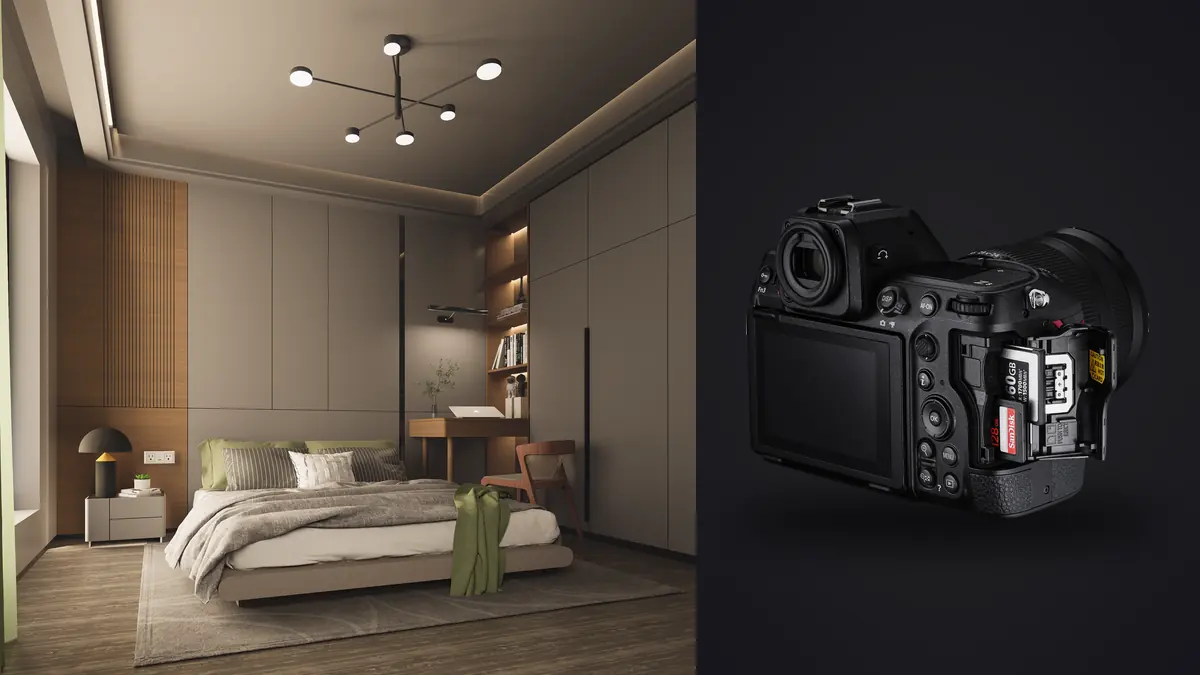
Boudoir and intimate portraiture put different demands on a camera body than almost any other genre. You're usually working in a bedroom, a rented Airbnb, or a small studio room with one window and maybe a single strobe. Your subject is often nervous, sometimes shooting for the first time, and every mechanical noise or awkward pause reads as a signal. I switched my primary body to the Nikon Z8 about a year and a half ago after years on a D850, and the change affected this specific genre more than any other work I do. This isn't a spec sheet regurgitation. It's what actually changed in the room, in the files, and in the edit.
Why Body Size and Shutter Sound Change the Room
The Z8 weighs about 910g body-only, roughly two-thirds the weight of a Z9 and noticeably smaller in the hand. That matters more than it sounds like it should. In a bedroom set eight feet from a subject in various states of undress, a smaller body reads as less clinical. It's a small psychological detail, but boudoir work runs on trust, and anything that reduces the "this is a big deal" feeling in the room helps the subject relax into natural poses instead of holding a pageant smile.
The bigger functional change is the fully electronic shutter. The Z8 has no mechanical shutter curtain at all, so on electronic front curtain or full electronic modes there's genuinely no shutter sound and no viewfinder blackout between frames. I shoot most sessions in Silent mode now. Practically, this means I can hold eye contact with a subject through the viewfinder while firing frames instead of the shutter clunk breaking the moment every time. For genuine, unguarded expressions rather than "camera face," that continuity matters. The one caveat: electronic shutter brings rolling shutter risk with fast horizontal motion (a hand swept quickly across frame, someone spinning), so for movement-heavy sequences I'll switch back to the mechanical-equivalent high-speed frame capture setting rather than pure electronic.
Skin Tones and Dynamic Range in Mixed Light
Boudoir sessions often run on window light as the key, sometimes with a single softbox or a warm continuous LED panel filling shadow. That's a recipe for mixed color temperature and a fair amount of dynamic range between the bright window side and the shadowed side of the bed. The Z8's 45.7-megapixel stacked sensor gives you 14-bit RAW files with enough shadow latitude that I can pull detail back from dark sheets or dark lingerie against pale skin without the recovery looking muddy, and I rarely lose highlight detail near the window unless I've badly blown the exposure.
ISO performance is genuinely usable up to about 3200-6400 for skin work before noise reduction starts eating the fine micro-contrast that makes skin look like skin instead of plastic. I keep Auto ISO capped around 6400 for available-light sessions and drop to native ISO 64-800 whenever I've got a strobe involved. For white balance, I don't trust auto in mixed daylight-plus-lamp scenarios; I set a custom Kelvin value off a grey card at the start of the session and adjust once if the light shifts, which keeps skin tones consistent across the whole shoot instead of drifting warm or cool frame to frame.
Autofocus That Keeps Up With Real Movement
Boudoir and intimate work is shot wide open more often than most genres, typically f/1.4 to f/1.8, both for the shallow falloff and because available light often demands it. That leaves almost no margin for AF error. The Z8's subject-detection eye AF has been reliable for me even in dim rooms and even on close, cropped compositions where the eye occupies a small fraction of the frame. It also holds onto the near eye through movement, sitting down, turning over, hair falling across the face, without hunting.
The high-speed frame capture modes (C30 and C120) with pre-release buffering are genuinely useful here, more than they were on paper before I tried them. A lot of the best moments in this genre happen in transitions: a hair flip, fabric settling after movement, a laugh that starts as a smirk. Pre-release capture means I'm not chasing the peak of the motion by reaction time, which used to cost me the best frame in a sequence more often than I'd like to admit.
How the Z8 Stacks Up Against the Other Nikon Options
I get asked fairly often whether the Z9 or Z6III makes more sense for this kind of work instead. Here's the honest comparison based on actually shooting boudoir sessions with all three:
| Factor | Nikon Z8 | Nikon Z9 | Nikon Z6III |
|---|---|---|---|
| Body weight | ~910g, compact grip | ~1340g, integrated grip | ~760g, smallest of the three |
| Shutter sound at 6ft | Silent (fully electronic) | Silent (fully electronic) | Faint mechanical click available; can run silent too |
| Resolution | 45.7MP | 45.7MP | 24.5MP |
| Low-light eye AF confidence (available light, f/1.4-1.8) | Very reliable to roughly EV -4 | Very reliable, same sensor/AF core | Good, slightly more hunting below EV -3 |
| RAW buffer before slowdown (CFexpress B) | Effectively unlimited for typical bursts | Effectively unlimited | Around 200+ frames, plenty for this genre |
| Best fit for boudoir/intimate work | Best balance of file quality, size, and discretion | Overkill in bulk and price unless you also shoot sports/events | Lighter files, easier delivery, good second body |
If I only shot boudoir and nothing else, the Z6III would be a defensible choice for its smaller files and slightly lower price of entry. I keep the Z8 because I also print large album spreads where the extra resolution actually shows, and because the smaller body than the Z9 makes a real difference in cramped bedroom sets where I'm working close and don't want a camera the size of a brick between me and the subject.
The File Volume Problem This Genre Creates
Here's the part that doesn't show up in camera reviews. A single boudoir session with the Z8's high-speed frame capture modes can easily generate 800 to 1,500 RAW files in an hour, and a huge percentage of those are near-duplicates: the same pose held for a second and a half while I fire off six or seven frames looking for the one where the eyes are open, the expression is right, and nothing is soft. At 45.7 megapixels, those files add up fast, and manually scrubbing through hundreds of nearly identical frames to find the sharp one is exactly the kind of task that eats an evening.
This is where I actually rely on imagic now instead of dragging a loupe across every thumbnail in Lightroom. It runs local sharpness and focus scoring directly on the files, so it flags which frame in a burst actually has crisp focus on the eyes rather than the one just before or after where the AF was still settling, which matters enormously at f/1.4 where depth of field might be a couple of centimeters. It also clusters bursts and near-duplicate frames together automatically, so instead of forty thumbnails from one pose I'm looking at one cluster with the sharpest candidate already surfaced. For a genre where sessions are this file-heavy, that alone probably saves me two to three hours per shoot compared to my old workflow.
There's a privacy angle here too that matters specifically for this genre. All of that scoring and clustering happens locally on my laptop; nothing gets uploaded to process it. Given the sensitivity of the content and the trust subjects place in a photographer to handle it carefully, not routing intimate images through a cloud service for culling isn't a nice-to-have, it's close to a requirement I hold myself to.
If you're evaluating culling tools generally rather than taking my word for it, this breakdown of how AI photo culling actually works is a reasonable starting point for understanding what's happening under the hood before you commit files to any tool.
Settings I Actually Dial In Before a Session
A few concrete settings rather than vague advice: I shoot Aperture Priority with back-button focus separated from the shutter, which lets me recompose after locking focus on the eye without the camera hunting again on the shutter half-press. Auto ISO is capped at 6400 with a minimum shutter speed floor around 1/160s for handheld work with any subject movement, since even a slow hair-toss can produce motion blur at wider apertures if the shutter drops too low. Picture Control is set to Flat with a slight contrast bump added back in post rather than trusting an in-camera Portrait profile, because I want maximum latitude for skin tone grading later rather than baking anything in. Silent shooting is on by default, and I keep the mechanical-shutter high-speed mode mapped to a custom button so I can flip to it instantly if I need to shoot faster movement without rolling shutter risk.
On card setup, the Z8's dual slots (CFexpress Type B and SD UHS-II) are set to overflow rather than backup during the shoot itself, since CFexpress write speed matters when I'm firing 20fps bursts and I don't want the buffer clogged waiting on a slower SD card to catch up. I do a backup copy to the SD card immediately after the session, before anything leaves the camera, given how much subjects care about knowing there's no stray copy of sensitive images floating around on a laptop that gets stolen or a drive that fails.
From Camera to Consistent Color
Once files are culled down to the real selects, the next problem in this genre specifically is keeping skin tone consistent across a full session that might span window light, strobe, and a lamp-lit "after dark" sequence, all in the same delivery gallery. I trained imagic's apply_my_style preset on a batch of my own previously graded boudoir edits, and running new sessions through it gets me most of the way to a consistent look before I do targeted adjustments per image, rather than starting every photo from a flat baseline. It's not magic, it's closer to having my own past editing decisions applied automatically as a starting point, which is a meaningfully different (and faster) thing than a generic preset pack. For the actual grading decisions behind that consistency, I'd point anyone building their own workflow toward this guide on color grading rather than trying to reverse-engineer someone else's LUT.
Frequently Asked Questions
Do I need f/1.2 lenses for boudoir with the Z8, or will f/1.8 primes be enough?
F/1.8 primes are enough for the vast majority of boudoir work. The look most photographers associate with this genre comes as much from window light placement and posing as from extreme background blur. I shoot the bulk of my sessions between f/1.8 and f/2.8 for a practical reason: at f/1.2 on a 45.7-megapixel body, your focus margin on an eye is often under two centimeters, and with a subject breathing and shifting weight, that margin disappears fast. Save the f/1.2 glass for a handful of deliberately shallow, static frames rather than the whole session.
Is the Z8's silent shutter actually silent, or is there a giveaway in a quiet bedroom?
In full electronic shutter mode there's no shutter sound at all, not even a soft click, because there's no mechanical curtain moving. The only sound you'll get is if you have the electronic beep confirmation turned on (turn it off) or AF motor noise from certain lenses under continuous autofocus, which is faint but audible in a truly silent room. The camera itself gives away nothing; any noise in the room is coming from the lens or your own settings.
Will 45.7-megapixel files be overkill for boudoir albums and slow down my culling?
The resolution isn't overkill if you're printing large album spreads or doing significant crops in post, both common in this genre. Where it does bite you is culling speed if you're doing it manually, since scrubbing full-resolution previews of a thousand-plus file session in Lightroom is genuinely slow. That's less a camera problem than a workflow problem; running the take through a local culling tool that scores sharpness and groups bursts before you ever open a full editor cuts that bottleneck down considerably, regardless of which body produced the files.
How does the Z8 compare to the Z6III for someone who only shoots boudoir and intimate portraiture?
If boudoir is genuinely your only genre and you're not printing large or delivering heavily cropped files, the Z6III is a legitimate alternative: smaller files, faster to cull and deliver, slightly lower price of entry, and autofocus that's still very capable in low light even if it's a notch behind the Z8's stacked sensor performance in the dimmest rooms. The Z8 earns its keep if you also shoot other work that benefits from the extra resolution, or if you regularly work in low-light bedrooms where every bit of AF confidence and dynamic range headroom counts. Neither is a wrong choice; it depends on what else is in your bag and how large you print.