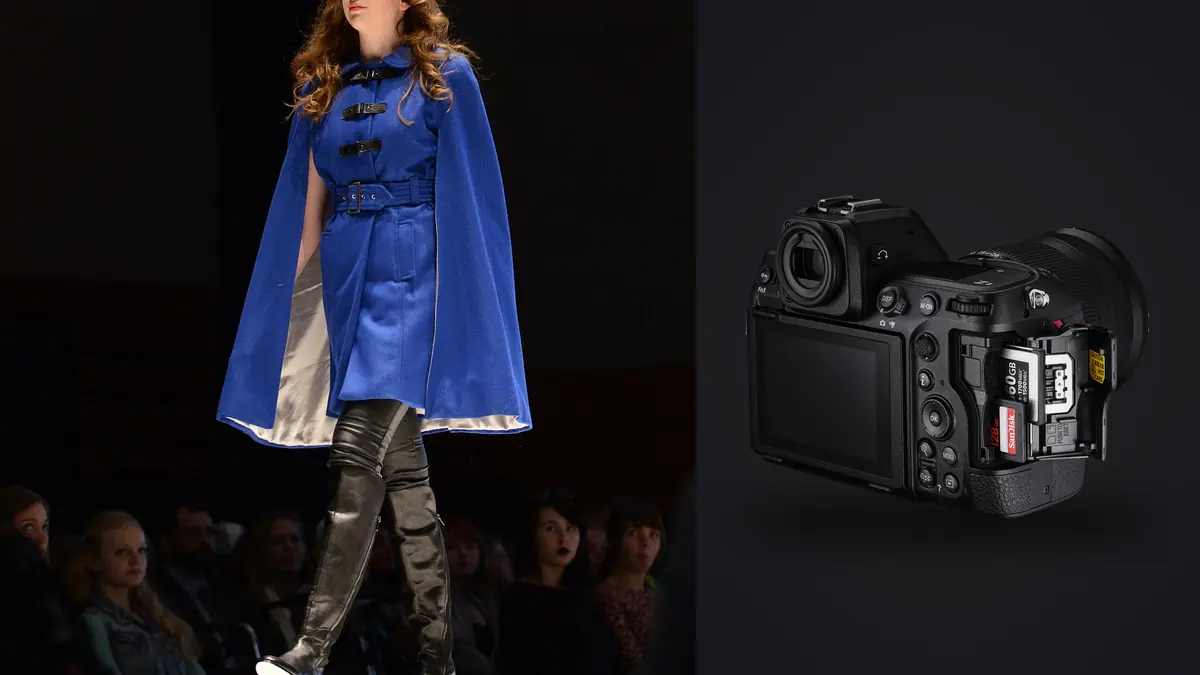
A lookbook day doesn't run like a portrait session. You're not building toward one or two frames per setup, you're moving through fifteen or twenty looks before lunch, each one needing a walking sequence, a static hero shot, a detail crop on the stitching or the hardware, and a couple of safety frames in case the client wants an alternate crop later. The camera has to keep up with that pace without losing the plot on focus, and it has to hand you files at the end of the day that don't take until midnight to sort. Here is what actually matters on that kind of day with a Nikon Z8, not the spec sheet version.
Why the Z8 fits this specific job
The Z8 carries the same 45.7-megapixel stacked sensor and Expeed 7 processor as the Z9, just in a body that's small enough to hand-hold for eight hours without your neck filing a complaint. That combination matters more for lookbook work than it does for, say, a seated headshot session, because a stacked sensor with no mechanical shutter means you can shoot a walking sequence at full resolution without the rolling shutter smear or the shutter-slap that a DSLR-era body would give you. There's no mirror to bounce and no mechanical curtain to wear out after a season of five-figure shutter counts, which on a body doing multiple thousand-frame days a week actually matters for resale and reliability.
What it doesn't give you is a clean win over cheaper bodies on every axis. The Z8 is heavier than a Z6III, the buffer clears slower than the file-size math suggests once you're writing to an SD card instead of CFexpress, and the resolution is genuinely more than most lookbook deliverables need, since apparel e-commerce pages rarely display anything past 2000px on the long edge. You're paying for headroom: crop room on a walking shot where the model drifts off-mark, print room if the client repurposes the lookbook for a trade show banner, and burst speed for the handful of frames per look where the fabric actually does something interesting.
Frame rate and buffer, in practice
The 20fps full-resolution RAW burst is the number Nikon advertises, and it's real, but only at 12-bit. Switch to 14-bit RAW for extra tonal room in the shadows and the top burst speed drops, so on a day where I know I'm chasing garment movement (a coat flaring, a skirt mid-turn) I stay in 12-bit and accept slightly less latitude in post. For static hero shots and product-detail crops where I have time to nail exposure in camera, I'll bump to 14-bit since I'm not burning through frames anyway. Buffer depth is genuinely long on a fast CFexpress Type B card, long enough that I've never bottomed it out mid-sequence on a walking shot, which is not something I could say about the Z7II I used before this.
Autofocus on a moving garment, not just a moving face
3D-tracking with eye-detect works well right up until the look involves a hood, a veil, sunglasses as part of the styling, or a model turned three-quarter away from camera showing the back panel of a jacket, which happens constantly in lookbook work because the client wants every angle of the garment documented. When the face is obscured I drop out of subject-detect and back to a pinned wide-area AF box on the shoulder seam or collar, because the camera's subject recognition will occasionally latch onto a mannequin head or a background model waiting in the wings instead of the one actually in frame. It's a small workflow habit, but it saves a look from coming back soft.
RAW format choices and what they actually cost you
The Z8 gives you three RAW compression tiers on top of the 12-bit/14-bit choice, and on a lookbook day where you might shoot three to six thousand frames, that choice changes how your evening goes. Here's how I actually split it across a shoot, based on card capacity, buffer behavior, and what each format is worth downstream in editing.
| Format | Bit depth | Approx. file size (45.7MP) | Sustains full 20fps? | Where it earns its place on set |
|---|---|---|---|---|
| Lossless compressed RAW | 14-bit | ~55-65MB | No, burst rate drops | Hero looks, static product detail, anything going to print or a heavy crop |
| Lossless compressed RAW | 12-bit | ~45-55MB | Yes | Walking sequences, fabric movement, anything you'll cull hard afterward |
| High-Efficiency* RAW | 12-bit | ~30-38MB | Yes | Long multi-look days, tight card budgets, secondary backup card |
| High-Efficiency RAW | 12-bit | ~22-28MB | Yes | Focus checks, lighting tests, anything not making the final selects |
I default to 12-bit Lossless compressed for the movement work and switch to 14-bit for the handful of static frames per look, which keeps the average file size manageable across a day without giving up the tonal range on the shots most likely to get heavily graded. High-Efficiency has gotten good enough that I'll use it for test frames I know are getting deleted, just to keep the card from filling before lunch.
Keeping color consistent across twenty looks and a drifting sun
Lookbook clients care about color consistency more than almost anything else in the deliverable, because a jacket that reads navy in look three and slate blue in look fourteen becomes a client email you don't want. I shoot Flat picture control on the Z8 to keep highlight and shadow detail intact for grading later, and I set a custom white balance off a gray card at the start of the day and again any time the light changes meaningfully, rather than trusting auto white balance to hold steady across a session that runs from open shade into direct sun. The Z8's IBIS is rated around 6 stops, which in practice means I can hand-hold static product details at slower shutter speeds under continuous LED panels without needing a tripod for every single setup, which saves real time when you're resetting between fifteen looks.
One thing worth flagging if you're moving from strobes to continuous LED for a more run-and-gun lookbook pace: the Z8's electronic-only shutter can pick up banding under LED panels that aren't running at a matched refresh rate. I check the anti-flicker setting and, if I still see banding on a test frame, drop shutter speed to a value that's a clean multiple of the panel's refresh cycle before the model steps in.
Tethered capture versus card-and-review
For studio lookbook days with an art director on set, tether through NX Tether or Capture One so approvals happen in real time and nobody's waiting on a card dump to see if a shot landed. For location lookbook work, tethering isn't practical, so shoot to the CFexpress card as primary and mirror to the SD slot as an on-set backup, then review on a laptop between looks rather than after the whole day wraps. Either way, the volume of frames coming off the camera is the same problem: too many near-identical shots to eyeball one by one before the client sees anything.
The part nobody mentions: culling six thousand frames by nine that night
A twenty-look day with walking sequences shot at 20fps can easily produce three to six thousand RAW files, and the overwhelming majority of any given burst are frames you'll never use, five nearly identical steps in a stride with one or two where the fabric and the focus both land right. Scrubbing that manually after a twelve-hour shoot day is where lookbook editing actually goes to die. This is the point where I stopped trying to do it by eye in Lightroom and started running the day's take through imagic before opening a grading tool at all. It scores sharpness and focus locally on the files themselves, so the frame in a thirty-shot walking burst where the eyes and the hemline are actually both sharp gets surfaced instead of buried, and it clusters bursts and near-duplicates together so I'm reviewing one representative group per moment instead of every individual frame.
The fact that it runs entirely offline matters more on this kind of job than it would on personal work, since apparel clients routinely shoot unreleased collections under NDA and nobody wants next season's line sitting on a cloud culling service before it's public. Once the first pass is done, I use imagic's apply_my_style preset, which is trained on my own past edits rather than a generic look, to get a consistent baseline grade across looks shot at different points in the day, so the navy jacket from the morning and the one reshot after lunch actually match before I do the finer per-look adjustments. If you're new to the idea of software doing the first pass instead of a human, how AI photo culling works covers the mechanics in more depth than I can fit here, and the general habits in 10 tips for a faster photo workflow hold up well even on a shoot this file-heavy.
Lens pairings that actually get used on set
Lookbook work rewards lenses that hold their sharpness at the apertures you'll actually shoot rather than their widest stop, since most catalog work lands between f/5.6 and f/8 for consistent depth of field across a full-length figure. What tends to stay on the Z8 across a lookbook day:
- Z 50mm f/1.2 S for full-length hero shots where a touch of separation from a plain seamless background helps the garment read cleanly.
- Z 85mm f/1.2 S for detail crops (buttons, stitching, hardware) where working distance and background compression both matter.
- Z 24-70mm f/2.8 S as the workhorse for anything on location, since reframing quickly between a full-length and a three-quarter shot without swapping glass keeps the pace up.
- Z 70-200mm f/2.8 VR S for walking sequences shot from further back, which also keeps the crew and rigging out of frame on tighter locations.
Cards, batteries, and the logistics that decide whether you finish on time
Dual slots (CFexpress Type B plus SD UHS-II) mean I run CFexpress as primary and SD as an in-camera backup rather than splitting RAW and JPEG across them, since a lookbook deliverable is RAW-only anyway. A 325GB CFexpress card holds somewhere in the range of five to seven thousand 12-bit Lossless compressed files depending on scene complexity, which is close to a full day's take, so I still carry a second card and swap at the halfway point rather than trusting one card for the whole shoot. Battery life on the EN-EL15c is fine for a studio day near a wall outlet, but on location I carry three batteries minimum, since a Z8 running continuous AF, an EVF, and a tethered connection for hours doesn't sip power the way a mirrorless body's spec sheet implies.
Frequently Asked Questions
Do I actually need 14-bit RAW for lookbook work, or is 12-bit enough?
For most of the day, 12-bit is enough, and it buys you the full 20fps burst rate, which matters more for movement sequences than the extra tonal steps do. I reserve 14-bit for static hero shots and anything I know is going to get pushed hard in the grade, where the wider bit depth gives more room before you see banding in a gradient background or a shadow area.
How many frames should I budget for a full lookbook day on the Z8?
For twenty looks with a walking sequence, a static hero shot, and detail crops per look, I plan for somewhere between three and six thousand RAW frames. That number scales fast if the art director wants multiple walking passes per look, so confirm the shot list up front rather than guessing at card capacity on the fly.
Is the Z8 overkill for a smaller lookbook job compared to something like a Z6III?
For a tight budget or a small ten-look job with a single static setup, a Z6III is genuinely enough and it's lighter to carry all day. Where the Z8 earns its keep is burst-heavy movement work and days where the client might want a print or trade-show use of the images later, since the extra resolution gives you room to crop or upsize without asking to reshoot.
What's the realistic way to handle the sheer volume of files a Z8 lookbook shoot produces?
Don't try to eyeball every frame in a burst manually after a full day of shooting, that's how a two-hour edit turns into a six-hour one. I run the day's take through imagic first to surface the sharpest frame per burst and group the near-duplicates, then only open the survivors in a grading tool. It's a local, offline pass, which also matters if you're handling unreleased collection images under an NDA.
None of this makes the Z8 the only camera that can shoot a lookbook well, plenty of bodies can. What it gets right for this specific job is a burst rate and buffer that don't punish you for shooting the way a moving garment actually needs to be shot, paired with a file size that's manageable if you're deliberate about format choices instead of leaving everything on 14-bit by default. The camera gets you the frames. What you do with three thousand of them by that evening is the part worth planning for before the first look walks in front of the seamless.