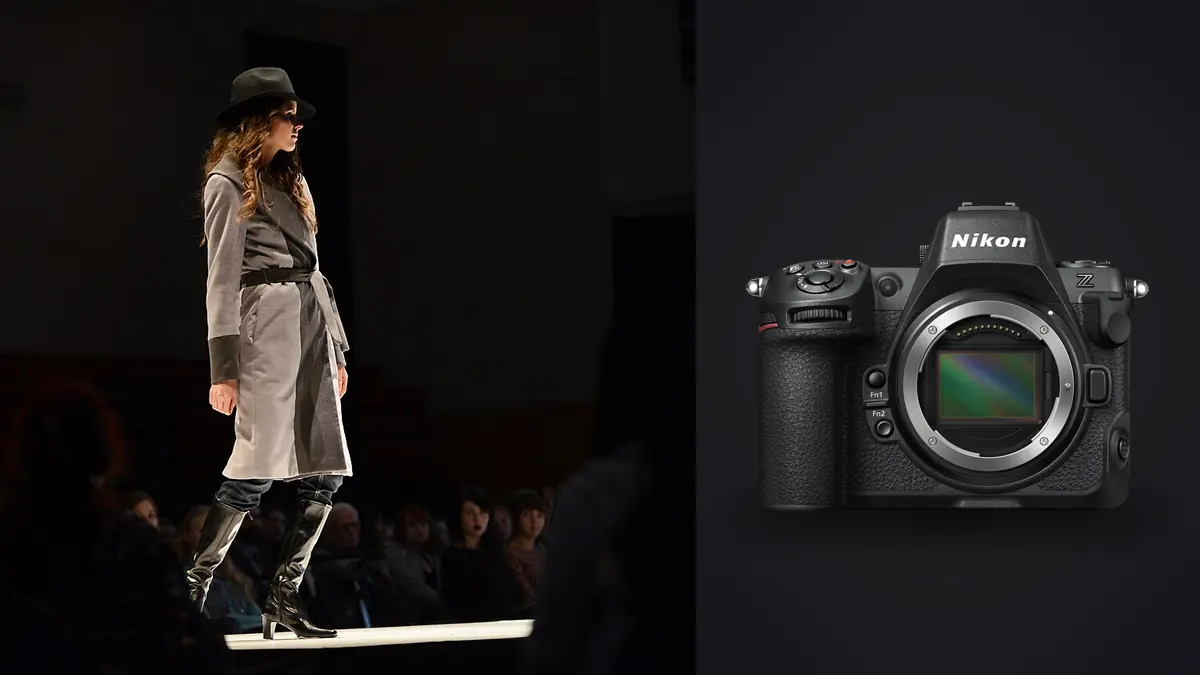
A Nikon Z8 commercial fashion lookbook RAW Workflow should make every garment, angle, and approved variation easy to find. The volume may be lower than a sports event, yet the cost of a missing detail is higher because a complete look often requires a predictable set of front, side, back, movement, and close views. File organization must mirror the shot list rather than depend on memory after the set is cleared.
The Z8 records high-resolution NEF files and offers two card formats. Its detail supports fabric, accessories, and crop variants, while inconsistent color or focus is equally visible. A disciplined route from slate to backup, outfit cull, batch baseline, specialist retouch handoff, and final export keeps the photography aligned with the production brief.
Translate the shot list into file structure
Assign a stable code to each look before capture. The code can represent collection, outfit, colorway, model, and set without placing unnecessary personal information in the filename. Photograph a slate or enter the code in a note at every change. Include required orientations, detail frames, groupings, and alternates in the shot list so completeness can be checked independently of visual preference.
Keep product identifiers exact. Two nearly identical garments may differ in trim, fit, or color, and a beautiful frame of the wrong sample cannot fill the required slot. If the styling team makes a substitution, record it immediately. Do not overwrite the planned code silently, since later merchandising systems may still refer to the original list.
Synchronize camera clocks and define how a second body or photographer will be named. Time order helps reconstruct changes, but a slate remains safer when several looks overlap. At ingest, folders can follow the production day while metadata or collections follow the look code. Avoid creating a separate physical copy for every possible grouping.
Choose NEF settings for detail and compatibility
Select a RAW compression option that the full editing chain can open and preserve. Make representative NEF files with the current camera firmware, then verify them in the applications used for color, retouch, and delivery. A smaller file is not useful if a downstream tool cannot decode it reliably, and the largest option is unnecessary when the output and crop plan do not use it.
Keep in-camera picture controls consistent because they influence previews even though RAW development remains adjustable. A dramatic preview can mislead decisions about fabric color or contrast on set. Use a restrained monitoring look and a neutral reference under each final lighting arrangement. The reference belongs in the same light and exposure as the garment.
High resolution increases the visibility of fine focus and camera movement. Set aperture for the depth required by the pose and garment, not merely for background blur. A turned jacket, layered dress, or accessory held forward may need more depth than a flat front pose. Review seams, eyes, and product details together.
Route the two card slots deliberately
The Z8 combines a CFexpress Type B or XQD slot with an SD slot. Decide whether the production needs duplicate NEF recording, RAW and JPEG separation, or overflow, then confirm which files are written to each card. Different media performance can affect the chosen arrangement, so verify it with the actual file type and capture rhythm before call time.
Keep blank, exposed, and copied cards physically distinct. A card runner should receive a clear handoff state, not an unmarked card and a verbal guess. If cards leave the camera during production, maintain a log that connects card ID, look range, camera, copy destinations, and verification. Do not format anything until required copies are confirmed.
A second slot is not a substitute for workstation backup. It protects against some card failures while both copies remain in the same camera and location. After transfer, create a working copy and separate backup. Open samples from each look and compare counts before media returns to use.
Keep tethering separate from local culling
Tethered review can help a stylist, art director, or digital technician confirm pose, garment fall, and framing. imagic does not provide tethering, so any live capture process requires a separate compatible application. Keep the tether destination stable and ensure that the camera card policy remains clear even when files also arrive on a workstation.
Do not let on-set star ratings become the only record of approval unless the software and handoff preserve them reliably. Record hero candidates, garment corrections, and reshoot notes against the shot code. An approved expression may still show a folded label or missing accessory that requires a different frame.
Restrict the review display to necessary participants and hide unrelated folders. Temporary tether caches may contain full-resolution images, so include them in the retention and cleanup plan. At wrap, verify whether the authoritative original is on card, workstation, or both before moving any directory.
Cull for completeness before aesthetics
First check that every required look and angle exists. Mark missing or compromised slots while a reshoot may still be possible. Next remove attention from obvious technical failures without deleting originals. Only then compare expression, garment shape, hand placement, and movement. This order prevents a visually striking subset from hiding a gap in the commercial list.
For each look, select a primary and a defensible alternate where the brief requires one. Compare fabric drape, logo visibility, hem position, symmetry, and accessory orientation alongside eye focus. A near-duplicate with a slightly weaker expression may be the only frame in which the product is correct.
imagic can ingest supported NEF files locally, score sharpness, exposure, closed eyes, and composition, and group bursts or near-duplicates. Use those signals to organize review, not to decide product accuracy. Culling changes status rather than deleting a frame, which keeps alternates available when a late layout or garment decision changes the selection.
Build color consistency by lighting group
Group files by set, source, modifier, and meaningful light change before synchronizing adjustments. A sequence made after moving a softbox or changing a background should not inherit a baseline simply because it belongs to the same outfit. Start from the neutral reference, then compare known product colors under the calibrated viewing conditions used by the production.
White balance alone cannot fix colored spill from a wall, floor, or saturated background. Correct the source or mask locally in an editor that supports the needed tools. Preserve subtle differences between black fabrics, warm neutrals, and reflective materials. Crushing shadows for visual drama may erase construction detail that the lookbook must show.
Use a consistent tone curve across a coherent group, then adjust outliers individually. Skin and garment may need different local treatment, so a global batch should remain conservative. Export proofs in a standard color space agreed for review, while keeping the RAW and high-quality working files for the approved finishing route.
Separate RAW development from retouching
RAW development should establish exposure, color, lens correction, crop, and a sensible detail baseline. Retouching handles tasks such as temporary marks, fabric cleanup, background repairs, and shape-sensitive local work. Mixing those phases without clear versions creates uncertainty about which file contains the approved product state.
imagic supports non-destructive adjustments and JPEG or TIFF export through its bundled RAW processing route, but it has no layers or tethering, and its retouching is limited to the Heal / Remove brush, red-eye correction and portrait polish in Plus and Max. Use it for a local cull and repeatable baseline, then hand selected files to the appropriate specialist editor. Preserve identifiers through the handoff so a retouched file can be traced to its NEF.
Define what must never be altered. Logos, garment construction, colorway, texture, and fit may be commercially significant. Retouch instructions should distinguish temporary distractions from product truth. Keep a change record when revisions move between reviewers.
Prepare proofs without confusing them with finals
Proofs should be clearly named, appropriately sized, and placed in a separate directory from final exports. Include enough metadata or a visible identifier for unambiguous feedback. Do not distribute full-resolution private or unreleased campaign material when a smaller review file meets the purpose.
Collect selections in one controlled source of truth. If comments arrive by several channels, reconcile them against file IDs before making finals. A request for image seven is unsafe when gallery order can change. Use the stable capture or proof identifier in every revision note.
The imagic desktop page explains local processing and export, while AI and Technology covers automated review in context. Local processing keeps files on the workstation, but access control, backup, approval, and transfer still require an explicit production policy.
Export and audit the finished lookbook
Confirm output dimensions, color space, file type, naming, metadata, and crop variants before rendering. JPEG often suits proofs and standard delivery, while TIFF may be chosen for a high-quality downstream handoff. If several crops come from one frame, give each derivative a suffix that preserves the parent ID.
Audit by the shot list, not by total count alone. Open every final at normal viewing size, inspect representative fabric detail, and confirm that orientation and colorway labels match. Compare the delivered directory with the approved list and retain a manifest where the production requires one.
Archive the NEF originals, non-destructive edit records, approved retouched masters, final derivatives, and decision notes according to the agreed retention policy. Remove temporary tether caches and superseded proofs only when their role is finished and recovery is understood. Never let a folder named final-final replace a version rule.
Before closing the production, compare a contact sheet of all delivered looks. This reveals gradual shifts in crop, backdrop density, skin rendering, or garment brightness that are hard to see one file at a time. Correct genuine inconsistency without forcing materials of different texture and color into an artificial match.
Use a lookbook RAW workflow checklist
- Codes: assign stable look, colorway, model, and set identifiers.
- References: capture neutral and product color references after lighting changes.
- Cards: verify slot routing and log every card handoff.
- Copies: create working and backup copies before formatting media.
- Coverage: check required views before choosing hero frames.
- Cull: compare expression, focus, garment shape, and product accuracy.
- Develop: synchronize only files made under coherent lighting.
- Retouch: preserve product truth and trace every master to its NEF.
- Deliver: audit names, crops, colors, formats, and counts against the list.
Frequently asked questions
Should a lookbook cull start with the strongest poses?
No. Start by proving that every required garment, colorway, orientation, and detail exists. Aesthetic ranking comes after commercial completeness.
Can imagic tether a Nikon Z8 during capture?
No. imagic begins with files in a directory and does not provide tethering. Use a separate compatible tether application, then ingest the stable copied folder for local culling and editing.
Is one batch white balance enough for a full fashion day?
Only when the source, modifier, set, and reflected color remain genuinely consistent. Make a new reference after meaningful changes and synchronize within those lighting groups.