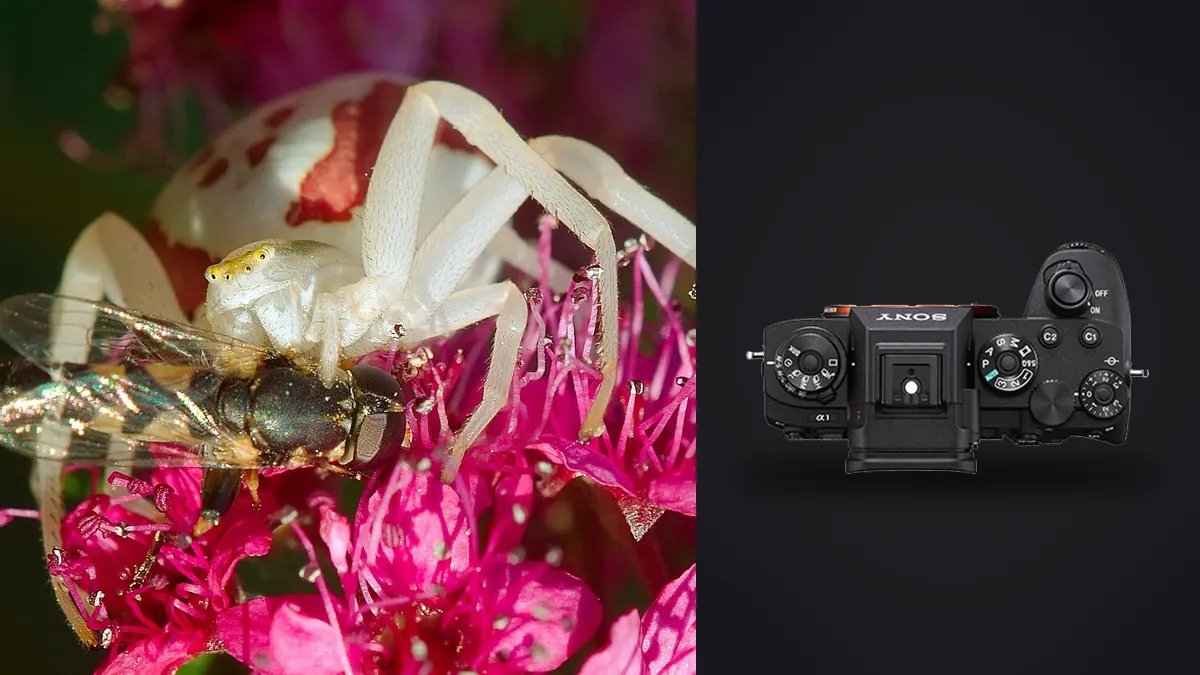
Macro work with the Sony A1 can generate several kinds of near-identical ARW files: short action bursts, hand-held focus variations, tripod sequences intended for stacking, and lighting tests made while a flash or diffuser is adjusted. Treating all of them as one pool of duplicates destroys useful structure. Each group was made to solve a different optical or behavioral problem.
This RAW Workflow identifies those groups at capture, verifies them during ingest, and uses separate culling rules for living subjects, static specimens, and stack inputs. It emphasizes real focus planes and restrained detail processing rather than using resolution or sharpening to disguise movement and poor technique.
Label four different kinds of macro sequence
An action burst follows behavior, such as takeoff or feeding. A focus-search sequence changes camera distance or focus point to find the subject plane. A stack sequence moves focus systematically across a stationary subject and is intended to be combined later. A lighting test changes diffusion, flash position, or ambient balance. Use a visual marker and field note at each transition so the groups are not confused.
Record lens, magnification approach, support, flash or continuous light, diffuser, and any extension equipment. Electronic lens metadata may not describe an extension tube or close-up filter, while manual optics may provide little identifying information. These facts explain working distance, effective aperture, corner quality, and why one sequence behaves differently from another.
Keep ethical handling in the record. Do not chill, restrain, move, or disturb a living subject merely to make a stack easier. If the insect changes behavior because of the camera or light, stop and increase distance. The archive should never imply that a manipulated scene was an undisturbed observation.
Capture ARW files for the intended comparison
Use a stable RAW setting within the project and maintain consistent white balance within each lighting configuration. A reference frame of a neutral target can help with controlled work, while a wider habitat frame can anchor color and context outdoors. Protect reflective wings, pale hairs, and glossy shells from channel clipping.
For action, use short bursts that bracket the movement. For manual focus variation, move through the subject in a clear direction rather than oscillating randomly. For a planned stack, keep framing, exposure, and light fixed while focus advances in known increments. If the subject moves, end the stack and begin a new one rather than combining incompatible geometry.
Stabilization and fast capture do not solve every blur source. Camera movement, subject movement, focus placement, diffraction, and atmospheric movement in leaves can all reduce detail differently. Preserve adjacent frames and settings so the later diagnosis uses evidence instead of a blanket sharpness adjustment.
Ingest with sequence identity intact
Copy each card into a separate originals directory. Verify the expected count, file sizes, and representative ARW files, then make another verified copy on different storage before reformatting. Retain source folder boundaries until duplicate names and any clock difference between cameras are resolved.
Rename only the working copy and include date, subject or project code, group type, and sequence number. A stack might use a suffix that identifies its order, while an action burst retains strict chronological numbering. Keep a mapping to camera filenames so notes and metadata remain traceable.
Place stacks, action, focus tests, and lighting tests in separate collections without moving the untouched source. The same photograph can carry both a technical status and a biological or artistic value. A failed stack member might still show useful behavior, so one reject flag should not erase all context.
Cull action and focus-search sequences differently
For action, first identify meaningful posture and interaction, then inspect the intended eye or body detail for focus and motion. A blurred wing with a readable head can be successful. For focus-search files, map where the sharp plane lands and choose the frame that connects the important features. The visual goal determines what counts as sharp enough.
imagic supports ARW and can provide local sharpness, exposure, composition, and duplicate or burst analysis. It changes statuses rather than deleting originals. Use groups to compare likely alternatives, then inspect eye, antenna, wing edge, texture, and background at output-relevant magnification.
Do not defend an implausible score without checking freshness. Stored scores can predate a scorer update. Reselection changes how many files are selected from those scores; it does not perform a new analysis. Reanalyze stale photographs when the freshness report indicates that is appropriate.
Protect every valid focus-stack input
A stack requires overlapping sharp regions, stable framing, and a subject that did not materially move. Review the sequence in order and reject only frames that truly break the set, such as a flash failure, tripod bump, or subject displacement. Do not reduce the group to one representative merely because duplicate detection finds it highly similar.
Develop stack inputs with one lens correction, white balance, exposure baseline, and restrained noise treatment. Avoid local retouching, geometry changes, or strong sharpening before alignment. Export uniform high-quality intermediates if the chosen stacking application cannot read the ARW files directly.
imagic does not merge focus stacks, HDR sequences, or panoramas. Use specialist stacking software for alignment and blending, then inspect for doubled hairs, broken antennae, halos, and background seams. Preserve the list of source filenames beside the composite master.
Balance flash, ambient light, and color
Sort flash-lit and ambient frames into separate lighting groups. A diffuser move of only a small amount can change reflection shape and apparent texture, so do not synchronize one grade across all tests. Pick a representative frame after the lighting decision is stable, then apply its baseline to that group.
Use exposure and highlight controls before contrast and saturation. Iridescent surfaces can shift color with angle, and mixed ambient light may introduce green or magenta casts into shadows. A neutral reference helps, but it cannot make angle-dependent structural color constant. Process the subject honestly and retain notes about the light.
Flash recycling variation can produce frames with different brightness inside a burst. Compare histograms and subject highlights across the sequence instead of assuming a camera exposure change. A darker file should not automatically be lifted to match if the flash did not deliver the same light and shadow noise becomes unacceptable.
Sharpen for subject structure, not spectacle
Begin detail work after crop, exposure, and noise are stable. Fine hairs, compound eyes, scales, and leaf veins can all respond differently to radius and masking. Inspect natural edges and stop when halos, crunchy texture, or amplified noise become more visible than real structure.
Judge noise reduction against the final output. Strong smoothing can erase hairs or merge fine color spots, especially after a severe crop. Preserve a neutral master and make output-specific sharpening versions for web, print, or scientific reference. Do not repeatedly sharpen a compressed derivative.
Related local processing information is available on the desktop page, and broader technical articles appear in AI and Technology. These resources support file handling, while species interpretation and ethical field practice remain separate responsibilities.
Export, document, and archive the final use
Export a web JPEG, print TIFF, or another agreed derivative from the clean master. Set color space, dimensions, quality, and output sharpening for the destination. Confirm that the selected path is correct because export creates files; originals and temporary stack intermediates should not be mixed with delivery.
Inspect final edges, gradients, color, crop, metadata, and orientation. For public wildlife images, remove coordinates when they could expose a vulnerable species or site. Captions should distinguish a focus-stacked composite from a single exposure when that method affects interpretation.
Archive ARW originals, sequence notes, input lists, adjustment records, composite masters, and deliveries. Keep a second copy separate from the working computer. A future reprocess should be able to start from verified source files without reverse-engineering which frames belonged to which stack.
Track flash and lens changes as processing variables
A macro session can move among bare flash, diffuser versions, reflected ambient light, and no flash. Record each change with a setup code and keep the associated ARW files together. Reflection size, shadow edge, and apparent color can shift even when exposure remains similar, so a synchronized grade should not cross the setup boundary automatically.
Lens changes require a fresh correction and sharpening decision. A dedicated macro lens, telephoto with extension, and adapted manual optic can render corners, chromatic aberration, and background contrast differently. Check metadata but do not assume it records every adapter or extension. Add the missing information to the sequence note.
When a recurring defect appears, isolate it with controlled comparisons. A bright arc may be flare, a double edge may come from movement, and an uneven frame may reflect diffuser placement. Preserve a few diagnostic tests even if they never enter delivery, then keep them outside the final aesthetic selection.
Set crop and caption rules before publishing insect detail
Decide whether each final is an environmental image, close portrait, behavior record, or composite detail study. That role determines crop, output size, and caption. A severe crop should not be presented as though the camera was physically closer, and a focus stack should not be described as a single exposure when method matters.
Check identification claims against visible features and appropriate expertise. If the species or sex is uncertain, use a broader taxonomic label or descriptive caption. File quality does not validate a biological conclusion, and saturated color processing can make identification less reliable.
For public files, remove sensitive coordinates when collection pressure or disturbance is a concern. Keep precise field notes protected, link them through the manifest, and ensure that social-media exports do not inherit location metadata unintentionally.
Review the final image beside a wider habitat frame before writing the caption. This helps detect an over-tight crop, exaggerated scale, or background removal that changes the ecological impression. Keep both derivatives linked to the same ARW source even if only one is published.
Include output dimensions and crop coordinates in the final manifest. A later re-export can then reproduce the composition from the untouched source instead of resizing an already sharpened JPEG.
Frequently asked questions
Should a focus-stack sequence be treated as duplicate photos?
No. The frames intentionally place focus at different depths and must remain together for alignment and blending. Group them, but do not reduce them to one representative.
Can imagic build a macro focus stack?
No. It can assist with supported ARW review, grouping, adjustments, and export, but specialist software is required to align and blend a focus stack.
How should a moving insect frame be judged for sharpness?
Identify the part that must remain readable, often the head or eye, and judge motion elsewhere against the visual intent. A moving wing can be expressive even when it is not frozen.