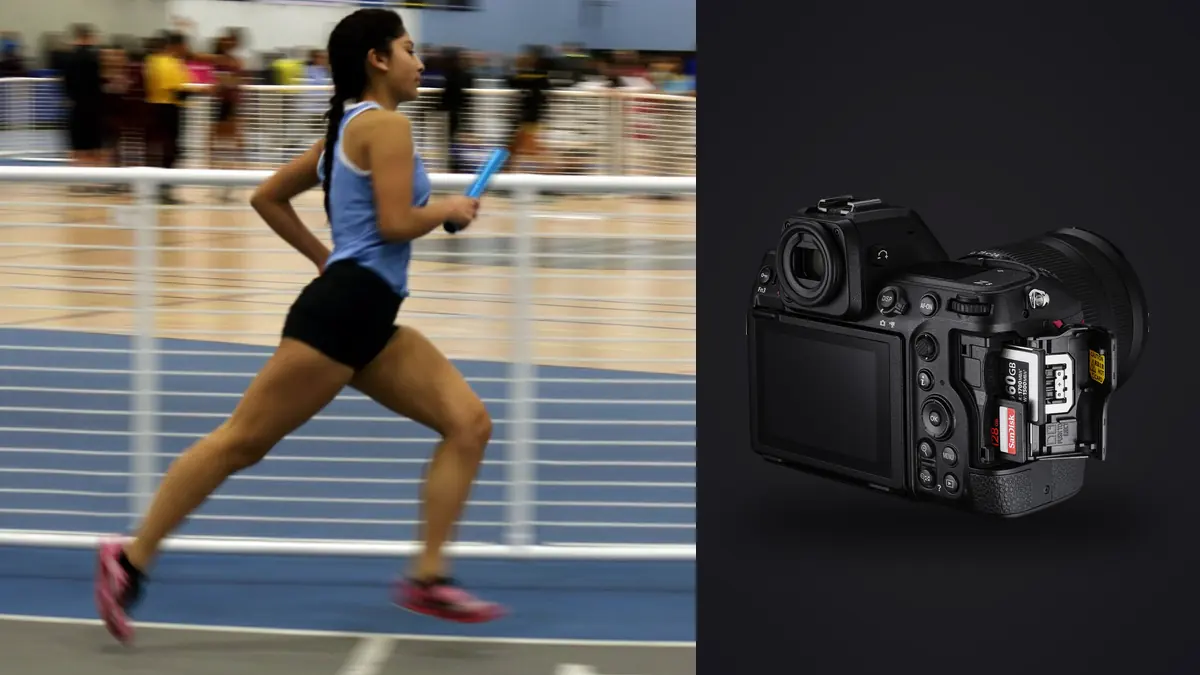
I shot my first full track season with the Z8 two years ago, mostly because I got tired of hauling a D6 around a stadium in July heat. The switch wasn't painless. Track and field is a strange sport to photograph because it's really six or seven different sports happening on the same afternoon: sprints that last ten seconds, throws that last two, jumps where the entire story is one takeoff frame, and distance races where nothing happens for twenty minutes and then everything happens at once on the final straight. A camera that's great for the 100m final can be the wrong tool for shot put. The Z8 handles that range better than anything else I've used at this price point, but only once you stop using its factory defaults.
Where the Z8 actually helps on a track
The obvious selling point is frame rate, and I'll get to that, but the thing that changed my keeper rate more than fps was subject detection that actually recognizes a human body in motion, not just a face looking at the camera. Sprinters coming out of the blocks are looking down. Discus throwers have their backs to you for half the rotation. Pole vaulters are upside down. Nikon's subject-detection AF, when set to the right area mode, will hold onto a torso or a limb even when there's no face in frame, and it doesn't panic and jump to the runner in the next lane the way older tracking systems did to me on the D850.
The second thing is size and heat tolerance. A track meet in August is a full day in direct sun with a lot of standing around holding the camera up waiting for something to happen. The Z8 is meaningfully lighter than a pro-body DSLR with a battery grip, and I've never had it overheat during stills shooting, even sitting in a black bag on the infield for hours. That matters more than it sounds like it should when you're doing this for eight hours straight.
Choosing a burst mode for the event, not just cranking it to max
New Z8 owners tend to default straight to the highest frame rate available and leave it there for the whole meet. That's a mistake. The high-speed JPEG-only modes trade resolution and bit depth for speed, and for most track work you don't need 120fps, you need well-timed 20fps RAW with a buffer that doesn't choke halfway through a race. Here's how I actually split it up by event type:
| Event type | Mode I use | Approx. fps | File type | Why |
|---|---|---|---|---|
| 100m / 200m sprints | Continuous H+ (extended) | 20fps | 14-bit RAW | Full quality matters, race is short enough that buffer never fills |
| Long jump / triple jump takeoff | High-Speed Frame Capture+ | 30fps | Large JPEG | Need the exact plant frame, resolution loss is invisible at web/print sizes people actually use |
| Distance finals (800m+) | Continuous H | 10fps | 14-bit RAW | Buffer has to last through a slow build and a fast finish, no reason to burn card space early |
| Pole vault bar clearance | Continuous H+ (extended) | 20fps | 14-bit RAW | Motion is fast and vertical, rolling shutter risk on the bar means I want max data to fix in post |
| Shot put / discus release | Pre-Release Capture + C15 | 15fps | 14-bit RAW | The release is over before your finger reacts, pre-capture buffers the half-second before full press |
Pre-Release Capture is the setting I wish I'd understood on day one. It buffers frames continuously once you half-press, so when you fully press the shutter you get a chunk of what happened just before your reaction time caught up. For throws, where the actual release is a snap you'll never react to in real time, this alone has saved more usable frames than any other single setting on the camera.
Autofocus that doesn't lose the runner mid-race
The default Auto-Area AF with people detection works fine for warmups and the walk to the blocks, but during the actual race I switch to 3D-tracking and place the initial point on the athlete's torso before the gun goes off, not their face. Faces turn away, torsos don't. Once locked, 3D-tracking follows that subject through the frame even as they move relative to the background, which matters a lot when you're panning across eight lanes and the background is a moving crowd of other runners.
A few settings I've landed on after a lot of trial and error:
- AF-C with Subject Detection set to "Person," not Auto. Auto will occasionally decide a hurdle or a camera lens in the stands is more interesting than your runner.
- Focus Tracking with Lock-On set toward the "quick" end for sprints (runners don't change direction) and toward "steady" for jumps and vaults, where a limb crossing in front of the subject can otherwise yank focus off.
- Back-button AF-On, always. Track photography involves a lot of recomposing while you wait, and I don't want the shutter button re-triggering focus hunt every time I reframe.
- Eye-detection AF turned off for anything past about 40 meters away. At that distance the eye is too small a target and the camera wastes cycles hunting for it instead of just holding the body.
Rolling shutter is the thing nobody warns you about
The Z8 has no mechanical shutter option at the top speeds, and at 20fps and above you're shooting fully electronic. For most subjects this is invisible. For a discus spinning through a release, or a pole vault bar vibrating as it settles into the cups, you can catch a slight skew or wobble in the frame because the sensor reads top to bottom rather than all at once. I've seen it most on baton handoffs shot from a low angle with a fast pan; the baton itself can look very slightly bent in one or two frames out of a burst. It's rarely bad enough to ruin a shot, and the mechanical shutter modes avoid it entirely if you're willing to give up frame rate, but it's worth knowing before you send a client a hero shot with a visibly curved starting block.
Stadium lighting adds its own complication for evening meets. Most tracks use LED or older HID lights that pulse rather than emit continuously, and pairing that pulse with a fast electronic shutter can produce banding, usually a horizontal stripe of exposure or a slight green or magenta cast across part of the frame. I run a quick test burst before the first race under the lights and check for banding at 100% zoom before committing to a shutter speed for the night. If it shows up, dropping shutter speed to 1/500 or slower usually clears it, though obviously that's a tradeoff against freezing motion on a sprinter.
Glass that actually works from a track infield
Track photographers are usually restricted to specific zones (infield, backstretch, finish line photo pit), which limits your framing options more than shooting field sports where you can walk the sideline. A 70-200mm f/2.8 covers most of what happens near the home straight and through the field event area if you're stationed reasonably close. For the far turn or a start on the backstretch when you're shooting from the finish line photo position, I lean on a 400mm f/4.5, which is light enough to handhold for a full session, unlike the older f/2.8 super-teles. A 100-400mm zoom is the more practical single-lens answer if you're moving between zones during a meet and don't want to swap glass between events, at some cost in low-light performance once the sun drops and you're under stadium lights at f/5.6 at the long end.
What actually eats your evening: the sort, not the shoot
Here's the part nobody mentions when they're excited about frame rates. A single relay race shot at 20fps RAW for even fifteen seconds is 300 frames. A full afternoon meet with sprints, jumps, and a couple of distance races easily produces four or five thousand frames, and the overwhelming majority of any given burst is redundant, the runner's leg is in nearly the same position across five or six consecutive shots. Going through that manually at full size, frame by frame, is the actual bottleneck in track photography, not the camera.
This is the exact problem I built imagic to solve for myself. It runs local sharpness and focus scoring across a folder of RAW files and groups near-identical burst frames together, so instead of scrolling through fifteen nearly identical frames of a sprinter's stride you're shown the two or three that are actually sharpest and best-timed. Because it's a one-time purchase and everything runs on the machine rather than uploading to a cloud service, it also fits the reality of most tracks, which is patchy wifi at best and a lot of youth athletes whose images you don't especially want sitting on someone else's server. If you haven't looked at how automated culling tools decide what counts as "sharp" in the first place, this breakdown of how AI photo culling works is worth a read before trusting any tool with a full meet's worth of files.
The other feature that's saved me actual editing time on meet nights is the custom style preset, apply_my_style, which trains on edits you've already made and applies a consistent look to a new batch rather than making you build a preset from scratch or eyeball white balance under three different lighting rigs across one stadium. Track meets often run under a mix of daylight, stadium floods, and shade under the grandstand, and having a starting point that already matches how you normally grade a sprint shot saves real time when a coach is standing over your shoulder asking for finals by tomorrow morning.
If your current process is still dragging every card into a folder and clicking through one by one, it's worth comparing that against a faster pass, even a modest one; a few workflow changes compound fast once you're shooting several meets a month.
A realistic settings starting point
For a daytime outdoor meet with clear skies, this is roughly where I start before adjusting per event: Aperture priority, f/4 to f/5.6 depending on lens and how much separation I want from the background, Auto ISO capped around 6400 with a minimum shutter speed floor of 1/2000 for sprints and jumps, dropped to 1/1000 for distance races where I don't need to freeze every stride. Continuous H+ at 20fps RAW for anything with an unpredictable peak moment, dropped to Continuous H at 10fps for events where I know I have time to react, like the buildup laps of an 800m. I'll swap to Pre-Release Capture specifically for throws and pole vault, and back out of it for sprints, where the burst duration is short enough that I'd rather have the full 20fps RAW quality the whole time.
Frequently Asked Questions
Do I need CFexpress cards to get real use out of the Z8's frame rates?
For short bursts, a fast SD card will keep up fine, the buffer on the Z8 is deep enough to absorb a single sprint at 20fps RAW without a CFexpress card. Where it matters is a long meet with back-to-back races and no real recovery time between them; a CFexpress Type B card clears the buffer noticeably faster, which means you're not staring at a "buffer full" indicator during the second heat because the first one hadn't finished writing.
Is 20fps RAW actually necessary, or is 10fps enough for track and field?
It depends entirely on the event. For a 100m final where the whole race is over in ten seconds and the story is a single lean at the line, 20fps genuinely helps you catch that exact frame instead of the one just before or after it. For an 800m or 1500m, where most of the race is tactical positioning and nothing decisive happens until the last 100 meters, 10fps is plenty for the bulk of it and saves you an enormous amount of sorting time later.
Why do my pole vault or high jump shots sometimes look slightly warped?
That's almost always rolling shutter from the electronic-only high-speed modes, not a lens issue. Fast vertical motion combined with a sensor that reads top to bottom rather than instantaneously can produce a subtle skew, most visible on straight lines like a crossbar or a pole under tension. Switching to a mechanical shutter mode (at a lower frame rate) removes it entirely if a specific shot needs to be distortion-free, such as for a print sale.
What's the biggest mistake newer sports shooters make with this camera at a track meet?
Leaving frame rate maxed out for the entire meet and letting file volume get away from them. It feels productive to shoot everything at the fastest setting available, but a day of undifferentiated 30fps JPEG bursts turns editing into a much bigger job than the shooting itself, and you lose the RAW flexibility exactly on the shots that mattered most. Matching mode to event, and leaning on culling software afterward instead of trying to eyeball five thousand frames, saves far more time overall than any in-camera setting does.