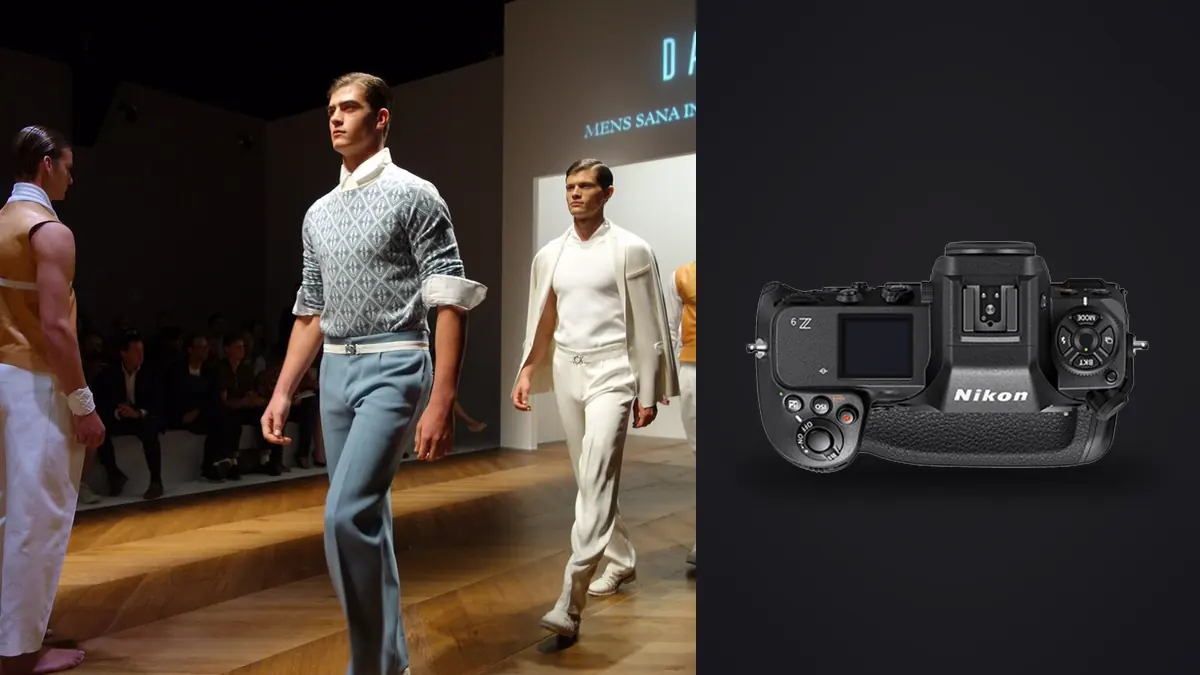
Picture a full lookbook day on the Z9: the brief is 32 looks in eight hours with a stylist who changes her mind about the running order twice before lunch. That kind of schedule is where a camera body either earns its keep or gets in the way. A few habits with this camera are specific to shooting product-on-model work fast, not generic "how to use your new mirrorless" advice. This is what actually changes about how you work, and a few things about the Z9 that can still annoy on set.
Why lookbook clients specifically push you toward a body like this
Lookbook shoots are not editorial shoots. Nobody is paying for one perfect frame per setup. A brand ordering a 40-look lookbook wants a clean, consistent, on-model shot of every SKU, shot fast enough that the studio day doesn't run into overtime, with enough coverage that the retoucher never has to come back and ask for a reshoot because the one usable frame had a blinked eye or a wrinkle in the wrong place. That changes what you actually need from a camera. You're not chasing one decisive moment, you're buying insurance in volume, and the gear decision follows from that.
The Z9 fits this brief for three specific reasons that have nothing to do with resolution or dynamic range on a spec sheet. First, the fully electronic shutter means there's no mechanical shutter unit wearing out over a shoot that can rack up 30,000+ actuations across a season. Second, subject detection holds onto a model's eye through fast wardrobe changes and repositioning without me babysitting a focus point. Third, the buffer genuinely does not run out mid-look, which matters more than people expect once you're six hours into a day and shooting every pass three times because the stylist keeps adjusting a collar.
Autofocus behavior that matters on a fashion set specifically
Nikon's 3D-tracking plus person detection on the Z9 is good at exactly the thing a lookbook needs: locking onto a person walking toward camera in a studio with a plain backdrop, low clutter, and one clear subject. Where it gets genuinely useful over older bodies is when a model turns their head fast, drops their chin, or the hair swings across the eye for a beat. Older Nikon AF systems would hunt or jump to the background in that gap. The Z9 mostly just holds.
Where it struggles is group shots with two or three models close together, especially if they're wearing similar tones (which happens constantly in lookbook work, since the whole point is coordinated collections). Eye-AF will occasionally snap to the wrong model mid-burst if they cross paths. I stopped fighting this and just switch to Wide-area AF (S) with a manually placed point for any shot with more than one person in frame, then recompose. It's slower to set up between looks but it's more predictable than fighting an autofocus system that's trying to guess which face I care about.
The other feature worth knowing about is Pre-Release Capture, added via firmware. Half-press the shutter and the camera buffers frames before you fully commit. On a lookbook set this catches the half-second of fabric movement right as a model settles into a pose, the moment right before they know you're actually shooting, which is often the most natural-looking frame of the whole sequence. I use it almost exclusively for movement passes now, static hero shots don't need it.
Frame rate, release mode, and buffer choices by shot type
It makes sense to stop shooting every look the same way with this camera. A static three-quarter catalog shot doesn't need 20fps, and shooting it that way just means more frames to sort later for no benefit. Here's a rough way to split release mode across a typical lookbook day:
| Shot type | Release mode | AF area mode | Frames per look | Note from the day |
|---|---|---|---|---|
| Static hero (front-on catalog) | Single frame or 3fps | Auto-area w/ person detection | 15-25 | Bracket a stop for backlit rim setups, saves a reshoot |
| Walking pass | 20fps electronic (extended) | 3D-tracking on eye | 150-220 | Buffer never clipped on CFexpress; the cull afterward is the real cost |
| Group / cluster (2-4 models) | 10fps continuous | Wide-area (S), manual point | 60-90 | Eye-AF jumps between faces too often at 20fps with multiple subjects |
| Detail insert (bag, shoe, jewelry) | Single frame | Pinpoint AF | 8-12 | Tripod for anything with reflective hardware, hand-holding shows in 45MP crops |
| Movement / spin / fabric flare | 20fps + pre-release capture | 3D-tracking on eye | 200+ | Most of the actual keepers live in this bucket, and most of the junk too |
The pattern that jumps out looking at that table is that the two shot types most clients actually want most (walking passes and movement) are also the ones generating the most raw volume. A 32-look day weighted toward movement content can easily land at 4,500 to 6,000 frames by wrap. At roughly 55-60MB per lossless-compressed raw on the Z9's 45.7MP sensor, that's north of 300GB before you've touched a single edit.
Flash sync and mixed lighting realities
Most lookbook work happens under strobes in a rented studio or a converted space with a white cyc wall, and this is where the Z9's shutterless design actually costs you something. Native flash sync tops out at 1/200s because there's no mechanical curtain to fall back on for a faster sync speed the way older DSLRs handled it. If you're used to syncing higher with a mechanical shutter body, you'll need to rework your lighting ratios, usually by gelling down ambient or gridding your strobes tighter rather than relying on shutter speed to control spill.
Auto FP high-speed sync is available and works fine up to the usual ceiling most flash-compatible bodies hit, but it costs you power, and on a lookbook day where you're firing hundreds of frames per look, recycle time on the strobes becomes the actual limiting factor, not the camera. I've had days where the Z9 was ready for the next frame well before the pack had recycled, which never happened with slower bodies. Plan your pack size around your frame rate, not the other way around.
If the brand wants a few behind-the-scenes clips for their own social alongside the stills (increasingly common on lookbook bookings now), the Z9 switches to continuous LED without a hitch and the same subject-detection AF carries over to video, which saves bringing a second camera for that portion of the day.
What happens after wrap: the cull is the actual bottleneck
Nobody warns you about this part before your first big lookbook job. Shooting the day is the fun part. Getting from 5,000 raw files down to the roughly 400-600 a client actually needs (say 15-20 selects per look across 32 looks) is where the hours disappear. I used to do this by eye in Lightroow at 1:1, which on a laptop meant an evening or two just to get through first-pass rejects, before any actual retouching started.
What helps most is running the raw dump through imagic before it ever touches a client-facing folder. It scores sharpness and focus locally on the machine, clusters the walking-pass and movement bursts (which is most of the volume, per the table above) so I'm comparing five near-identical frames against each other instead of scrolling past all of them individually, and flags the obvious rejects before I look at a single image manually. For a lookbook day specifically, that clustering step is the one that saves the most time, because 200 frames of one walking pass usually collapse down to a handful of genuinely distinct poses once duplicates and motion blur are grouped out.
There's a second reason this matters for commercial fashion work that isn't about speed. A lot of lookbook bookings come with an NDA covering unreleased product, especially pre-season drops where the client doesn't want images anywhere near a server before the collection is public. imagic processes everything on the machine with no cloud upload step, which means the sort and cull happen without the files leaving the laptop that's already covered under the shoot contract. That's a real consideration for this kind of client, not a nice-to-have. If you're curious how the scoring itself works under the hood, I wrote up the mechanics separately at how AI photo culling actually works.
Keeping color consistent across 30-plus looks
The other place volume bites you is grading. A lookbook set typically holds one lighting setup for most of the day, which should mean color stays consistent, but changes in fabric color and skin tone across looks still shift how a single preset reads from image to image. Hand-grading 500 selects one at a time is a full day nobody has after an eight-hour shoot.
A good approach is to build the first look's edit properly by hand (the one that gets the most time, adjusting white balance off a grey card frame, dialing skin tones, matching the client's brand references), then use imagic's apply_my_style feature to carry that same treatment across the rest of the selects instead of rebuilding it from scratch per look. It's trained on your own edits rather than a generic preset pack, so it holds onto the specific way you handle skin tone and contrast on that shoot rather than flattening everything to a stock look. It still needs a manual pass on anything shot under a different light (a hallway detail shot lit differently from the main cyc, for instance), but for the bulk of a lookbook set it cuts the grading time down considerably. For anyone building out a fuller color workflow beyond this, the color grading guide covers the manual side of that first-look edit in more depth.
Where the Z9 still gets in the way
It's not all upside. The body is heavy, noticeably more than the Z8 which shares most of the same internals in a smaller shell, and on a day where you're handholding through 30-plus looks your shoulder knows it by the last hour. I've started using a Z8 as a second body specifically for detail inserts and anything on a tripod, and saving the Z9 for the movement passes where the bigger grip and battery life actually pay off.
The rear screen also washes out badly under bright modeling lights or near a window, which is exactly the environment a lot of lookbook studios use for that soft, even catalog look. I check focus on the EVF rather than the LCD now as a habit, since the EVF holds contrast better under those conditions. Small thing, but it cost me a couple of soft frames early on before I adjusted.
Frequently Asked Questions
Does the Z9's lack of a mechanical shutter cause banding under studio strobes on a lookbook set?
Not in my experience, as long as you stay within the native 1/200s sync speed or use Auto FP correctly above that. Banding on electronic shutters usually comes from mismatched flash duration and read-out speed, and the Z9's sensor read-out is fast enough that I haven't seen banding issues with standard studio strobe packs. Continuous LED panels with poor dimming circuitry are more likely to cause flicker bands than strobes are, so test your specific lights before the shoot day if you're using anything unfamiliar.
Is the Z9 overkill for a one-day lookbook shoot, or does the buffer actually matter?
For a short, low-volume shoot (say under 15 looks, mostly static), you probably won't hit a buffer wall on a mid-tier body either. Where the Z9's buffer earns its keep is exactly the kind of day described above: 30-plus looks, a mix of walking and movement passes at 20fps, and a client who wants coverage rather than one hero frame per outfit. On those days the camera doesn't stop you mid-burst waiting on the card, which used to happen regularly on older bodies during a long movement sequence.
How do you keep color consistent across dozens of looks without spending a week in Lightroom?
Grade the first look thoroughly by hand against a reference (grey card, brand color guide, whatever the client provided), then carry that same edit forward automatically rather than rebuilding it per look. I use imagic's apply_my_style step for this since it's trained on my own edits rather than a generic look, and it holds onto skin tone handling reasonably well across the set. Anything shot under a genuinely different light still needs a manual touch, but the bulk of a lookbook set doesn't.
What's a realistic keeper rate cull-down from a full lookbook day shot at 20fps?
On a heavy movement day usually expect somewhere between 8 and 12 percent of total frames to make it to client selects, which sounds low until you remember that a single walking pass at 20fps for three seconds is 60 nearly identical frames competing for one or two spots. Clustering similar bursts before reviewing them individually is what makes that ratio manageable in an evening rather than a weekend.