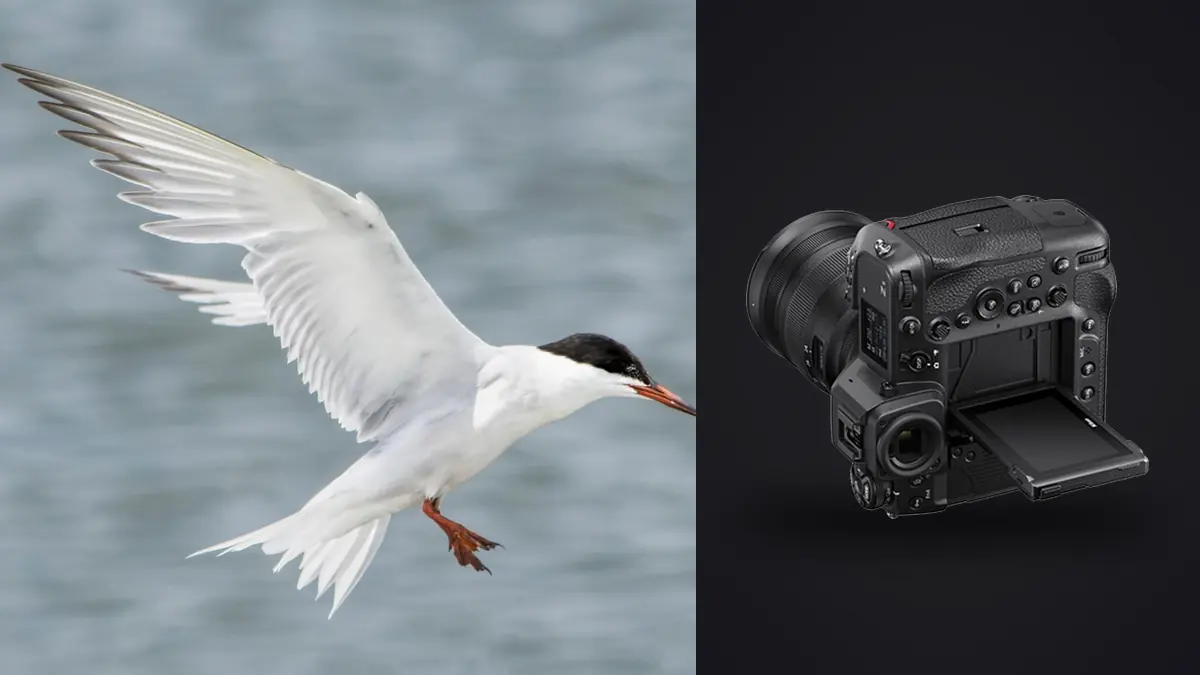
I've spent three nesting seasons chasing ospreys, herons, and one genuinely uncooperative pair of bald eagles with a Nikon Z9, and the honest verdict after all that time is that it changed what I bother attempting. Shots I used to write off before raising the camera, "too fast, too far, backlit, forget it," are now just shots I take and sort through later. That doesn't mean the camera does the work for you. It means the camera stops being the excuse, and the real bottleneck moves to fieldcraft, glass, and what you do with the four thousand frames sitting on the card by the time the light goes flat.
This isn't a spec sheet rewritten in prose. It's what I actually dial in before a flight session, where the autofocus genuinely earns its reputation, where it still gets fooled by a cluttered background, and what I've learned the expensive way about buffer depth, card choice, and getting through the edit without losing the rest of the afternoon to a laptop.
What the Stacked Sensor Actually Buys You
The Z9 has no mechanical shutter at all. That single design choice matters more for birds in flight than almost any other spec on the sheet, because it means there's no shutter to wear out at 20 frames per second and no mirror slap to introduce a millisecond of blackness between frames. The electronic viewfinder stays live through the whole burst. You can actually watch a swift bank through a turn instead of guessing where it went during a blackout gap, which is the single biggest reason my keeper rate on erratic flyers (terns, swallows, anything that doesn't fly in a straight line) went up compared to my old DSLR.
The stacked sensor's fast readout also keeps rolling shutter distortion under control. Pan hard on a low pelican skimming the water and you won't get the skewed, jello-wing look that plagues slower-readout electronic shutters. I've shot into propellers and spinning windmill blades with this body just to test it, and the distortion is there if you go looking for it, but it's not something you'll notice on a wingbeat at normal panning speeds.
Autofocus: Where Bird Detection Helps and Where It Still Gets Fooled
Nikon added dedicated bird recognition to the Z9's subject-detection AI via firmware not long after launch, and it's genuinely good at finding an eye against open sky or open water. It's less reliable than the marketing suggests once a bird crosses in front of reeds, branches, or a busy shoreline, and I've had it lock onto a twig that happened to have a bird-shaped silhouette more than once. Here's how I actually split AF-area mode between scenarios, based on what's worked over repeated trips to the same wetland:
| Scenario | AF-area mode I use | Subject detection | Why |
|---|---|---|---|
| Raptor circling against clear sky | 3D-Tracking | Birds, on | Nothing to distract the tracker; the point follows the bird cleanly through banks and dives |
| Heron or egret flying low over water with reflections | Wide-Area (S) | Birds, on | Reflections confuse full-frame detection; a smaller box keeps the AF from grabbing the mirror image |
| Songbird launching from a perch into foliage | Single-point, manually placed | Off | Detection tends to snap to the busiest part of the frame, which is usually the leaves, not the bird |
| Small flock wheeling together (shorebirds, starlings) | Auto-Area with subject detection | Birds, on | You genuinely don't know which bird you'll end up wanting, so let the camera pick and recompose in the edit |
| Mammal running through dappled shade (deer, fox) | Wide-Area (L) | Animals, on | Dappled light breaks up 3D-Tracking's contrast lock; the wider box is more forgiving |
The pattern I keep coming back to: the busier and more textured the background, the smaller and more deliberately placed the AF area needs to be. Full-frame Auto-Area with detection switched on is fantastic against sky and murderous against reeds.
Blocked Shot AF Response and Subject Motion
Two custom settings under the AF menu group do more for flight photography than people give them credit for: Blocked Shot AF Response and Subject Motion. For a bird crossing behind a branch for a fraction of a second, I set Blocked Shot AF Response toward the slower end so the camera doesn't panic and refocus on the branch itself. For Subject Motion, I leave it on Erratic for swallows and terns, and switch to Steady for something predictable like a pelican gliding a fixed line. Getting these two wrong is, in my experience, a bigger source of missed sequences than the AF-area mode choice itself.
Frame Rate, Buffer, and the Card Reality Spec Sheets Don't Mention
Twenty frames per second at full resolution with 14-bit raw and full AF/AE tracking is the number everyone quotes, and it's real. There are also higher-speed modes that trade resolution for frame rate when you want to isolate an exact wing position, but I use full-resolution 20fps for probably 95% of my flight work because I'd rather crop later than shoot a lower-megabyte file I can't print big.
Nikon's own buffer claims put you past a thousand raw frames at 20fps with a fast CFexpress Type B card, and in practice, with a decent card, I get close to that before the buffer meaningfully slows down. Drop in a budget CFexpress card, or worse, mix a slow one into the second slot for overflow, and you'll hit a wall well before the marketing number, usually right in the middle of the sequence you actually wanted. The Z9 takes two CFexpress Type B slots, no SD card involved, so there's no cheap fallback slot to lean on. Buy the fastest card your budget allows and don't skimp here; it's the cheapest performance upgrade available for this body.
The other buffer reality nobody puts on a spec sheet: a five-second burst at 20fps is a hundred raw files. A good flight session with three or four decent passes can leave you with six or seven hundred frames of essentially the same bird in slightly different wing positions. That's not a camera problem, but it is a workflow problem, and it's the reason I stopped trying to cull bursts by eye at 1:1 zoom on a laptop screen at the trailhead.
Lenses I've Actually Carried on This Body
The 100-400mm f/4.5-5.6 S is my everyday wildlife lens and the one I'd recommend to someone buying their first long glass for this system. It's light enough to handhold all day, focuses fast, and the reach is enough for most perched-bird and mid-distance flight work. Where it runs out of steam is small birds at real distance, songbirds forty feet up in a canopy where 400mm still isn't enough.
For that I've moved to the 800mm f/6.3 PF more often than I expected to. It sounds like a lens that would be a burden to handhold, and for the first few outings it is, but the phase-fresnel design keeps it light enough that I can track flight for a couple of hours without a monopod if I pace myself. Paired with the Z9's in-body stabilization it's usable handheld down to shutter speeds I wouldn't have trusted on a DSLR with an equivalent lens. The tradeoff is aperture: f/6.3 wants good light, and on an overcast dawn you'll be pushing ISO harder than you would with the 400mm f/4.5.
I keep the 1.4x teleconverter in a pocket for the 100-400 when a bird won't come closer, but I rarely stack it with the 800mm; the light loss stacks up fast and autofocus speed noticeably softens once you're past f/9 effective aperture, even on this body.
The Custom Bank I Actually Use for Flight Days
I keep a dedicated recall bank set up specifically for flight work so I'm not fumbling through menus while a bird is airborne: manual exposure with Auto ISO, a minimum shutter speed floor around 1/2500s for anything faster than a heron, back-button focus with AF-C, and release priority rather than focus priority on the shutter button so a half-second of missed focus doesn't cost me the whole burst. Aperture sits wide open or one stop down depending on the lens, mostly to keep shutter speed and ISO in a livable range rather than for depth of field, since at these distances depth of field is rarely the limiting factor anyway. Auto ISO ceiling goes up higher than I'd ever set it for a landscape shot, because a slightly noisy in-focus frame beats a clean blurred one every time.
After the Flight: Getting Through Thousands of Frames Without Losing the Rest of the Day
This is the part of Z9 ownership nobody warns you about when they're excited about the frame rate. A single good afternoon at a rookery can leave you with four or five thousand raw files, and most of them are near-duplicates from the same three-second burst. Sorting that by eye, frame by frame, is how a great shoot turns into a wasted evening.
I run everything through imagic before I touch Lightroom now. It processes entirely on my own machine, nothing leaves the laptop, which matters when I'm at a refuge with no signal and don't want to wait for a cloud upload anyway. It groups the burst sequences automatically so I'm looking at clusters of near-identical wingbeat frames instead of scrolling through them one at a time, and it scores sharpness locally within each cluster so the frame where the eye is actually crisp floats to the top instead of me guessing from a thumbnail. If your process today is still eyeballing a folder of six hundred nearly identical raptor frames, that alone is worth reading through how AI photo culling actually works before your next trip.
The other piece I've leaned on is the apply_my_style preset, which trains on edits I've already made rather than some generic wildlife preset baked in at the factory. Backlit heron shots and midday raptor shots want different starting points, and having something that already knows how I tend to treat my own backlit frames saves real time compared to starting every edit from a flat baseline. It's not magic, it still needs a human pass, but it gets me to a usable starting point fast enough that I'm not dreading the edit session the way I used to after a big flight day. For anyone whose bottleneck is really the hours after the shoot rather than the shoot itself, it's worth working through a few habits that speed up the whole pipeline, not just the camera settings.
Mistakes I See Repeated at Refuges and Rookeries
The most common one isn't a settings mistake, it's positioning: shooting with the sun at your back sounds right until you realize it also means every bird approaching you is backlit on the underside the moment it banks. I try to work with the sun at roughly forty-five degrees rather than dead behind me, which costs some frames but saves the wing-detail shots I actually want.
The second mistake is chasing frame rate as a substitute for anticipation. Watching a heron's body language before it launches, the slight crouch, the neck extension, gets you in position and pre-focused before the wings even move. Relying purely on 20fps to "catch it eventually" burns through buffer and card space on the wind-up instead of the actual flight.
The third, and this one cost me a full afternoon early on, is trusting a slow card because "it worked fine last time." Last time I wasn't shooting a five-minute aerial display by a kettle of hawks. Test your card at the frame rate and duration you actually intend to shoot, not the frame rate you shot on a quiet Tuesday.
Frequently Asked Questions
Do I need the 800mm PF, or is the 100-400mm enough for birds in flight?
For perched birds and flight sequences where the subject fills a reasonable portion of the frame at moderate distance, the 100-400mm is genuinely enough, and it's a lot easier to track fast, erratic flyers with because it's light and quick to swing. The 800mm earns its keep specifically for small birds at real distance or when you want frame-filling detail on a raptor circling a few hundred feet up. Most people buying their first long lens for this body are better served starting with the 100-400mm and adding reach later once they know what they actually shoot most.
Why does my bird-detection AF keep grabbing the background instead of the bird?
Full-frame Auto-Area detection is at its best against a clean, low-contrast background like open sky or calm water. Once there's competing detail, reeds, branches, a busy shoreline, the detection algorithm has more to sort through and will occasionally lock onto something that isn't your subject. Switching to a smaller area mode (Wide-Area Small or a manually placed single point) and letting subject detection assist within that smaller region rather than across the whole frame usually solves it.
How many raw frames can the Z9 actually hold in a burst before it slows down?
Nikon's published figures put full-resolution 14-bit lossless compressed raw at over a thousand frames at 20fps with a fast CFexpress Type B card, and that's roughly what I see with a good card in real conditions. A slower or budget card will throttle you well before that point, sometimes noticeably mid-burst, so the card matters as much as the body for anyone shooting long flight sequences.
What's the fastest way to sort through a huge flight-sequence card dump?
Don't start by scrolling every frame at full zoom. Group the burst clusters first so you're comparing a handful of near-identical frames against each other rather than the whole folder, then let sharpness scoring narrow each cluster down before you even open an editor. That's the workflow imagic handles locally on my machine, and it's cut my post-shoot sorting time from a couple of hours down to well under thirty minutes on a typical outing.