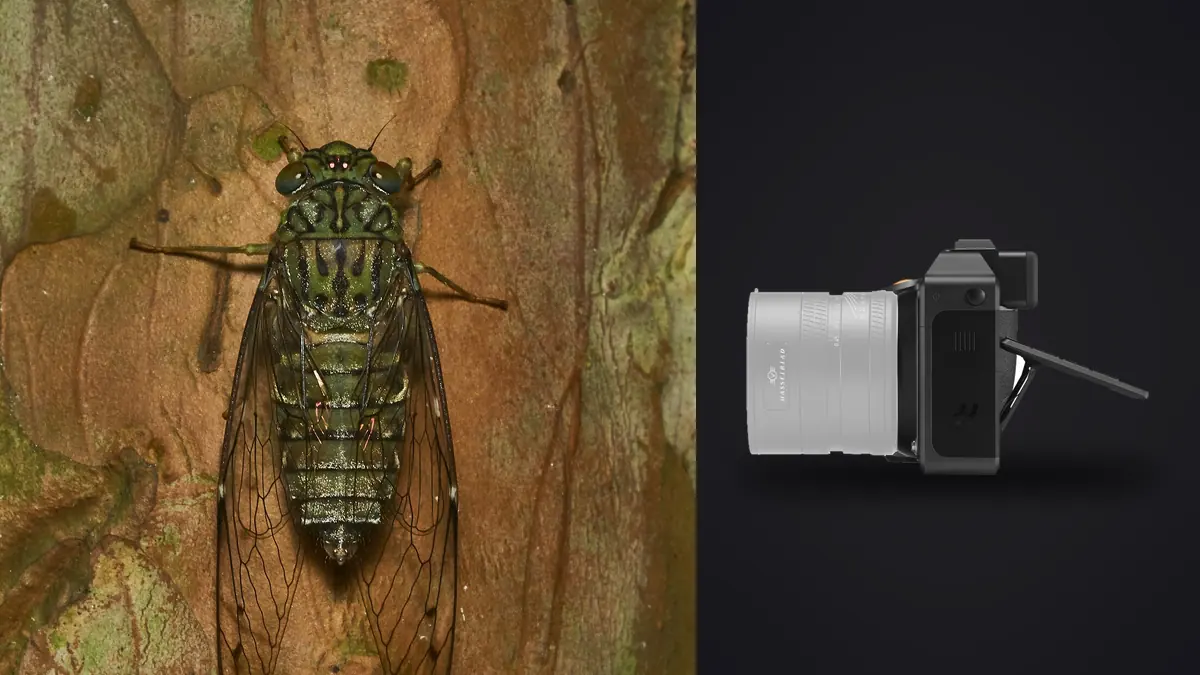
Nobody hands you a medium format camera and says "go photograph a jumping spider with it." I did that anyway, for about four months last spring and summer, dragging a Hasselblad X2D 100C through wet grass at six in the morning because that's when the damselflies are too cold to fly off. This is what I learned, including the parts that didn't work and the accessory gaps that nobody mentions in a launch keynote.
Why bother with medium format for something the size of a thumbnail
The honest answer is tonal depth, not resolution. Insect macro lives or dies on how the highlights roll off a wing case or how much texture survives in a shadow between compound eye facets. The X2D's 43.8mm x 32.9mm back-illuminated sensor gives you roughly two stops more usable dynamic range than a full-frame body shooting the same scene, and at base ISO 64 the files have almost no visible noise to fight against when you push shadows to reveal detail in, say, a black carpenter bee against bright foliage. That headroom is real and it shows up on a big print in a way that's hard to argue with.
What it does not give you is speed, reach, or an easy time. A 100-megapixel sensor at 3.76 frames per second with contrast-detect autofocus is not built for chasing anything that moves with intention, and most insects move with intention the second they sense a shadow overhead. So this is a camera for patient subjects: basking dragonflies, dew-locked moths, beetles working a flower head slowly enough that you can compose twice. If your subject is a fast-moving robber fly hawking from a perch, you will miss more frames here than you would with a modern mirrorless sports body, full stop.
The magnification ceiling nobody mentions in the marketing copy
Here's the detail that catches people off guard. The XCD 4/120 Macro, which is Hasselblad's only dedicated macro lens for the X system, tops out at 0.5x (1:2) magnification at its closest focus distance, on its own, with nothing attached. Full-frame shooters coming from a Canon or Nikon 100mm macro are used to 1:1 as the baseline, not the ceiling. Worse, because the X2D's sensor is physically larger than a full-frame sensor, that same 1:2 ratio actually shows less fill-the-frame magnification of a small subject than 1:2 would on a smaller sensor, since the medium format sensor is capturing a wider real-world area at the same reproduction ratio. A shield bug that would nearly fill a full-frame sensor at 1:2 will sit with visible negative space around it in the X2D's frame.
The workaround is extension tubes, and this is where the system shows its youth. Hasselblad doesn't sell a native XCD extension tube kit, so I've been running a set of adapted tubes that thread onto the XCD mount through a third-party adapter. It works, but it's not plug-and-play, and every millimeter of extension costs you working distance and light. Here's what I've actually measured in the field with the XCD 120mm Macro on various stacked extension lengths, not manufacturer numbers, my own tape-measure-and-histogram figures from a season of shooting:
| Setup | Approx. magnification | Working distance | Light loss | Best for |
|---|---|---|---|---|
| XCD 120mm Macro alone | 0.5x (1:2) | ~27-29cm | none | Dragonflies, large moths, mantises |
| + 13mm extension tube | ~0.65x | ~21-23cm | ~1/3 stop | Bumblebees, larger beetles |
| + 26mm extension tube | ~0.85x | ~16-18cm | ~2/3 stop | Wasps, hoverflies, smaller beetles |
| Stacked tubes (~50mm total) | ~1.1-1.2x | ~11-13cm | ~1.3 stops | Jumping spiders, ants, small fly detail |
| No tubes, cropped in post | effective reach only | unchanged | none | Skittish subjects that won't tolerate close approach |
That last row matters more than people expect. Because you're starting from 100 megapixels, a 40 percent center crop on a well-focused frame still leaves you with a file that prints comfortably at 16x20. On genuinely nervous subjects, mostly anything with compound eyes that can see you coming, I now default to shooting a touch wider and cropping rather than physically closing the working distance and spooking the shot.
Depth of field at 100 megapixels is not forgiving
Every macro shooter already knows depth of field collapses to a sliver at high magnification. What surprised me moving from full-frame to medium format is how much thinner that sliver gets when you're trying to match the same field of view. To frame a beetle the same way on the X2D as I would on a full-frame body, I need roughly 30 percent more magnification, and depth of field shrinks faster than magnification scales linearly, so the practical result at f/8 on a 5mm-wide subject is a plane of focus you could describe in fractions of a millimeter. On a still subject that's an opportunity for beautiful, creamy subject isolation. On anything with legs, it's a fight.
The X2D has no built-in focus bracketing or stacking mode, which is a real gap compared to systems that have had automated focus-bracket shutter sequences for years. In practice I shoot manual focus-rail sequences by hand, usually 15 to 40 frames per subject depending on size, nudging the rail a fraction of a turn between shots, and stack them afterward in dedicated stacking software. That means every insect subject generates a burst of near-identical 100MP raw files that all need to get sorted before I know which ones are sharp enough to actually feed into the stack. Doing that by eye on a laptop screen, frame by frame, at the end of a twelve-hour field day is how you lose motivation to ever process the shoot at all. This is the one place I lean on imagic almost every time: it runs local sharpness scoring across the whole stack sequence and flags which frames in a 30-shot rail pass are actually in critical focus versus which ones drifted, without uploading a single 200MB raw file anywhere, which matters when you're working from a laptop with spotty rural signal and a card full of proprietary 3FR files.
Autofocus: honest talk about hunting in the leaf litter
The X2D uses contrast-detection autofocus with subject recognition added through firmware updates, not the phase-detect systems that have become standard on mirrorless bodies built for wildlife. On a stationary subject in decent light it locks fine, if a beat slower than I'd like. On anything textured and low-contrast, a moth against bark, a katydid against a leaf vein pattern, it hunts, and it hunts more the closer you get to macro magnifications where the plane of focus is already razor thin and the lens has less contrast information to grab onto.
My workflow shifted to manual focus for essentially all insect work within the first few weeks. I set the lens near the target magnification, then rock my whole body forward and back a few centimeters to walk the focus plane onto the eye or the point I want sharpest, firing a burst as I do it. It's an old macro-shooting technique that predates autofocus entirely, and it turns out to be faster and more reliable than fighting a contrast-detect system on a compound eye. If you're coming from a system with confident continuous autofocus and eye tracking for insects, budget real time to retrain your hands, because the X2D will not do that job for you the way a modern APS-C or full-frame wildlife body will.
Light, shutter, and staying invisible to spooked subjects
One place the system genuinely earns its keep is the leaf shutter built into most XCD lenses, including the 120mm Macro. It's close to silent and syncs with flash up to 1/2000s, which matters a great deal when your subject has been startled by camera clicks before and is primed to bolt at the next mechanical noise. I've had dragonflies tolerate a full stacking sequence at close range that would have flown off after the second shutter clap from a DSLR.
The lighting side is less polished. Hasselblad doesn't make a dedicated ring flash or twin-flash macro lighting kit the way Canon and Nikon do, so I rig a pair of small manual flashes on flexible arms clamped to a bracket, triggered off-camera, with the leaf shutter's flash sync doing the heavy lifting. It works, and honestly the light quality is excellent once it's dialed in, but it's a DIY solution rather than something you buy off a shelf and bolt on. Anyone expecting an equivalent to established macro flash systems should plan on building their own rig rather than shopping for one.
What a week in the field actually looks like on the back end
A single focus-stacked insect subject on this camera, at 30 to 40 frames per stack and roughly 200MB per 3FR raw file, generates six to eight gigabytes before you've moved to the next flower head. A productive morning session covering a dozen subjects can put you north of 70GB, and the X2D's internal SSD plus a CFexpress card fills up faster in the field than I expected the first time out. I now carry two spare cards and dump to a laptop at lunch rather than waiting for evening.
The bigger problem is triage, not storage. Across a dozen stacked subjects in one outing you're looking at 300-400 near-duplicate frames, most of them slight variations of the same six angles as the insect shifted a leg or you nudged the rail. Sorting that manually is a genuine bottleneck, and it's the part of medium format macro nobody warns you about before you buy the camera. I run every day's card through imagic before I touch a single frame in an editor: the burst and duplicate clustering groups each stacking sequence together automatically instead of leaving me to scroll through hundreds of visually identical thumbnails, and because everything runs locally there's no upload queue standing between a day in the field and having a sorted, culled folder ready that evening. If you're building any kind of repeatable field routine around high-volume macro shooting, it's worth reading up on how AI photo culling actually works before you commit to a workflow, since the difference between a good culling pass and a bad one compounds over every shoot you do afterward.
Once the stacks are sorted, I export the keeper frames straight into Helicon Focus for the actual blend, then bring the merged file back for grading. It's not an elegant end-to-end pipeline and I'd love a single tool that did all of it, but breaking it into culling, stacking, and grading as three distinct steps has kept me from losing frames or overwriting a good stack with a bad merge, which happened more than once before I settled into this order. If you want to see how a lighter APS-C body handles the same stacking workflow, our Fujifilm X-T5 macro insect guide covers a similar rail-and-cull routine on far less demanding gear.
Color that doesn't lie about iridescence
This is the underrated reason to shoot insects on this system. Iridescent structural color, the blue-green sheen on a tiger beetle's elytra or the shifting purple on a fly's thorax, is genuinely hard for most camera color science to render accurately, because it's not pigment, it's light interference, and it shifts with viewing angle and white balance assumptions in ways that trip up standard color matrices. Hasselblad's Natural Colour Solution profiles each lens and sensor combination together rather than applying a generic camera-wide profile, and on iridescent subjects specifically I've gotten noticeably less of the muddy green-brown flattening I used to see on other systems when a beetle's real color sat between two profiled reference points.
Where I've landed after a season of this is training a personal preset on the handful of insect macro edits I was happiest with, the color balance, the shadow lift, the specific way I wanted iridescent highlights to hold detail instead of clipping to white. imagic's apply_my_style feature builds that preset from my own past edits rather than a generic macro or wildlife preset built for someone else's taste, and running new stacked files through it gets me to a starting point that's already close to how I actually like insect color rendered, rather than a neutral default I'd otherwise nudge in the same direction every single time.
Frequently Asked Questions
Is the Hasselblad X2D 100C actually worth using for insect macro, or is it overkill?
It's worth it if tonal quality and print size matter more to you than hit rate. You'll miss more fast-moving subjects than you would on a purpose-built wildlife body, and you'll fight a real magnification ceiling without extension tubes. But on cooperative, slower subjects, dew-covered moths, basking dragonflies, resting beetles, the files hold up to enlargement and shadow recovery in a way that's genuinely hard to match outside medium format.
Do I need extension tubes to shoot insects with the XCD 120mm Macro?
For anything smaller than a bumblebee, yes, effectively. The lens's native 0.5x magnification is generous for larger subjects but leaves small insects looking distant in frame. Stacked extension tubes get you closer to 1:1 at the cost of working distance and roughly a stop of light, so budget for a flash rig if you go that route.
How does the X2D's autofocus handle moving insects?
Not well, compared to modern phase-detect wildlife systems. Contrast-detection hunts on low-contrast, textured subjects, which describes most insects. Most experienced shooters end up focusing manually and using body-sway technique to walk the focus plane onto the subject instead of relying on the autofocus system for anything closer than a few feet.
What's the biggest practical annoyance of shooting insect macro on this camera day to day?
File volume from manual focus stacking. There's no in-camera focus bracketing, so every subject means a hand-driven sequence of 15-40 full-resolution raw files, and a productive morning can easily generate hundreds of near-duplicate frames that need sorting before any actual editing starts. That triage step, not the shooting itself, is where most of the field-day time actually goes.