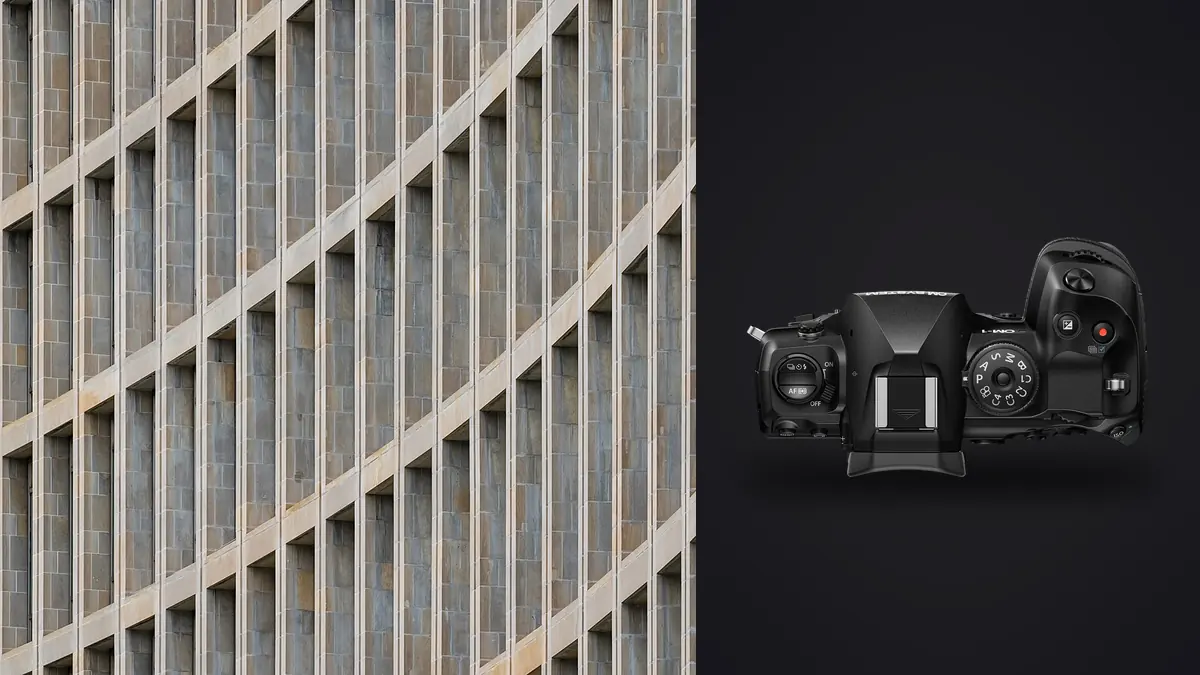
The OM System OM-1 Mark II is marketed strongly around outdoor speed and computational features, yet some of its qualities can suit architectural work: a compact Micro Four Thirds system, broad lens choices, stabilization, tethering, bracketing, and high-resolution capture modes. The buying question is whether those strengths match the buildings, clients, output sizes, and correction demands in your actual assignments.
This Lens and Location Guide does not reduce the decision to sensor size or a feature checklist. Architecture stresses wide-angle lens geometry, vertical control, room dimensions, access, mixed light, tripod behavior, color consistency, and file compatibility. Compare a complete body-and-lens kit using representative locations and final deliverables before changing systems.
Define the architecture work you actually sell
Real-estate listings, architect portfolios, interior-design editorials, construction records, hospitality campaigns, and fine-art cityscapes have different thresholds. Listings prioritize coverage and turnaround. Architects may care about material junctions and spatial relationships. Designers need color and finish consistency. Advertising may require large output, extensive retouching, and controlled people layers.
Write down typical room sizes, exterior setbacks, camera positions, final dimensions, aspect ratios, and the amount of perspective correction normally applied. Include the worst case, not just the attractive lobby used in a portfolio. A camera that excels in a patient tripod workflow may be less suitable for occupied properties with short access windows.
Then rank portability, lens shift, tethering, dynamic range, low-light operation, resolution, and file size by consequence. A lighter kit can matter greatly across a resort or construction site. A missing perspective-control lens can matter more for a studio that delivers corrected elevations every week.
Evaluate Micro Four Thirds lens coverage
The smaller format changes the field of view delivered by a given focal length, so compare lenses by the scene they include from your real camera positions. OM System offers wide zoom and prime options, but focal length alone does not establish architectural quality. Test corner rendering, geometric distortion, flare, decentering, filter use, and how corrections affect usable edges.
An ultra-wide view can fit a small room while exaggerating nearby furniture and shrinking the far wall. A moderate wide angle often looks more natural if space allows. Normal and short telephoto lenses can produce clean elevations, compressed facade details, and layered views through openings. The system should cover these roles without forcing every problem onto the widest lens.
Native perspective-control options are a central question. If the work depends on shift movements, research current compatible lenses and adapters, including aperture control, image circle, physical clearance, metadata, and support. An adapted lens may function but create a slower or less integrated process. Test the exact combination rather than treating mount adaptation as a checkbox.
Compare camera leveling with lens shift
The OM-1 Mark II offers grid, level, and keystone-related tools, but these do not make camera perspective and optical shift identical. Keeping the sensor plane vertical preserves parallel verticals. If that framing includes too much floor and not enough ceiling, a shift lens, higher viewpoint, greater distance, stitch, or software crop can solve different parts of the problem.
In-camera keystone preview can help visualize correction, but verify what is applied to RAW, JPEG, metadata, and the chosen editor. Strong software transformation crops edges and redistributes detail. Capture with margin and keep an uncorrected RAW path when the deliverable may change.
Old buildings and decorative lines are not always level. Use multiple structural references rather than forcing one edge to the grid. Sometimes a deliberate upward perspective communicates height better than a corrected elevation. Camera fit includes how easily it supports both readings.
Test high-resolution modes on real interiors
OM System's official product page lists tripod and handheld High Res Shot modes. These combine information from multiple captures, so subject and lighting stability matter. Leaves through windows, curtains, water, people, screens, and flickering fixtures can create artifacts even when the camera remains still.
Use a normal single RAW as the baseline, then make a high-resolution version of the same interior. Inspect fine patterns, moving edges, reflections, and mixed-light transitions. Compare both after the intended perspective correction and at final delivery size. More output pixels do not guarantee a better result when scene movement or lens corners are limiting.
Determine whether the client's software and archive can handle the resulting file. Check RAW support, processing time, storage, and retouching behavior without publishing a universal speed claim. A mode that improves one hero interior may be unnecessary for every supporting frame.
Decide how much mixed-light flexibility is needed
Interior work often combines daylight, practical lamps, overhead LEDs, signs, and reflected wall color. Test highlight transitions around windows and fixtures, shadow color, and individual channel clipping. A body should be judged through representative RAW files in the developer you will use, not by an unverified dynamic-range number.
Bracket only when it solves a defined tonal problem. Multiple exposures cannot fix moving people, fluttering curtains, changing displays, or inconsistent light cycles. Make a clean base frame, control the room where permitted, and add exposures for windows or practicals with a clear blend plan.
Record a neutral reference in each materially different light state. Evaluate saturated furnishings and paint after conversion to the destination color space. A small proof print or client-viewing test may reveal more than a magnified screen comparison.
Value stabilization in the correct situations
In-body stabilization can help handheld scouting, elevated compositions, details, and locations where tripods are prohibited. It cannot stop people, foliage, screens, or traffic, and it does not replace controlled camera leveling. For a careful interior with bracketing or high-resolution capture, stable support may still be the clearer route.
Test tripod and stabilization interaction according to OM System and lens guidance. A rigid floor, flexible timber balcony, vehicle vibration, and handheld high-resolution mode present different movement. Use a delay or remote method and inspect repeated frames for consistency.
Portability can be a real commercial advantage when it allows safer access or more viewpoints. Compare the full bag, including lenses, tripod, batteries, filters, remote, computer, and adapters. A small body attached to oversized adapted optics may not produce the system benefit expected.
Check tethering and client review needs
The official specification lists tethered shooting. Test the current OM Capture or supported application with the exact operating system, cable, RAW mode, and high-resolution setting. Confirm where originals are stored, what happens after disconnection, and whether the preview includes the corrections a client expects.
Keep a card-based fallback. Tether convenience should not determine whether capture continues. Use strain relief, protect the cable path, and maintain clear communication about which screen is for composition, which is color managed, and which images are provisional.
For remote property work, consider power, backup, weather, and travel restrictions alongside tethering. A feature that works in a studio may add little in an unfurnished site without safe laptop placement. Buying fit follows the recurring environment.
Compare the system under real access constraints
Architecture often involves stairs, roofs, narrow plant rooms, public transport, and long walks through active sites. A compact body-and-lens system can reduce fatigue and make a second viewpoint realistic. Test the complete load over a normal day, including tripod, safety equipment, laptop, batteries, and the widest required lens. Body weight alone is not a workflow measurement.
Weather sealing can support exterior work, but it does not make every lens, adapter, cable, or open port equally protected. Follow the manufacturer's conditions, use sensible covers, and keep cloths and dry storage available. Salt spray, construction dust, condensation, and rain each require different care. No weather photograph is worth violating a closure or working beneath unsafe conditions.
Check power during tethering, bracketing, long exposures, and high-resolution capture. Bring a tested charging or spare-battery plan and verify whether external power changes weather protection or cable routing. The right camera should complete the recurring assignment without turning every location into a battery-management exercise.
Assess flash and small-space lighting compatibility
Some interior teams use only ambient and window light; others blend portable flash to control windows, furniture, and color. Confirm trigger compatibility, synchronization, remote control, and the camera's behavior in the intended shutter mode. Test one light first, then a complete bracket or composited lighting sequence.
A smaller camera may fit behind furniture or near a wall, but stands and modifiers still need safe space. Plan cable-free triggers, compact support, and a fallback bounce or continuous-light approach. If repeated lighting layers are central to the service, judge the OM-1 Mark II by how reliably those files align and move through post, not simply by whether a flash fires.
Artificial light can also interact with high-resolution and electronic capture modes. Inspect for bands, color changes, and moving shadows across the combined result. Keep a normal RAW and a neutral-light reference so a computational artifact is not mistaken for material texture.
Run the ORF files through the intended workflow
The OM-1 Mark II records ORF RAW files, one of imagic's supported formats. After verified copies, scan a representative directory and run analysis. Local scoring and similar-frame grouping can assist technical culling, while a rejected status does not delete the original. Architecture still requires manual checks for verticals, reflections, styling, practical lights, and view coverage.
Develop normal, bracketed, and high-resolution files in the actual RAW application. Verify lens profiles, white balance, perspective correction, highlight behavior, color, and export. If an imagic score appears stale, check freshness and reanalyze it; reselecting only ranks stored scores.
The desktop overview explains local and non-destructive processing, while the camera hardware guides offer more system comparisons. Keep the test files and final crops so the decision is based on delivered results rather than camera-screen impressions.
Use a practical buying matrix
| Architecture need | Potential fit | Required test |
|---|---|---|
| Lightweight location coverage | Strong candidate | Complete bag and handling over a real site |
| Handheld detail and scouting | Strong candidate | Stabilization with actual lenses and output |
| Static hero interiors | Promising | High-resolution artifacts and RAW support |
| Frequent optical shift | System dependent | Compatible lens, adapter, and image circle |
| Large corrected campaigns | Delivery dependent | Final crop, retouch, proof, and print size |
Rent the body with the exact wide lens and any shift solution. Photograph one difficult room, one exterior with bright points, and one high-resolution scene containing movement. Process and deliver them as if they were paid work before deciding.
Frequently Asked Questions
Is the OM-1 Mark II resolution enough for architecture?
That depends on final size, crop, lens quality, viewing distance, and retouching. Test normal and high-resolution files through the actual perspective correction and delivery process.
Does High Res Shot work for every interior?
No. It combines multiple captures, so moving curtains, people, screens, reflections, or flickering lights can create artifacts. Keep a normal RAW alternative.
Can keystone correction replace a shift lens?
It can correct perspective in many files, but it crops and redistributes detail. Optical shift changes framing while the camera stays level, so the two workflows have different limits.