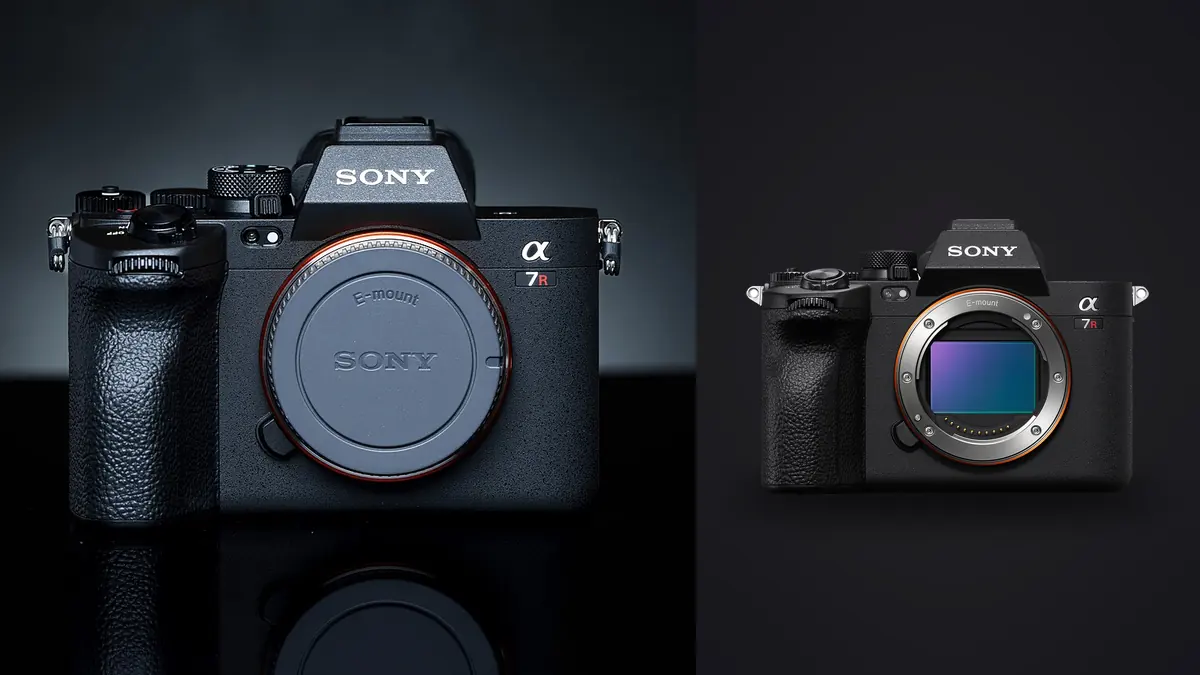
Every few months someone in a camera forum asks the same question in a different wrapper: should I buy the Sony A7R V for the resolution, or the Nikon Z8 for the speed? Picture using both cameras on very different jobs, one on a two-day product catalog shoot and the other on a whitetail rut assignment in Wisconsin, and the honest answer is that the spec sheets undersell how differently these two bodies behave once you're actually pulling RAW files onto a drive at the end of the day. This isn't a lab test. It's the kind of thing you notice with a card reader, a stack of 256GB CFexpress cards, and a deadline.
Two Very Different Sensor Philosophies
The A7R V carries the same 61-megapixel BSI-CMOS sensor Sony has used since the A7R IV, refined with a new front-end LSI and Sony's dedicated AI processing unit bolted on for subject recognition. It's not a stacked sensor, which matters more than the spec sheet lets on: readout speed is good but not instant, so if you shoot fast-moving subjects with the electronic shutter you'll see rolling shutter skew on things like propeller blades or a cyclist crossing the frame at speed.
The Z8 uses the same stacked, 45.7-megapixel sensor as the Nikon Z9, shrunk into a body about two-thirds the size and weight. Stacked sensors read out far faster, which is why Nikon ditched the mechanical shutter entirely. There's no shutter to wear out, no shutter shock to worry about on a tripod at 1/2 second, and the rolling shutter distortion that plagues most electronic-only shutters is present but genuinely hard to provoke outside of things like propeller aircraft or golf swings at close range.
What that means on a shoot: with the A7R V I still default to the mechanical shutter for anything with fast motion, because I've seen the skew on electronic shutter with panning subjects. With the Z8 I never think about it. There's only the electronic shutter, and it's fast enough that I stopped worrying about it after the first week.
RAW Files: Size, Compression, and What Your Drive Sees
This is where the two cameras diverge the most in daily practice, and it's the part nobody mentions until you're staring at a nearly full 2TB backup drive halfway through a trip. Sony's 61 megapixels means bigger files no matter how you compress them. Nikon's High Efficiency RAW formats, introduced on the Z9 and carried over to the Z8, use a completely different compression approach than Sony's, and the size difference is not subtle.
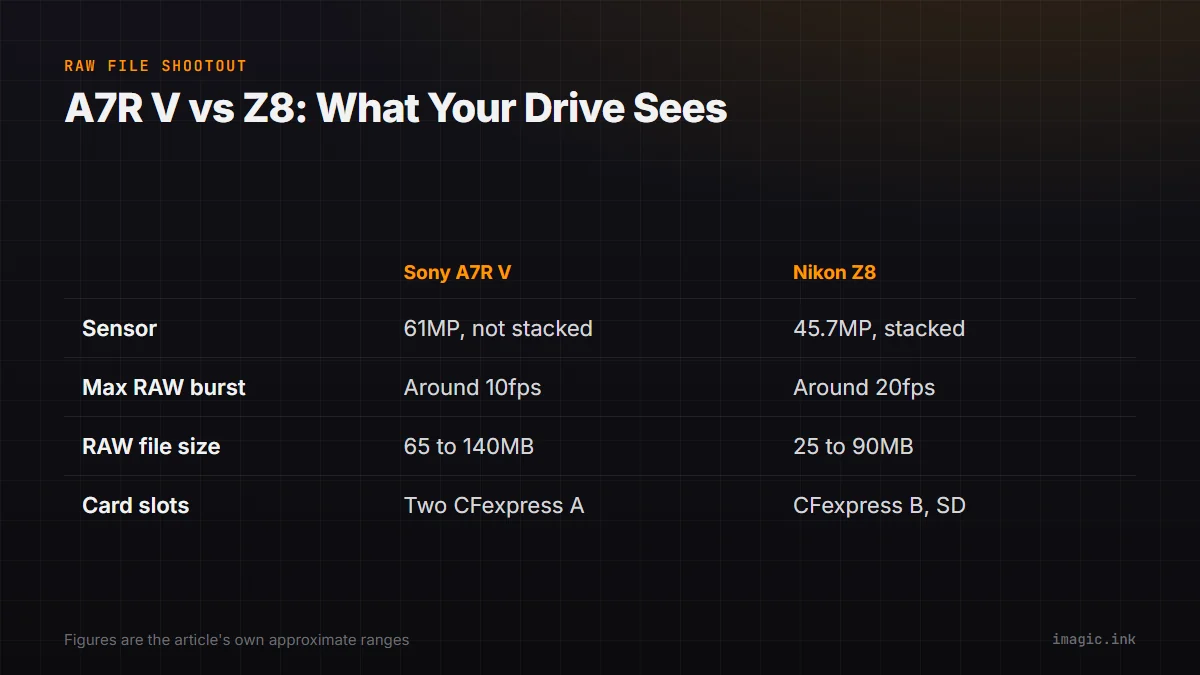
| Spec | Sony A7R V | Nikon Z8 |
|---|---|---|
| Sensor | 61MP BSI-CMOS, non-stacked | 45.7MP BSI-CMOS, stacked |
| Native ISO range | 100-32,000 | 64-25,600 |
| Shutter type | Mechanical + electronic, up to 1/8000s mechanical | Fully electronic only, up to 1/32,000s |
| Max full-resolution RAW burst (AF/AE tracking) | ~10 fps, compressed RAW | ~20 fps, 14-bit RAW, uncropped |
| RAW compression options | Uncompressed, lossless compressed, compressed | Lossless compressed, High Efficiency*, High Efficiency |
| Approx. RAW file size (compressed) | 65-140MB per frame | 25-90MB per frame |
| Card slots | 2x CFexpress Type A / SD UHS-II combo slots | CFexpress Type B (slot 1) + SD UHS-II (slot 2) |
| In-body stabilization rating | 8.0 stops | 6.0 stops |
| Viewfinder | 9.44M-dot OLED, 0.9x magnification | 3.69M-dot OLED, 0.8x magnification |
| Body weight (no battery/card) | ~683g | ~800g |
The practical upshot: a full day of landscape shooting on the A7R V, say 600 frames of bracketed exposures and a few pixel-shift composites, routinely fills more than 60GB. The same day of shooting on the Z8, even with the aggressive High Efficiency* setting turned off in favor of lossless compressed, lands closer to 35-40GB. If you're backing up in the field on a laptop with limited SSD space, that difference adds up over a multi-day trip faster than most people budget for.
Where the A7R V earns its file size back is in cropping headroom. A 61MP frame gives you real room to crop a wildlife shot that wasn't quite tight enough, or to reframe a product shot in post without losing print resolution. On a catalog-style shoot, you could frame everything a stop wider than needed specifically because you know you can crop hard afterward and still end up with files north of 30MP. You can't do that with as much confidence on 45.7MP, though it's still plenty for most commercial and print work.
Autofocus and Burst Shooting for Moving Subjects
Both cameras borrow their subject recognition from Sony and Nikon's respective flagships, the A1 and Z9. The A7R V's AI-based autofocus does a genuinely good job with birds, animals, and human eyes, and Sony added insect and updated bird detection in a firmware update after launch. But the sensor readout is the limiting factor for fast action. At 10fps with continuous AF, buffer depth on a fast CFexpress Type A card runs out around 80-90 compressed RAW frames before it slows, which in practice is about 8-9 seconds of shooting before you feel the camera hesitate.
The Z8, thanks to the stacked sensor and no mechanical shutter to cycle, shoots 20fps in full-resolution 14-bit RAW and keeps going. On the rut assignment I ran bursts of 60-80 frames chasing bucks sparring in low light and never once felt the buffer choke, even on a mid-tier CFexpress card. Nikon also offers a pre-release capture mode (buffering up to a full second of frames before the shutter button is even pressed) that has saved me from missing the exact moment a buck's antlers locked with another's.
The tradeoff is obvious once you sit down to cull: 20fps for ten seconds is 200 nearly identical frames of the same three-second sequence. That's not a hypothetical problem, it's the actual pile of files sitting on your card at the end of a wildlife day, and it's exactly the kind of workload that makes manual culling in Lightroom painful. This is where I've leaned on imagic's burst clustering to group those near-duplicate sequences automatically and surface the two or three sharpest frames from each cluster, rather than scrubbing through 80 frames by eye trying to spot which one has the eye in focus and the ear tips crisp.
Handling and Build in the Field
The A7R V's fully articulating 4-axis screen (it tilts like a traditional Sony screen and also flips out to the side like a vari-angle screen) is genuinely useful for low tripod shots and vertical video, and it's a design Sony hasn't put on many other bodies. The Z8's screen tilts up, down, and to the side for portrait-orientation shooting, but doesn't flip fully outward, so if you shoot a lot of selfie-angle vlogging content the Sony has the edge.
Weight and grip is the other big handling difference. The Z8 is noticeably heavier and larger in hand, closer to a scaled-down Z9 than a compact mirrorless body, and with a long telephoto attached that extra mass actually helps balance. Handheld with a 500mm f/5.6 for several hours, the Z8's grip depth kept my hand from cramping in a way the A7R V didn't. For landscape and studio work where the camera lives on a tripod most of the day, the Sony's smaller footprint and lighter weight are the more welcome traits, especially hiking to a ridge before sunrise.
Card slot configuration is worth flagging too. Nikon paired a fast CFexpress Type B slot with a much slower SD UHS-II slot on the Z8, so if you're recording overflow or backup to the second card, that card becomes the bottleneck during long bursts. Sony's twin CFexpress Type A slots are more evenly matched but Type A cards remain more expensive and less common at rental houses than Type B, which is a real logistical consideration if you're renting gear for a trip.
Getting From Card to Culled Edit
Neither camera's RAW output changes what happens after the shoot: you still need to get through hundreds or thousands of frames and find the keepers before you can start actually editing. This is the part of the workflow that camera reviews tend to skip, and it's where the resolution and burst-rate differences above actually cost or save you time.
With 61MP files off the A7R V, I noticed cloud-based culling tools slow to a crawl, both from upload time on a hotel Wi-Fi connection and from the sheer processing load of scoring sharpness on files that large. Running imagic locally on the laptop sidesteps that entirely, since it scores focus and sharpness on-device without uploading a single file, which matters a lot when you're dealing with 130MB RAW files from a remote shoot location with no reliable internet. The same logic applies to the Z8's 20fps bursts: local processing means the sharpness scoring and duplicate detection happen in the time it takes to make coffee, not the time it takes to upload 40GB to a server somewhere.
If you shoot both bodies, as a growing number of working photographers now do (one for detail work, one for speed), it's worth reading through how AI photo culling actually evaluates sharpness before assuming every culling tool handles a 61MP file the same way it handles a 45.7MP one. The scoring math has to account for pixel density, and not every tool does that well.
The other feature I've come to rely on with a two-camera kit is imagic's apply_my_style preset, which trains on your own previously edited photos rather than a generic film-emulation look. Because it learns from your edits rather than shipping a fixed LUT, it applies a consistent starting point across A7R V and Z8 files even though the two cameras render color and highlight roll-off slightly differently out of the RAW converter. That consistency saved real time on a job where I shot ceremony coverage on the Z8 for the fast sequences and portraits on the A7R V for the detail, and needed both sets to look like they came from the same photographer by the time the gallery went out.
Which One Actually Fits Your Work
If you shoot landscapes, architecture, product, or studio portraiture where the subject holds still and you want every bit of detail for large prints or heavy crops, the A7R V's 61 megapixels are worth the bigger files and slower burst rate. The pixel-shift multi-shooting mode, which stitches multiple frames into a composite up to roughly 240 megapixels, is also a genuine tool for tabletop and product work if your subject can stay still for the capture sequence.
If you shoot wildlife, sports, or fast-moving events where the moment lasts half a second and you need the camera to keep up, the Z8's stacked sensor, 20fps RAW burst, and lack of mechanical shutter make it the easier camera to trust in the field. The smaller RAW files are a bonus rather than the main reason to choose it, but after a few multi-day trips you'll notice you're buying fewer backup drives.
Price-wise the two land close enough together, generally within a hundred dollars of each other at launch, that the decision really does come down to what you photograph rather than budget. I'd rather own both than pick one, but if you're building a single-body kit and want a second opinion on whether your existing culling workflow can even keep up with either camera's output, it's worth a look at how different culling tools handle high-resolution and high-burst RAW files before you commit to a body.
Frequently Asked Questions
Is the Sony A7R V's extra resolution actually noticeable next to the Z8 in real prints?
At normal print sizes, up to about 24x36 inches, the difference is subtle and mostly shows up in how much cropping room you have rather than a visible sharpness gap. Where the 61MP sensor pulls ahead is fine texture detail on large gallery prints or when a client asks for a tight crop from a wider frame after the fact.
Which camera is better in low light, the A7R V or the Z8?
The Z8's larger individual pixel size (fewer megapixels spread across a similar sensor area) generally gives it a slight edge in high-ISO noise performance above ISO 6400, which matters for indoor events and dim wildlife hides. The A7R V holds up well through its native range but the pixel-level noise becomes more visible sooner given the higher resolution.
Do the Z8's smaller RAW files actually save meaningful time in post-production?
Yes, in two places specifically: transfer and backup time in the field, and the load on your computer when scrubbing through hundreds of frames. A 40MB file opens and renders noticeably faster than a 120MB file when you're paging through a full card, which adds up across a several-hundred-frame shoot.
Can imagic cull RAW files from both the A7R V and Z8 without converting them first?
Yes. Both cameras' native RAW formats (Sony's ARW and Nikon's NEF, including the newer High Efficiency variants) are read directly, so there's no need to batch-convert to DNG or export previews before culling starts. Everything runs locally on the machine you're working from, so file size differences between the two cameras affect processing speed slightly but not compatibility.