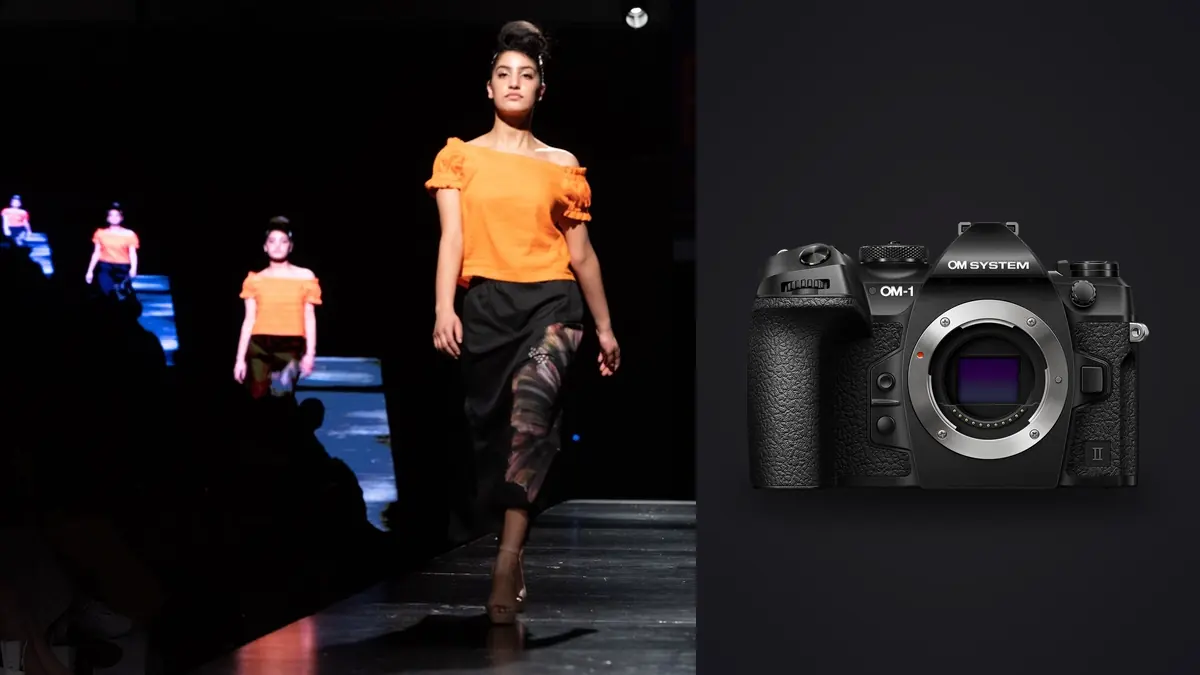
The OM System OM-1 Mark II gets marketed almost entirely on wildlife and sports credentials: 120fps electronic shutter, subject-detection autofocus tuned for birds in flight, a Micro Four Thirds sensor built to reach further with less glass. None of that copy mentions racks of garments, a stylist steaming hems between looks, or a client standing behind you checking exposure on a laptop because you're shooting untethered on location. Picture it on a lookbook day for a menswear label or a swimwear catalog: the reasons it earns a place in a commercial fashion kit have almost nothing to do with the reasons OM System sells it.
Commercial lookbook work has its own rhythm that most camera marketing doesn't account for. A single day can mean eight to fourteen looks, a location change every ninety minutes, a client who wants to see a handful of selects on the back screen before you move on, and no time to swap bodies or rethink settings between a walking shot and a flat-lay of the same garment ten minutes later. What ends up mattering on a shoot like that isn't the spec that sells the camera in a store, it's whether the body can shift gears fast enough to keep up with a schedule nobody wrote with photography gear in mind.
The sensor-size conversation you can't skip
Micro Four Thirds carries a 2x crop factor, and that shows up first in depth of field. A 45mm f/1.2 on this body renders roughly like a 90mm at f/2.4 would on full frame, which is plenty of separation for a tight beauty shot or a seated portrait against a plain backdrop, but it is not the same as an 85mm f/1.4 pulling a background into total mush behind a model on a busy street. On the swimwear job, shooting against a boardwalk with pedestrians and bike racks in the background, I had to work harder for separation than I would on a full-frame body at the same nominal aperture: closer camera-to-subject distance, more subject-to-background distance, and picking backgrounds that were already soft (foliage, water, distant buildings) rather than relying purely on the lens to do it.
Where this stops being a liability is anything that benefits from extra depth of field: group shots with three models at slightly different distances from camera, or product detail work where you want the whole garment sharp rather than a sliver of focus. On the menswear job, a four-person editorial spread shot at f/4 kept every face acceptably sharp without stopping down further and losing the shutter speed I needed for a slight breeze moving the coats. On full frame I'd have needed a stop or two more just to get the same coverage.
Frame rate and stabilization solve real problems on a moving set
Fabric does what fabric does: it swings after a turn, it settles a half-second after the model stops walking, hair catches wind on a beat you can't predict. The OM-1 Mark II's ProCapture mode, which buffers frames before you fully press the shutter, caught walk-turn sequences I would have missed on a camera without pre-capture. Setting ProCapture L at 30fps with a 20-frame buffer on the walking shots meant the peak of a coat flare or a hair flip was almost always sitting somewhere in the sequence rather than one frame ahead of my reaction time.
In-body stabilization rated to 8.5 stops mattered less for the walking shots (you're freezing motion with shutter speed there regardless) and more for the static detail work: cufflinks, stitching, shoe leather, a wristwatch shot handheld at 1/15s in shade because setting up a tripod and second light for a five-minute product insert wasn't worth the time on a packed schedule. That's a genuinely different use case than the wildlife stabilization demos OM System shows, but it's the one that saved time on set.
Handheld high-res mode, and where it actually applies
The 50MP handheld high-resolution shot mode composites multiple exposures using sensor-shift data, and it's tempting to reach for it on everything once you know it exists. It doesn't apply to anything with motion in the frame: a model breathing, fabric settling, even a light breeze introduces misalignment artifacts that show up as soft ghosting around edges once you pixel-peep. I use it exclusively for static hero shots: a jacket laid flat on a table, a folded stack of product for an e-commerce grid, a still portrait where the subject was told to hold for two seconds. For a catalog cover destined for print, having a 50MP file gave the client's print vendor more room to crop and upsample than the native 20.4MP files would have, without renting a medium-format body for one frame.
What a shot list actually looks like with this body
Settings vary more across a single lookbook day than most gear reviews suggest, because a lookbook day is really four or five different shoots stitched together: walking shots, static portraits, group spreads, and product detail. Here's roughly what I run for each, based on the last two commercial days with this camera.
| Shot type | Drive mode | Shutter speed | AF mode | Typical ISO |
|---|---|---|---|---|
| Walking / turn sequences | ProCapture L, 30fps | 1/500s-1/800s | C-AF + Human Detection | 200-800 |
| Static portrait / beauty | Single or Low 5fps | 1/160s-1/250s | S-AF, eye priority | 100-400 |
| Group / editorial spread | Low 5fps | 1/200s-1/320s | C-AF, all-target | 200-640 |
| Product / detail insert | Single, handheld high-res | 1/15s-1/60s | S-AF, single point | 100-200 |
The jump between the walking column and the product column is the whole story of shooting a lookbook on one body: you're asking the same camera to behave like a sports camera for twenty minutes, then a studio camera for the next twenty, all day, without swapping gear.
RAW files, color, and the pile of frames you didn't ask for
ORF files off the OM-1 Mark II run around 22-25MB for standard shots and closer to 90-100MB for the composited high-res files, which most current versions of Lightroom, Capture One, and DxO PhotoLab handle without complaint. Out-of-camera color leans a little cooler and more neutral on skin than what Canon bodies deliver, which isn't wrong, just different: it needs a deliberate warmth pass in RAW processing rather than relying on the camera profile to get skin tones where a client expects them for a beauty-adjacent brand.
The bigger problem isn't color, it's volume. A single walking sequence at 30fps for four seconds is 120 frames, and a lookbook day with a dozen outfit changes and a handful of walk passes per outfit easily clears 3,000-4,000 exposures before lunch. Almost none of that is unique: it's the same three seconds of movement repeated with tiny variations in focus and framing. Sorting that by eye, at the end of a twelve-hour shoot day, is the part of this job nobody puts in the behind-the-scenes reel.
This is where I've started running the day's cards through imagic before I even open Lightroom. It clusters the burst sequences and near-duplicates locally on the laptop, so instead of scrolling through 120 near-identical walk frames I'm looking at the handful the software flagged as sharpest on the model's eyes and cleanest on fabric edges. Because it's scoring focus and running the clustering on-device rather than through a cloud queue, it works the same on a hotel-room laptop with no signal as it does at the studio, which matters when the shoot contract says client images don't leave the machine until usage rights are signed off. For the color pass, I built an apply_my_style preset early on this account from a batch of approved edits, and running the day's mixed indoor/outdoor selects through it gets me to a consistent starting grade before I do garment-specific tweaks by eye. It doesn't replace judgment on the hero shots, but it means the couple hundred selects that make the client gallery all start from the same place instead of drifting frame to frame.
If you're setting up a culling pass for this kind of high-burst-volume shoot for the first time, it's worth reading through how AI photo culling actually works before you build a workflow around it, since the clustering behavior changes depending on how tight your burst intervals are. Pairing that with a tighter card-to-delivery routine is also covered in 10 tips for a faster photo workflow, which covers many useful shoot-day habits.
The lens kit that earns its keep
Four lenses covered every shot type across both jobs. The 12-40mm f/2.8 II PRO did most of the walking and environmental work, wide enough for full-length looks against a location background without distorting proportions badly at the wide end. The 40-150mm f/2.8 PRO handled compressed environmental portraits from across a street or a studio floor, useful when you want the model isolated from a background you can't physically move further away. The 45mm f/1.2 PRO was the one prime that consistently delivered the separation the sensor size otherwise fights you on, and it lived on the body for every static beauty shot. The 90mm f/3.5 Macro IS PRO covered every product insert: stitching, buttons, shoe detail, the close-up shots a lookbook needs alongside the full-body looks.
The weight difference matters more on a lookbook day than most kit lists admit. All four lenses plus the body come in well under what an equivalent full-frame f/2.8 zoom kit weighs, and on a day where you're moving between five locations on foot with a client and a stylist in tow, not needing an assistant just to carry glass changes the pace of the day.
Weather sealing is the other quiet reason this kit stays out. The swimwear job had sea spray coming off the boardwalk railing for a chunk of the afternoon, and the menswear shoot ended in a light drizzle nobody had planned for. Neither the body nor any of the four PRO lenses needed a rain cover, which meant I kept shooting instead of pausing to bag gear or move the whole set under cover. On a paid day with a client and a location fee on the clock, that's worth more than it sounds like on paper.
Frequently Asked Questions
Is the OM-1 Mark II's sensor big enough for commercial print catalog work?
For most catalog and lookbook print runs, yes. Standard 20.4MP files print cleanly at typical catalog spread sizes, and the 50MP handheld high-res mode covers the rare hero image or cover shot that needs to survive a large crop. Where it gets tight is billboard-scale or gallery-print work, which is a narrower slice of commercial fashion output than most lookbook contracts call for.
How much does the crop factor actually change how I shoot portraits?
You'll shift habits more than you'd expect if you're coming from full frame. Getting the same background separation takes a wider aperture, closer subject distance, or a background that's already soft, rather than trusting a mid-aperture zoom to blur things out on its own. Fast primes like a 45mm f/1.2 close most of that gap for single-subject portraits.
Can the 50MP high-res shot mode replace renting a medium-format body for hero images?
For static, controlled shots, mostly. It won't help with anything that has motion in frame, since the composite process needs several exposures aligned pixel-for-pixel, and movement introduces soft ghosting around edges. For a folded garment, a flat lay, or a held pose, it's a reasonable substitute for a one-off medium format rental.
What's the best way to handle the burst volume from a full lookbook shoot day?
Build the culling step in before editing rather than after. Running cards through software that clusters bursts and near-duplicates and flags sharpness on faces and fabric, like imagic's local culling pass, before opening a RAW editor turns a few thousand frames into a workable few hundred selects in well under an hour, and doing it on-device keeps unreleased client images off any server before usage rights are finalized.