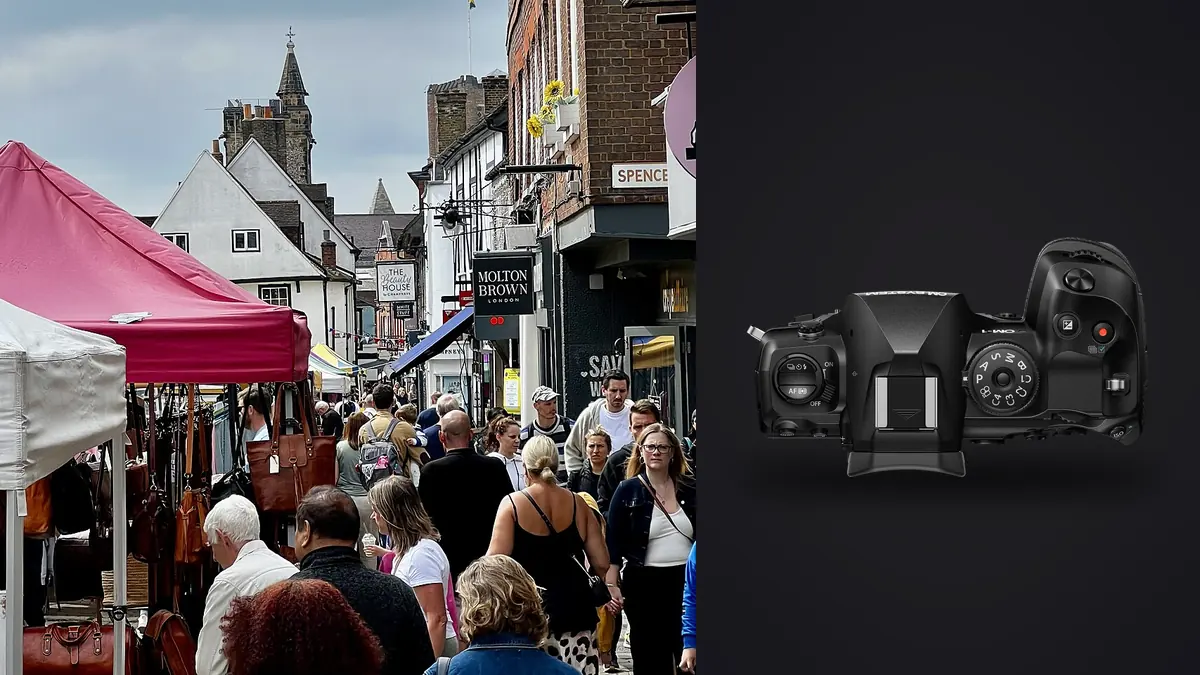
I picked up the OM System OM-1 Mark II mostly out of curiosity about the pre-shutter capture mode, and kept using it for six months of street and event documentary work because of everything else it turned out to be good at. It is not a camera that wins on paper against a full-frame body twice its price. It wins because of what happens when you're standing in a crowd for four hours, the light keeps changing, and you need the camera to disappear into your hand rather than announce itself.
This isn't a spec dump. It's what changed in my actual workflow after switching a chunk of my street and documentary shooting over to this body, where it genuinely helps, and where the smaller sensor still costs you something no firmware update fixes.
Why a Micro Four Thirds body makes sense for this kind of work
Street and documentary photography have a specific set of demands that don't line up neatly with "biggest sensor wins." You're carrying the kit all day, often on foot, often with a bag that also has notebooks, a second lens, spare batteries, and whatever else the assignment needs. You're shooting in situations where a big white lens or a loud mechanical shutter changes how people behave in front of you. And you need the camera ready between the moment something starts happening and the moment it's over, which in a market, a protest, or a wedding processional can be under a second.
The OM-1 Mark II's body, at roughly 599 grams without a lens, paired with primes that run 120 to 260 grams, means a two-lens kit sits comfortably under 1.2kg. On a twelve-hour documentary day that difference between shoulder fatigue and no fatigue is not trivial. I've shot full-frame mirrorless kits that made me change my shooting behavior by the afternoon, cutting angles I would have chased in the morning because my arm was tired. That hasn't happened with this body.
The shutter and ProCapture: what actually changes for decisive-moment work
The feature that pulled me toward this camera in the first place is ProCapture, and it's worth being specific about what it does rather than treating it as a marketing bullet. When you half-press the shutter in ProCapture mode, the camera starts buffering frames continuously. When you fully press, it saves not just the frames going forward but a set of frames from just before you pressed. In practice that means the half-second of anticipation lag that costs every street photographer frames (someone starts to jump, a hand starts to reach, a dog starts to bolt) gets absorbed by the camera instead of by your reaction time.
It sounds like a gimmick until you've used it on a subject that moves in a way you can't predict, like a street performer or a kid running through a fountain. I now shoot maybe a third of my candid street work in ProCapture SH1 with continuous autofocus, because the alternative is accepting that I will miss the actual peak of action roughly as often as I catch it.
| Drive mode | Approx. frame rate | Autofocus behavior | Where I actually use it |
|---|---|---|---|
| Sequential H (mechanical) | up to 10 fps | Continuous AF, full metering per frame | Anything where I want a fully silent-shutter fallback isn't needed, like posed documentary portraits with movement |
| Silent Sequential (electronic, SH1) | up to 50 fps | Continuous AF/AE tracking | Fast-moving street sequences where I still need focus to follow an erratic subject |
| Silent Sequential (electronic, SH2) | up to 120 fps | Focus and exposure locked on first frame | Rarely for street work; useful for a single decisive gesture I've already pre-focused on, like a hand gesture during a speech |
| ProCapture SH1 | up to 50 fps, pre-capture buffer | Continuous AF/AE tracking | Unpredictable action: kids, animals, crowd reactions, anything that starts before I can react |
| Single silent shot | 1 fps, fully silent | Single-shot or continuous AF | Close-quarters candid work where any shutter sound at all would turn heads |
Buffer depth matters more than the fps number once you're actually shooting bursts all day. OM System quotes buffer counts well past a hundred raw frames at the faster electronic rates with a fast UHS-II card, and in practice I rarely hit a wall mid-burst even in ProCapture. What I do hit, regularly, is the aftermath: a single afternoon of street shooting with ProCapture engaged can leave you with two or three thousand frames to look through, most of them near-duplicates of the same three seconds. That's less a camera problem and more a "now what" problem, which is where the culling side of my workflow actually lives (more on that below).
Autofocus in a crowd, not on a test chart
Subject detection on the OM-1 Mark II covers people (with face and eye priority), along with the animal and vehicle/aircraft detection modes carried over from the original OM-1. For documentary work the human detection is the one that matters day to day, and it's solid rather than spectacular. It tracks a face reliably once it's found one, including through partial occlusion (a hand passing in front of a face, someone stepping between you and your subject for a beat), which happens constantly in street and event work.
Where it's less impressive than some of the newer AI-trained systems on full-frame bodies is initial acquisition in a genuinely chaotic scene: a dense crowd with a dozen faces at different depths, where the camera sometimes needs a moment to decide who you actually meant. My workaround has been to keep a single center AF point available as a manual override alongside subject tracking, so I can force focus onto a specific face in a crowd rather than waiting for the algorithm to guess right. Once you build that habit it stops being a limitation and just becomes part of how you shoot.
Shooting through actual weather, not press-release weather
Documentary work doesn't pause for rain, and this is one area where the OM-1 Mark II earns its reputation honestly. It carries an IP53 rating and is rated to operate down to -10°C, and I've shot it in sustained rain at a harbor market without a rain cover and without incident, something I would not have done with several full-frame bodies I've owned. The caveat is that the lens matters as much as the body: pair it with a non-weather-sealed lens and you've only sealed half the system. The Pro-series and most of the newer non-Pro M.Zuiko lenses are sealed to match, but check before you assume.
What the smaller sensor actually costs you
I want to be direct about this because too much coverage of Micro Four Thirds glosses over it. A 20.4 megapixel Four Thirds sensor collects meaningfully less light per pixel than a full-frame sensor at the same resolution, and that shows up specifically at high ISO. Clean, usable files run out around ISO 3200 to 6400 depending on how much shadow recovery you're doing afterward; push past that into dim interior documentary work and you're managing noise, not just tolerating it. If you shoot a lot of night markets, dim bars, or backstage documentary work with available light only, that's a real consideration, not a hypothetical one.
The flip side, and it's a real flip side, is depth of field. The 2x crop factor means a 25mm f1.8 lens behaves like a 50mm f1.8 in field of view but retains more of an f1.8 depth of field in absolute terms than an equivalent full-frame lens stopped down to match exposure, which for documentary storytelling where you want a subject sharp against a readable (not obliterated) background is often exactly what you want. I find myself shooting wider open more often on this system for that reason, which partially offsets the high ISO tradeoff in practice, though not entirely.
Lenses that actually make sense for this kind of shooting
The M.Zuiko lineup has matured to the point where you can build a genuinely light, genuinely capable street and documentary kit without touching a zoom larger than a coffee mug. These are the lenses I've actually carried, not a catalog list.
| Lens | Full-frame equivalent field of view | Approx. weight | Why it's in the bag |
|---|---|---|---|
| M.Zuiko 17mm f1.8 | 34mm | ~120g | Default walk-around focal length, close enough to normal that it doesn't distort faces up close |
| M.Zuiko 25mm f1.8 | 50mm | ~137g | The classic documentary portrait length, small enough to shoot from the hip without drawing attention |
| M.Zuiko 12-45mm f4 Pro | 24-90mm | ~254g | One-lens-day option when I don't know what the assignment will demand |
| M.Zuiko 40-150mm f4 Pro | 80-300mm | ~382g | Compressing a busy street scene from across the road, or shooting a ceremony without wading into it |
None of those four together weigh what a single full-frame 24-70mm f2.8 weighs on its own. That's the actual argument for this system on a documentary assignment, not abstract image quality numbers.
Where the RAW files go after the shoot
The ORF raw files out of the OM-1 Mark II run smaller than what you'd get off a comparable full-frame body at the same resolution, which matters less for image quality than it does for the unglamorous parts of the job: card space on a multi-day assignment, backup time, and how long your laptop takes to chew through a folder at the end of a shoot. What it doesn't solve is volume. A single day of ProCapture-heavy street shooting routinely leaves me with more frames than I could reasonably eyeball one by one before a deadline.
That's the point where I stopped trying to cull by hand. I run the day's take through imagic before I open anything in an editor. It scores sharpness and focus locally on the machine, which matters here specifically because a lot of what ProCapture and the 50fps burst mode generate is near-identical frames from the same half-second, and picking the objectively sharpest one out of fifteen nearly identical frames is exactly the kind of task that's tedious for a person and mechanical for software. It also clusters bursts and duplicates together automatically, so a fifteen-frame ProCapture sequence shows up as one group to review instead of fifteen separate decisions, which is the actual bottleneck this camera creates for itself by being so good at generating frames. If you haven't seen how that clustering step works, this walkthrough of AI photo culling covers the mechanics in more depth than I will here.
Because it runs entirely on the machine rather than uploading anything, it's also the option I'm comfortable using on documentary work where the subjects haven't necessarily consented to their unedited images going anywhere near a cloud service before I've had a chance to review them myself. For assignment or client work with a sensitive subject, that's not a small detail.
Once the culling pass is done, I lean on imagic's apply_my_style preset, which is trained on my own past edits rather than a generic filter, to get a first pass on color and contrast that already looks like my work rather than a preset someone else built. It doesn't replace finishing individual frames that matter, but it means the four hundred frames that made the cull all start from something close to done instead of flat.
Settings I actually run in the field
A few adjustments made a real difference once I'd been shooting this body for a few weeks rather than a few days:
- Custom mode C1 set to ProCapture SH1, continuous AF, auto ISO capped at 6400, for anything unpredictable happening in front of me.
- Custom mode C2 set to single silent shot, manual ISO, for close portrait work where I want full control and zero shutter noise.
- Anti-flicker scan enabled by default, since a lot of documentary work happens under mixed indoor lighting where banding on the electronic shutter will otherwise ruin a file you didn't notice was bad until you got home.
- Face/eye detection left on but with the center-point override mapped to a rear button, so I can grab manual control instantly in a crowd without digging through a menu.
None of that replaces a good workflow once you're off the street and back at a desk. If the culling step above is new territory, these workflow habits cover the rest of the pipeline from card to delivery.
Frequently Asked Questions
Is the OM-1 Mark II's sensor too small for serious documentary or editorial work?
No, but it changes how you shoot rather than being invisible. Editorial and documentary clients care about the story a frame tells far more than pixel-level noise performance, and plenty of published documentary work has come off Four Thirds sensors. Where it matters is genuinely dark available-light situations pushed past ISO 6400, where you'll be doing more noise management in post than you would on a full-frame body.
How quiet is it really for candid street shooting?
In full electronic silent mode there is no audible shutter sound and no shutter shock, which is different from "quiet" mechanical shutters on other cameras that still click. I've shot inches from someone's shoulder in a quiet gallery without them noticing. The tradeoff is that some fast-moving artificial light sources can cause banding on the electronic shutter if anti-flicker scanning isn't enabled, so that setting is worth checking rather than assuming.
Do I need OM System's own lenses, or is adapted glass a reasonable option?
The native M.Zuiko lineup is where the size and weight advantage actually lives, and it's also where autofocus and weather sealing are guaranteed to work as intended. Adapted lenses from other Four Thirds or manual-focus systems will mount, but you generally give up autofocus speed, sealing, or both, which undercuts a lot of what makes this body suited to fast documentary work in the first place.
Does ProCapture actually replace good timing, or is it a crutch?
It doesn't replace anticipating a moment, reading a scene, or knowing where to stand, all of which still matter more than any camera feature. What it does is buy back the reaction-time gap between noticing something start and pressing the shutter, which for genuinely unpredictable subjects (kids, animals, crowds) is a gap no amount of skill fully closes. Treat it as insurance on top of good instincts, not a substitute for them.