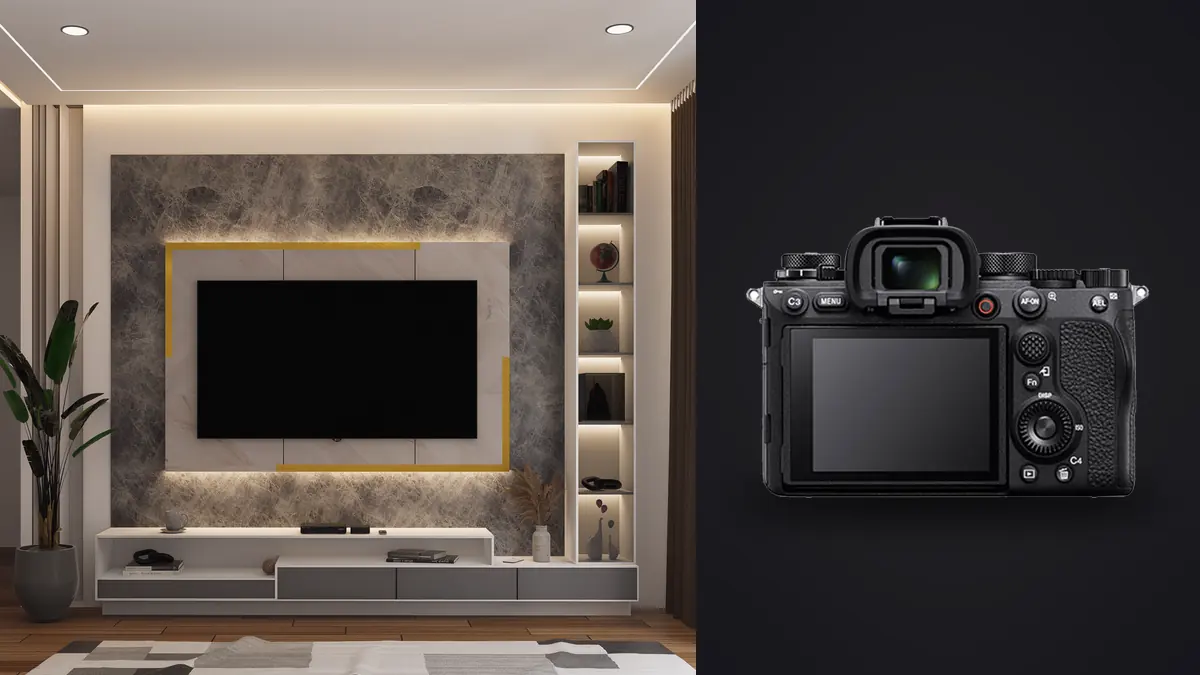
Most gear reviews of the Sony A1 talk about it as a sports and wildlife body: 30fps, blackout-free viewfinder, tracking that locks onto a bird's eye at fifty meters. None of that is why an architecture or interior photographer would buy one. What actually matters on a listing shoot or a commercial interiors job is resolution for large prints, dynamic range for rooms with bright windows and dark corners, and a sensor readout fast enough that a silent electronic shutter doesn't leave banding across a ceiling full of LED can lights. The A1 happens to be very good at all three, almost as a side effect of specs built for a different kind of shooter.
Resolution and Dynamic Range: Why They Matter More Indoors Than Out
The A1's 50.1-megapixel stacked Exmor RS sensor gives you roughly 8688 x 5792 pixels of resolution, which is more than most architecture clients will ever need for web use but genuinely useful for print. Real estate brochures, developer marketing boards, and lobby-sized prints for a completed commercial build all benefit from files that can be cropped hard without falling apart. I've had agents ask for a straightened, cropped version of a wide shot blown up to a 4-foot board for a sales office, and a 24-megapixel file starts showing its limits at that size in a way a 50-megapixel one doesn't.
Dynamic range is the bigger deal day to day. Interiors almost always mean a bright window next to a comparatively dim room, and the A1's sensor holds detail in both ends better than older 24MP Sony bodies I've used, though it's not dramatically different from the A7R IV in raw stops of latitude. What helps more in practice is how clean the shadows stay when you pull them up in post, which matters because architectural work leans on shadow recovery constantly, whether you're opening up a hallway that fell into the dark side of a bracket or evening out a stairwell lit from one direction.
The camera shoots 14-bit RAW in your choice of lossless compressed, compressed, or uncompressed. For interiors I default to lossless compressed. Uncompressed files run close to 120MB each and the visible difference on a tripod-locked, base-ISO interior shot is not worth the card space or transfer time on a multi-room job.
Lens Choices for Getting the Whole Room in Frame
Sony doesn't make a native tilt-shift lens, which is the one real gap for architectural work on this system. You have three practical routes: wide rectilinear zooms and primes that you correct in post, adapted tilt-shift glass from Canon or Nikon via a manual adapter, or a manual-focus native shift lens like the Laowa 15mm f/4.5 Zero-D Shift. Each has tradeoffs worth knowing before you buy.
| Lens | Focal Length | Distortion Out of Camera | Shift Capability | Best For |
|---|---|---|---|---|
| Sony FE 12-24mm f/2.8 GM | 12-24mm | Noticeable barrel at 12mm, corrects cleanly in software | None | Small bathrooms, tight hallways, cramped kitchens |
| Sony FE 16-35mm f/2.8 GM II | 16-35mm | Mild, very manageable | None | General interiors, living areas, most listing work |
| Sony FE 20mm f/1.8 G | 20mm (prime) | Low for a wide prime | None | Low-light rooms, handheld walkthroughs, lighter kit |
| Laowa 15mm f/4.5 Zero-D Shift | 15mm (prime) | Near zero distortion by design | ±11mm shift, manual | Straight verticals without cropping, exteriors with tall facades |
For most interior jobs I reach for the 16-35mm GM II. It's sharp into the corners even wide open, focuses fast enough for the rare handheld shot, and the distortion at 16mm is mild enough that a single click of lens correction in post handles it. The 12-24mm comes out for bathrooms and small bedrooms where you genuinely can't back up any further, but you pay for that reach with distortion that needs more careful correction, especially near the frame edges where door frames and cabinet lines go visibly curved.
The Laowa is the one to reach for on jobs where a client specifically wants dead-straight verticals in camera rather than corrected in post, usually commercial or architectural portfolio work rather than residential listings. It's manual focus and manual aperture, which is fine on a tripod but slows you down badly if you're trying to move through a house on a tight schedule. For volume residential work, correcting perspective from a standard wide zoom in post is simply faster, and the A1's resolution gives you enough margin that a mild perspective crop doesn't hurt the final file.
Handling Mixed Light Without Fighting the Camera
Interiors rarely have one light source. You've got daylight through windows, tungsten or LED ceiling fixtures, maybe a lamp with a warmer bulb than the rest of the room, and the white balance the camera picks automatically is a starting guess at best. I shoot RAW specifically so white balance is a post decision, not a capture-time gamble, but the A1's auto white balance under mixed interior light is close enough that I rarely need more than a small tweak.
For high-contrast rooms, bracketing is still the reliable method, not a single-frame dynamic range recovery. A typical bracket for a room with a bright exterior view is three frames at 2EV spacing: one exposed for the window, one for the mid-tones, one for the shadows under furniture or in a recessed ceiling. For a small interior room without a bright window competing for exposure, I'll often skip bracketing entirely and pull the single RAW file, since the A1's shadow recovery is clean enough at base ISO that a three-shot HDR blend adds work without adding much.
The electronic shutter is where the A1's stacked sensor actually earns its keep on interior work. Rolling shutter distortion and banding under flickering LED fixtures are real problems on cameras with slower sensor readout, and I've seen it on older mirrorless bodies shooting fully silent under cheap LED can lights. The A1's readout speed keeps that mostly under control, and the anti-flicker shooting mode catches the cases where it doesn't. That matters for occupied buildings and staged homes where you want a silent shutter so you're not disturbing anyone walking through, or on a commercial shoot where the building's HVAC and elevator noise means you're relying on the viewfinder rather than sound to know the camera fired.
Pixel Shift for Files That Hold Up at Poster Size
The A1 supports Pixel Shift Multi Shooting, which takes a sequence of frames (four or sixteen, depending on the mode) with the sensor shifted by sub-pixel increments between each and composites them in Sony's Imaging Edge desktop software into a single image up to roughly 199 megapixels. It only works from a locked-off tripod on a completely static subject, which describes most architectural interiors perfectly. No people walking through frame, no curtains moving in a draft, no fan blades spinning. I use it selectively, not as a default. A 199-megapixel composite is genuinely useful when a client wants a large-format print for a lobby or sales center, or when a commercial architecture client needs a hero shot that survives being blown up on a trade show banner. For a standard listing that ends up on an MLS page at 2000 pixels wide, it's overkill and the extra processing time in Imaging Edge isn't worth it. Worth knowing too: it's a desktop-only composite step, done after the shoot, and any frame with even slight motion in it (a tree branch outside a window, HVAC-driven curtain movement) will show stitching artifacts, so I reserve it for rooms I can control completely.
Card Slots, File Sizes, and What a Real Shoot Day Looks Like
The A1 has two card slots, both accepting CFexpress Type A or UHS-II SD cards, and it's worth running mirrored backup rather than overflow on paid architecture work. Losing a card on a residential shoot means losing a listing deadline; losing one on a commercial job with limited building access means a very awkward call to the client asking to reschedule. Mirrored recording costs you nothing in the field beyond needing two decent cards instead of one. On a typical interior job, a well-lit living room might get six to ten frames (a base exposure, a bracket set, maybe a couple of angle variations), and a full house shoot easily runs past 400 frames once you count every room, detail shots, and the exterior. At lossless compressed RAW that's realistically 250 to 400GB of data before you've touched a single file back at the desk, which is where culling stops being optional and starts being the actual bottleneck in the day.
This is where I lean on imagic rather than scrubbing through 400 thumbnails by eye. Its local sharpness scoring catches the frames where a slight tripod nudge or a shutter-induced vibration softened focus, which matters more on architecture than most genres because a slightly soft doorway or cabinet edge is obvious at full resolution in a way it wouldn't be in a portrait. The duplicate and burst clustering is useful specifically because bracket sets look like near-duplicates to a human scrolling fast, three or five frames of the same room a stop apart, and grouping them automatically means I'm reviewing bracket sets rather than individual frames one at a time.
From Card to Delivery: A Faster Grading Pass
Interior and architectural color work has its own look: neutral whites on walls and trim, warm wood tones that don't shift orange, window light that reads bright without blowing out completely. Getting that consistent across a full house shoot, room after room under different light sources, is where a lot of the actual editing time goes, more than the initial exposure blending. If you haven't nailed down a repeatable grading approach for interiors, our guide to photo color grading is a reasonable starting point before you build a preset around it.
Once I had a consistent interior grading style locked in from a handful of past shoots, I trained imagic's apply_my_style feature on those edits so it applies a first pass matched to how I actually grade interiors, rather than a generic preset built for landscapes or portraits. It's a starting point, not a finish line. Window light and ceiling fixture color temperature still vary enough room to room that everything gets a manual check, but starting from a pass that already understands my white balance habits and contrast preferences cuts real time off a full-house edit.
The offline processing matters for a different reason on this kind of work: client confidentiality. Pre-market listings, unreleased commercial interiors, and homes where the owner explicitly doesn't want images floating through a cloud service before the listing goes live are common enough in this niche that keeping the whole culling and preview pass local, no upload step, is a real requirement rather than a nice-to-have. If you're new to the general idea of AI-assisted culling and want the mechanics rather than the pitch, how AI photo culling works covers the underlying approach in more depth.
Frequently Asked Questions
Is 50 megapixels actually necessary for real estate listing photos?
For a standard MLS listing viewed at 1200 to 2000 pixels wide, no, 24 megapixels would do the job fine. The resolution pays off in two specific cases: large-format prints for developer marketing or sales offices, and the flexibility to crop hard on a wide interior shot without visible softness. If your work is purely web-sized listings, the A1's resolution is a nice-to-have rather than a requirement.
Do I need a tilt-shift lens for architecture work on the A1?
Not strictly. Sony has no native tilt-shift lens, so most photographers correct converging verticals in post from a standard wide zoom, which the A1's resolution handles well since you have margin to spare after a perspective crop. A manual shift lens like the Laowa 15mm f/4.5 gets you straight verticals in camera, which some commercial and architectural portfolio clients specifically want, but it's slower to work with than correcting a standard wide-angle file afterward.
How many bracket frames should I shoot for a bright interior with a window?
Three frames at 2EV spacing covers most rooms: one for the window view, one mid exposure, one for shadow detail under furniture. Rooms with an especially bright exterior (direct sun through a large window) sometimes need a fourth frame closer to the highlight end. Small rooms without a strong window contrast usually don't need bracketing at all given how much shadow detail the RAW file already holds.
Does the electronic shutter cause banding under LED lighting on the A1?
Less than on most mirrorless bodies, thanks to the stacked sensor's fast readout, but it isn't immune. Cheap or dimmable LED fixtures can still produce banding in electronic shutter mode. The camera's anti-flicker shooting setting catches most of it, and for anything still visible, switching to the mechanical shutter for that specific frame solves it at the cost of a small amount of noise from the shutter itself.
Where This Leaves the Buying Decision
The A1 is not a cheap way into architectural photography, and if your work is exclusively residential listings shot on a tight per-property budget, a 26 to 33-megapixel body will save you money without costing you much in practice. Where the A1 earns its price is in the combination: enough resolution for large print work, dynamic range that holds up in mixed interior light, a sensor readout fast enough that silent shooting doesn't fight you under LED fixtures, and pixel shift in reserve for the handful of jobs each year that actually need a poster-sized file. If commercial and hospitality interiors are a real part of your business rather than an occasional job, that combination adds up. For anyone weighing it against the cost of software that speeds up the other half of the job, the imagic pricing page lays out what a one-time purchase looks like next to the ongoing cost of a subscription cull-and-edit stack.