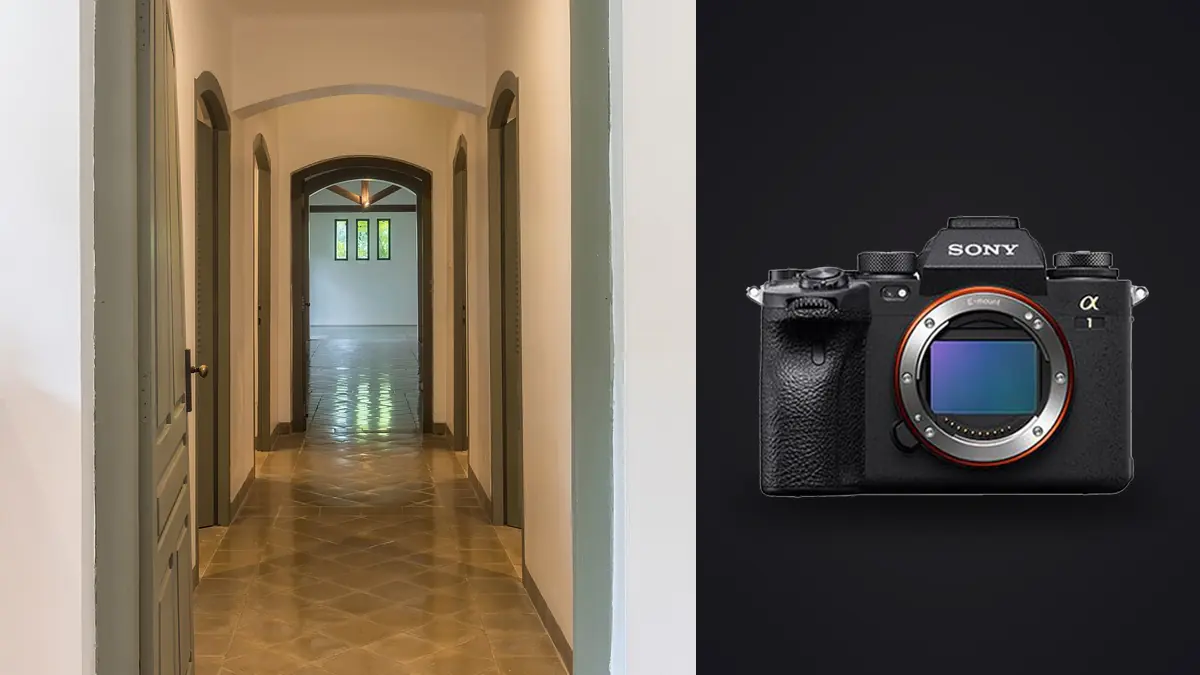
Nobody buys a Sony A1 for interior work. It gets bought for birds in flight, for wedding photographers who need 30fps and zero blackout, for anyone chasing action. And yet it keeps turning up on architecture and interior shoots, usually because a photographer already owned one for other jobs and figured out, almost by accident, that the parts of the spec sheet nobody talks about (the sensor, the bracketing options, the buffer) matter more indoors than the frame rate ever will. This isn't a camera built for this genre. It just happens to be very good at it anyway.
Why the sensor matters more than the frame rate
Interior and architecture work is almost entirely tripod-based, single-frame, deliberate. The 30fps stacked sensor that makes the A1 famous is functionally irrelevant here; you'll shoot maybe 200 to 400 exposures on a full residential job and never once fire more than three frames in a row. What actually earns its keep is the 50.1 megapixel count and the sensor's readout characteristics under mixed, high-contrast light, which is the condition every interior photographer lives in. A room with a window wall behind a dim hallway is a dynamic range problem before it's anything else, and that's where the A1 either saves you or doesn't.
In practice I get somewhere around 14 to 15 stops of usable dynamic range out of a well-exposed raw file, enough to pull back a blown skylight or lift a shadowed stairwell corner without the file falling apart into noise or banding. That's genuinely useful, but it's not a substitute for exposure bracketing, and anyone telling you a single raw file handles a glass-walled great room in one shot is either lying or shooting somewhere with terrible outdoor light to begin with.
Taming window light: bracketing that actually matches the room
Every interior photographer develops their own bracketing habits, and mine changed a lot once I started paying attention to what each space actually needed instead of running the same five-shot sequence everywhere out of habit. A powder room with one small window doesn't need the same treatment as a hotel atrium with a glass roof. Below is roughly what I've settled into after a few years of shooting interiors for myself, adjusted per space rather than applied blanket-style across a whole property.
| Space type | Main contrast problem | Bracket count | EV spacing | Note |
|---|---|---|---|---|
| Small bath / powder room | Single window plus vanity lighting | 3 frames | 2.0 EV | Tight tonal range, three is nearly always enough |
| Great room, wall of glass | Bright exterior against dim interior corners | 5 frames | 1.5 EV | Watch highlight clipping right at the window mullions |
| Kitchen, mixed lighting | Under-cabinet, pendants, and daylight together | 5 frames | 1.3 EV | Pendant filaments clip fast, meter for them separately |
| Hotel lobby / atrium | Skylight to shadowed lounge seating | 7 frames | 1.0 EV | Widest range I shoot regularly, still sometimes not enough |
| Twilight exterior with interior glow | Interior lighting vs. dusk sky vs. pool or landscape lighting | 4-5 frames per angle | 1.0-1.5 EV | Timing the blue hour window matters more than bracket count |
Multiply that across a fifteen-room house with two or three angles per room and you're easily past 300 raw files before lunch. That volume is where the A1's dual card slots earn their place: I run CFexpress Type A in slot one for speed and SD in slot two as a backup copy, written simultaneously, so a card failure mid-shoot doesn't mean reshooting someone's home. It's boring insurance, but boring insurance is exactly what you want on a shoot you can't easily repeat once the stylist has packed up the flowers and the owners have moved back in.
The lens situation is more complicated than the marketing suggests
Sony's native GM lineup covers the wide end reasonably well. The 16-35mm f/2.8 GM II is sharp into the corners and light enough to hand-hold for walkthrough shots between formal setups, and the 12-24mm f/2.8 GM is genuinely useful for tight stairwells and small bathrooms where you can't back up any further. The 20mm f/1.8 G is the one I reach for on twilight exteriors because it's small, fast, and doesn't need much correction.
What Sony doesn't make is a native tilt-shift lens, and that gap matters more for architecture than for almost any other genre, because keeping verticals straight is half the job. Most A1 shooters I know handle it one of two ways: correct converging verticals in post from a slightly wider frame with room to crop, or adapt a Canon TS-E through a mechanical adapter and accept manual everything. The second option gives you real in-camera perspective control and usually a cleaner final file, but it's slow, and slow doesn't always fit a schedule where you're contracted for a fixed number of rooms in a fixed number of hours. I use adapted tilt-shift for hero exterior shots where the file needs to hold up at large print size, and I lean on post correction for the bulk of interior walkthrough images where speed matters more than absolute perfection.
Pixel shift, when it's actually worth the setup time
The A1's multi-shot pixel shift mode stacks sixteen frames into a single composite file with resolution well beyond the native 50 megapixels and noticeably cleaner color data, since each pixel location gets sampled multiple times instead of interpolated. It requires the camera on a solid tripod, a completely static scene, and Sony's desktop software to merge the files, which rules out anything with people, moving light fixtures, or curtains stirring near an open window. For most interior work that's too restrictive to bother with. But for a real estate developer's key hero shot, the kind that ends up on a building's marketing site at billboard size, or a magazine spread that needs a two-page bleed, it's the difference between a file that's technically fine and one that holds up under real scrutiny at that size. I probably use it on one or two frames per job, never more.
Focus stacking for styled foreground elements
Interior photography leans heavily on foreground styling now, a coffee table with a book and a plant positioned close to the lens with the rest of the room receding behind it. Shot at f/8 or narrower for depth of field, that composition works fine with a single exposure. Shot wider for a softer, more editorial look, the near object and the far room can't both land in focus in one frame, and that's where the A1's built-in focus bracketing comes in. I'll typically shoot three to five frames stepping the focus point from the foreground object back through the room, then blend the sharpest regions of each in post. It's a small addition to the shot list per composition, but it lets me keep a shallower, more magazine-style aperture on shots that would otherwise force a compromise between styling and sharpness.
The part nobody warns you about: file volume
A five-bracket sequence across fifteen rooms with a couple of angles each, plus a handful of focus stacks and one or two pixel-shift composites, adds up to somewhere between 350 and 500 raw files for a single residential shoot. Commercial or hospitality jobs run higher. None of that shows up in a camera review because reviewers test cameras on a single scene, not a full property with a delivery deadline attached.
This is genuinely the point where workflow tooling stops being optional. I run everything through imagic before it ever touches a Lightroom catalog, mostly because its burst and duplicate clustering groups each bracket sequence together automatically instead of leaving me to scroll through 400 nearly-identical thumbnails trying to remember which five belong to the primary bedroom versus the guest room next door. It also scores sharpness locally across a set, which matters for the focus-stacked sequences specifically, since I need to know which frame is genuinely the sharpest at the foreground object before I start blending layers, not just which one looks fine at thumbnail size. And because it processes everything on the machine rather than uploading to a cloud service, it's a reasonable fit for pre-listing property work where a client doesn't want interior photos of an unlisted home sitting on someone else's server before the listing goes live.
The other habit worth building for anyone shooting a lot of interiors is a consistent grade across a property. Twenty different rooms shot at different times of day with different bracket combinations can drift in color and tone room to room if you grade each one from scratch. I've started using imagic's apply_my_style preset, trained on a batch of my own previously finished edits, as a starting point across a whole shoot so the white oak floors read the same warmth in the kitchen as they do in the hallway three doors down, then adjusting individual frames from there rather than building every look from zero. It doesn't replace judgment on a per-room basis, but it removes a lot of the repetitive grading that used to eat an evening after every job.
Settings I actually use in the field
- Electronic shutter for anything indoors and static, since there's no mechanical vibration to worry about and it keeps things quiet in occupied spaces like hotels or offices during business hours
- Base ISO 100, aperture around f/8 to f/11 for most full-room shots, f/2.8 to f/4 for styled foreground work with focus bracketing
- Manual white balance set from a gray card in mixed lighting rather than auto, because auto WB drifts noticeably between a daylight-heavy bracket set and a tungsten-heavy one shot minutes later in the same room
- APS-C crop mode occasionally, when an adapted tilt-shift lens's image circle doesn't fully cover the full-frame sensor at extreme shift, trading resolution for a clean frame with no mechanical vignetting
- Two-second self-timer instead of a remote, simply because it's one less thing to forget in a bag on a multi-stop day
Frequently Asked Questions
Is the Sony A1 overkill for interior and architectural photography?
In terms of frame rate and autofocus tracking, yes, almost entirely. Those systems were built for sports and wildlife and go largely unused on a tripod in a living room. But the sensor's dynamic range, the pixel shift mode for hero shots, and the dual-slot reliability are all genuinely useful for this kind of work, so it's less overkill than it looks on paper. A photographer buying a camera specifically and only for interiors would likely find better value elsewhere; a photographer who already shoots the A1 for other genres has good reason to keep using it here too.
Do I need a tilt-shift lens for architectural work with the A1?
Not strictly. Correcting converging verticals in post from a wider frame works for the large majority of interior and even exterior shots, especially if you leave margin around the frame for the correction to pull from. A tilt-shift lens (adapted, since Sony has no native option) becomes worth the extra setup time mainly for large-format hero images and building exteriors shot straight-on, where the cleaner in-camera correction holds up better under heavy enlargement than a post-processed crop.
How many bracketed exposures should I shoot per room?
It depends entirely on the contrast range in that specific space, not a fixed rule for the whole property. A small bathroom with modest window light might only need three frames at two stops apart. A great room with a full glass wall against a dim interior often needs five to seven frames closer together, around one stop apart, to hold detail at both extremes without banding in the midtones during the blend.
What's the biggest workflow challenge specific to shooting interiors this way?
File volume, more than any single technical setting. A modest residential shoot easily produces 300 to 500 raw files once you count every bracket sequence, focus stack, and safety frame, and sorting that manually eats hours that should go into editing instead. Grouping bracket sets automatically and identifying the sharpest frame in a focus stack before editing starts is the difference between a two-hour culling session and a twenty-minute one.