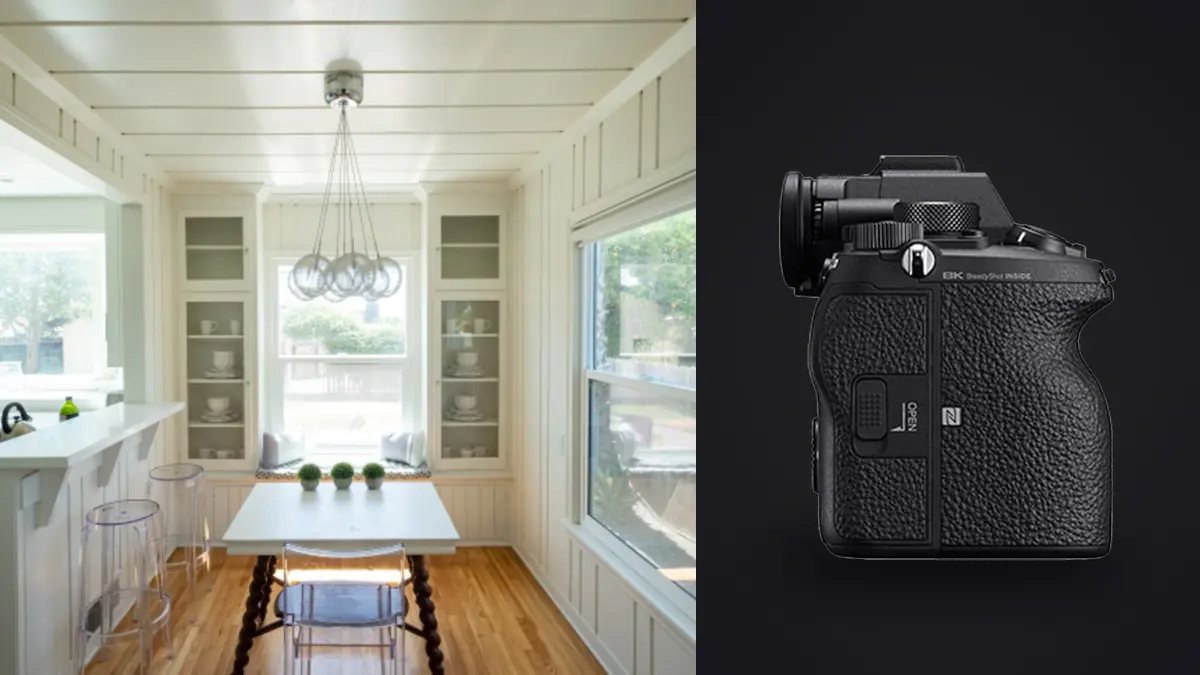
The Sony A1 was built for people chasing birds in flight and sideline sports at 30 frames per second. Nobody at Sony's product briefing was thinking about a photographer standing still in an empty dining room for twenty minutes, waiting for a cloud to move so the light through the window stops flickering. And yet the A1 keeps turning up in architecture and interior photographers' bags, usually because they already own one for other work and started asking whether it's actually good at this, or just expensive.
The honest answer is both. Some of what makes the A1 remarkable for wildlife and sport is completely wasted on a tripod-locked interior shoot. Other parts of the spec sheet, the ones nobody talks about on launch day, turn out to matter a lot once you're fighting window blowouts and moire on a herringbone floor.
What you're actually paying for in this genre
Strip away the autofocus tracking and the 30fps buffer, since neither does anything for a static interior, and three things are left that genuinely change how a shoot goes: dynamic range, the stacked sensor's readout speed, and Pixel Shift Multi Shooting. All three solve real problems architecture photographers run into every week.
Dynamic range and the window problem
Every interior shot with a window in frame fights the same battle: the room interior needs three or four stops more exposure than the sky outside, or the window blows to white and the exterior view disappears. The A1's sensor gives you roughly 14 to 15 stops of usable range at base ISO, which in practice means a well-exposed interior shot at ISO 100 often keeps recoverable detail in a bright window instead of a flat white rectangle. That doesn't eliminate bracketing, real estate and architecture work still leans on exposure blending for anything with a strong window-to-interior contrast ratio, but it can shrink a bracket set from six or seven frames down to three: one for the interior, one for the window, one safety frame in between. Fewer frames per composition adds up fast across a 30-room commercial job.
Moire on repeating patterns
Architecture is full of exactly the kind of repeating detail that causes moire: radiator grilles, pleated blinds, brick coursing, tile grout lines, herringbone parquet. The A1's stacked CMOS sensor and its processing pipeline handle this noticeably better than older 24 and 42 megapixel Sony bodies did. It's not immune (nothing without an optical low-pass filter fully is), but on a recent hotel lobby shoot with a chevron-patterned rug and a slatted timber ceiling, I got through the whole space without a single frame needing moire correction in post, which had never happened with the A7R III I used to carry as a backup.
Pixel Shift Multi Shooting: worth the workflow tax?
Sony's Pixel Shift Multi Shooting mode fires 16 frames, shifting the sensor by half and full pixel increments between each, then merges them in Imaging Edge Desktop into a composite with roughly 199 megapixels of resolved detail and dramatically lower noise and color moire than a single exposure. On paper this sounds tailor-made for architecture: static subject, tripod already mandatory, huge final files for large-format prints in a lobby or a developer's boardroom.
In practice I use it on maybe one in every twenty compositions. The mode has real requirements that a lot of interior scenes fail before you even start: nothing in the frame can move across the full shooting window, which usually runs eight to twelve seconds depending on shutter speed. Curtains stir from HVAC airflow, a ceiling fan is running somewhere in the building and you can feel the vibration through the floor, someone walks past a doorway in the background. Any of that shows up as ghosting or tearing in the composite and the file is unusable. It also demands a genuinely solid tripod and a desk to run the merge on afterward, since the RAW output from a 16-shot capture is large enough that a laptop with a slow drive will sit there for a while. So it earns its place on the hero shots, the lobby, the signature staircase, the image that's going on a 6-foot print, and gets skipped on the other 90 percent of a listing or a marketing set where a normal single-frame RAW at 50 megapixels is already more resolution than anyone will ever crop into.
Lenses: why manual tilt-shift still wins this argument
Sony doesn't make a native tilt-shift lens for E-mount. That's a genuine gap for architecture work, where keeping verticals parallel without post-crop cropping the frame down is the whole point of the lens category. The workaround most working architecture shooters land on is adapting Canon's TS-E 17mm f/4L or TS-E 24mm f/3.5L II through a Metabones or Sigma MC-11 style adapter, or buying into Laowa's native E-mount shift lenses (the 15mm f/4.5 Zero-D Shift is the one that shows up on interior shooters' lists most often). None of this needs autofocus, which is the one place the A1's headline feature is simply irrelevant to the job. What does matter is focus peaking and the magnified manual focus assist, both of which the A1 does well, and in-body stabilization for the handheld walkthrough shots you grab between formal tripod setups (client hallways, stairwells, anywhere a tripod is more obstacle than tool). The 5.5-stop IBIS rating holds up in practice for handheld interior work down to around a quarter second before motion blur starts creeping in.
How it actually compares to the other bodies people ask about
I get asked constantly whether the A1 is the right buy for someone building an interior-only practice, versus the two bodies that come up in the same conversation. Here's how they actually stack up for this specific kind of work, not for sports or wildlife.
| Body | Native resolution | Pixel-shift composite | Street price at review time | Native tilt-shift option | Where it wins for interiors |
|---|---|---|---|---|---|
| Sony A1 | 50.1 MP | ~199 MP (16-shot) | ~$6,500 body only | None (adapt Canon TS-E or use Laowa) | Dynamic range, moire control, doubles as your event/video body |
| Sony A7R V | 61.0 MP | ~240 MP (16-shot) | ~$3,900 body only | None (same adapter workaround) | More base resolution for less money, if you never need the burst or 8K |
| Fujifilm GFX100S II | 102 MP (medium format) | ~400 MP (multi-shot, tripod only) | ~$5,000 body only | None native (Cambo/Arca technical camera route exists) | Genuine medium-format tonal rendering, best for print-heavy architecture portfolios |
If I were starting an interior-only practice from zero, with no existing gear tying me to a mount, the A7R V is the more rational buy. It out-resolves the A1, costs nearly half as much, and gives up almost nothing that matters on a tripod (you don't need 30fps or subject tracking to photograph a kitchen). The A1 earns its keep when it's already in your bag for something else, sports, events, video content for a developer's marketing reel, and you don't want to run two full camera systems.
What a real shoot day looks like
A commercial interior job for a hospitality client or a developer usually means 20 to 40 distinct compositions across a property, each one bracketed 3 to 5 exposures, plus a handful of detail shots and maybe a couple of Pixel Shift hero frames for the lobby and the signature space. That's easily 150 to 250 raw files by the end of a day, most of them looking nearly identical to each other at a glance because the tripod barely moved between the ambient exposure and the flash-balanced exposure of the same composition. Two things from the A1 make that day smoother. The silent electronic shutter matters more than people expect: shooting in an occupied office, a staged model home during an open house, or a retail space that's still trading, a mechanical shutter slap every few seconds is genuinely disruptive, and clients notice. Running fully silent lets you work around people without stopping the shoot to ask them to step out of earshot. And the dual card slots (CFexpress Type A and SD) matter for a different reason: architecture and interior shoots are expensive to reschedule. Staging companies, cleaning crews, and building access all have to line up again if a card fails, so shooting to both slots simultaneously isn't optional caution, it's the difference between a bad afternoon and a bad month.
Where the culling actually gets painful
The part nobody warns you about before you start shooting interiors seriously is what happens after the shoot. A 200-frame day isn't 200 different photos, it's 40 compositions each captured 3 to 5 times, and to the naked eye scrolling through a Lightroom grid, half of them look like duplicates of each other. Picking the sharpest, best-exposed frame from each bracket set by eye, at 1am, after a full shoot day, is where mistakes creep in. This is the part of the workflow imagic was actually built for. Its sharpness and focus scoring runs locally against every frame in a bracket set and flags the one where the tripod caught a slight bump, or a curtain moved half a centimeter between the ambient and flash exposures, differences that are nearly invisible at thumbnail size but obvious once you're the one who has to deliver a final gallery to a design firm's art director. The duplicate and burst clustering groups each bracket set together automatically instead of leaving you to eyeball which five thumbnails belong to the same tripod position, which matters a lot more on a 40-composition day than it does on a wedding. There's also a confidentiality angle that's specific to this genre. Unreleased developments, pre-launch retail interiors, and staged homes ahead of a listing date usually come with an NDA before you've even unpacked the tripod. Since imagic processes everything locally with no cloud upload, culling and grading a shoot for a client under wraps doesn't mean uploading their unreleased interiors to somebody else's server to get through the edit. For architecture and design clients that's not a nice-to-have, it's often a contractual requirement. If you want the mechanics behind how that local sharpness scoring actually works, how AI photo culling works covers the approach in more detail. Consistency across the final delivered set matters too, since a developer or hotel brand expects every room in a 40-image gallery to read as the same neutral, true-to-material color treatment rather than looking like forty separately graded photos. Training imagic's apply_my_style preset on your own previously graded architecture work lets it apply your established look to a new batch automatically, which speeds up exactly the kind of large, repetitive delivery this genre produces. If you're trying to tighten up the rest of the post-shoot process too, our tips for a faster photo workflow cover more of the same ground for high-volume shoot days.
Frequently Asked Questions
Does the Sony A1's autofocus system matter at all for architecture and interior work?
Barely. Interiors are shot on a tripod at narrow apertures with the whole scene in focus, so the A1's tracking and eye-detection systems, the features that justify most of its price tag for sports and wildlife shooters, sit unused. The one place AF still helps is handheld detail shots between tripod setups, and even there it's a convenience rather than something the job depends on.
Is Pixel Shift Multi Shooting necessary for real estate listing photos?
No, and using it as your default mode will slow a shoot day to a crawl. Standard single-frame RAW at 50 megapixels is already far more resolution than a listing photo, a website gallery, or even a print brochure needs. Save Pixel Shift for the handful of hero images per project that are actually headed to a large-format print, and only in scenes with zero motion for the full multi-second capture window.
What lens should I pair with the A1 if I can't afford a tilt-shift lens yet?
A good ultra-wide rectilinear zoom like the Sony 16-35mm GM II gets you most of the way there for everyday interior work; correct converging verticals afterward using perspective controls in your raw editor rather than in-camera shift. It's not a full substitute for a dedicated shift lens on architecture-heavy print work, but it covers real estate and most commercial interior jobs perfectly well.
How many bracketed exposures should I capture per interior composition?
On the A1, three exposures covers most rooms given its dynamic range: one for the interior, one that protects window highlights, and a middle frame as insurance. Reserve five-plus frame brackets for scenes with mixed light sources, daylight through a window plus tungsten lamps plus a flash pop, where a single blend needs more raw material to look natural.