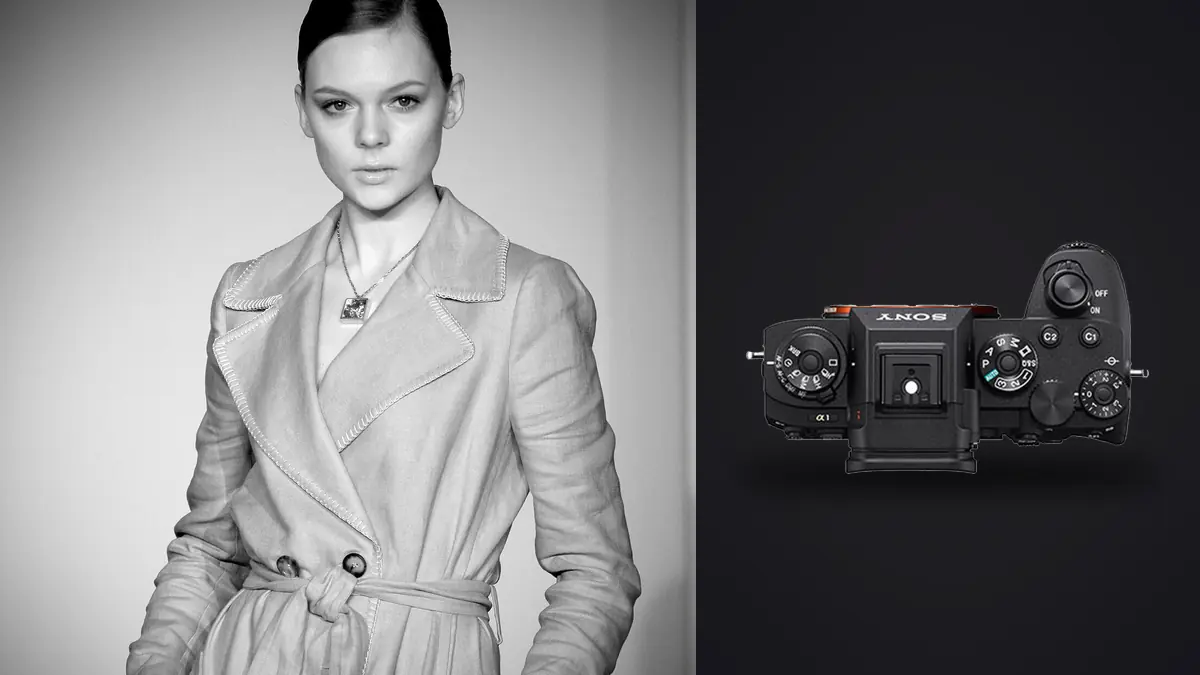
A lookbook day doesn't look like an editorial day, even when it's the same model, the same studio, and sometimes the same rack of clothes. Editorial gives you room to chase two or three hero frames per setup. Lookbook work is a production line: forty looks, three angles each, maybe a detail shot on top, and a client rep standing behind the monitor who wants to see the grid update in real time. Both kinds of days work on a Sony A1, but it's the lookbook days where the camera actually earns its keep, not the campaign days where everyone assumes it matters most.
Why frame rate matters more here than on a campaign shoot
On a campaign, you're building toward one image. On a lookbook, every look is its own mini-shoot with its own tiny margin for error, and you don't get to redo look 27 because the client already moved on to look 28. The A1's 30fps electronic shutter with a fully blackout-free viewfinder changes how you work through a look. You can hold the shutter through a hem flip or a jacket toss and actually see the model's face the entire time, not a strobing approximation of it. That sounds like a small thing until you're on look 30 of 42 and you need the one frame where the fabric is mid-motion but the expression hasn't gone slack.
I don't shoot at 30fps for most of the day. Realistically it's 10-12fps mechanical for anything static (folded arms, standing straight-on, the boring-but-necessary "true to garment" frame a brand would actually license) and I only kick up to the full electronic burst for movement: walking toward camera, a spin, anything with hair or fabric in the air. The distinction matters because 30fps for eight hours straight would bury you in frames you don't need and cards you have to dump twice as often.
Rolling shutter is the tradeoff nobody mentions upfront
The A1's stacked sensor keeps rolling shutter distortion low for a body shooting this fast, but it isn't zero. Fast whip-pans of garments, a stylist yanking a jacket into frame, or a model spinning quickly for a "movement" shot can still show mild skew at full electronic speed. On a lookbook set this rarely matters because most frames are static-ish poses, but if a brand wants motion content for their product page alongside the stills, drop to the mechanical shutter or a slower electronic burst for anything with real rotational speed.
The 50-megapixel question: too much file for same-day turnaround?
Fifty megapixels is genuinely useful for lookbook work in one specific way: it lets you shoot wider and crop later without begging the client for a reshoot when their web team wants a tighter vertical crop for mobile than what you framed for desktop. A full-length look shot with room on both sides can become a square Instagram crop, a 4:5 product-page crop, and a full-bleed hero banner from a single capture. That flexibility is worth the file size on almost every commercial job I've done.
Where it bites you is storage and transfer, not image quality. A day of lookbook shooting with a mix of mechanical and electronic bursts easily produces 3,000 to 5,000 raw frames. At roughly 60-70MB per compressed raw on the A1, that's 200-300GB before you've touched a single edit. If the client wants same-day proofs (and on a paid lookbook day, they usually do), the bottleneck isn't the camera, it's how fast you can get from card to a culled, client-ready gallery. I stopped fighting this by running the day's cards through imagic before Capture One even opens: it clusters the near-duplicate frames from each burst and scores focus locally on the machine, so instead of scrubbing 4,000 thumbnails by eye I'm looking at maybe 400 real candidates within a few minutes of the card going in. Because it runs entirely offline, unreleased garments never touch anyone's cloud storage before the client has approved a single frame, which matters more to fashion clients than most other genres of commercial work.
How the A1 stacks up against the other bodies you see on set
Most lookbook studios I've worked in or rented gear from aren't exclusively Sony. Here's how the A1 compares against the two bodies I most often see other photographers bring to the same kind of job, based on specs and what actually shows up in a working day rather than a lab test.
| Body | Max burst (electronic) | Blackout-free EVF | Compressed RAW buffer | Resolution | Rough used price (2026) |
|---|---|---|---|---|---|
| Sony A1 | 30 fps | Yes, 9.44M-dot, 240fps refresh | ~230 frames | 50.1MP | $4,200-4,800 |
| Canon EOS R5 Mark II | 30 fps | Yes | ~190 frames | 45MP | $3,600-4,100 |
| Nikon Z8 | 20 fps (raw), 30 fps JPEG | Yes | ~150 frames raw | 45.7MP | $3,000-3,400 |
The A1's real advantage on a lookbook set isn't any single number in that table, it's the combination: the deepest buffer of the three at full raw burst speed, meaning you can hold the shutter through an entire look transition without the camera stuttering, and a slightly higher resolution ceiling for crop flexibility. The Z8 is genuinely close for a lot less money used, and if your studio is buying a second or third body rather than a primary, it's the smarter purchase. The A1 II, released in late 2024, has pushed original A1 bodies into a real used-market discount, which is honestly the best argument for buying one right now rather than two years ago.
Strobes, sync speed, and where the electronic shutter gets weird
Lookbook sets run on continuous or flash light more often than editorial does, because you need consistent, repeatable output across forty looks without chasing changing daylight. The A1's mechanical shutter syncs to 1/400s, which is fast enough for most strobe setups, but the moment you switch to the electronic shutter for a high-speed burst, you're relying on HSS or your strobes' own high-speed capability, and older or budget packs can introduce visible banding at the top or bottom of the frame. I learned this the annoying way on a shoot with rented Profoto B1X heads that were a firmware version behind; two looks came back with a faint gradient band across the top third before I caught it on the tether screen and switched back to mechanical for the rest of the setup. If your studio's strobes are current and properly paired, this is a non-issue. If you're renting gear for a one-off job, test a burst before the model steps on set, not after look 12.
Lenses that actually make sense for this kind of shoot
The 50mm f/1.2 GM is my default for full-length looks at a comfortable working distance in a mid-size studio, it's sharp wide open and doesn't compress the body in a way that distorts how the garment sits. For detail shots, stitching, buttons, fabric texture, the 90mm f/2.8 Macro G earns its space in the bag even on days when it barely comes out; when a client wants a close crop on embroidery or a zipper pull, nothing else in a typical kit gets you there cleanly. The 24-70mm f/2.8 GM II stays mounted for anything logistical: group shots of a full look lineup, behind-the-scenes for the client's social team, or when the studio space is tighter than expected and you need to zoom out fast rather than physically back up into a wall.
Tethering and the client-review loop
Fashion clients want to see the shot on a big screen before they let the model change. The A1 tethers over USB-C to Capture One reliably, and transfer is fast enough that a 50MP file lands on the review monitor within a couple of seconds of the shutter closing, which keeps the pace of the day up. Where I've had issues is cable quality, not the camera: a cheap or overly long USB-C cable will drop the tether connection mid-shoot on a body this data-hungry, so I keep a short, rated cable as backup and never trust a random one pulled from a studio's junk drawer.
After tethering, the actual bottleneck moves to selects. A stylist, a client rep, and sometimes a creative director all want input on which frame from each look makes the final gallery, and that conversation goes faster when you're not also manually flagging out-of-focus or blinked frames from a 150-shot burst. Running focus scoring locally before the review meeting starts means you can hand over a shortlist instead of a firehose, and the humans in the room spend their time on taste calls (does the jacket read better buttoned or open) rather than technical triage (is this one even sharp). That shift alone can save more real time on lookbook days than any single piece of glass; if you're curious how that kind of automated first pass actually works under the hood, I wrote a more general breakdown in how AI photo culling works.
Building a consistent look across dozens of frames
One thing the A1 doesn't solve, and no camera does, is consistency of color and exposure across a forty-look day with changing light, changing garment colors (white knits and black leather in the same session will fight your metering), and changing energy levels from the model as the day wears on. Handle exposure consistency on the day with a gray card and periodic meter checks, but for the edit itself lean on a preset trained on your own prior lookbook edits rather than rebuilding a look from scratch on every job. imagic's apply_my_style feature does this by learning from edits you've already made and applying that same tonal approach to a new batch, which gets a big lookbook set to a consistent starting point fast, before you go in and hand-correct the handful of frames that need it (usually the all-black or all-white looks, every time).
Is the A1 worth it if you're not shooting lookbooks every week?
Honestly, if lookbook and catalog work is only a slice of what you shoot, the case for the A1 specifically gets weaker. Its strengths (burst depth, blackout-free EVF, resolution for crop flexibility) are all things that matter most when you're running high volume against a clock, which describes a lookbook day almost perfectly and describes a lot of other commercial and editorial work much less. If your calendar is mostly single-subject portrait sessions or slower product-table work, a body like the A7R V gets you more resolution for less money and you'll never miss the frame rate. I'd point a studio toward the A1 specifically when lookbook, e-commerce, or high-volume catalog days make up a real chunk of the yearly schedule, not as a general-purpose upgrade.
Frequently Asked Questions
Do I really need 30fps for a lookbook shoot, or is that marketing?
You need it for maybe 15-20% of your frames on a given day, mostly movement and transition shots. For static, straight-on looks, 8-10fps is plenty and keeps your card and edit volume sane. The value of having 30fps available is that you can reach for it selectively without switching bodies or lenses.
Will 50-megapixel files slow down a same-day delivery deadline?
The files themselves aren't the problem, your culling and transfer pipeline is. A day that produces 4,000+ raw frames needs an automated first pass before a human touches selects, otherwise same-day delivery is a genuine risk regardless of what camera shot them.
Can the A1 run a full day of strobe work without buffer stalls or overheating?
Buffer stalls are rare if you're using fast CFexpress Type A cards and aren't holding 30fps bursts for more than a few seconds at a time, which you shouldn't be doing anyway on a posed lookbook shot. Overheating is a video-recording concern more than a stills one; thermal limits rarely come up on stills-only lookbook days, even long ones under continuous LED.
What's the single biggest workflow mistake on a lookbook day with this camera?
Not planning your card and backup strategy around the file volume. People plan lenses and lighting carefully and then show up with two 128GB cards for a shoot that's going to produce 300GB of raw data. Bring more storage than you think you need, and have a culling step ready before you walk in, not after you get home.