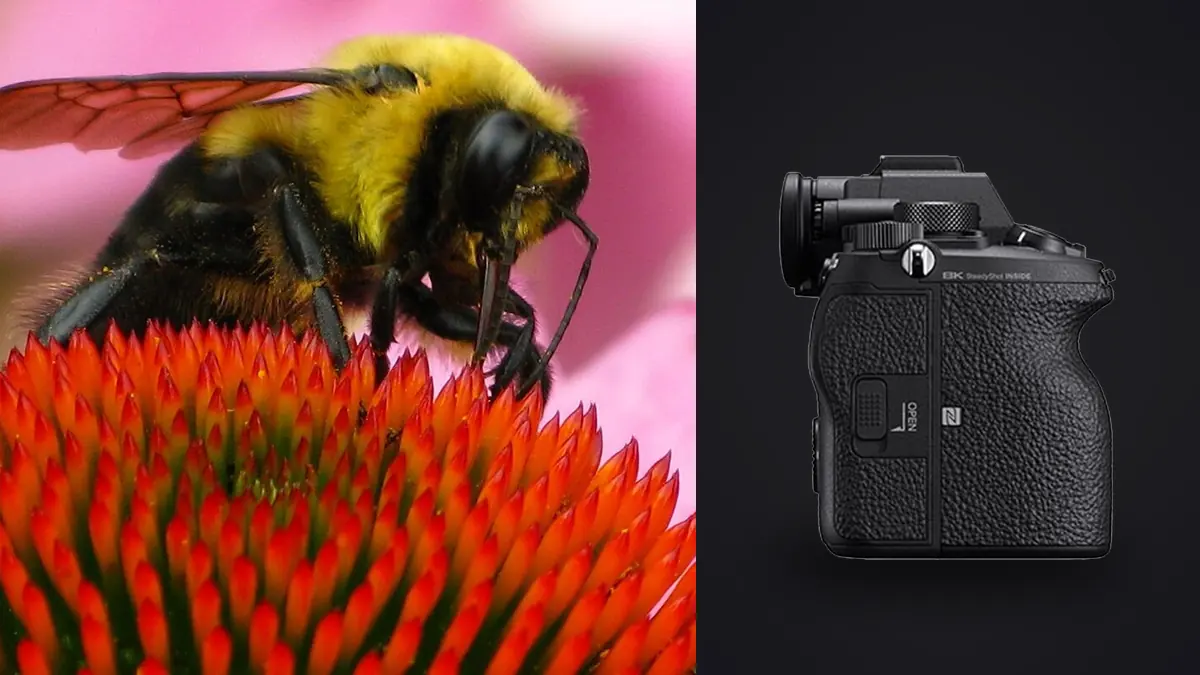
I picked up an A1 mainly for bird work, and it took a full season of chasing dragonflies and jumping spiders around a local wetland before I trusted it for macro. The reputation the camera has for autofocus and burst speed is built on sports and birds in flight, not on a hoverfly sitting three centimeters from the front element. Those are very different problems for a focusing system to solve, and the A1 handles them differently too. This is what actually happened when I put it to work on insects, not the marketing version.
The sensor is a double-edged sword for tiny subjects
50.1 megapixels on a full-frame sensor sounds like an obvious win for macro, and in one sense it is: you get real room to crop. A jumping spider that fills maybe 4% of the frame at 1:1 reproduction on a 90mm macro lens still leaves you with a usable 6-7 megapixel crop after you punch in. That has saved shoots where I couldn't get physically closer without triggering the spider's threat display.
The tradeoff is that 50 megapixels punishes sloppy technique harder than a 24 or 33 megapixel body would. At life-size magnification, depth of field is already measured in fractions of a millimeter, and any residual shake from handholding at those magnifications shows up clearly at 100% even with the A1's 5-axis stabilization doing its job. I rate the in-body stabilization on this camera at a genuine 4.5 stops in practice for general shooting, but at 1:1 macro magnification that number collapses closer to 1.5-2 stops usable, because stabilization compensates for angular shake and does very little for the axial (front-to-back) movement that ruins macro focus. A tripod, a focusing rail, or at minimum bracing against a beanbag matters more here than on almost any other genre I shoot with this body.
Autofocus on insects: better than expected, not magic
The A1's 759-point phase-detection array and real-time tracking are tuned around eye detection, and Sony's own materials talk mostly about humans, animals, and birds. Insects aren't an officially supported subject class, which matters in practice. Eye AF simply doesn't lock onto a fly's compound eye the way it locks onto a heron's. What you get instead is very good general subject tracking: once you place the focus point on a dragonfly's head or thorax and half-press, the A1 holds onto that contrast pattern remarkably well even as the insect turns or the background shifts.
Where it struggles is the initial acquisition on small, low-contrast subjects against cluttered foliage. A pale moth on pale bark, or a well-camouflaged mantis, will hunt for focus more than a bird against open sky ever does. My workaround has been to switch out of wide tracking and into a small flexible spot, place it manually on the eye, and let the camera's continuous AF hold from there rather than asking it to find the subject cold. For static or slow subjects (resting butterflies, beetles on a leaf), manual focus with focus peaking, or a focusing rail on a tripod, still outperforms autofocus for critical eye sharpness at high magnification. Autofocus earns its keep on the subjects that move: dragonflies patrolling a perch, bees working a flower head, jumping spiders that reposition every second or two.
Continuous shooting and the electronic shutter tradeoff
30fps blackout-free shooting is arguably more valuable for insects than for birds, because insect behavior is genuinely unpredictable at close range. A mantis strike, a bee taking off, a spider's pounce, these happen in single frames you can't anticipate and can't repeat on request. Shooting at 20-30fps through a sequence like that and picking the one frame with the wings in the right position and the eye sharp is a completely different workflow from picking a single decisive moment, and it produces a lot of near-duplicate frames to sort through afterward.
The catch with the electronic shutter at full 30fps is rolling shutter distortion on anything moving fast laterally through the frame, which shows up as skewed wings on a fast-flying insect. For flight shots I usually drop to the mechanical shutter or the 15fps electronic mode, both of which reduce the distortion at the cost of frame rate. For anything perched or crawling, full electronic 30fps with silent shooting is genuinely useful, and the silence matters more here than it does for birds: a mechanical shutter slap at close range spooks a lot of insects, especially anything with sensitive vibration detection like jumping spiders or certain beetles.
Macro lens options that actually pair well with the A1
The A1 doesn't have a dedicated macro sensor mode, so lens choice does almost all the work. Here's what I've used or tested on this body, with the numbers that matter for insect work specifically (working distance at maximum magnification is the one that decides whether you spook your subject or not).
| Lens | Max magnification | Working distance at 1:1 | Autofocus | Best for |
|---|---|---|---|---|
| Sony FE 90mm f/2.8 Macro G OSS | 1:1 | ~10.4 cm | Fast, native, reliable tracking | General insect work, dragonflies, butterflies |
| Sony FE 50mm f/2.8 Macro | 1:1 | ~5.5 cm | Fast, native | Static subjects, flowers with insects, tight spaces |
| Sigma 105mm F2.8 DG DN Macro Art | 1:1 | ~12.6 cm | Fast, native (E-mount) | Skittish subjects needing more standoff distance |
| Laowa 100mm F2.8 2X Ultra Macro APO | 2:1 | ~15 cm | Manual focus only | Extreme close-up on tiny subjects (mites, ants, small spiders) |
| Sony FE 200-600mm + extension tube | ~0.5:1 (with tube) | 60 cm+ | Fast, native | Skittish dragonflies, wasps, anything you can't approach closely |
The 90mm G OSS is the one I reach for most often. It autofocuses fast enough to keep up with the A1's tracking, and 10cm of working distance is enough to avoid casting a shadow over most insects without needing to get uncomfortably close. The 200-600mm with an extension tube is a strange combination on paper but it's become my go-to for anything genuinely nervous, wood wasps and certain dragonfly species that won't tolerate a lens within half a meter. You lose true 1:1 reproduction, but you gain the ability to shoot at all.
Aperture, diffraction, and the depth of field problem
At 1:1 magnification, depth of field at f/2.8 is measured in single-digit millimeters. Stop down to f/11 and you get a usable sliver across an insect's head, enough for both eyes and the front of the thorax if the insect is angled favorably. Push to f/16 and diffraction starts softening detail across the 50-megapixel sensor in a way that's visible at 100%, more visible than it would be on a 24-megapixel body, because you're resolving diffraction blur at a higher effective magnification on-screen.
My practical range on the A1 for handheld insect macro is f/8 to f/11, accepting a shallower plane of focus in exchange for keeping diffraction under control. For anything static enough to focus-stack, I'll shoot a series from f/5.6 and combine frames instead of trying to buy depth of field with a smaller aperture and losing resolution to diffraction on every single frame.
Using the built-in focus bracketing
The A1 has focus bracketing built into the shooting menu, up to 299 shots with adjustable step width. For pinned specimens, resting butterflies, or anything on a windless morning, I'll set a 15-25 frame bracket at a narrow step width and stack the result afterward in dedicated stacking software. It doesn't do the stacking in-camera, it just automates the capture sequence, which is still a meaningful time saver over racking focus manually between shots on a macro rail. The limitation is obvious: any subject movement between frames, including something as small as a leaf shifting in a light breeze, breaks the stack. This technique lives and dies on stillness, so it's a tripod-and-calm-morning tool, not a field-hunting one.
Flash and lighting in the field
Ambient light rarely cooperates at macro working distances because your own lens and hand block a lot of it. I run a twin-flash setup (Godox MF12 heads on the 90mm's filter thread) for most insect work, dialed down to 1/16 or 1/32 power for fast recycle times when I'm trying to keep pace with a moving subject. The A1's flash sync tops out at 1/400s with the mechanical shutter and its HSS mode extends that further, which has been useful for balancing flash against a bright midday background without blowing out the sky behind a perched dragonfly.
One thing worth knowing: flash sync and the silent electronic shutter don't play well together on this body for macro flash work, so if lighting is part of the plan, I generally accept the mechanical shutter's audible click and the slightly higher chance of spooking the subject on the first frame. After that first shot most insects settle into a pattern where the flash and shutter noise stop registering as a threat, in my experience.
Sorting what the camera gives you back
A single hour photographing an active dragonfly perch at 20-30fps produces thousands of frames, and the overwhelming majority are near-duplicates with the wings in a slightly different position or the eye a fraction out of focus. This is where the shoot actually gets time-consuming, not in the field but afterward at the desk. I run these sessions through imagic's local sharpness scoring before I open anything in a RAW editor, since it flags which frames in a burst actually landed critical focus on the eye rather than the wing tip or a leaf in the foreground, which is the difference that matters most in macro work and the hardest thing to judge quickly by eye across a few hundred thumbnails. If you haven't sorted a burst-heavy shoot this way before, this breakdown of how AI photo culling actually works covers the mechanics in more depth than I can here.
The duplicate and burst clustering is arguably more useful for insect macro than for almost anything else I shoot, because a 30fps burst of a bee working a flower can produce 90 frames in three seconds that all look nearly identical at thumbnail size. Grouping those into clusters and surfacing the sharpest one or two per group turns an afternoon of squinting at near-identical frames into a shortlist I can actually make decisions on. Because it runs locally on the laptop, this works fine at the trailhead or in a field station with no signal, which matters more than I expected the first time I tried to cull a card in the car with no connection.
For the color and contrast pass afterward, I've leaned on imagic's apply_my_style preset, trained on my own past edits, to get a consistent starting point across a batch of macro shots taken in wildly different light (dappled shade, overcast, direct flash), rather than re-deriving a look for every single image. It's not a substitute for judgment on tricky frames, but it removes the repetitive part of getting each RAW file to a reasonable baseline before I do the final selects. Between the culling and the preset pass, a day that used to eat an evening now takes maybe an hour, which lines up with what I've found tweaking the rest of the workflow using a few general speed-up habits that apply beyond just macro.
A practical settings reference
These are the combinations I actually dial in for different insect scenarios, not theoretical maximums:
| Scenario | Aperture | Shutter speed | Drive mode | AF area |
|---|---|---|---|---|
| Dragonfly in flight | f/6.3-f/8 | 1/2000-1/3200 | Mechanical, Hi+ (10fps) | Tracking: Spot (S) |
| Resting butterfly, handheld | f/9-f/11 | 1/500-1/800 | Electronic, single or Lo burst | Flexible spot, small |
| Bee on flower, active feeding | f/8 | 1/1600 | Electronic, Hi+ (20fps) | Tracking: Flexible spot |
| Static subject, tripod stack | f/5.6 (stacked) | 1/125 | Focus bracket, single shot per step | Manual focus, peaking on |
| Skittish/wary insect | f/8 | 1/1000 | Silent electronic, single | Flexible spot, small |
What I'd tell someone deciding whether the A1 is worth it for this
If insect macro is the only reason to buy an A1, it's a hard case to make. The 90mm G OSS on a cheaper body with a good stabilization system and a fast enough burst mode gets you 80% of the results for a fraction of the cost, and the A1's autofocus advantages are built around subject classes that don't fully extend to insects yet. Where the A1 earns its price for this genre specifically is when insect macro is one piece of a broader kit that also covers birds and wildlife, because the same body, the same buffer, and the same tracking system carry over between a dragonfly three feet away and a heron thirty feet away without any compromise in either direction. That's been the actual case for me: not a dedicated macro tool, but a body that doesn't force a tradeoff when the subject changes size mid-walk.
Frequently Asked Questions
Does the Sony A1's Eye AF work on insects the way it works on birds?
Not directly. Insects aren't a recognized subject class in the A1's Eye AF system, so it won't automatically detect and lock onto a compound eye the way it does with birds or mammals. General subject tracking still performs well once you manually place the focus point, but the automatic detection convenience that makes bird photography easier with this camera doesn't carry over to insects.
Is 50 megapixels actually useful for macro insect photography, or is it just extra file size?
It's genuinely useful for cropping in on small subjects you can't physically approach, but it also raises the bar on technique. Camera shake, focus miss, and diffraction all become more visible at 100% on a 50-megapixel file than they would on a lower-resolution sensor, so the resolution rewards careful shooting more than it forgives sloppy shooting.
What's the best single macro lens to start with on the A1 for insects?
The Sony FE 90mm f/2.8 Macro G OSS is the most balanced choice for most insect subjects. It focuses fast enough to keep pace with the A1's tracking, gets you true 1:1 magnification, and its working distance is long enough to avoid spooking most insects without requiring a telephoto setup.
Do I need focus stacking software, or does the A1 do it in-camera?
The A1 only automates the capture sequence through its focus bracketing menu; it does not merge the frames into a stacked image in-camera. You still need dedicated stacking software afterward to combine the bracketed frames into a single image with extended depth of field.