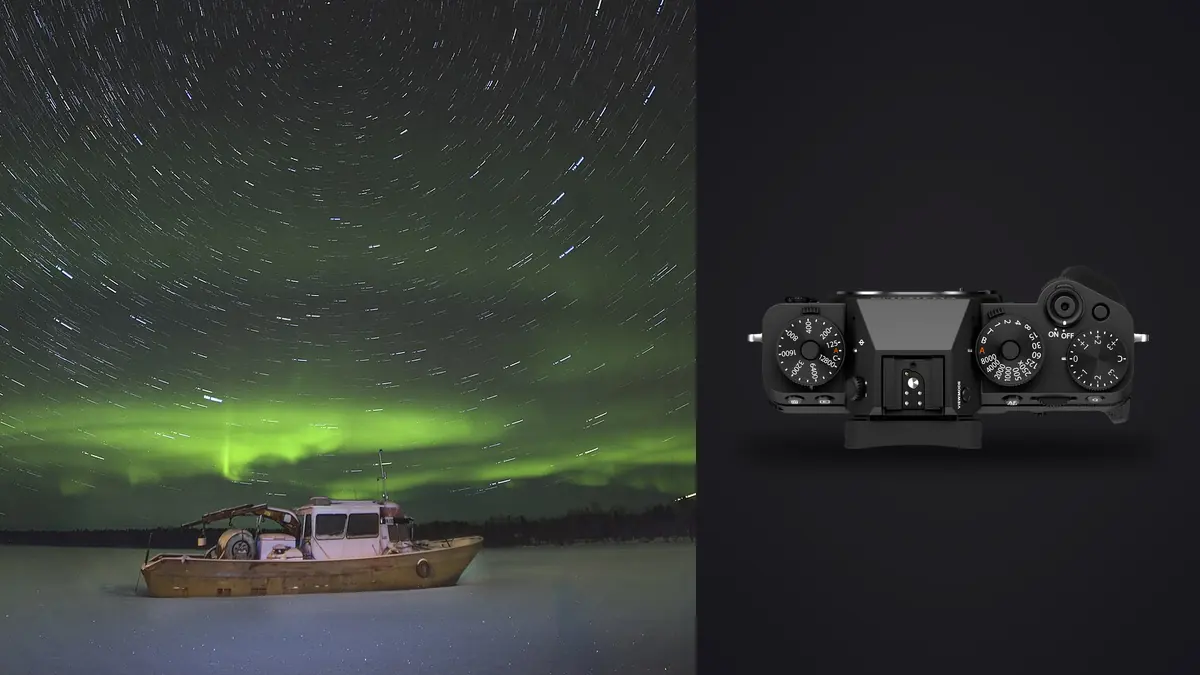
I took the X-T5 to a dark-sky site in Northumberland for the first time expecting it to behave like every other APS-C body I'd used for night work: fine in a pinch, a little noisy past ISO 3200, done in an hour once the battery gave out. What actually happened was more interesting. The 40-megapixel X-Trans sensor resolves a genuinely impressive amount of detail in a stacked Milky Way frame, more than I was getting out of a full-frame camera I'd sold two years earlier. But that resolution comes with tradeoffs specific to this sensor and this camera that most general astrophotography guides don't mention, because most general guides are written around Sony or Canon full-frame bodies with a completely different RAW pipeline.
This is a guide built around actually using the X-T5 for star stacking, not a spec sheet rewritten as prose. It covers the exposure math for a crop sensor, the specific headaches X-Trans RAW files cause in stacking software, which lenses are worth carrying, and what I do differently now after a dozen or so sessions that didn't go the way I planned.
The Sensor: Good Resolution, One Real Quirk
The X-T5 uses Fujifilm's 40.2MP X-Trans CMOS 5 HR sensor, back-illuminated, with a native ISO range of 125 to 12800 (extendable to 64 and 51200). For stacking purposes the back-illuminated design matters more than the resolution bump: read noise at ISO 3200 to 6400 is noticeably lower than on the older X-Trans 4 sensor in the X-T4, which means individual subframes come out of the camera cleaner before you even start combining them.
The quirk is the X-Trans color filter array itself. Fujifilm's 6x6 pattern (instead of the standard 2x2 Bayer grid) is genuinely good for daylight detail and moiré resistance, but a lot of star-stacking software was written with Bayer demosaicing in mind. Push the ISO hard on an X-Trans RAW and run it through the wrong pipeline, and you can get faint maze-like artifacts in the noise, especially in shadow areas of a stacked composite. It's not dramatic, and you won't see it at normal viewing sizes, but if you're printing large or doing heavy shadow recovery on the foreground, it's worth knowing about before you've shot four hours of subframes and only notice on the final export.
The practical fix is simple: convert to linear DNG or TIFF before stacking rather than feeding native X-Trans RAF files straight into software that wasn't built for them. More on that below.
Exposure Math for a Crop Sensor
Because the X-T5 has a 1.5x crop factor, every focal length behaves like something longer once you're framing the sky, and that shortens your maximum shutter speed before stars start to trail. The old "rule of 500" (500 divided by focal length) was written for lower-resolution full-frame sensors and is too generous for a 40MP APS-C file. At 100% crop, trailing shows up well before the rule-of-500 number tells you it will. I shoot closer to a "rule of 300" adjusted for the crop factor, and even then I check focus and trailing on the rear LCD at full zoom before committing to a sequence.
Here's roughly what that looks like with the lenses I actually carry for this:
| Lens / Focal Length | Full-Frame Equivalent | Max Shutter Before Trailing (approx.) | Suggested Aperture | Suggested ISO |
|---|---|---|---|---|
| XF8-16mm F2.8 @ 8mm | ~12mm | 20-25 sec | f/2.8 | 1600 |
| Rokinon 12mm F2 (manual) | ~18mm | 15-17 sec | f/2.2 | 2000 |
| XF16mm F1.4 | ~24mm | 11-13 sec | f/1.8 | 3200 |
| XF18mm F1.4 | ~27mm | 10-11 sec | f/2 | 3200 |
| XF23mm F1.4 | ~35mm | 7-9 sec | f/2 | 4000 |
These numbers are starting points, not physics. Wind, tracking versus untracked shooting, and how large you plan to print all shift the real answer. The point of the table is that on this sensor, the difference between an 8mm and a 23mm lens isn't just field of view, it's a roughly three-fold change in your maximum single-frame exposure, which changes how many frames you need to hit a usable total integration time.
Why Untracked Stacking Instead of One Long Exposure
Given those short maximum shutter speeds, a single 30-second exposure at f/2.8 and ISO 6400 will always be noisier than sixty 8-second exposures at ISO 2000 stacked together, even though the total light gathered is similar. Stacking averages out random read noise while the actual signal (the stars, the Milky Way core) reinforces itself across frames. This is the entire reason star stacking exists as a technique rather than just "use a longer shutter." On a sensor with this pixel density, the case for stacking over a single long exposure is stronger than it would be on a lower-resolution full-frame body, because per-pixel noise is more visible at 40MP.
Setting Up in the Field
A few things about the X-T5 specifically that changed how I run a stacking session:
Use the built-in intervalometer, and use mechanical shutter, not electronic. The X-T5's interval timer shooting mode handles the sequence without a separate remote, which is one less thing to carry and one less thing to fail in the cold. I stick to mechanical shutter for these sequences. The electronic shutter on this sensor can introduce faint banding under certain conditions, and for a stack of 60 to 100 frames you really don't want a systematic artifact repeating across every subframe.
Focus drifts as the lens cools. I focus manually using the rear LCD magnified on a bright star, confirm with focus peaking, then tape the focus ring down with a strip of gaffer tape. Metal-barrel lenses contract slightly as temperature drops through a long session, and I've had focus creep just enough over two hours to soften the last third of a stack. It's a small thing that costs nothing to prevent and is expensive to fix after the fact (you can't really fix it after the fact).
Weather sealing matters more than I expected. Dew forms on the front element well before it forms visibly on anything else you're carrying, especially at exposed dark-sky sites near the coast. The X-T5 body and the weather-resistant XF lenses (the 8-16mm and 16mm F1.4 both are, the 18mm F1.4 is not) shrug off the damp better than I expected, but I still run a lens warmer band on longer sessions rather than rely on sealing alone.
Cold drains the NP-W235 faster than the spec sheet implies. Fujifilm rates it generously for daytime shooting; on a near-freezing night with the screen active for focus checks, I get through a battery in under two hours of actual shooting. I carry three now and keep the spares in an inside jacket pocket, not the camera bag, so they stay closer to body temperature.
The Software Reality Check
This is the part most articles about astro cameras skip, and it's the part that actually determines whether your night was worth anything. Not every stacking program handles X-Trans RAF files the same way, and a few don't handle them well at all.
| Software | Native X-Trans RAW Support | Practical Workaround | Best Suited For |
|---|---|---|---|
| DeepSkyStacker | Unreliable / inconsistent demosaicing | Convert to 16-bit TIFF first (Lightroom or Iridient) | Tracked deep-sky sequences with a star tracker |
| Sequator | No direct RAF support | Export TIFF or high-quality JPEG before importing | Untracked Milky Way and landscape astro |
| Starry Landscape Stacker (Mac) | Works via converted DNG | Run through Adobe DNG Converter first | Foreground-plus-sky composites, single sessions |
| Siril | Improving, still safest after conversion | Convert to FITS or linear TIFF for consistency | Anyone comfortable with a steeper learning curve |
My actual workflow: batch-convert the culled RAF files to 16-bit TIFF in Lightroom with sharpening and noise reduction turned off (you don't want either applied before stacking), then hand the TIFFs to Sequator for untracked sessions or DeepSkyStacker when I've used a star tracker. It's an extra export step that a full-frame Bayer-sensor shooter doesn't have to think about, but it takes maybe ten minutes and it avoids the artifact problem entirely.
Culling Before You Stack, Not After
Here's the part of a stacking session nobody warns you about until you've lived through it: a single night can leave you with 200 to 400 nearly identical frames of the same patch of sky. Somewhere in that pile are a handful shot during a gust that shook the tripod, a few where a passing plane left a trail through the frame, one or two where focus had drifted slightly by the two-hour mark, and the occasional frame with a moth or a bit of condensation fogging a corner. Feed all of that into a stacking algorithm unfiltered and you get a softer, noisier result than the good frames alone would produce, because a handful of bad subframes drag the average down.
Going through 300 near-identical dark frames by eye on a laptop screen at 2am is exactly the kind of task I stopped doing manually after I started running the pile through imagic first. Since imagic's culling runs entirely on-device (no cloud upload, which matters at a dark-sky site where you often have zero signal anyway), I can sort the sequence right there in the field on a laptop between exposures rather than waiting until I'm back home to discover half the stack is unusable. Its local sharpness and focus scoring flags the frames where focus had crept during the cooling lens, and its duplicate and burst clustering groups the sequence sensibly instead of showing you 300 flat thumbnails that all look identical at a glance. For a workflow that's genuinely just staring at a wall of nearly-the-same photo trying to spot the two percent that are actually different, that's the exact problem AI-assisted culling is built to solve, and star stacking sequences are about as pure a use case for it as astro photography produces.
From Stacked Master to Finished Image
Once the stack is combined, you're left with one flat, noise-reduced sky frame that still needs the foreground blended in (usually a separate exposure taken during blue hour or lit with a small LED panel) and a color grade applied. The X-T5's dynamic range gives you real room to lift shadow detail out of a dark foreground without it falling apart, which is where a lot of the "how do I make this actually look like the scene I remember" work happens. I've started using imagic's apply_my_style preset here too, trained on a set of my own past night-sky edits, so a new stack gets a consistent starting color balance instead of me re-deriving the same teal-in-the-shadows, warm-core Milky Way look from scratch every single time. It's not a replacement for actually looking at the file, but it cuts the boring part of the edit down significantly, especially across a batch of stacks from the same trip. If you're comparing tools for this kind of workflow more broadly, it's worth reading through how different culling and editing tools stack up before committing to one.
Mistakes I've Made With This Camera Specifically
Trusting the in-camera histogram too much at night. It's calibrated for daylight scenes and will make a genuinely underexposed star field look closer to correct than it is, because there's so little midtone information for it to read. I now check blinkies and pull actual pixel values rather than trust the shape of the curve.
Shooting uncompressed RAW for every frame out of habit. For an ordinary shoot the file size difference barely matters, but across a 300-frame stacking sequence, uncompressed RAF files add up to real gigabytes and real transfer time. Lossless compressed RAW gives back most of that storage with no meaningful quality loss for this use.
Underestimating how long a proper stacking session actually takes start to finish, shooting through processing. Budget the evening for capture and a separate block of time for the conversion and stacking work. Trying to do both in one sitting after a long, cold night rarely produces careful decisions.
Frequently Asked Questions
Does the X-T5's in-body stabilization help with star stacking exposures?
Not for the stack itself. Any exposure long enough to register stars needs the camera locked to a tripod, and IBIS is irrelevant, or even counterproductive, once the camera is stationary (turn it off for tripod work). Where the 7-stop stabilization does help is handheld wide shots of the sky for context or scouting, and for the separate foreground exposure if you're hand-holding a blue-hour frame to blend in later.
Is the 40-megapixel resolution actually useful for star stacking, or is it just bigger files to manage?
Both are true. The extra resolution genuinely resolves finer detail in the Milky Way's dust lanes once stacked and gives you room to crop or print large. But it also means longer stacking processing times and larger intermediate TIFF files during conversion, which is worth factoring into how many frames you're realistically willing to shoot and process from a single session.
Can I use the X-T5 for star stacking without a star tracker?
Yes, and most of what's described here assumes untracked shooting. A tracker (like a Star Adventurer) lets you use longer individual exposures at lower ISO, which is better for deep-sky targets, but for wide Milky Way and landscape astro, untracked stacking with the short exposures in the table above is a well-established approach and doesn't require carrying extra gear.
Why do my stacked images look softer than a single well-exposed frame?
Usually one of two things: focus drift partway through the sequence (check the first and last frame at 100% and compare), or the stacking software applying its own noise reduction on top of what you already did during conversion. Turn off aggressive noise reduction in your TIFF export and let the stacking process handle noise through averaging rather than smoothing, and re-check focus consistency across the sequence before blaming the camera.