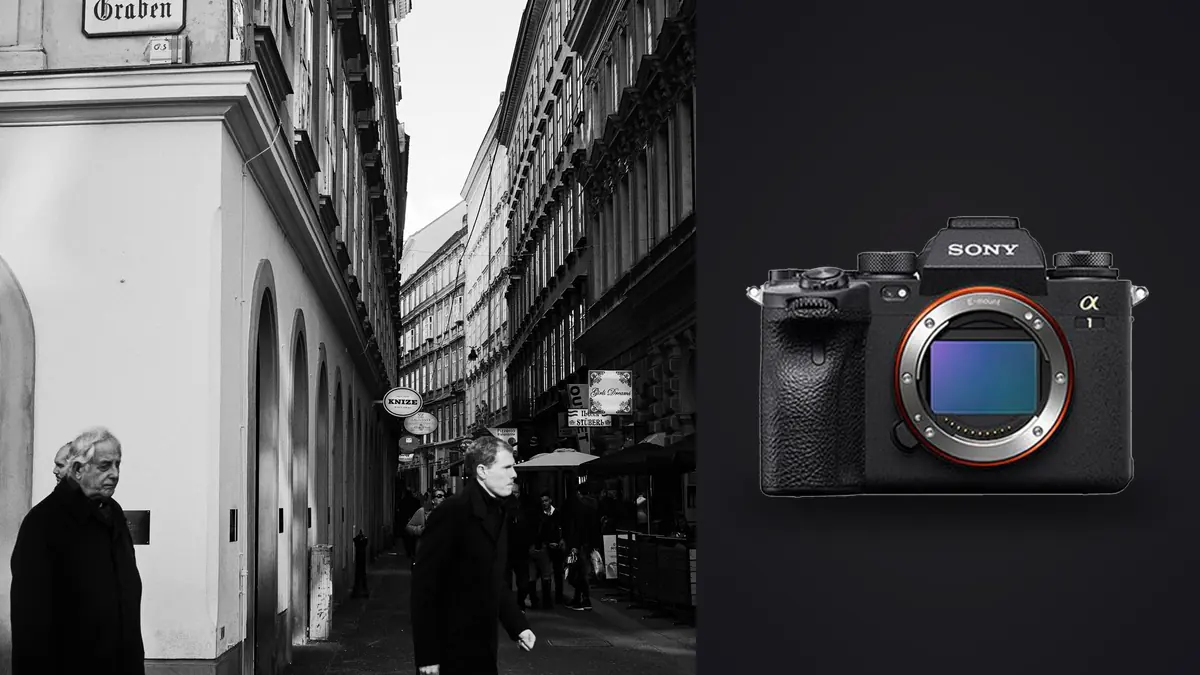
A sports camera that keeps ending up in documentary bags
The Sony A1 was built and marketed around motorsport, wildlife, and Olympic-level action, so it takes people by surprise when they see it slung over the shoulder of a photojournalist working a city council meeting or a street photographer parked outside a market in the early morning light. It is not the obvious choice. It is heavier than a rangefinder, more expensive than almost anything else with a hand grip, and its menu system rewards the kind of deep customization that a photographer chasing decisive moments rarely has time to sit down and configure. And yet the exact specifications that make it a sports camera, a stacked sensor with almost no readout lag, autofocus that reacquires a subject in a fraction of a second, and a shutter you genuinely cannot hear from three feet away, solve problems that street and documentary work create just as often as a 100 meter sprint does.
I have carried this body through a personal documentary project, several evenings photographing protests, and enough farmers markets and transit stations to know where it earns its keep and where it does not. This is not a spec sheet reprint. It is a rundown of what actually changes in the field when you swap a smaller, quieter camera for a 50 megapixel flagship built for something else entirely.
The shutter is the real headline, not the megapixels
Fifty megapixels gets the marketing attention, but for street and documentary work the shutter system matters more day to day. The A1's stacked CMOS sensor reads out fast enough that the electronic shutter can run fully silent at up to 20 frames per second with essentially no viewfinder blackout, and it can push to 30 frames per second at full resolution when a scene actually demands that kind of coverage, a fight breaking out at the edge of a crowd, a departure at a train platform, a hand gesture during an interview that only lasts two frames. Rolling shutter, the skewed-verticals problem that plagues slower electronic shutters, is present but genuinely hard to trigger outside of very fast pans or camera-mounted vehicles. I have not seen it show up in normal walking-pace street shooting.
What that silence buys you is access. A silent shutter means you can work three feet from someone mid-conversation, inside a courtroom, during a religious service, or in a quiet gallery opening without announcing every frame with a click. That access is the entire point of documentary photography, and it is the single biggest practical difference between shooting this camera and shooting almost anything with a traditional mechanical shutter only.
The table below is how I actually think about which shutter mode to use, because "just leave it on silent all the time" is bad advice the moment you need flash sync or you are shooting under certain artificial lighting.
| Shutter mode | Max frame rate | Sound | Best for | Watch out for |
|---|---|---|---|---|
| Mechanical (1st curtain) | 10 fps | Audible click, flash sync to 1/400s | Interviews, posed environmental portraits, anywhere flash is involved | Slower buffer clearing on long bursts |
| Electronic, standard | 20 fps | Fully silent | General candid work, markets, transit, indoor events | No flash sync at all |
| Electronic, full resolution | 30 fps | Fully silent | Fast, unpredictable action inside a documentary sequence | Fills the buffer and the memory card fast |
| Electronic with anti-flicker | Up to 20 fps | Fully silent | Night markets, neon signage, LED-lit interiors | Slightly slower AF response under very low, flickering light |
Autofocus that keeps up with people who are not posing for you
The 759-point phase detection system covers roughly 92 percent of the frame, and in practice that means you can track a subject weaving through a crowd without recomposing every second. Real-time Eye AF locks onto a face reliably even in profile or partial shadow, which matters constantly in documentary work because subjects rarely give you a clean, front-on angle. Where the system really separates itself from older Sony bodies is reacquisition speed: if your subject is briefly blocked by a passing car or another pedestrian, the A1 tends to snap back onto them rather than hunting or locking onto the obstruction itself.
For street work specifically, I run back-button focus with a wide Zone or Flexible Spot Medium setting most of the time, with a custom button mapped to jump straight to Eye AF when I see a face worth committing to. The joystick makes moving that focus point around fast enough to keep up with someone walking toward you, which is not something I could say about cameras with only a d-pad for AF point selection.
Carrying it: size, weight, and the problem of being noticed
At 737 grams body only, the A1 is not a small camera. Paired with something like the FE 35mm F1.4 GM it becomes a noticeably heavier kit than a Fujifilm X100 series or a Leica Q3, both of which are purpose-built for street work and disappear on a strap in a way the A1 never quite will. That size cuts both ways. On one hand, a big camera with a big lens draws more attention on a quiet street than a compact fixed-lens body does, and that matters if your whole approach depends on staying unremarkable. On the other hand, the grip is deep enough to hold comfortably for an entire day, and the magnesium alloy body with full weather sealing means a sudden downpour during an outdoor demonstration or a market stall shoot is a non-event rather than a reason to pack up.
For documentary assignments where you are embedded with a subject for hours or days rather than passing through unnoticed, I think the size argument mostly disappears, weather sealing and battery life start to matter more than how discreet the body is. For pure street photography where anonymity is the goal, it is a legitimate trade-off worth thinking about before you buy one specifically for that purpose.
RAW files, buffer depth, and the workflow bill that comes due later
Here is the part that does not show up in review videos: a 50 megapixel sensor shooting 30 frames per second generates an enormous number of files, and every one of those files is large. A compressed RAW from the A1 runs somewhere around 55 to 65MB depending on scene complexity, uncompressed RAW pushes past 100MB. Run a five second burst at full speed and you have created 150 frames and well over 8GB of data before you have even decided which one, if any, is the keeper. Multiply that across a full day of documentary shooting and you can end up with 4,000 to 6,000 frames by evening, most of them near-duplicates from bursts, a handful genuinely unrepeatable.
The buffer itself holds up well for this kind of work: Sony rates it around 238 compressed RAW frames or roughly 400 JPEGs before it slows down, and dual CFexpress Type A / SD UHS-II slots let you shoot RAW to one card and a backup JPEG to the other, which matters on assignments where losing a card is not an option. But buffer depth solves the shooting problem, not the reviewing problem. Sitting down at midnight to manually cull 5,000 frames from bursts you fired because you did not have time to think about frame rate in the moment is its own kind of exhausting, and it is the actual bottleneck on a camera this fast, not anything the camera itself does.
This is where I lean on imagic rather than scrolling through a folder by eye. It runs entirely on the machine, no upload, which matters when the assignment involves sensitive subjects and you are not comfortable putting frames on someone else's server before you have even looked at them yourself. It scores sharpness and focus accuracy locally across the whole take, and because so much of a day on the A1 is genuine burst sequences rather than single frames, its duplicate and burst clustering does the specific job of grouping those 150-frame bursts down to the two or three that are actually sharp and well-timed, instead of leaving you to click through all of them one at a time. If you want the mechanics behind that kind of scoring, this breakdown of how AI photo culling works covers it in more depth than I can here.
Lens pairings that actually make sense for this kind of work
The A1's autofocus and burst speed are wasted on a lens that cannot keep up, so lens choice matters more here than on a slower body. These are the four I keep coming back to for street and documentary work specifically, not a generic "best lenses for the A1" list.
| Lens | Weight | Character | Where it fits |
|---|---|---|---|
| FE 35mm F1.4 GM | 524g | Classic, slightly wide documentary framing | All-day walking work, low light interiors |
| FE 24-70mm F2.8 GM II | 695g | One lens for a whole assignment | Multi-subject days where changing lenses costs you the moment |
| FE 40mm F2.5 G | 173g | Small, quiet, easy to forget you are carrying it | Counterbalancing the body's bulk on long carry days |
| FE 50mm F1.2 GM | 778g | Shallow, portrait-leaning separation | Environmental portraits embedded inside a documentary story |
Color, consistency, and editing thousands of frames without losing your voice
The A1 shoots 14-bit RAW with roughly 15 stops of dynamic range, which gives you real room to pull shadow detail out of a backlit doorway or hold onto highlight information from a bright sky without the file falling apart. That headroom matters on documentary work because you rarely control the lighting, you just react to it. What I have found harder to manage is consistency across a large set edited over several nights, it is easy for a 200-image documentary edit to drift in color and contrast between the first night you touch it and the last, especially when you are tired and eyeballing sliders at 11pm.
I handle that by training imagic's apply_my_style feature on a set of edits I am already happy with, and letting it apply that same look across the rest of the take as a starting point rather than a finished edit. It is trained on my own past edits rather than some generic preset pack, so the output actually looks like my work rather than a filter, and it saves the specific kind of fatigue that comes from re-deciding your white balance and contrast curve for the four hundredth frame of the night.
Battery life and the parts of a long day nobody plans for
Sony rates the NP-FZ100 battery at around 430 shots CIPA standard, which is a conservative number that assumes constant EVF use and chimping every frame. In real documentary use, shooting in bursts with the screen mostly off between sequences, I regularly get closer to 700 to 900 frames per charge, though a cold morning outdoors or heavy 4K video recording will eat into that fast. I carry two spares on any full-day assignment and have never come close to needing a third. The A1 also charges over USB-C in camera, which has saved more than one shoot when a wall outlet at a venue turned out to be the only option.
Frequently Asked Questions
Is the Sony A1 too heavy and conspicuous for genuine street photography?
Compared to a Leica Q3 or a Fujifilm X100VI, yes, it is bigger, heavier, and more visible on a strap. If your street work depends on total anonymity, a compact fixed-lens camera will serve you better. If you are working documentary assignments where you are already a known presence, embedded with a subject or covering an event openly, the size trade-off matters much less than the autofocus and shutter speed you gain.
Does the silent electronic shutter cause banding under artificial light?
It can, specifically under flickering LED or older sodium-vapor street lighting, which is common at night markets and some indoor venues. The A1's anti-flicker shooting mode largely solves this by timing the shutter to the light source's flicker cycle, though it can shave a little off your effective frame rate in exchange.
How do you realistically manage thousands of RAW files from a single day of shooting?
You do not manage it by scrolling through folders one image at a time, not at 4,000 to 6,000 frames a day. I run the day's take through imagic locally, which clusters the burst sequences the 30fps mode generates and scores each cluster for sharpness so I am choosing between three real candidates instead of forty near-identical frames. It also means the files never leave my machine before I have reviewed them, which matters on assignments with sensitive subjects.
Is the A1 overkill for someone starting out in documentary photography, price-wise?
For most people starting out, yes. The A1 costs roughly what a used car down payment costs, and a Sony A7 IV or A7C II will get you most of the same autofocus system and dynamic range for a fraction of the price, just without the 30fps ceiling and the 8K video header spec. The A1 makes sense once you already know the specific limitation, usually shutter speed or buffer depth, that is costing you shots on a body you have outgrown. If you are still deciding whether culling and editing speed or camera hardware is your actual bottleneck, these workflow tips are worth reading before you spend flagship money on a camera body.
Where it actually sits in a working kit
I would not recommend the A1 to someone whose entire practice is quiet, anonymous street photography with a single prime lens, there are smaller, cheaper, less conspicuous tools built exactly for that. But for documentary work that mixes unpredictable action with long embedded days, situations where you genuinely do not know if the next ten seconds calls for one frame or thirty, the combination of a silent shutter, fast reliable autofocus, and a buffer deep enough to trust are hard to find together anywhere else at any price. The trade-off you are signing up for is not really about the camera at all. It is the several thousand extra RAW files it hands you every time you use it well, and whether your evening routine can actually keep up with your shutter finger.