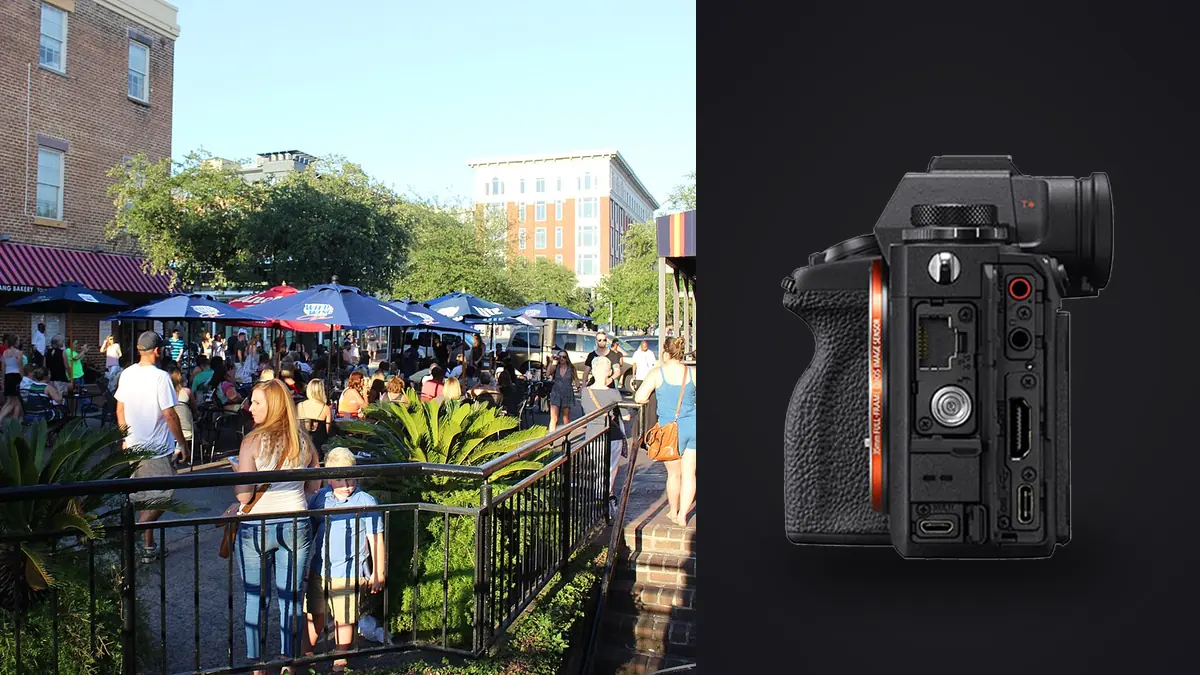
A Sony A1 is a strange choice for wandering city blocks at dawn looking for gesture and light. It's the camera Sony built for sports desks and wildlife shooters who need 30 frames per second and a sensor that also shoots 8K video. I bought mine expecting to use it for documentary projects and started bringing it on personal street days almost by accident, because leaving a 6,500 dollar body at home felt wasteful. About eighteen months and somewhere north of 35,000 frames later, I have a clear opinion on where this camera earns its price on the street and where a photographer half my age with a 1,200 dollar Fujifilm is getting better, lighter results with less thinking.
The one feature that actually matters up close
Street and documentary work both come down to the same uncomfortable moment: you're a stride or two from a stranger and you need the camera to disappear. The A1's fully electronic silent shutter and blackout-free 9.44-million-dot EVF do more for that than any spec on the sheet. There's no clack, no mirror slap, no viewfinder flicker between frames. You can shoot a sequence of someone laughing at a market stall and they genuinely don't clock it as more than a glance in their direction.
The catch, and nobody mentions this until they've ruined a set of frames, is banding under mixed artificial light. Shoot silent under sodium streetlamps, flickering LED shopfronts, or subway platform lighting and you'll get horizontal stripes baked into a chunk of your burst. Sony's anti-flicker shooting mode fixes most of it by timing the shutter to the light's pulse, but it caps your frame rate and only works reliably with flicker it can actually detect, which rules out some cheap LED signage entirely. My habit now is anti-flicker on by default for anything after dusk, and I accept the frame rate hit as the cost of doing business.
Autofocus that doesn't ask your permission
Real-time Eye AF for humans on this body doesn't need you to tap a face or half-press and wait. Point it at a scene with a person in it and it locks, even on someone turned three-quarters away or partially behind a market umbrella. For unposed portraits grabbed mid-conversation, that's the difference between a sharp frame and a miss.
What it doesn't do well is respect your intent in a crowd. If there are four faces in the frame and you wanted the one in the background, the camera will happily lock onto whoever's closest and sharpest unless you've narrowed the focus area. I run AF-C with a small flexible spot on back-button focus for anything with more than one person in it, and only open up to wide zone tracking when I'm following a single subject through a scene, a kid weaving through a crowd, a marcher moving against the flow. Treating the A1's tracking as a suggestion rather than an instruction took me longer to learn than it should have.
Lens choice decides your shooting distance more than the body does
The A1 body is not what determines whether you're an arm's length from your subject or working from across the street. That's entirely the lens, and Sony's own line gives you real options here. The FE 40mm F2.5 G is small, light, and close to invisible next to some of the bulkier GM glass, which makes it my default for full days of walking. The FE 35mm F1.4 GM earns its size and weight when the light drops and you need a stop or two more to keep shutter speeds honest, and its rendering wide open has more character than the clinical 40mm.
The trick I didn't expect to like as much as I do is shooting the 24mm F2.8 G in APS-C crop mode. It turns into a 36mm equivalent field of view, and because the A1's sensor is 50 megapixels, the cropped file still lands around 21 to 22 megapixels, which is more resolution than most working photographers were shooting on full frame five years ago. One small lens, two usable focal lengths, no lens swap on a crowded street. It's not a substitute for owning a 35mm, but on a day when I only want to carry one prime, it's the setup I reach for.
Documentary days ask a different question than street days
Street photography is mostly about patience and being ready. Documentary assignments, a march, a courtroom vigil, a coastal cleanup that turns into a downpour, ask the camera to survive conditions and not lose anything. The A1's dual card slots (CFexpress Type A and UHS-II SD) recording simultaneously is the feature I actually care about on those days. A corrupted card during a personal project is annoying. A corrupted card during the one afternoon a community event happened is a different kind of problem, and having a live backup on a second card while shooting has saved me exactly once, which was enough to make it non-negotiable going forward.
Weather sealing held up through an unplanned hour of steady rain photographing volunteers on a beach cleanup, no failures, though I dried the body out fully before the next session rather than push my luck. Battery life is the honest weak point: with the EVF running and a lot of continuous AF, I get somewhere around 450 to 550 frames per NP-FZ100 charge in real conditions, well under Sony's CIPA number. For a ten-hour assignment day I carry three batteries and don't think twice about it.
The 50-megapixel problem waiting on your hard drive
Nobody warns you about the back half of owning this camera. Thirty frames per second at 50 megapixels means a five-second burst of someone crossing a street in good light can produce 150 nearly identical raw files, and a real documentary day of shooting easily clears two or three thousand frames total. Scrolling through that at 100% zoom looking for the one sharp frame in each burst is not a workflow, it's a way to lose an evening.
This is the exact problem I use imagic for now. It runs local sharpness and focus scoring against the actual pixel data rather than relying on a thumbnail, and its duplicate and burst clustering groups those near-identical sequences together and surfaces the sharpest frame from each one instead of making me eyeball 150 versions of the same gesture. For documentary work specifically, there's a second reason it matters to me: a lot of what I shoot involves identifiable strangers in public, sometimes at protests or vulnerable moments, and I'm not interested in uploading those raw files to a cloud service to get them culled. imagic processes everything locally on the machine, nothing leaves the laptop, which for this kind of subject matter isn't a nice-to-have, it's the reason I'll use it over a browser-based tool. If you want the mechanics of how sharpness scoring and clustering actually work under the hood, this breakdown of how AI photo culling works covers it in more depth than I have room for here.
| Raw mode | Approx. file size | Buffer at 30fps (CFexpress Type A) | Where I actually use it |
|---|---|---|---|
| Compressed RAW | ~35-45MB | Deepest, several hundred frames before it chokes | General street bursts, marches, anything fast and unpredictable |
| Lossless Compressed RAW | ~60-90MB | Roughly 150-160 frames | Documentary sets I know will get heavy tonal edits |
| Uncompressed RAW | ~120MB+ | Under 100 frames, fills fast | Controlled-light doc portraits, rarely street |
| APS-C crop, Compressed RAW | ~15-20MB | Effectively doubles vs full-frame compressed | Reach days with a single small prime |
Those buffer figures are what I've measured with my own card and firmware version, so treat them as a ballpark rather than a spec sheet. What doesn't change no matter the card is the underlying math: compressed RAW at 30fps generates files faster than almost anyone can honestly review them by hand.
Where a camera this capable stops being the right tool
With the 35mm F1.4 GM attached, the A1 sits close to 1.4 kilograms in hand. That's not heavy for a professional body, but it is heavy for eight hours of walking, and it is not a camera that reads as harmless to strangers the way a Ricoh GR or a Fujifilm X100VI does. People notice a big black mirrorless with a grip and a fat lens in a way they don't notice a compact that looks more like a point-and-shoot from 2005. For candid, close, unguarded street portraiture, that difference in perceived threat is not trivial, and there have been days I got fewer honest reactions from strangers simply because the camera looked expensive and serious.
There's also the money conversation worth having honestly. For the price of one A1 body you could buy a compact street camera, a backup body, and still have budget left for glass. If your work is purely street and you never need 30fps, 8K video, or a body that also earns its keep on paid commercial and sports work, the A1 is genuinely overkill. I keep mine because I shoot both documentary assignments and personal street work with the same kit, and I'd rather carry one excellent camera than two mediocre compromises. If your work only ever needs one of those two things, buy for that thing specifically.
A settings and kit list that's survived a year of actual use
This is roughly what I start every shooting day with, adjusted on the fly as conditions change:
- Electronic shutter, fully silent, anti-flicker on by default after dusk or indoors under mixed lighting
- AF-C with a small flexible spot for crowded frames, widened to zone tracking for single moving subjects
- Back-button AF-ON, shutter button doing nothing but firing, so a half-press never re-triggers focus by accident
- DRO set to level 2 or 3 rather than auto HDR, to keep as much real highlight and shadow data in the raw file as possible
- Compressed RAW for anything fast-moving, lossless compressed reserved for documentary sets I know will need heavier tonal work later
- A custom button (C1) toggling between single and continuous drive, since street work needs both within the same five minutes
On the editing side, once a day's raws are on the laptop I run them through imagic before I open anything else. Between the sharpness scoring pulling the actual best frame out of each burst and apply_my_style applying a preset trained on my own past documentary edits rather than a generic filter, I get to a clean, consistent-looking edited set across a multi-day assignment without manually matching tone frame by frame, which used to be the slowest part of my week. There's a broader rundown of workflow habits like this in this guide to a faster photo workflow if the culling-to-edit handoff is the part of your process that's currently costing you the most time.
Frequently Asked Questions
Is the Sony A1 too heavy to carry all day for street photography?
It's manageable but noticeable. With a compact prime like the 40mm F2.5 G it's genuinely comfortable for a full day. With a fast GM lens attached, expect neck and shoulder fatigue by hour six or seven if you're not using a proper strap. It's heavier than any dedicated street compact, but it's not heavier than a typical full-frame body with a fast prime, so if you're already used to that class of gear it won't feel like a step up in burden.
Does the silent electronic shutter cause banding under streetlights or shop signage?
Yes, and it's the single most common mistake I see new A1 owners make when they switch to silent shooting for street work. Sodium streetlamps, flickering LED signage, and some indoor fluorescent lighting will produce visible horizontal banding in a portion of your frames. Sony's anti-flicker mode largely solves it by syncing the shutter timing to the light source, at the cost of a lower maximum frame rate, and it's worth leaving on any time you're shooting after dark or under artificial light you don't fully trust.
Can the A1's autofocus keep up with a moving protest, march, or parade?
In my experience, yes, better than any camera I've used before it. Real-time tracking holds onto a moving subject through partial occlusion (a raised sign, another person cutting across the frame) more reliably than older tracking systems. The one thing to watch is that in a dense crowd it will confidently lock onto the nearest or most prominent face rather than the one you actually meant, so narrowing your focus area matters more than trusting the widest tracking setting.
What's the fastest way to get through a day's worth of A1 burst files?
Don't review bursts frame by frame manually, it doesn't scale once you're shooting 30fps regularly. I run the day's raws through imagic first, which handles sharpness and focus scoring locally and clusters near-duplicate burst frames so I'm only reviewing one representative image per moment instead of every frame in a 150-shot sequence. It's local and offline, which also matters if any of the day's subject matter is sensitive enough that you don't want it touching a cloud service before you've reviewed it yourself.