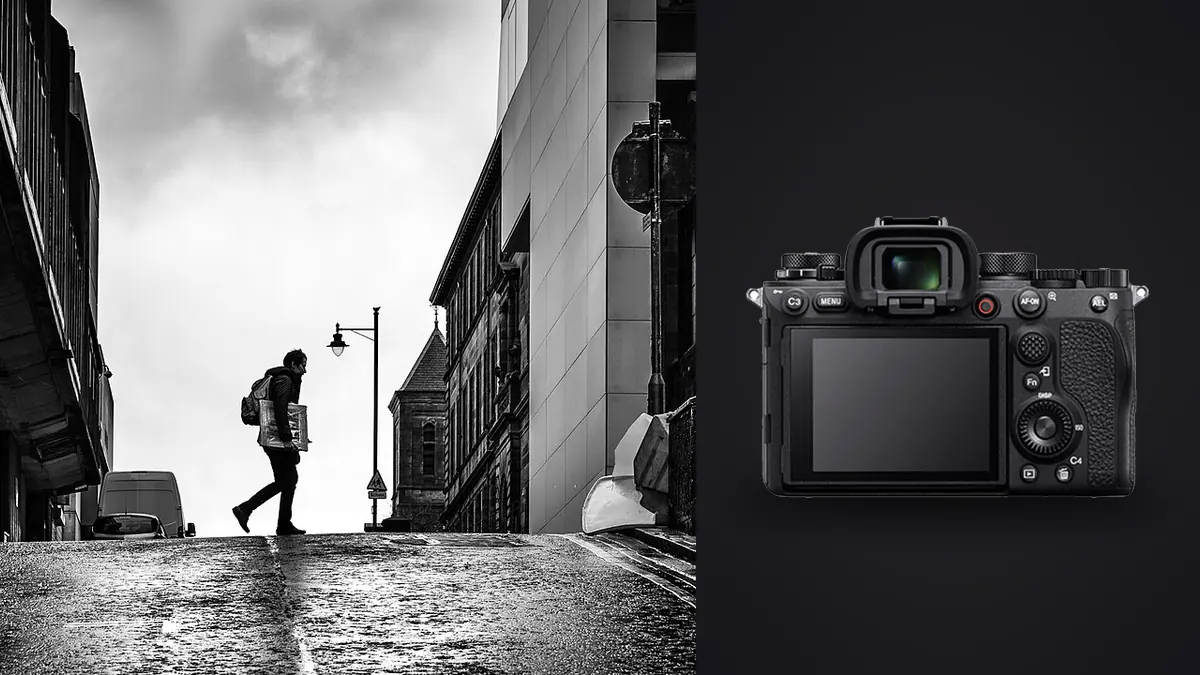
The Sony A1 is not a camera anyone recommends for street photography. It's heavy for the genre, it's priced like a small car down payment, and every forum thread about discreet street shooting points you toward a Fuji X100 or a Leica Q instead. I know this because I said the same thing for about a year before I actually used one on a documentary project, three days following a small fishing crew loading and unloading boats before sunrise. The camera stayed in my hands the entire time and I never once wished I'd brought something smaller. That contradiction is worth unpacking, because "street photography" and "street documentary" are not the same job, and the A1 is built for one of them much more than the other.
Two different jobs wearing the same name
Classic street photography is largely incognito work. You're a stranger on a sidewalk trying to catch a moment without becoming part of the scene, and every gram and every millimeter of lens length matters because your subject usually doesn't know you're there. Documentary work on the street is a different contract. You've usually negotiated access already, whether that's a nod from a market vendor, a standing relationship with a community group, or a press credential for a march. Your subjects generally know a camera is present, even if they've stopped paying attention to it after the first twenty minutes. In that context a bigger body isn't automatically a liability. It's still not ideal, but the trade you're making is size for capability, and on documentary work that trade often pays off because the moments you're chasing (a hand reaching out, a kid darting between adults, a scuffle breaking up) don't wait for you to nail focus manually.
This is the frame I'd encourage anyone considering the A1 for this kind of work to use. If your goal is to disappear into a crowd, buy something smaller and thank me later. If your goal is to stay embedded with a subject or a scene for hours and come away with a reliable, technically clean take every time, the A1's strengths start to line up with what you actually need.
Autofocus is the actual selling point, not the resolution
Sony markets the A1 on burst speed and megapixels, but for documentary street work the thing that changes how you shoot is the real-time tracking with human pose and eye detection. I run AF-C with a wide tracking zone and let the camera pick the subject unless the frame is genuinely ambiguous, in which case a half-press on a face reasserts the target and it sticks even through partial occlusion, someone walking behind a market stall or a food cart. That reliability lets me stop chimping the AF point and just watch the scene, which sounds like a small thing until you realize how much of documentary work is reacting a half-second before the moment happens rather than a half-second after.
Where this actually shows up in the edit: on a protest march I shot last spring, a scuffle broke out at the edge of the crowd for maybe four seconds. I fired a 12-frame burst without recomposing, tracking held on the same person's face through the whole sequence despite two other bodies crossing in front of him, and three of those twelve frames were genuinely usable. A camera that hunts or loses lock in that window doesn't get you a second chance. The moment is gone and it doesn't come back for a reshoot the way a portrait sitting does.
Where the AF still needs babysitting
It's not magic. In low, mixed light (string lights over a night market, sodium streetlamps) the tracking box will occasionally jump to a brighter jacket or a sign instead of a face, and dense crowds where multiple people overlap at the same depth can confuse subject selection for a frame or two. I've learned to keep a thumb near the focus-hold button and take manual control the instant the scene gets cluttered rather than trusting the algorithm blindly all night.
Shutter choice matters more here than on almost any other genre
The A1 gives you three practical shutter modes for this work, and picking the wrong one costs you either sound or image integrity.
Fully silent electronic shutter is the obvious choice for anything sensitive, indoor prayer spaces, quiet interiors, subjects who are visibly camera-shy. It's genuinely silent, no click at all, which matters when you're eight feet from someone and don't want the shutter to become the story. The catch is rolling shutter. The A1's stacked sensor scans fast for a 50-megapixel chip, but it's not instant, and a cyclist crossing the frame or a car turning a corner at moderate speed can still show skew or a slight banana-shaped wheel distortion in electronic mode. I only trust silent shutter for subjects that aren't moving laterally at any real speed.
Mechanical shutter is what I default to for anything with real motion in the frame, foot traffic, kids running, vehicles. The sound is a soft, low-pitched clack, quieter than an A7 III but not silent, and in practice nobody on a busy street corner notices it over ambient noise. It also gives you a genuine 1/400s flash sync if you're using a small speedlight for fill in a dim alley or market stall, which the electronic modes don't support at full power.
Electronic front curtain sits in between and I mostly avoid it for street work specifically because it can introduce slightly uneven bokeh rendering at wide apertures with fast shutter speeds, which matters if you're shooting a 50mm at f/1.2 for environmental portraits mid-walk.
50 megapixels is either a gift or a burden, depending on your workflow
Every documentary photographer I know who's tried the A1 has the same complaint by day three: the files pile up fast. A single afternoon of loose, exploratory shooting with a 20-30fps burst habit can easily produce 3,000 to 4,000 raw frames, each one around 60-100MB. That's not a camera problem, it's a math problem, but it changes how you have to handle ingest and review or you'll spend more hours culling than you spent shooting.
This is the part of the workflow where I stopped fighting it manually. I run the day's card through imagic before anything touches Lightroom. Its local sharpness scoring flags which frame in a 15-shot burst actually landed critical focus on the eye rather than the shoulder, and the duplicate and burst clustering groups near-identical frames together so I'm making a decision on six clusters instead of scrolling past two hundred nearly identical images one at a time. On a genre where the whole point of high frame rates is catching the one frame where the gesture reads right, having software actually compare sharpness across a burst instead of eyeballing thumbnails at 100% saves real hours, not minutes. If you want the mechanics of how that scoring actually works rather than taking my word for it, this breakdown of how AI photo culling works covers it in more depth than I have room for here.
The other piece that's specific to documentary work: once I've built a grade for a project (a particular contrast curve, a slightly desaturated warm shadow look I use across a series), imagic's apply_my_style preset carries that look across the rest of the take because it's trained on my own past edits rather than a generic filter pack someone else designed. That matters for documentary series more than for one-off shots, because a photo essay reads as sloppy the moment the color treatment jumps around from frame to frame.
There's a privacy angle too that I didn't think about until a subject asked me directly where their photos were going. Documentary subjects haven't signed a stock-photo release, and a lot of them are understandably wary of their faces ending up processed through some cloud pipeline they never agreed to. Everything in imagic runs locally on the laptop, nothing gets uploaded anywhere during culling or the style pass, and being able to say that honestly to someone standing in front of your lens is worth more on this kind of work than it would be shooting product photos in a studio.
If your ingest routine is still built around clicking through a folder frame by frame, these workflow adjustments are worth a look before your first big A1 shoot, because the volume this camera produces will punish an untuned process fast.
Battery life and cards, the unglamorous part
The NP-FZ100 battery is the same one Sony's used since the A9, and on a documentary day with the EVF running constantly, tracking AF active, and a lot of burst shooting, I get roughly 350-450 real frames-and-review cycles out of one before it's below 20%. I carry three and burn through two on a full 10-12 hour day. If you're planning multi-day coverage without easy charging (a rural assignment, a march that starts before your hotel's front desk opens), budget for a small power bank and the Sony charger that can top up over USB-C, not just spares.
Dual card slots (CFexpress Type A and SD UHS-II) matter more on documentary work than on most other genres because the moments you're capturing frequently can't be restaged. I run mirrored backup, not overflow, on anything I'd call a real assignment rather than a personal project. It costs a bit of buffer depth on long bursts but losing a card mid-project on irreplaceable material is a much worse day than a slightly shallower buffer.
How it stacks up against the cameras people actually reach for
Here's how the A1 compares to the bodies most commonly discussed for this kind of work, based on specs and my own time with each.
| Camera | Body weight | Silent shooting | Max continuous | Raw buffer (approx.) | Body price (approx.) | Best fit |
|---|---|---|---|---|---|---|
| Sony A1 | 737g | Fully silent, e-shutter | 30fps | ~230 frames (CFexpress) | $6,500 | Fast-moving, access-granted documentary work |
| Sony A9 II | 678g | Fully silent, e-shutter | 20fps | ~240 frames | $4,500 | Similar use case, lower resolution, lower cost |
| Sony A7C II | 514g | Silent, e-shutter | 10fps | ~1,000 JPEG / ~90 raw | $2,200 | Lighter documentary carry, slower action |
| Fujifilm X100VI | 521g | Near-silent leaf shutter | 20fps (crop e-shutter) | ~800 JPEG / ~19 raw | $1,600 | Incognito street, fixed 35mm equivalent |
| Leica Q3 | 743g | Silent, e-shutter | 15fps | ~13 raw uncompressed | $5,990 | Deliberate, slower-paced street work |
The buffer gap against the Q3 in particular surprised me the first time I checked it. The Q3 is a beautiful camera for a single decisive frame, but it empties its buffer fast if you lean on continuous shooting the way documentary bursts often demand. The X100VI is the honest budget answer here: if incognito matters more to your specific project than tracking AF and burst depth, it's the better tool and I'd say so without hesitation. The A1 wins when the job is access-granted, fast-moving, and you genuinely can't afford to miss the frame.
Lenses that actually make sense on this body
The A1's resolution punishes soft glass more than most bodies will, so this isn't the place to run old kit lenses. For documentary street work specifically, I keep the kit narrow:
- Sony 35mm f/1.4 GM , my default. Wide enough to work close and include context, fast enough for dim interiors, and light enough that a full day of carrying it doesn't wreck your shoulder.
- Sony 24-70mm f/2.8 GM II , when I don't know what the day will demand. The Mark II dropped noticeably in weight from the original, which matters a lot paired with an already substantial body.
- Sony 40mm f/2.5 G , the discretion option. It's small, quiet to operate, and the fixed focal length forces the kind of physical positioning that documentary work rewards anyway.
- Sony 50mm f/1.2 GM , for the handful of environmental portrait moments inside a project where you want subject separation the wider primes can't give you. It's heavy and I don't carry it every day, but when the shot calls for it nothing else in the lineup matches the rendering.
I'd steer away from anything past 85mm for this genre on the A1. Long glass changes your physical relationship to the scene, and part of what makes documentary work read as honest is the photographer being close enough that the perspective feels lived-in rather than surveilled.
Frequently Asked Questions
Is the Sony A1 too big and conspicuous for genuine street documentary work?
For access-granted documentary projects where subjects already know you're photographing, size matters less than people assume. It becomes a real problem for incognito candid street photography where you're trying not to be noticed at all. Match the camera to which of those two jobs you're actually doing.
Does the silent electronic shutter cause problems with moving subjects like cyclists or traffic?
Yes, occasionally. Rolling shutter skew can show up on fast lateral motion even on the A1's stacked sensor, though it handles it better than almost any non-global-shutter camera on the market. For anything moving quickly across the frame, mechanical shutter is the safer choice despite the added sound.
Is 50 megapixels actually useful for documentary storytelling, or just marketing?
It's genuinely useful for one specific reason: it lets you crop aggressively to find the real composition after the fact, which matters when you're shooting fast and can't always frame perfectly in the moment. The tradeoff is file size and culling time, which is why a dedicated culling pass before editing becomes less optional and more necessary than it would be with a 24-megapixel body.
Should I carry a second body for a full documentary shoot day, or is one A1 enough?
One A1 with two or three spare batteries covers a standard 8-10 hour day comfortably. For multi-day coverage or anything where a hardware failure would be catastrophic (a one-time event, a story you can't reshoot), a second body, even a smaller backup like an A7C II, is worth the extra weight in the bag purely for redundancy.