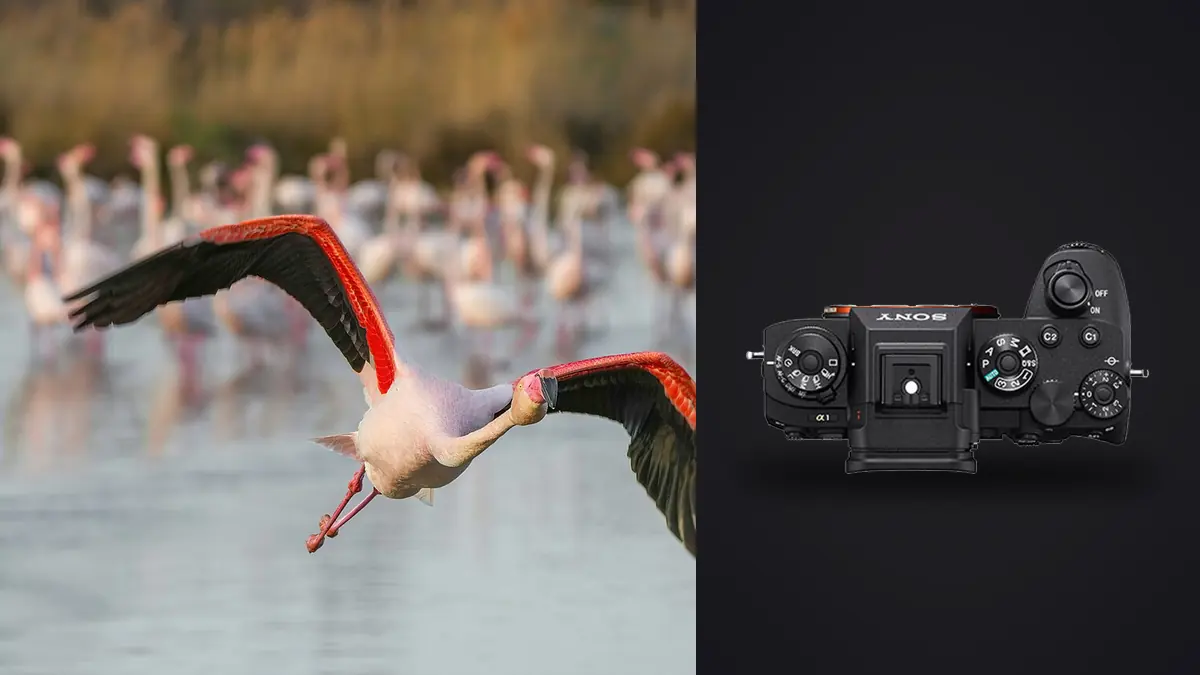
The first time I ran the Sony A1 at 30fps on a diving osprey, I didn't trust the files. I pulled the card, opened the folder, and counted 287 frames from an eight second pass. That's not an exaggeration for effect, that's just what the buffer does when you hold the shutter down on a bird stooping toward water. The camera is genuinely capable of the numbers on the spec sheet. The harder part, the part nobody tells you when you're deciding whether to spend this kind of money, is that the camera being fast doesn't automatically mean your keeper rate goes up. It just means you generate a much bigger pile of frames to sort through, and some of that pile is tack sharp and some of it is a blurred wingtip against a perfect background.
This is what I've actually learned running the A1 on ospreys, kestrels, terns and a few very uncooperative swallows over the last couple of seasons, plus what I had to unlearn from shooting a7-series bodies before it.
What the stacked sensor actually changes in the field
The A1's 50.1MP stacked sensor reads out fast enough that the viewfinder never blacks out during a burst, even at 30fps. That sounds like a spec-sheet line until you've tried to track a kestrel hovering and dropping in wind. On a mechanical shutter body you lose the subject for a fraction of a second on every frame, and with an erratic flier that's enough to lose the composition entirely. On the A1 you watch a continuous feed the whole time, which means you can actually follow the bird's head and adjust framing mid-burst instead of guessing where it went after the mirror slap.
The fast readout also kills most of the rolling shutter skew that used to make wingtips look bent or smeared on earlier electronic shutter implementations. It's not zero, if you pan hard against a fence line in the background you can still see a bit of it, but on a bird against open sky it's a non-issue in my experience. That matters more than it sounds like it should, because bent-looking wing shapes were one of the main reasons I avoided full electronic shutter on older bodies for BIF work.
Picking a drive mode (and living with the buffer)
Sony gives you four continuous drive speeds on the A1, and the temptation is to leave it on Hi+ (30fps) permanently. I did that for the first month and regretted it during editing. Here's roughly how the modes behave in real use, based on a CFexpress Type A card and compressed RAW, not the optimistic numbers on a retail box:
| Drive Mode | Fps | Shutter | Raw Bit Depth | Viewfinder Blackout | Realistic Buffer Before Slowdown |
|---|---|---|---|---|---|
| Hi+ | 30 | Electronic only | 12-bit | None | ~150-165 frames |
| Hi | 20 | Electronic | 12-bit | None | ~230+ frames |
| Hi (mechanical) | 10 | Mechanical | 14-bit | Brief, per frame | Rarely fills in a normal pass |
| Mid / Lo | 5-10 | Mechanical | 14-bit | Brief, per frame | Effectively unlimited for BIF bursts |
What I settled on: Hi+ only for the actual moment of action, a stoop, a takeoff, a fight over a fish. For a bird just cruising past at a steady altitude I drop to the 20fps electronic mode, which still gives me plenty of frame spacing to pick a clean wing position but doesn't torch the buffer or my card's write speed. If you're shooting a slower UHS-II SD card instead of CFexpress Type A, knock those buffer numbers down noticeably, the A1 will happily fill the buffer faster than an SD card can flush it, and you'll feel the camera stutter mid-burst.
The other reason I don't leave it on 30fps by default: 12-bit raw at Hi+ has slightly less dynamic range headroom than the 14-bit files from the slower mechanical modes. For most bird-in-flight work against sky it doesn't matter, but if you're shooting a dark raptor against a bright overcast sky and need to pull shadow detail out of the underside of the wing, the 14-bit files give you a bit more to work with.
Getting bird-eye AF to actually lock on
The subject recognition system is genuinely the reason to buy this camera over a cheaper body, but it's not magic out of the box. In the AF menu tab, under Subject Recognition, you need to set the target to Animal/Bird explicitly rather than leaving it on the general Human setting or auto-detect. With it set correctly, the camera will draw a box around the bird's head even when the eye itself isn't resolvable, which is most of the time at distance.
Tracking sensitivity
There's a five-step tracking sensitivity setting buried in the AF menu that controls how readily focus jumps to a new subject that crosses in front of your locked bird. I run this at 3, the middle setting, for open sky work. If I'm shooting near a tree line with branches crossing the frame, I'll drop it to 1 or 2 so the AF doesn't keep snapping to foreground twigs. Cranking it to 4 or 5 is useful in genuinely chaotic scenes, a flock wheeling together, but for a single tracked bird it just makes the AF twitchy.
Focus area: don't default to Wide
Wide tracking sounds like the safe choice for a fast-moving subject, and it's what I used out of habit at first. It's actually the wrong tool for most BIF work, because with a bird small in the frame against a busy background, Wide will happily grab a tree branch instead. I get far more consistent results with Zone or Tracking: Expand Spot, both of which give the camera a smaller starting area to lock onto and then let it follow the subject once it's confirmed. Against clean sky, plain Tracking: Spot works fine too and is what I use for anything hunting or hovering, kestrels especially.
Glass that actually pairs well with this body
The A1's autofocus system is only as good as what's mounted on the front. I've run three setups with it, and they behave differently enough that I wouldn't recommend one blindly.
The 200-600mm F5.6-6.3 G is what I'd tell most people starting out to buy, it's light enough to hand-hold for a full morning, and the AF keeps up fine in good light. It struggles more once the light drops or the bird is small and dark against a bright sky, the variable aperture works against you there. The 600mm F4 GM is the setup I actually reach for on serious BIF mornings, faster to acquire focus, noticeably better subject separation, and it holds up in dimmer light. It's also 3kg and change, which after two hours on a shoulder strap you feel in your neck the next day. For low light hunters, owls at dusk, or anything where you want reach without giving up two stops, I've had good results with the 400mm F2.8 GM plus the 1.4x teleconverter, effectively a 560mm F4 with autofocus that barely notices the converter is there.
Worth knowing: the A1's APS-C crop mode gives you a usable 21MP file at 1.5x the focal length, so a 600mm lens becomes a 900mm equivalent. Fps and AF performance don't change in crop mode, which makes it a legitimate option for a distant bird rather than a gimmick, though you're throwing away the full-frame resolution advantage that's a big part of why people buy this body in the first place.
Exposure for frozen wingtips
For anything faster than a lazy glide, I don't go below 1/2000s, and for small fast fliers like swallows or terns I want 1/3200s or faster to actually stop the wingtip rather than just reduce the blur. I shoot manual exposure with Auto ISO and a minimum shutter speed floor set in the menu, which lets the camera handle exposure swings as the bird moves between sky and treeline without me riding the dial. The A1's high ISO files hold up cleanly enough that I don't hesitate pushing to 6400 when the light drops, which happens constantly with raptors that prefer overcast mornings.
What 30fps does to your evening
Nobody warns you about this part before you buy the camera. A single good pass on a diving bird, held for six or seven seconds at Hi+, is 180-200 frames. A decent morning at a nest site or a flightpath can easily produce four or five thousand frames by the time you pack up. Reviewing that one by one, full-screen, at 100% zoom, is not a realistic way to spend an evening, and it's the actual bottleneck in this whole hobby once the gear stops being the limiting factor.
This is the specific problem I use imagic for. It runs entirely on my laptop, no uploading a day's worth of raw wildlife files anywhere, which matters both for speed on a hotel wifi connection and because I don't love the idea of gigabytes of unpublished work sitting on someone else's server. It scores sharpness locally across a burst and groups near-duplicate frames from the same pass into clusters, so instead of clicking through 200 nearly identical frames of one stoop, I'm looking at maybe six or eight genuinely distinct wing positions with the sharpest one in each cluster already flagged. If you want the mechanics of how that scoring actually works rather than just taking my word for it, this breakdown of how AI photo culling works covers the sharpness and clustering logic in more detail than I will here.
The other piece I've come to rely on is the apply_my_style preset feature. Once I'd graded a season's worth of osprey shots the way I like them, contrast, a slightly cooler white balance to keep the water looking right, I built a preset from those edits and now apply it automatically to new batches instead of starting every single session's color grade from a flat baseline. It's not doing anything a human editor couldn't do by hand, it's just doing it in the time it used to take me to open the first folder. For anyone whose bottleneck is genuinely the editing chair rather than the camera bag, these workflow tips are a reasonable next stop.
Frequently Asked Questions
Do I need to shoot at 30fps for birds in flight, or is 20fps enough?
For most BIF work, 20fps is plenty and it's easier on your buffer and your card. I save 30fps for the actual peak action, a strike, a takeoff, wings fully extended against the sky, where the extra frame spacing genuinely helps you land on the one clean wing position instead of catching it mid-flap. Running 30fps the entire time you're tracking a cruising bird just multiplies the number of near-identical frames you have to sort later without meaningfully improving your odds of a keeper.
Does the bird-eye autofocus actually work on small or fast species like swallows and terns?
It works, but it's noticeably less reliable than on a large raptor with a clearly defined head against open sky. Swallows are small in the frame at any sane distance and change direction constantly, so the recognition box sometimes drops and re-acquires mid-pass. Setting the subject recognition specifically to Bird rather than a general animal setting helps, and using a smaller focus area (Spot or Expand Spot rather than Wide) gives the system less room to grab the wrong thing when the bird is a small target moving fast.
Is the APS-C crop mode actually useful for distant birds, or is it just marketing?
It's a genuinely usable tool, not a gimmick. Frame rate and autofocus performance don't drop in crop mode, and the resulting 21MP file is still enough resolution for web use and reasonably sized prints. The tradeoff is real though, you're cropping into the sensor before you've even opened the raw file, so if the bird ends up smaller in frame than expected, you have far less room to crop further in post than you would from a full-frame file.
Which lens should I actually pair with the A1 for bird-in-flight work?
If you're buying one lens and budget matters, the 200-600mm G is the sensible choice and will get you most of the way there in good light. If BIF is genuinely your priority and you shoot in marginal light often, the 600mm F4 GM earns its weight and price with faster AF acquisition and better subject separation from the background. The 400mm F2.8 GM with a 1.4x converter is the one I'd point toward if you're regularly shooting low-light hunters like owls, since you keep an F4 effective aperture at 560mm rather than living with F6.3.