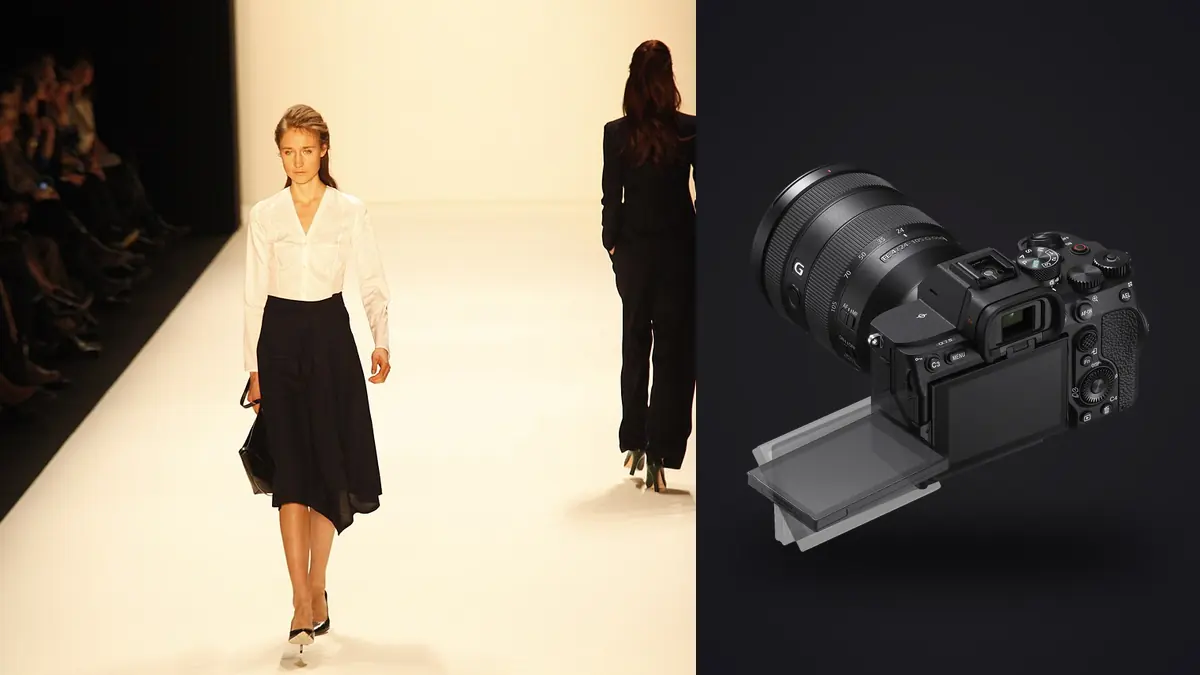
What a lookbook day actually demands from a camera
A commercial fashion lookbook shoot is not one photograph, it is a production line. A typical retail season runs twelve to twenty looks in a single day, each with three to six outfit variations, a stylist adjusting the garment between nearly every frame, and an art director watching a tethered screen for anything that breaks continuity. The camera has to keep up with that pace without becoming the bottleneck, and it has to produce files clean enough that a retoucher isn't fighting noise or color shift on garment number fourteen the same way they were on garment number one.
I've shot lookbooks on a Sony A7 IV body for two seasons now, both in studio on strobes and on location with continuous LED panels, and the parts of the camera that matter for this specific job are not the ones that show up first on a spec sheet. Resolution matters less than autofocus consistency across a full day. Burst speed matters less than how quickly the buffer clears between looks. Color science matters a lot more once you're grading three hundred frames of the same red dress under two different light sources.
33 megapixels: the resolution question you'll actually face
The A7 IV's 33MP Exmor R sensor sits in an odd middle spot for lookbook work. It's more resolution than most e-commerce and lookbook deliverables need (client specs usually cap out around 2500px on the long edge for web galleries, occasionally 4000px for print catalogs), but it's enough headroom that you can crop a three-quarter body shot down to a tight beauty frame without the retoucher complaining about softness. That flexibility matters on a lookbook day because you rarely have time to reshoot a detail crop separately. You shoot the full look, and if the art director asks for a close-up of the collar or the stitching on a cuff, you're cropping from the same frame rather than resetting the whole scene.
Where the resolution becomes a liability is file size and card math. A compressed 14-bit raw off the A7 IV runs somewhere in the 35 to 45MB range depending on scene complexity. On a day where you're shooting eighteen looks at roughly 150 to 200 frames per look, once you account for pose variations and safety frames, you're looking at three thousand plus raw files and somewhere north of 120GB before lunch. That's not a knock on the camera, it's just the reality of the format, and it changes how you plan card capacity and backup on set. I run dual CFexpress Type A cards in the two card slots, one recording raw and the other recording a JPEG backup, so there's a redundant copy leaving the venue before anything touches a laptop.
Autofocus and drive settings that hold up across outfit changes
Real-time Eye AF is the setting that actually changes how a lookbook shoot runs. With Eye AF locked to the model and tracking set to sticky rather than responsive, the camera holds focus through the small movements a model makes adjusting a sleeve or turning to check the mirror, which means fewer soft frames when you're firing off a burst right as the pose lands. I keep AF-C on back-button focus, assigned to the AF-ON button with the shutter release decoupled from focus, so I can pre-focus and hold through a pose sequence without the camera hunting every time a hand or a garment edge crosses the frame.
Drive mode is where the A7 IV's real limitation shows up. Hi+ continuous shooting reaches 10fps, but only reliably with compressed raw or JPEG; switch to lossless compressed or uncompressed raw and the achievable rate and buffer depth both drop. For most look shots I don't need 10fps at all, a static or slow-turn pose doesn't call for it, so I run Mid, roughly 6fps, for the majority of the day and save Hi+ for walk shots or anything with garment movement, a scarf catching air or hair mid-turn. That split keeps the buffer from filling mid-look, which matters because nothing kills momentum on set like the camera locking up while everyone is waiting on you.
Settings by shot type
| Shot type | Aperture | Shutter speed | Drive mode | AF area | Why |
|---|---|---|---|---|---|
| Full-look, static pose | f/5.6 to f/8 | 1/160 to 1/250s (strobe sync) | Mid (approx. 6fps) | Eye AF (human), sticky tracking | Enough depth to keep the whole garment sharp, moderate burst for pose variation |
| Walk / movement look | f/4 to f/5.6 | 1/500s or faster | Hi+ (up to 10fps) | Eye AF, wide zone tracking | Freezes fabric and hair motion, needs frame density to catch the peak stride |
| Beauty / detail crop | f/2.8 to f/4 | 1/160s (strobe) or 1/250s (ambient) | Single or Low | Flexible spot, manual placement | Shallow depth isolates the detail, no need for burst volume |
| Flat-lay / product macro | f/8 to f/11 | 1/125s (strobe) | Single | Flexible spot, focus and recompose | Maximum edge-to-edge sharpness on texture and stitching, static subject |
Color consistency across a day of garment changes
The hardest color problem on a lookbook shoot isn't any single image, it's keeping forty different garment colors looking accurate and consistent against each other across a gallery a client will scroll through in one sitting. I shoot a custom white balance off a gray card at the start of the day and again any time the light changes, cloud cover shifting on location or swapping from window light to strobe for an interior set, and I keep the in-camera picture profile flat and neutral rather than punchy. A contrasty JPEG preview looks great on the back of the camera and then fights you in the grade later.
Where this gets time-consuming is at the editing desk, not on set. Three hundred images from the same core lighting setup should grade consistently, but skin tone and garment color both drift slightly frame to frame with any strobe recycling or model position change, and doing that correction by hand across a full lookbook is close to a full day of work on its own. This is the one place I've actually changed my workflow because of software rather than camera settings: imagic's apply_my_style preset learns from a set of images I've already graded by hand and applies that same look across the rest of the shoot automatically, entirely on the machine, with nothing leaving the laptop. For a lookbook where half the value is that every look reads as part of the same collection, starting from a consistent baseline grade before going back in for per-image tweaks saves real hours.
Culling a day's worth of look changes
Volume is the real tax on lookbook work. Between pose variations, safety frames, and the model checking in with the stylist mid-sequence, you come home with a large number of near-duplicate frames for every look that actually makes the final gallery. Sorting that by eye, look by look, is the part of the job nobody enjoys and the part that eats into the turnaround time the client is waiting on.
I run the day's cards through imagic before I open anything in Capture One or Photoshop. Its local sharpness scoring catches the specific frame where focus actually landed on the model's eyes in a burst, which matters more with this camera's autofocus than you'd think, because Eye AF tracking through a spin or a hair flip drifts slightly frame to frame even when it's locked on. The burst clustering groups the repeated poses from each look together so I'm choosing between six similar frames instead of scrolling past sixty. If you haven't used AI-assisted culling before, this breakdown of how AI photo culling works covers the mechanics in more depth than I need to here.
The confidentiality angle matters more on lookbook work than on most other shoot types. These are unreleased garments, sometimes months ahead of a retail drop, and a lot of brands write embargo terms into the shoot agreement. Processing that runs entirely offline, without the images being uploaded anywhere for culling or grading, isn't a nice-to-have on this kind of job. It's the reason I stopped using a couple of cloud-based culling tools I liked otherwise.
Lens pairing for the job
The FE 24-70mm f/2.8 GM II is the lens to have mounted for probably 70 percent of a lookbook day. It covers full-look shots at the wide end and tightens up to a three-quarter crop at 70mm without a lens change, which matters when you're moving between static looks and walk shots on the same set. For beauty and detail crops I switch to the FE 85mm f/1.4 GM, mostly for the falloff. A garment detail against a softly blurred background reads better in a lookbook gallery than one shot at f/5.6 where the background competes for attention. On location work with less control over backgrounds, the 85mm earns its spot even more.
For flat-lay and product detail shots, folded garments, texture close-ups, accessory shots that go in the same gallery as the model images, a dedicated macro in the 50 to 90mm range gets you the edge sharpness that a general-purpose zoom won't quite match at close focusing distance. It's not a lens I need all day, but skipping it on a shoot that includes product detail requirements means sending those crops out to be reshot later, which nobody wants.
Getting from card to client gallery
On studio days, tether to Capture One over USB-C so the art director can flag looks in real time rather than waiting for a full edit. On location, where tethering isn't practical, offload both cards at the first break and run a first-pass cull on a laptop between setups so you're not starting from three thousand unsorted files at nine that night. Either way, the goal is the same: get a client-facing proof gallery out within a day or two of the shoot, not a week later when the momentum from the shoot day has faded and everyone has moved on to the next thing.
That turnaround time is where a one-time-purchase tool ends up paying for itself faster than a subscription does, especially for a freelancer or small studio doing several lookbook jobs a month rather than one a quarter. If you're weighing tools for this kind of volume, the pricing breakdown is worth a look, and these workflow tips cover some of the same ground from the angle of shaving time off the edit rather than the shoot.
Frequently Asked Questions
Is 33 megapixels enough resolution for a full lookbook and catalog crops?
For web galleries and most print catalog use, yes. Most lookbook deliverables cap resolution well below what the sensor produces, and 33MP gives you enough headroom to crop a beauty detail out of a full-body frame without the file falling apart. Where you'd want more is large-format print or heavy re-crops from a wide establishing shot down to a tight product detail. For the majority of retail and e-commerce lookbook work, it isn't the limiting factor.
Should I shoot compressed or lossless compressed RAW for a full lookbook day?
Compressed raw, for volume reasons more than image quality ones. The difference in editing latitude between compressed and lossless compressed raw on this sensor is small enough that it rarely shows up in a lookbook edit, but the file size difference adds up fast across three thousand frames, and compressed raw keeps the Hi+ burst rate usable for longer before the buffer fills. I'd reach for lossless compressed only on a shoot where a handful of hero images might get printed large.
How many looks can you realistically shoot in a day with this camera?
Camera-wise, it isn't the constraint. Fourteen to twenty looks in a day is normal on a lookbook set, and the limiting factor is almost always styling and hair or makeup changeover time, not autofocus speed or buffer clearing. The one place the camera does matter is battery and card management: I carry at minimum three batteries and don't let a card fill past about 80 percent before swapping, so a full card or a dead battery never becomes the reason a look runs behind schedule.
Does the autofocus handle movement and walk shots reliably?
With Eye AF tracking set to wide zone and Hi+ drive engaged, yes, it holds up well for the kind of walk and movement shots typical of a lookbook: a model turning, fabric catching air, a controlled stride toward camera. It isn't tuned for sports-level unpredictable motion, but lookbook movement is choreographed and repeatable, and the tracking keeps up across a burst reliably enough that the miss rate stays low. The bigger variable in practice is usually the lighting recycle time on strobes rather than the autofocus itself.