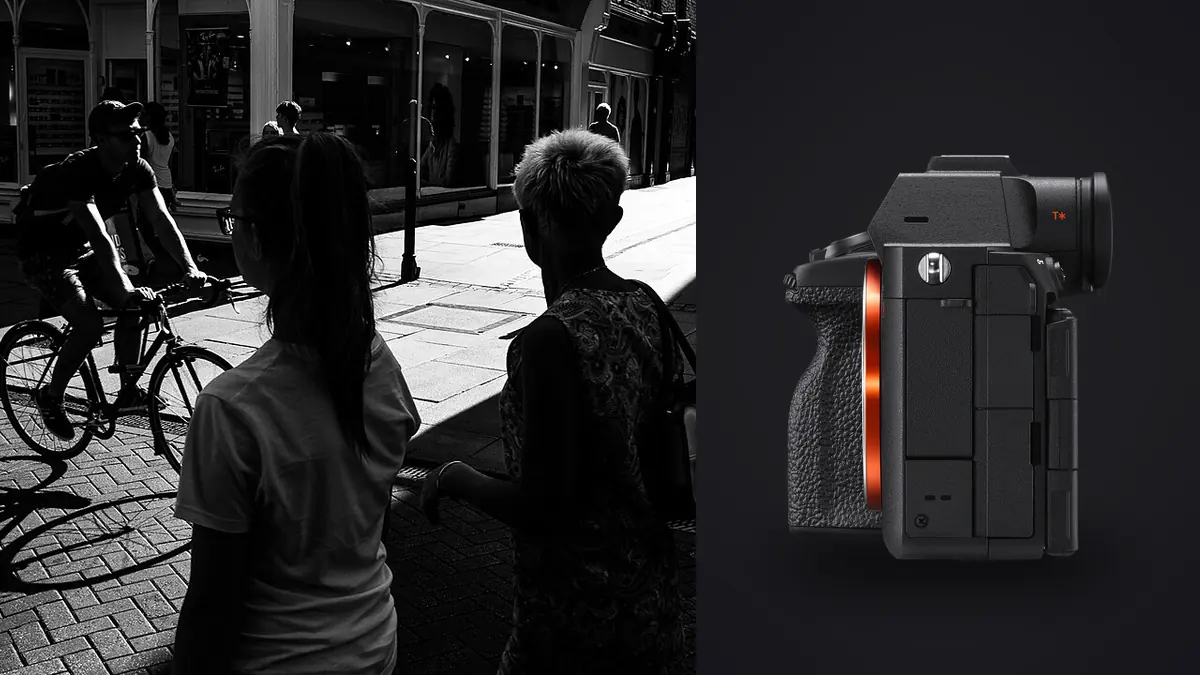
A 61-Megapixel Body in a Genre That Usually Wants Small and Quiet
The Sony A7R V was built for people who print big or crop hard: landscape photographers stitching panoramas, product shooters who need to punch into a detail at 100 percent, portrait studios chasing every eyelash. None of that is documentary work. And yet, since the camera shipped in late 2022, a surprising number of photojournalists and long-form documentary shooters have put one in their bag alongside, or instead of, a lower-resolution body. I've run two extended projects on the A7R V, one following a small fishing cooperative on the Portuguese coast over four separate trips, another photographing a string of local election events, and the resolution turned out to be the least interesting thing about it for this kind of work.
What matters more is what you can do with that resolution after the fact. The 61-megapixel Exmor R sensor gives you room to crop a frame shot at 35mm down to something that reads like it was captured at 85mm, without the file falling apart in a magazine spread or a gallery print. On the street you rarely get to choose your distance from the subject. Someone steps between you and the moment, a car cuts the angle, you end up shooting through a bus window at an angle you didn't plan for. Having 61 million pixels to sacrifice in a crop is a genuine working advantage, even though the camera was never marketed with street photographers in mind.
Handling: What 723 Grams Actually Feels Like After Eight Hours
Body-only, the A7R V weighs 723 grams. Pair it with the FE 35mm f/1.4 GM, a lens I've come to rely on for documentary work because it holds up wide open, and you're carrying something close to 1.25kg on a wrist strap or neck strap for a full shooting day. That's noticeably more than a Fujifilm X-T5 with an equivalent prime, and a fair bit more than a Leica Q2's fixed-lens simplicity. If your priority is disappearing into a crowd, a rangefinder-style APS-C body will always win on size and quiet.
Documentary shooters tend to make a different trade. You're not trying to be invisible for a single decisive frame, you're trying to survive a twelve-hour assignment and come home with a card you can actually use. The A7R V's grip is deep enough to hold comfortably one-handed while operating a second camera or a notebook with the other. The dual card slots (CFexpress Type A and SD UHS-II in each bay) mean you can mirror every frame to a backup card in real time, which matters enormously when you're covering something that can't be reshot, a funeral, a protest, an election night. I lost a card to corruption on an assignment two years ago on a different body and haven't shot a single card since without a mirror running.
The AI Autofocus Unit and Unpredictable Human Subjects
Sony added a dedicated AI processing chip to the A7R V specifically for subject recognition, separate from the main image processor. In practice this means the camera can identify a human by pose, not just by a visible eye or face. Someone turned three-quarters away from you, a child ducking behind a parent's leg, a subject whose face is obscured by a hand or a phone, the camera still locks and holds because it's reading body position rather than waiting for an eye to appear.
For documentary work this matters more than it does for portraiture, where subjects generally cooperate. On the street, people move unpredictably and don't know they're being photographed, which is the whole point. I've had the autofocus hold correctly through someone spinning to answer a shout, through a subject walking directly toward the lens and turning sideways at the last second. It isn't flawless in low light, hunting does still happen under sodium streetlight after dusk, but in daylight conditions it's the most reliable subject-tracking I've used on a body this size.
Shutter Modes: the Trade-off Between Silence and Distortion
The A7R V shoots up to 10fps in either mechanical or fully electronic (silent) shutter mode. For documentary work in quiet indoor settings, courtrooms, religious services, small gatherings where a mechanical clack draws attention, the silent shutter is genuinely useful. I switch to it by default for anything indoors and reserve the mechanical shutter for outdoor street work where the sound doesn't matter as much and rolling shutter risk is lower.
That rolling shutter risk is real. The A7R V's sensor is not stacked (unlike the A9 series or the A1), so the electronic shutter reads the sensor row by row rather than all at once. Photograph a car passing quickly across the frame, or someone waving a hand fast in front of the lens, and you'll sometimes see the classic skew where the top and bottom of a moving object don't line up. For static or slow-moving street scenes it's a non-issue. For anything with real speed, a passing cyclist, a skateboarder, a car turning a corner, I switch back to the mechanical shutter even though it costs me the silence.
RAW File Formats and What They Cost You in the Field
The A7R V gives you four practical RAW options, and the choice you make at the start of a shoot day has real consequences for how much data you're carrying home and how long your buffer lasts during a burst. I've settled into a habit of switching formats depending on the assignment rather than leaving the camera on one setting permanently.
| RAW Format | Approx. File Size | Buffer at 10fps (CFexpress A) | When I Use It |
|---|---|---|---|
| Compressed RAW | ~60MB | Deep, effectively unlimited for most bursts | Default for full-day documentary coverage |
| Lossless Compressed RAW | ~80-90MB | Roughly 150-200 frames | Editorial work headed for print, when file integrity matters more than card space |
| Uncompressed RAW | ~120-127MB | Under 100 frames | Rarely, only for planned static portraits within a documentary series |
| APS-C Crop RAW | ~25-30MB | Very deep, closer to Compressed RAW headroom | Reaching with a short lens when I need extra effective focal length and can spare the resolution |
For most documentary days I stay on standard Compressed RAW. The difference in fine detail versus Lossless Compressed is not something anyone notices at normal viewing sizes, and the card space and buffer headroom you keep is worth more on a day where you might fire off a fifteen-frame burst chasing a fast-changing scene.
Lens Choices That Keep the Kit Documentary-Ready
I shoot the A7R V almost exclusively with primes for this kind of work: the FE 35mm f/1.4 GM as the main lens, a 24mm f/1.4 GM for tighter environments and interiors, and lately a 50mm f/1.2 GM for closer portrait moments within a longer story. Sony's smaller FE 40mm f/2.5 G is worth mentioning too, it's genuinely tiny for a full-frame lens and pairs with the A7R V without making the kit feel top-heavy, though the f/2.5 aperture limits it in dim interiors.
Budget-conscious shooters often go with the Sigma 35mm f/2 DG DN, which is a fraction of the GM lens's price and still sharp enough that the A7R V's resolution doesn't expose weaknesses in the glass. Given how often I end up cropping a frame after the fact, lens sharpness across the full 61-megapixel resolving power actually matters more here than it would on a lower-resolution body, where a slightly soft corner never gets pixel-peeped because there's nothing to crop into.
Battery, Storage, and Weather Sealing on a Long Assignment
The NP-FZ100 battery is rated around 530 shots through the viewfinder, which in practice, with the screen active for reviewing frames and Wi-Fi transferring files periodically, tends to land closer to 350-400 real shots per charge on a busy documentary day. I carry three batteries for anything longer than a half-day shoot and have never regretted the extra weight.
The gasket sealing on the A7R V is a step up from the A7R IV, and I've shot it through light rain at an outdoor demonstration without a rain cover and had no issues, though I wouldn't push it in a downpour without one. Magnesium alloy construction on the body shell holds up to the kind of daily bag-and-shoulder abuse that documentary work involves better than I expected going in.
Where the File Volume Becomes a Real Problem
Here's the part nobody mentions in the marketing copy: a single busy documentary day on the A7R V, shooting Compressed RAW at a rally or a market or a long walk-and-shoot session, routinely produces 1,200 to 1,800 frames. At roughly 60MB each, that's well over 80GB before you've backed anything up. Multiply that across a four-day trip and you're looking at 300-400GB of RAW files to review, and most of them are near-duplicates: three or four frames of the same handshake, the same turn of a head, fired off during a half-second burst because you didn't want to miss the one that landed.
This is where I actually rely on software rather than just muscle memory and a loupe. I run every day's card through imagic before I open anything in an editor. Its local sharpness and focus scoring flags which frame in a burst is actually sharp on the eyes versus which ones drifted during the half-second the shutter was held down, and the duplicate and burst clustering groups those near-identical frames together so I'm not scrubbing through six versions of the same handshake one at a time. On a card with 1,500 frames, that alone can cut the first review pass down from a couple of hours to something closer to twenty minutes. If you want the mechanics of how that kind of scoring actually works under the hood, this breakdown of how AI photo culling works is a decent starting point.
Processing Sensitive Documentary Work Without a Cloud Round-Trip
A lot of documentary and street work involves people who didn't sign a release form and may not want their image anywhere near a cloud server, protest attendees, people at a funeral, subjects in a vulnerable housing situation. I've had subjects ask directly whether their photo is "going online somewhere" during the shoot itself, and being able to say the files never leave my laptop until I choose to send them somewhere is a real answer, not a dodge.
This is one of the reasons I moved my culling and initial editing to imagic rather than a subscription tool that processes through the cloud. Everything runs locally, no upload step, no account syncing frames to a server I don't control. For a one-time purchase rather than a subscription, that also means I'm not paying monthly for software I might only touch during active shoot weeks between longer documentary projects. The apply_my_style preset feature, trained on my own previously edited work rather than a generic filter, has also saved real time keeping a consistent look across a multi-day story without manually matching white balance and contrast frame by frame in a hotel room at midnight. It's a small thing, but consistency across a documentary series is part of what makes it read as one body of work rather than a scattered folder of good individual shots. For anyone trying to tighten up the review-to-edit pipeline generally, these workflow tips cover more of that ground.
How It Compares to Other Bodies People Actually Carry for This Work
None of these cameras are direct competitors on paper, they're aimed at different jobs, but they're the bodies I see most often in the hands of other documentary and street shooters, so the comparison is worth laying out plainly.
| Camera | Resolution | Body Weight | Max Mechanical Burst | Best Fit in This Genre |
|---|---|---|---|---|
| Sony A7R V | 61MP full-frame | 723g | 10fps | Long-form documentary needing crop flexibility and print quality |
| Sony A7 IV | 33MP full-frame | 658g | 10fps | Lighter all-rounder when 61MP files aren't needed |
| Sony A9 II | 24MP full-frame | 678g | 20fps | Fast-action assignments where burst speed beats resolution |
| Fujifilm X-T5 | 40MP APS-C | 557g | 15fps (electronic) | Lighter kit, more discreet, smaller file sizes for casual street work |
| Leica Q2 | 47MP full-frame, fixed 28mm | 734g | 10fps | Pure street work where a fixed lens forces discipline |
The honest read: if speed of burst is your priority, the A9 II beats the A7R V without argument. If you want the smallest, quietest kit, the X-T5 or a fixed-lens compact wins. The A7R V earns its spot when the work is longer-form, when prints or large publication spreads are the end goal, and when you need the option to crop hard on a frame you couldn't get physically closer to.
Frequently Asked Questions
Is 61 megapixels actually useful for street and documentary photography, or just marketing?
It's useful specifically for the cropping flexibility, not for print size most street or documentary work ever needs. A typical editorial spread or web gallery doesn't require anywhere near 61 megapixels. What the resolution buys you is room to reframe a shot after the fact when you couldn't physically get closer to your subject, which happens constantly in unposed, unpredictable environments.
How loud is the Sony A7R V's shutter for candid work?
The mechanical shutter has an audible clack, comparable to most full-frame mirrorless bodies, noticeable in a quiet room but not shocking in normal street noise. Switching to the fully electronic shutter mode makes the camera completely silent, though you trade that silence for a higher risk of rolling shutter distortion on fast-moving subjects, since the sensor isn't a stacked design.
Can the A7R V keep up with fast-moving subjects during documentary events like protests or parades?
For walking pace and moderate movement, yes, the AI-based subject recognition tracks people reliably even when they turn away or are partially obscured. For genuinely fast action, sprinting, vehicles, anything closer to sports speed, the 10fps ceiling and non-stacked sensor put it behind bodies built specifically for that, like the A9 II. Most documentary and street situations sit comfortably within what the A7R V can handle.
What's the realistic storage and review burden for a multi-day documentary shoot on this camera?
Expect somewhere between 60GB and 100GB per active shooting day if you're shooting standard Compressed RAW and covering a full day of events. Across a multi-day trip that adds up fast, and the bigger cost is usually time, not storage, since a large share of those frames are burst duplicates that need to be reviewed and thinned before you can start actually editing.