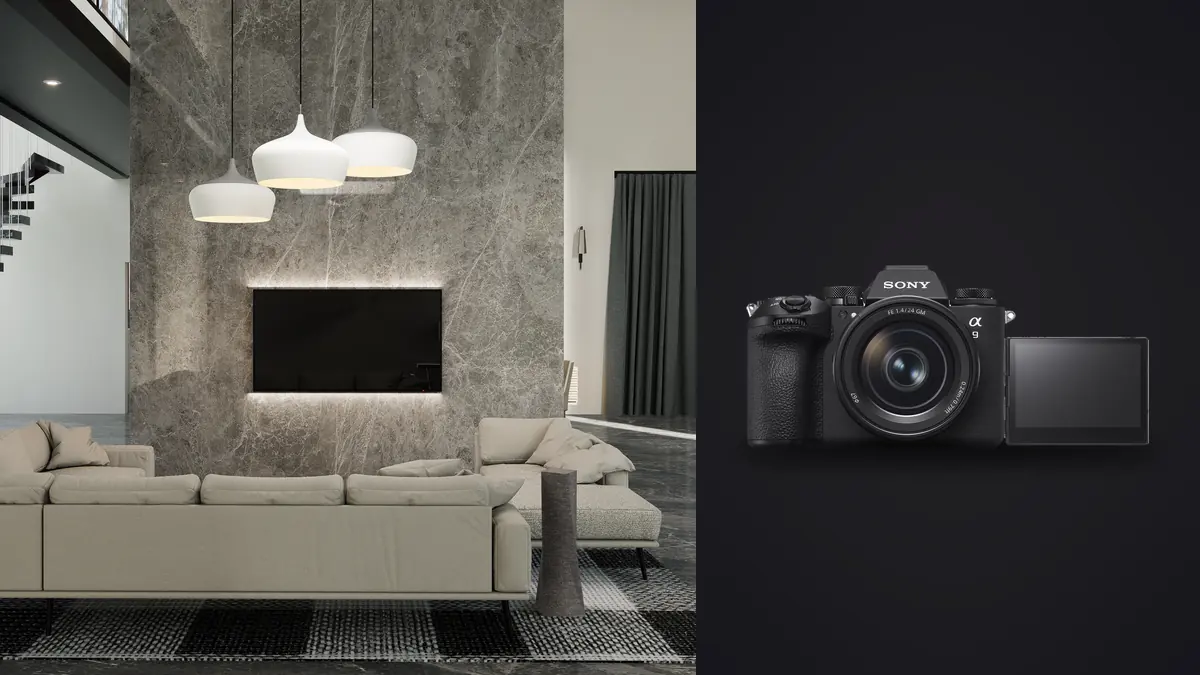
The Sony A9 III was built to freeze a sprinter mid-stride at 120 frames per second, so it seems like an odd tool to bring into a quiet, tripod-friendly interior with nothing moving faster than dust in a light beam. I put one on a real estate and hospitality shoot for six weeks after it came out of the "is this actually useful for architecture" debate on a few forums I follow, and the honest answer is: parts of it are genuinely useful for this work, and parts of it are wasted money you're carrying for no reason. This is a breakdown of which is which, with numbers, not just impressions.
A Sports Camera in a Still-Life World
Start with what makes the A9 III different from every other full-frame Sony: it has a global shutter. Every pixel on the 24.6MP stacked sensor exposes and reads out at the exact same instant, rather than scanning line by line the way a rolling shutter does. For sports and wildlife shooters this kills skew on fast-moving subjects and lets the camera shoot at up to 120fps with a fully blackout-free viewfinder. For an architectural photographer standing on a tripod in an empty lobby at 7am, none of that speed matters. You are not shooting bursts of a stairwell running away from you.
But two side effects of the global shutter design turned out to matter a lot more than the frame rate ever did on this kind of job: flicker-free shooting under artificial lighting, and flash sync at any shutter speed up to 1/80000s. Those two things solve real, recurring problems on interior sets. Everything else on the spec sheet (the 120fps buffer, the AI subject tracking, the pre-capture buffer) is dead weight for this genre. I'll get to why the resolution number is also worth thinking twice about.
Global Shutter Solves a Flicker Problem You've Probably Fought Before
Anyone who has shot a retail space, a restaurant, or a modern office with dimmable LED panels knows the banding problem. Rolling-shutter cameras read the sensor line by line, and if the LED driver is pulsing the lights faster than your eye can see but not fast enough to be invisible to a scanning sensor, you get horizontal bands of uneven brightness or color shift across the frame. Sony's own anti-flicker modes on cameras like the A7R V and A1 try to time the shutter release to the peak of the light's pulse, and it works most of the time, but "most of the time" is not a great answer when a client is standing behind you watching a tethered screen.
Because the A9 III reads the entire sensor in one instant rather than scanning it, there is no window during which some rows see more of the light pulse than others. I shot a boutique hotel lobby lit almost entirely by dimmed LED cove lighting and warm pendant fixtures, the kind of mixed, dimmed lighting that has given me banding on three different camera bodies over the years, and never saw a single band across roughly 400 frames at shutter speeds from 1/60 to 1/500. That is not a marginal improvement, it's the difference between shooting with confidence and chimping every third frame at 400% zoom to check for stripes.
Flash Sync at Any Shutter Speed Changes How You Light a Room
This is the feature that actually changes technique, not just convenience. On a conventional mechanical or electronic-first-curtain shutter, you're capped at a native sync speed, usually somewhere around 1/200 to 1/250s on Sony's other full-frame bodies, before the shutter curtain itself starts blocking part of the frame from the flash. Go faster than that and you either need High Speed Sync (which chops the flash into a rapid pulse train and costs you a stop or two of usable power per stop of shutter speed) or you drop in ND filtration to bring the ambient down instead.
The A9 III has no mechanical shutter at all, so there is no curtain to outrun. Full flash sync is available at any shutter speed the camera offers, straight up to 1/80000s. In practice, for interior work, that means I can point a strobe through a diffuser at a dim corner of a room and still shoot at 1/2000s or faster to knock a bright window down two or three stops without touching HSS or an ND filter, and without losing a fraction of the flash's rated output. On a shoot where you're balancing a sunlit window against a dim interior (which is most interior shoots), that is the difference between a strobe working at 1/4 power and one working at full power, which means faster recycle times and the option to run a smaller, lighter head instead of hauling a pack.
| Shutter Speed | Effect on a Bright Window (fixed aperture/ISO) | Typical Mechanical-Shutter Body | Sony A9 III |
|---|---|---|---|
| 1/125s | Window reads roughly 2-3 stops overexposed | Full flash sync available | Full flash sync available |
| 1/500s | Window pulled down to near-correct exposure | Requires HSS, costs 1-1.5 stops of flash power | Full flash sync, no power loss |
| 1/2000s | Window underexposed for dramatic sky detail | HSS only, 2-3 stops of flash power lost | Full flash sync, no power loss |
| 1/8000s | Window nearly black, strong exterior contrast | Not practical with most speedlights in HSS | Full flash sync, no power loss |
The Resolution Trade-Off Nobody Mentions in the Marketing
Here's where I have to push back on the camera a bit. 24.6MP is a perfectly fine resolution for web galleries, real estate listings, and most editorial use, but architectural and interior clients frequently want files that hold up in double-page magazine spreads, large-format prints for a developer's sales office, or heavy crops for detail shots of millwork and hardware. Sony's own A7R V (61MP) and A1 (50.1MP) both give you meaningfully more room to crop a vertical detail out of a wide establishing shot, or to print a lobby shot at four feet wide without upsampling.
If your output is almost entirely digital (listing sites, social, a portfolio site, agency decks), 24.6MP is genuinely enough and the A9 III's other strengths might outweigh the resolution gap. If you regularly deliver large prints or heavy crops to design firms and developers, you're trading real, usable pixels for flash sync and flicker performance you may only need on a fraction of your jobs. I ended up keeping an A7R V in the bag specifically for hero shots and detail crops, and using the A9 III mainly on rooms with difficult mixed lighting or window/flash balance problems, which was maybe a third of the shoot list on any given job.
| Camera | Resolution | Native ISO Range | Max Flash Sync | Approx. Body Price (2026) |
|---|---|---|---|---|
| Sony A9 III | 24.6MP | 250-25600 | 1/80000s (electronic, global shutter) | ~$5,998 |
| Sony A7R V | 61MP | 100-32000 | ~1/250s native, HSS beyond that | ~$3,898 |
| Sony A1 | 50.1MP | 100-32000 | ~1/400s mechanical, HSS beyond that | ~$6,498 |
Dynamic Range and the Bracket-and-Blend Reality
Stacked sensors have historically given up a bit of base-ISO dynamic range compared to their non-stacked siblings, and the A9 III is no exception. It's very good, but it is not a dynamic range monster the way something like the A7R V is at base ISO. On an interior with a bright window and a shadowed corner, a single frame from the A9 III sometimes needs a bit more help in post than the same frame from a body optimized purely for dynamic range.
In practice this pushed me toward bracketing more often than I would with a higher-DR body: three or five-frame exposure sets blended later rather than trying to pull an extra two stops of shadow detail out of one RAW file. The A9 III's speed is genuinely wasted on a tripod-mounted bracket sequence (you don't need 120fps to fire five frames a second apart), but the readout speed does mean zero risk of anything shifting between frames even if someone walks past a doorway mid-sequence, which matters more than you'd think on an occupied job site.
The downside of bracketing more is the volume of files it produces. A six-hour interior shoot with five-frame brackets on every setup can easily leave you with 1,200 to 1,800 RAW files by the end of the day, most of which are near-duplicates of each other by design. This is the part of the workflow where I actually lean on AI-assisted culling rather than eyeballing every frame. I run the card through imagic and let its local sharpness scoring flag which frame in each bracket set is actually the sharpest (tripod shots all look sharp at a glance until you check focus peaking on the hardware detail), and its burst clustering groups the bracket sequences together automatically instead of me scrolling through 1,800 thumbnails one at a time. It runs entirely on the laptop with no upload step, which matters when you're on a client's network and don't necessarily want RAW files leaving the building before they're delivered.
The Tilt-Shift Gap You Need to Plan Around
One thing the A9 III doesn't solve, because no camera body can: Sony still doesn't make a native E-mount tilt-shift lens. If you shoot architecture regularly and rely on shift movements to keep verticals parallel in-camera rather than correcting them digitally, you're looking at either the Laowa 15mm f/4.5 Zero-D Shift (manual everything, but genuinely sharp and reasonably priced), or adapting a Canon TS-E 17mm or 24mm through a mechanical adapter, which loses autofocus (not a huge deal for a locked-off architectural shot) and adds a stop of hassle to every setup.
Most interior and real estate photographers I know have moved away from physical shift lenses anyway and correct verticals digitally with the excellent 14mm f/1.8 GM or the 16-35mm and 20-70mm G lenses, which are sharp enough at the edges that a perspective correction in post costs you very little. I use this second approach almost exclusively now: shoot wide with a stopped-down aperture, keep some margin in the frame for the correction to eat into, and fix verticals in post. It's faster on a job with twelve rooms to cover and a tight afternoon light window, even if a purist would rather do it optically.
A Day on Location: Card to Client
A typical interior day with this camera looks like this. Morning is exterior and hero shots while the light is soft, shooting the A7R V for resolution. Midday moves inside to rooms with mixed or difficult lighting (anything with big windows plus interior LED, anything with dimmed cove lighting) where the A9 III's flicker immunity and full-power flash sync actually earn their keep. Afternoon is detail shots (hardware, materials, textures) back on the higher-resolution body. By the end of the day I've got two card's worth of RAW files that need triage before dinner, because I like to have a gallery sorted within the week.
This is where the culling and grading side of the workflow matters as much as the camera choice did that morning. Between the two bodies and the bracket sets, a moderate interior job produces somewhere north of 2,000 frames, and manually sorting that by hand at the end of a twelve-hour day is how mistakes happen (the wrong frame from a bracket set gets picked, a slightly soft one slips through). I let imagic do the first pass overnight: focus and sharpness scoring to surface the sharpest frame in each set, duplicate and burst clustering to collapse the bracket sequences down to a shortlist, all running locally on the machine rather than uploading a full shoot's worth of property photos to somebody else's server. Then I apply a custom AI preset built from my own past edits (imagic calls this apply_my_style) to get a consistent starting grade across every room before I go in and do the room-specific adjustments by hand. It's not a replacement for actually grading the images, but it means the fifty rooms in a hotel shoot start from a consistent baseline instead of fifty separate blank slates, which is where a lot of interior galleries end up looking inconsistent from room to room when they're rushed. If you're comparing tools for that stage of the workflow, it's worth reading through a guide to color grading consistency before you settle on one approach.
Practical Settings That Held Up on Real Jobs
A few settings choices that made a consistent difference across the shoot:
- ISO floor of 250, not 100. The A9 III's native range starts at ISO 250, not 100, because of how the global shutter sensor is designed. There's no way around this, so plan your base exposure math around 250 rather than assuming a lower floor like you would on most other Sony bodies.
- Electronic front-curtain is the only option, and that's fine. Since there's no mechanical shutter, you're always shooting fully electronic. For tripod interior work this is a non-issue since there's no shutter shock to worry about anyway.
- Anti-flicker mode: leave it off. It's built for rolling-shutter bodies compensating for a problem the A9 III's sensor design doesn't have in the first place. I found no difference with it on or off, so it's one less menu setting to think about.
- Watch highlight roll-off on mixed window/interior shots. Because base dynamic range is a touch tighter than a resolution-focused body, blown window highlights clip harder and recover less gracefully. Bracket rather than hoping the shadows and highlights both survive in one file.
Frequently Asked Questions
Is the Sony A9 III worth buying specifically for architectural and interior photography?
Only if your interior work regularly involves difficult mixed lighting (dimmable LEDs, fluorescent retrofits) or you frequently balance strobes against bright windows and are tired of losing flash power to High Speed Sync. If most of your work is straightforward available-light interiors with even lighting, the resolution advantage of an A7R V or A1 will likely matter more to your deliverables than anything the A9 III's global shutter offers.
Does the global shutter actually eliminate LED flicker banding, or just reduce it?
In my testing across roughly 400 frames under dimmed LED cove and pendant lighting, it eliminated it completely, because the entire sensor reads out simultaneously rather than scanning line by line. There's no scan window for a light pulse to unevenly expose. This isn't true of anti-flicker modes on rolling-shutter cameras, which reduce the odds of banding but don't remove the underlying mechanism.
Can I use High Speed Sync flashes with the A9 III, or do I need special strobes?
You don't need HSS-capable strobes at all for the sync speed advantage, that's the point. Any standard flash or strobe that syncs correctly with the camera gets full-power output at any shutter speed, because the global shutter removes the mechanical curtain that HSS exists to work around. Older manual strobes without HSS features work exactly as well as ones that do.
Should I pair the A9 III with a second, higher-resolution body for architecture work?
That's what I ended up doing, and it's a common pattern among photographers I've talked to who shoot both genres. Use the A9 III for rooms where lighting is the hard problem, and a higher-resolution body like the A7R V or A1 for hero shots, exteriors, and anything likely to be printed large or cropped tightly for a detail shot. Running two bodies also means a much larger, more repetitive set of RAW files to sort each day, which is exactly the kind of volume that automated culling is built to handle instead of doing it by eye at 11pm.