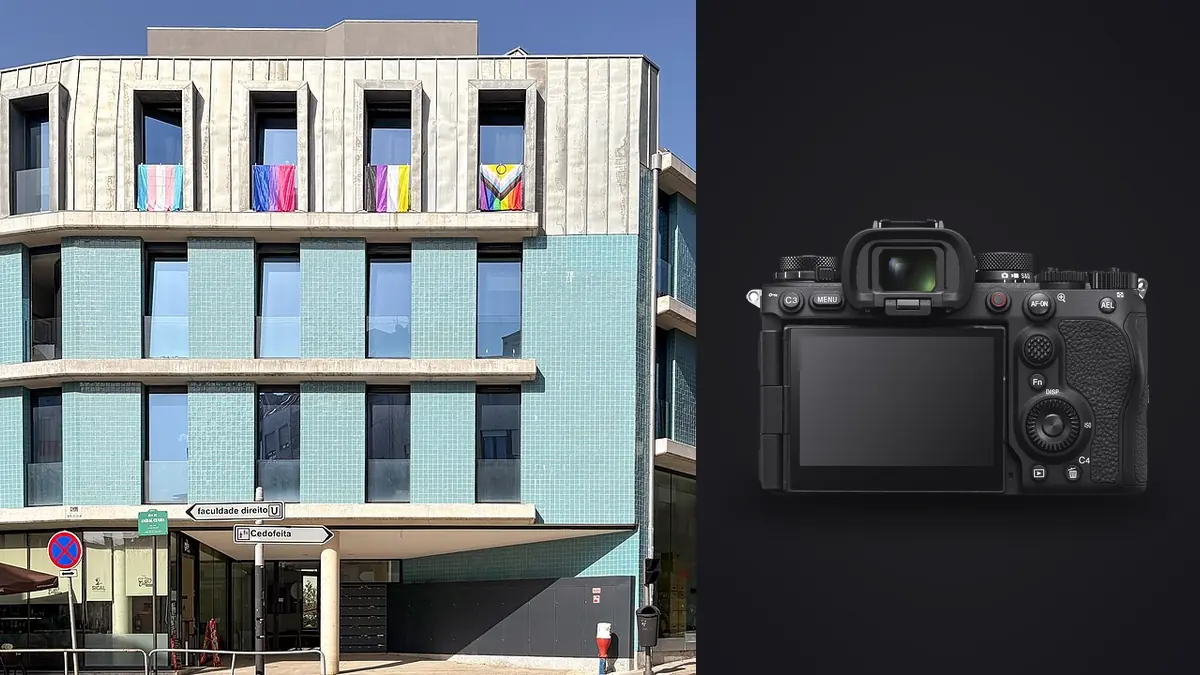
I didn't buy the Sony A9 III for architecture. Nobody does. It's a 120fps sports body built around a stacked, global-shutter sensor, and every review of it talks about panning blur at the track or eye tracking through a chain-link fence. I ended up shooting a boutique hotel refit with it because it was the only body in my bag with a charged battery that morning, and the results changed how I think about which camera actually earns a spot on an interiors job.
The one spec that matters more indoors than out
Most of the marketing around the A9 III's global shutter is about eliminating rolling shutter distortion on fast-moving subjects. Fine for motorsport. But the effect that actually changed my day was something nobody mentions in the sports reviews: banding.
Interiors get lit by whatever the building already has, and increasingly that means LED downlights, LED strip cove lighting, and cheap driver boards that flicker at frequencies a conventional sensor's rolling readout will happily beat against. Shoot a hallway of recessed LEDs with a standard mechanical or electronic shutter at 1/125 and you'll sometimes get a faint horizontal gradient in the ceiling that only shows up on the monitor later, never on the back of the camera. With a global shutter, every pixel exposes and reads at the same instant. There's no rolling readout for the LED's PWM cycle to interact with, so the banding just doesn't happen, at any shutter speed, in any room. On a shoot with six different lighting zones (halogen practicals in the lobby, LED cove lighting in the bar, fluorescent in the back-of-house corridor I still wanted to include) I never once had to bracket for flicker or hunt for the one "safe" shutter speed per room. That alone saved more time than the extra frame rate ever will on this kind of job.
Where 24.6 megapixels stops being enough
Here's the trade you're making for that sensor design. The A9 III tops out at 24.6 megapixels, and architectural work is one of the few genres where resolution still buys you something real: large-format prints for a developer's lobby, tight crops to fix a doorframe you couldn't avoid in a tight stairwell, or a magazine spread that gets printed at a size where every corner of the frame needs to hold up. Real estate listing photography doesn't care, 24MP is overkill for a web gallery. But if you're doing hospitality or architecture-firm work where the client wants a 40-inch print of the lobby for their own office wall, you'll feel the ceiling.
I shot the same suite with the A9 III and, two days later, with an A7R V at 61 megapixels, mostly out of curiosity about how much I'd actually miss. Cropping in on window mullions and trim detail, the A7R V held up noticeably better past about 150% zoom. At normal viewing sizes for a client gallery or a hotel's own marketing use, nobody would ever notice the difference. It's a real trade-off, just not one that matters on every job.
A quick comparison, not a spec-sheet dump
| Body | Resolution | Base ISO / DR at base | Flash sync | Rolling shutter risk | Where it wins on an interiors job |
|---|---|---|---|---|---|
| Sony A9 III | 24.6MP | ISO 250, ~11-12 stops | Up to 1/80,000 (no mechanical curtain) | None (global shutter) | Mixed LED lighting, flash-and-ambient blends, fast walkthroughs |
| Sony A7R V | 61MP | ISO 100, ~14+ stops | 1/250 mechanical, HSS above that | Low, but present with fast pans or fluorescent flicker at high shutter speeds | Large prints, magazine work, heavy crop/perspective correction |
| Fujifilm GFX 100S II | 102MP | ISO 80, ~14 stops (medium format) | 1/125 mechanical | Low | Tethered, tripod-locked architecture where nobody's in a hurry |
That table isn't meant to crown a winner. It's meant to show that "best camera for architecture" depends entirely on whether your job is a tripod-and-tethered shoot with all day to work, or a two-hour hotel walkthrough where the general manager wants you out before lunch service starts.
Dynamic range: the real cost of the stacked sensor
The global shutter design costs dynamic range at base ISO, and interiors are exactly the genre that punishes a narrower range. You've got a window blowing out at 1/8000 equivalent brightness in the same frame as a shadowed reading nook that needs three stops of lift. On the A9 III at ISO 250 I found myself bracketing far more than I would on a body with 13 to 14 stops of headroom, usually a three-shot bracket at plus and minus 1.7 stops so I had room to blend in post without banding artifacts showing up in the shadow lift. It's manageable, and honestly the files respond well to a moderate push, but it's not a one-shot-and-move-on camera for a bright window wall the way a higher dynamic range body can sometimes be.
The workaround I settled on was leaning harder on flash to compress the ratio in-camera rather than trying to recover it afterward, which the next section is really about.
Flash sync without a mechanical curtain
This is where the A9 III actually justified itself on hotel interiors. No mechanical shutter means no X-sync ceiling. You can fire flash at 1/80,000 if you want to, though in practice I never needed anything close to that. What it actually meant on set: I could balance a bounced speedlight against a bright window at 1/2000 to kill ambient without touching HSS mode, without the power loss HSS causes, and without worrying about sync stripes if I timed something wrong. Gelling a flash to match tungsten practicals and then shooting at a shutter speed fast enough to underexpose the window to a controllable range was just faster here than on any focal-plane-shutter body I've used. For a genre where you're constantly fighting one wildly overexposed light source (the window) against a room that needs fill, that flexibility is worth more on paper than the frame rate.
Autofocus and focus bracketing in cluttered rooms
The A9 III's autofocus is tuned for eyes, birds, and cars, and none of that matters in a guest suite. What does matter is how it behaves stopped down to f/8 or f/11 in a dim corridor with patterned carpet confusing contrast detection. It's fine, genuinely fast and accurate, but I still ended up on manual focus with peaking for anything involving a foreground object (a chair, a console table) against a background window, because focus bracketing across that kind of depth still benefits from deliberate manual steps rather than trusting continuous AF to land exactly where I want across a stack. If you're doing tabletop or vignette shots inside a room, budget the same manual-focus habits you'd use on any other body. The global shutter doesn't change how you focus, only how clean the exposure ends up once you've nailed it.
The volume problem nobody warns you about
A camera capable of 120fps bursts, paired with exposure brackets and focus brackets on every single vignette, generates an absurd number of files on an interiors shoot. A single guest suite with six vignettes, three-shot exposure brackets on four of them, and a couple of accidental burst triggers left over from testing autofocus modes, and I walked out with over 400 frames for one room. Multiply that across a twelve-room hotel floor and you've got a genuinely unmanageable card dump by dinner time.
This is the point where I stopped trying to sort things manually in a Lightroom grid and started running the take through imagic before touching anything else, the same local scoring and clustering approach covered in how AI photo culling works. It's a one-time-purchase desktop app that does its culling and scoring entirely on the machine, which mattered to me on this job specifically because the hotel hadn't announced the refit yet and I wasn't about to route unreleased interior shots through anyone's cloud service. Its burst and duplicate clustering grouped each bracket set and each accidental multi-frame trigger together automatically, and its local sharpness scoring flagged which frame in a handheld bracket was actually the crispest, which matters more than usual on a body shooting at higher ISOs to compensate for that narrower dynamic range. I still built out my own "apply_my_style" preset in imagic from a batch of previously graded interior work, so the whole day's take came out of culling already close to my usual look instead of forty individually-graded rooms. Cut the post-shoot sorting time by more than half compared to how I'd normally wade through a bracket-heavy day. General habits for speeding up that kind of review pass are covered in our tips for a faster photo workflow.
A morning on the third floor
Worth describing one stretch of the actual shoot, because specs only tell you so much. Room 312 had a west-facing window, LED cove lighting around a headboard, and a bathroom lit by a mix of vanity LEDs and a skylight. Three completely different light sources, three different color temperatures, one frame. I shot the main bedroom vignette at 1/1000 with a single speedlight bounced off the ceiling to fill the shadow side of the bed, gelled a quarter CTO to sit between the cove lighting and the window daylight. No banding in the cove lighting despite the shutter speed, no sync issues, and the shot needed maybe five minutes of adjustment instead of the usual dance of finding a "safe" shutter speed that didn't beat against the LED driver frequency. The bathroom, with its mixed vanity and skylight, is exactly the kind of scene where I'd normally burn ten minutes just testing which shutter speeds were flicker-safe. Here I didn't have to test anything. That's forty-five minutes back over the course of a twelve-room floor, which is the difference between finishing before the lunch service crowd shows up in the lobby and not.
Frequently Asked Questions
Is the Sony A9 III worth buying specifically for interior and architectural photography?
Not as a first purchase for the genre. If interiors and architecture are your main work, a higher-resolution body like the A7R V or a medium-format system will serve you better on most jobs where you control the pace. The A9 III earns its place as a second body for fast-turnaround commercial interiors (hotels, restaurants, retail) where mixed artificial lighting and limited access time are bigger problems than raw resolution.
Does the global shutter actually stop banding under LED panels, or is that overstated?
In my experience it's not overstated. Rolling shutter banding under flickering LED sources is a readout-timing problem, and a global shutter removes the timing mismatch entirely because every pixel exposes simultaneously. I shot the same LED-lit corridor with a rolling-shutter body afterward and had to hunt for a flicker-safe shutter speed. With the A9 III I didn't have to think about it at any speed I tried.
How does the A9 III compare to a tilt-shift lens setup for correcting verticals?
The camera body doesn't change your options there. Sony's native tilt-shift lineup for E-mount is thinner than what's available in Canon or Nikon mounts, so if verticals-correction-in-camera via a tilt-shift lens is central to your workflow, that's a lens-system decision independent of which A9 III specs you're weighing. Most interior shooters I know correct verticals in post instead and shoot wider than they need to leave room for the correction crop, which works fine on a 24.6MP file as long as you're not cropping aggressively on top of it.
Can the autofocus keep up in dark stairwells and unlit back-of-house corridors?
It hunts a bit more than in daylight, same as any mirrorless AF system does at low light and small apertures, but it's usable down to genuinely dim service corridors if you give it a contrast edge to lock onto. For anything with a shallow foreground-to-background stack in low light, I still switch to manual focus with peaking rather than trust continuous AF to land precisely, which is more a habit from architecture work generally than a specific weakness of this body.