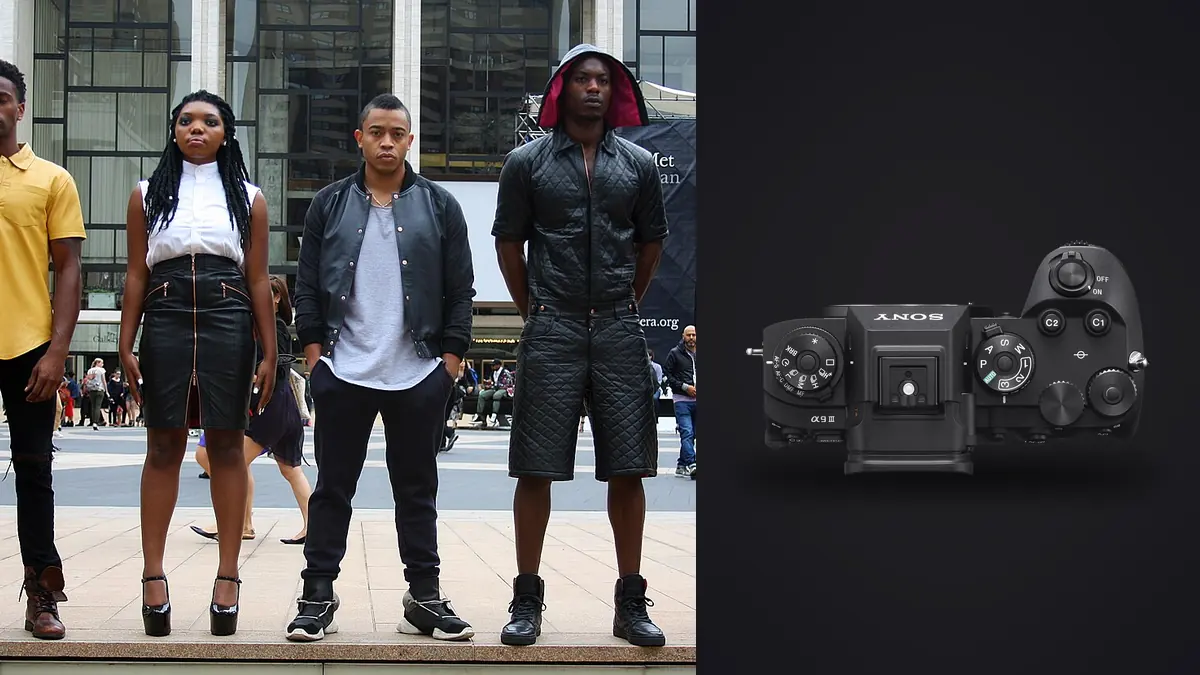
A fashion lookbook day doesn't feel like a portrait session with extra outfits. It feels like a production line: a look goes up, the stylist tugs a hem into place, the model runs through eight or ten poses in under a minute, then everyone stops dead for a change. Multiply that by twenty five or forty looks in a single day and the camera's job stops being "resolve fine detail" and starts being "keep pace with fabric that moves faster than the crew swapping it." The Sony A9 III earns its place on a lookbook set for reasons that have almost nothing to do with megapixels.
The actual problem a lookbook day creates
Lookbooks are not about the single hero frame the way a campaign image is. A client wants clean, consistent, well lit product shots across a full range: front, three quarter, back, a detail crop on a pocket or a seam, maybe a walking or turning frame for movement. That means every look generates dozens of near identical frames, and the photographer's real skill on the day is triggering the shutter at the exact instant a garment settles or catches the light correctly, not composing a single decisive moment. Anything that adds friction between "the moment happens" and "the file is captured cleanly" costs you money, because the model, the stylist, and usually a rented studio are all billing by the hour regardless.
This is where a lot of camera reviews miss the point for commercial fashion work. Dynamic range charts and pixel peeping matter far less here than three boring, unglamorous things: how reliably the autofocus tracks a moving hem, how fast you can fire a burst without the buffer choking, and whether your flash actually syncs at the shutter speed you need to freeze fabric mid air.
Flash sync without a ceiling changes how you light movement
The single biggest practical difference the A9 III makes on a lookbook set is its global shutter sensor, which lets you sync strobes at any shutter speed, not just up to the usual 1/200 or 1/250 mechanical sync limit. On paper that sounds like a spec sheet footnote. On a set where you're trying to freeze a coat flaring out as the model spins, or catch a scarf mid throw without motion blur, it's the difference between shooting the moment clean at 1/2000 with full flash power, or fighting rolling curtain sync artifacts and dragging your ISO up to compensate.
Most fashion shooters who wanted frozen movement under strobes used to lean on high speed sync (HSS), which chops flash output into a pulsed burst to work around the mechanical shutter's sync ceiling. HSS works, but it eats one to two stops of usable power, which on a lookbook set with an Elinchrom or Profoto pack pushed through a large softbox means either opening your aperture wider than you'd like for a full body product shot, or cranking the pack and waiting longer between recycles. With the A9 III's electronic global shutter, there's no curtain to outrun, so you get full flash output at any shutter speed. I run 1/1000 to 1/2000 for anything with intentional movement (a coat flick, a jump, hair whipping on a turn) and the strobes fire at full power every time, no banding, no partial exposure across the frame.
What the global shutter actually fixes, and what it doesn't
It's worth being precise about this because global shutter gets talked about like a magic word. A conventional electronic shutter reads the sensor line by line, so anything moving fast during that readout skews: a spinning garment can shear at the edges, and hard studio strobes can produce visible banding if your shutter speed outpaces the flash duration relative to the rolling readout. Global shutter reads the entire sensor at once, so there's no skew and no banding, full stop. That's a real, measurable improvement for fabric in motion.
What it doesn't do is give you more dynamic range or a lower noise floor than a conventional stacked sensor of similar resolution. The A9 III's global shutter design has a narrower dynamic range ceiling than the A9 II or the A1 II in bright, high contrast studio lighting, and you'll notice it if you're pushing a white cyclorama background to true blown white while trying to hold detail in black fabric in the same frame. On a well metered studio set with strobes it's rarely an issue because you control the light ratio. On location, with harsh midday sun bouncing off pavement behind a model in a dark jacket, I've had to be more careful with my exposure than I ever was on the A9 II.
The ISO floor you need to plan around
The other tradeoff that catches people off guard: the A9 III's native ISO floor sits at 250, not 100. On an overcast lookbook shoot outside, or in a studio with a lot of ambient light bouncing around a white cyc, that higher floor means you can't simply stop down for depth of field control the way you would on a body with a true ISO 100 base. If I want a shallow depth of field look on a lookbook detail shot in bright daylight, I'm reaching for a neutral density filter far more often on the A9 III than I did on my old A7R IV. It's a minor annoyance, not a dealbreaker, but if a client wants a specific shallow aperture look shot outdoors at midday, budget the extra ten seconds per setup to screw on an ND.
A9 III against the other bodies clients actually ask about
People weighing up lookbook work eventually ask "why not the A1 II" or "why not just keep shooting the A9 II." Here's how they actually compare for this specific kind of work, based on how they handle a fast lookbook day, not spec sheets:
| Factor for lookbook shooting | Sony A9 III | Sony A9 II | Sony A1 II |
|---|---|---|---|
| Flash sync ceiling | Any shutter speed (global shutter, no curtain) | 1/250 mechanical, HSS above that | 1/400 mechanical, HSS above that |
| Native ISO floor | ISO 250 | ISO 100 | ISO 100 |
| Blackout free burst | Up to 120 fps | No true blackout free mode | Up to 30 fps blackout free |
| Rolling shutter risk on fast garment movement | None (global shutter) | Present at fast shutter speeds | Present, reduced vs. older bodies |
| Resolution | 24.6MP | 24.2MP | 50.5MP |
| Best fit | Movement heavy lookbooks, strobe work, jump/action frames | Budget conscious static product lookbooks | Campaign work needing heavy print crops |
If a client's lookbook is genuinely static, standing product shots with minimal movement, the A9 II still does the job for less money and I wouldn't push anyone to upgrade just for this. But the moment a brief mentions "some movement," "a bit of energy," or "not just standing straight on," the sync ceiling and the global shutter's freedom from rolling artifacts stop being nice to have and start being the reason the day goes faster.
Settings that work on a lookbook day
For the standing, front/three quarter/back sequence on each look, I keep things simple: single shot or low speed continuous, f/8 to f/11 depending on how deep the studio space is, ISO 250 (the floor, since I'm lighting with strobes anyway), 1/250 shutter just as a habit even though sync isn't the constraint anymore. For movement frames, jumps, spins, hair or fabric flicks, switch to the high speed continuous drive, usually somewhere between 20 and 30 fps rather than the full 120, because 120 fps on a lookbook set produces more near duplicate frames than any human needs to review, and it fills the buffer faster than it needs to. Shutter goes up to 1/1000 or higher and I let the strobes carry full power at that speed, which the sync-anywhere sensor makes trivial.
Autofocus stays in continuous tracking with a wide zone, and I trust the eye AF on people even through motion blur in the garment, because the sensor and face detection track the model's eye independent of what the fabric is doing. That's the one piece of the A9 III's autofocus performance that I'd call a genuine upgrade over older bodies for this specific use case: it doesn't get confused when a scarf or sleeve crosses in front of the face mid burst the way older systems occasionally did.
Lenses that actually get used, and the ones that stay in the bag
The 50mm f/1.2 GM and the 85mm f/1.4 GM cover most of the standing and three quarter shots, stopped down to f/8 or so for depth of field control across a standing figure. For movement sequences I usually drop to the 24-70mm GM II zoomed to somewhere around 50-60mm, because reframing on the fly as a model moves through a burst matters more than prime sharpness at this stage. The 135mm GM stays in the bag for lookbook work almost entirely; it's a beautiful lens but the working distance it demands doesn't suit most rented studio spaces, where you're often shooting across fifteen or eighteen feet at most.
The part after the shutter closes: what a lookbook day does to your card
Here's the number that surprises people who haven't run one of these days: a forty look lookbook shoot, mixing standing shots with a few movement bursts per look, easily produces 3,000 to 5,000 raw frames by the end of the day. Even at a conservative 20 fps burst for movement sequences, three or four seconds of a model spinning generates sixty to eighty nearly identical frames, and you need maybe two of them.
This is where the shoot really gets won or lost for a freelancer, and it's the reason I moved my culling pass off my laptop's Lightroom install entirely. I run the day's cards through imagic before I ever open a full editing app. It clusters those burst sequences automatically and scores each frame in a cluster by actual sharpness, not just focus point placement, so the two genuinely sharp frames out of a seventy frame spin sequence surface without me scrubbing through all of them by eye at 100% zoom. On a day with 4,000 frames that alone saves hours, and it runs entirely on my laptop with no upload step, which matters more than people expect on unreleased apparel shoots where a client's NDA explicitly prohibits sending images anywhere before approval.
The other piece I've leaned on more over time is imagic's apply_my_style preset, trained on my own past edits rather than a generic filter pack. Lookbook work usually calls for a consistent, flat, evenly lit look across the whole range rather than anything moody, and once the first handful of looks are graded by hand, applying that same trained look across the rest of the day's selects gets to a presentable first pass fast enough that a same-day gallery is realistic, even when it is needed for same-week e-commerce upload. If you haven't looked at how the culling side of this actually works under the hood, this breakdown of AI photo culling covers the sharpness scoring approach in more detail than I can fit here.
None of this replaces judgment. The software surfaces candidates, it doesn't pick the final frame for a detail shot, and I still make that call by eye. But it changes what "reviewing a lookbook day" costs in hours, and on a freelance day rate, hours not billed to shooting are hours you're eating yourself. For anyone still cutting a large lookbook take manually frame by frame, it's worth reading through a few workflow habits that actually cut review time before assuming the bottleneck is unavoidable.
Frequently Asked Questions
Does the A9 III's global shutter actually matter if I'm not shooting fast action?
For purely static, standing lookbook shots, less so. The benefit shows up specifically when garments are in motion (spins, jumps, fabric flicks, hair movement) or when you're syncing strobes at a shutter speed above the usual 1/250 mechanical ceiling. If your lookbook brief is entirely "model stands still, camera captures product," a lot of that advantage goes unused and a cheaper body will get you the same result.
Is the ISO 250 floor a real problem for indoor studio lookbook work?
Rarely, because studio lookbook lighting is almost always strobe driven, and ISO 250 at f/8 to f/11 under a couple of well positioned heads is a completely normal exposure. It becomes a real constraint outdoors in bright daylight when you want a wide aperture for background separation, since you can't drop below ISO 250 to compensate the way you could on an ISO 100 floor body. Carry an ND filter for those setups.
How many frames should I expect to shoot for a typical commercial lookbook, and does that change how I cull?
Budget for somewhere between 80 and 150 raw frames per look once you include standing angles, detail crops, and one or two movement bursts, which adds up fast across a 30 to 40 look booking. At that volume, culling by eye in a standard editing app becomes the actual bottleneck of the job, which is why most working lookbook photographers now run an automated first pass (sharpness scoring and burst clustering, specifically) before opening anything for retouching.
Do I need the A1 II instead if the client wants large prints from the lookbook set?
If print output beyond roughly A3 or heavy cropping for billboard or large format use is explicitly part of the brief, the A1 II's 50.5MP sensor gives you more room to crop and still hold detail. For the vast majority of lookbook work, which ends up as web galleries, e-commerce product pages, and standard catalog printing, the A9 III's 24.6MP is plenty, and the flash sync and burst advantages matter more day to day than the extra resolution would.