
"AI" and "cloud" get used together so often that it is easy to assume any AI feature needs a datacenter behind it. Photo culling models do not. The models that score sharpness, detect closed eyes, and flag duplicates are small and efficient enough to run entirely on a laptop's own CPU or GPU, no server round-trip required, and understanding why explains a lot about how modern local-first photo software actually works.
Why Culling Models Fit on Consumer Hardware
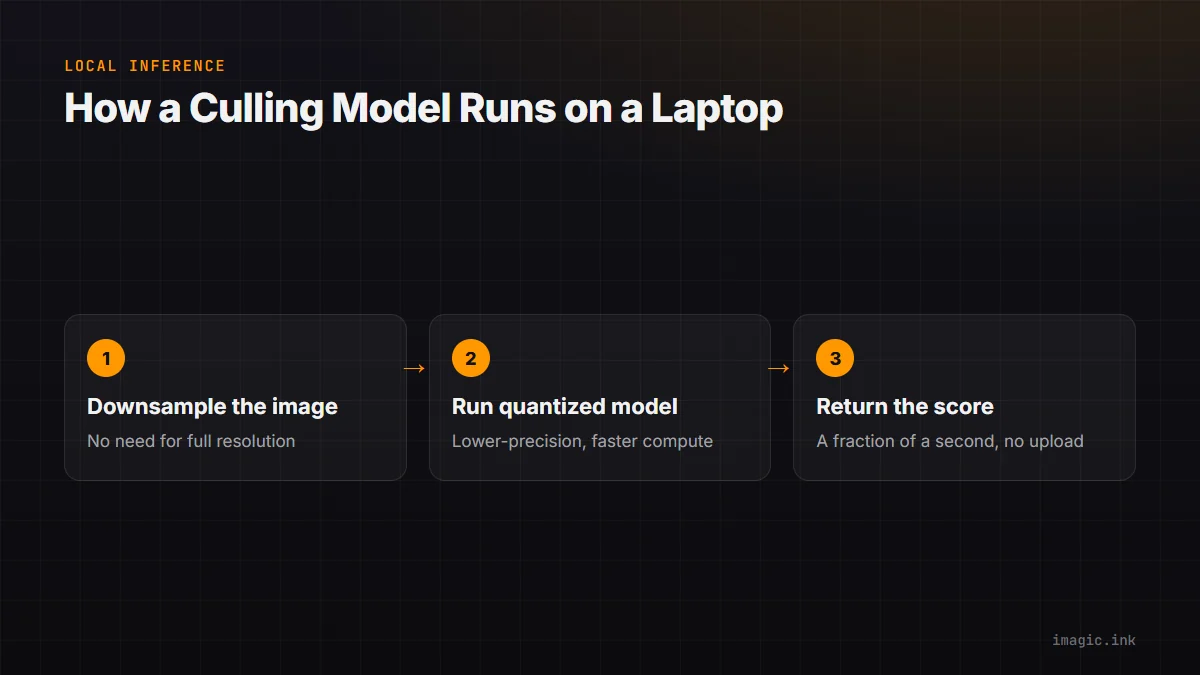
A model trained to answer a narrow question, is this frame sharp, are the eyes open, does this image closely resemble the last one, needs far fewer parameters than a general-purpose model trying to understand or generate arbitrary images. Culling tasks are also comparatively low-resolution in what they need to examine; a model does not need to process a 60-megapixel file at full resolution to judge sharpness or detect a closed eye, so images get downsampled internally before inference, cutting compute requirements substantially. The result is a model that fits comfortably in a few hundred megabytes of memory and runs a full inference pass on a single image in a fraction of a second on ordinary consumer hardware, no specialized datacenter GPU required.
Quantization, in Plain Words
Quantization is the technique that makes this efficiency possible: it takes a trained model's internal numbers, normally stored with high precision, and rounds them to a lower-precision format that takes less memory and computes faster, with a small, usually imperceptible cost in accuracy. Think of it like the difference between storing a measurement as 3.14159265 versus 3.14: the second is less precise but close enough for almost every practical purpose, and it is much cheaper to work with at scale. Applied to a culling model, quantization can shrink memory footprint and speed up inference meaningfully while barely moving the needle on how well it actually scores a photo.
The Latency Benefit
Running locally removes network round-trip time entirely: no upload, no queue on a shared server, no waiting on someone else's traffic. For a shoot of a few thousand images, that difference compounds fast. A cloud-based culling service has to upload every file (RAW files are large, tens of megabytes each), wait for server processing, then download results, and each of those steps depends on your internet connection holding up for the whole batch. imagic's culling and scoring run the entire pass locally, so a shoot gets scored in the time it takes the CPU to work through the files, with no dependency on bandwidth at all. How AI photo culling works covers the scoring pipeline this local processing runs.
The Privacy Dividend
The side effect of running locally rather than in the cloud is that photos never have to leave the machine to get culled. For photographers handling client work under NDA, minors in newborn or school photography, or anything sensitive, this is not a minor convenience, it removes an entire category of exposure risk that cloud-based tools inherently carry, regardless of how good that provider's own security practices are. More on how AI actually works in a photography workflow is covered across the AI and technology section.
What Local Models Still Cannot Do
None of this means local AI can do everything a massive cloud model can. Tasks like generative fill or complex scene understanding at a broad, general level typically do need more parameters than fit comfortably on consumer hardware today. Culling and quality scoring are a good fit for local, efficient models precisely because the questions they answer are narrow; a model trying to do everything would not fit the same budget.
Frequently asked questions
Does running AI locally mean lower quality results than cloud AI?
Not for narrow, well-defined tasks like culling and quality scoring. Quality depends on how well the model was trained for its specific job, not primarily on whether it runs locally or in a datacenter.
Why do some AI photo features still require the cloud?
Broader, less narrowly-scoped tasks, like generating new image content from a text prompt, typically need larger models than fit efficiently on consumer hardware today. Culling and scoring are narrow enough to avoid that requirement.
Does local AI processing slow down an older laptop noticeably?
Some slowdown is possible on very old hardware, but quantized culling models are specifically built to be lightweight, so most laptops from the last several years handle a full shoot without major strain.