Open the exact same RAW file in two different editors and the colors will not match. Not slightly different, sometimes noticeably different: skin tones shift, greens go warmer or cooler, contrast curves land differently right out of the gate before you touch a single slider. This is not a bug in either tool. It is because a RAW file is not a picture yet; it is sensor data, and every processing engine makes its own decisions about how to turn that data into an image.
RAW Files Are Not Finished Images
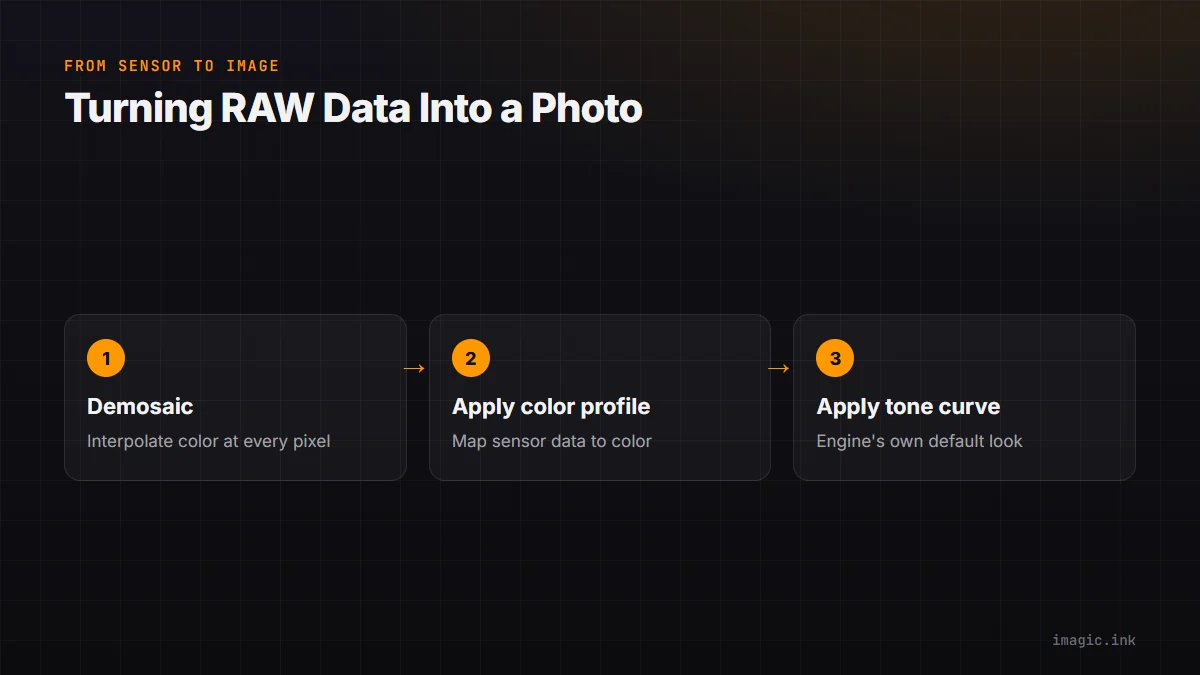
A RAW file stores raw sensor readings from a Bayer-pattern array of red, green, and blue-filtered photosites, not a rendered photograph. Turning that into a viewable image requires demosaicing (interpolating full color at every pixel from the sparse color filter pattern), applying a color profile to map sensor response to something resembling human color perception, and running whatever default tone curve and noise handling the engine ships with. None of these steps have one universally correct answer, which is exactly why the same input produces different output depending on which engine does the math.
Where the Differences Actually Come From
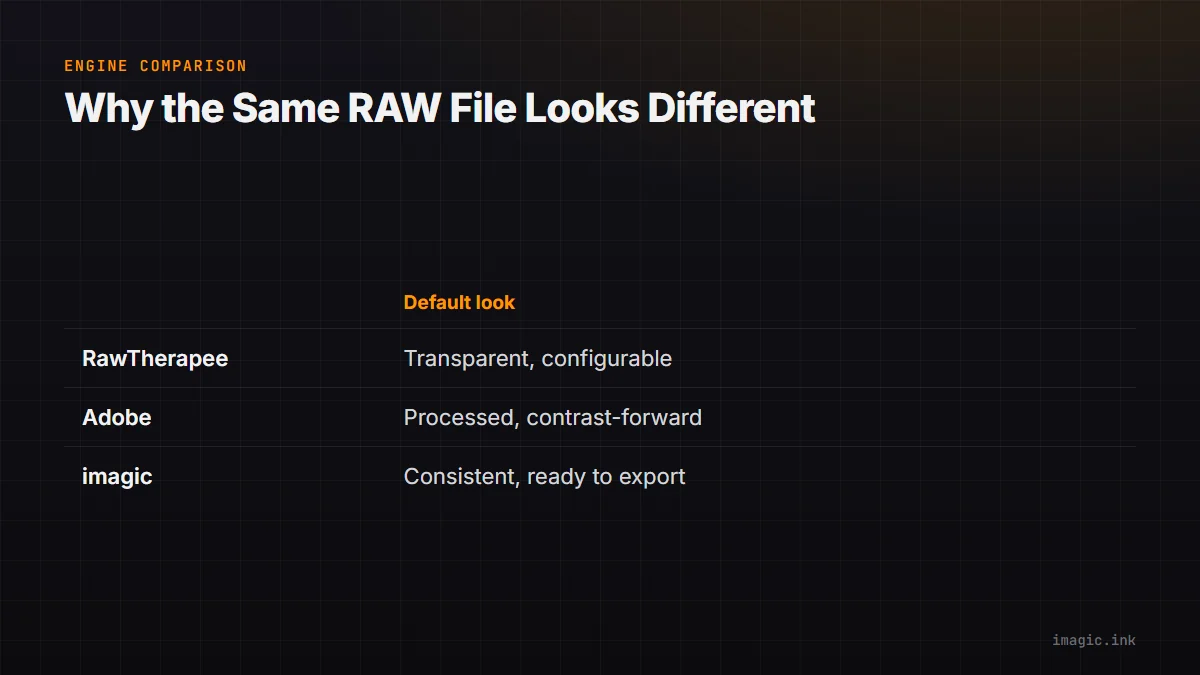
Demosaicing algorithms vary in how they balance sharpness against artifacts like color fringing on fine detail; some engines favor a punchier, more processed look out of the box, others favor a flatter, more neutral starting point meant to be graded from scratch. Color science, the specific mapping from sensor RGB values to displayed color, is where the biggest visible differences show up, particularly in skin tones and saturated reds, since camera manufacturers and third-party engines each tune this differently. RawTherapee, a free and open-source engine, is known for a highly configurable, technically transparent approach, exposing the actual processing steps rather than hiding them behind a single "look." Adobe's engine leans toward a more processed, contrast-forward default. imagic's own built-in engine takes a middle path, tuned for consistent, ready-to-export results with no manual configuration required. None of these is more correct; they are different starting points. The RawTherapee review covers its specific strengths and rough edges in more depth.
Why Switching Tools Shifts Your Whole Library's Colors
This is the practical pain point: move a library from one RAW engine to another and every image looks subtly different than it did before, even with identical exposure and no new edits applied. It is not that the old edits were lost, it is that the underlying rendering baseline changed. Photographers who switch software mid-career often notice skin tones or foliage look "off" compared to memory, and the cause is almost always this baseline shift rather than a setting that needs fixing. imagic's built-in RAW engine guide covers what changed when imagic moved RAW processing in-house, and what it means for photographers who switch from RawTherapee.
Matching Profiles Across Engines
Exact matching between engines is rarely worth chasing since the underlying math differs too much to fully reconcile, but getting close is realistic: start from a neutral, low-contrast baseline in the new engine rather than trying to replicate the old engine's processed look, then rebuild your usual adjustments (contrast, saturation, white balance) on top of that neutral start. Comparing a handful of representative images side by side, rather than the whole library at once, makes the differences and the fix much easier to see and correct for consistently. Batch-applying that corrected baseline across a shoot, rather than adjusting frame by frame, keeps the process from taking as long as it sounds.
Frequently asked questions
Is one RAW processing engine objectively more accurate than another?
Not in a meaningful sense. There is no single "correct" way to render sensor data into a viewable image, so engines differ by design philosophy and tuning choices rather than one being right and others wrong.
Will my old edits be ruined if I switch RAW engines?
Your adjustment values transfer, but the visual result can shift because the underlying baseline rendering changed. It is worth reviewing a shoot after switching engines rather than assuming previous exports still match exactly.
Does RawTherapee produce lower quality results than commercial engines?
No. It is a different, more transparent processing philosophy rather than a lower-quality one, and it is actively maintained open-source software that several commercial products have drawn on over the years.