
Real estate agents do not measure your work by how good it looks in a portfolio, they measure it by whether the listing photos are ready before the listing needs to go live. A 24-hour turnaround is not a nice-to-have in this niche, it is close to table stakes, and it only works with a workflow built for volume, not a workflow built for one great photo at a time.
What Agents Actually Expect
Most agents want a listing photographed, edited, and delivered within a day, sometimes same-day for time-sensitive listings. That expectation exists because the property is often live or about to go live regardless of whether your photos are ready. Missing that window does not just delay one job, it puts the next referral at risk, since agents talk to each other about who is reliable under deadline.
Bracket Picking, Fast
Most real estate shooters bracket exposures per room, three to five frames per angle, meaning the raw take for a typical listing runs into the hundreds of frames even though the final delivered set might be 25 to 35 images. The first job is picking the best bracket per angle, not editing every frame. AI quality scoring speeds this specifically: sorting by sharpness and exposure surfaces the technically clean frame in each bracket group so you are choosing among 3 to 5 candidates per angle rather than reviewing the whole take blind.
Batch Window-Pull Consistency
Interior real estate photography almost always needs a window pull, correcting blown-out windows so the outside view reads properly against a well-lit interior. Doing this per-photo across 30 final images is slow and prone to drifting inconsistency between rooms. Batching the correction across rooms shot under similar light (same time of day, same general exposure) keeps the look consistent listing to listing, which matters because agents and buyers browse a full gallery, not one photo at a time, and an inconsistent gallery reads as amateur even when each individual photo is fine.
Per-Listing Export Presets
MLS systems and marketing platforms have specific size and format requirements that rarely change listing to listing. Saving an export preset once for your standard delivery size and format, then applying it as a batch across each finished set, removes a repetitive manual step from every single job. This is a small thing per listing, but multiplied across a high volume of properties a month, it adds up to real hours.
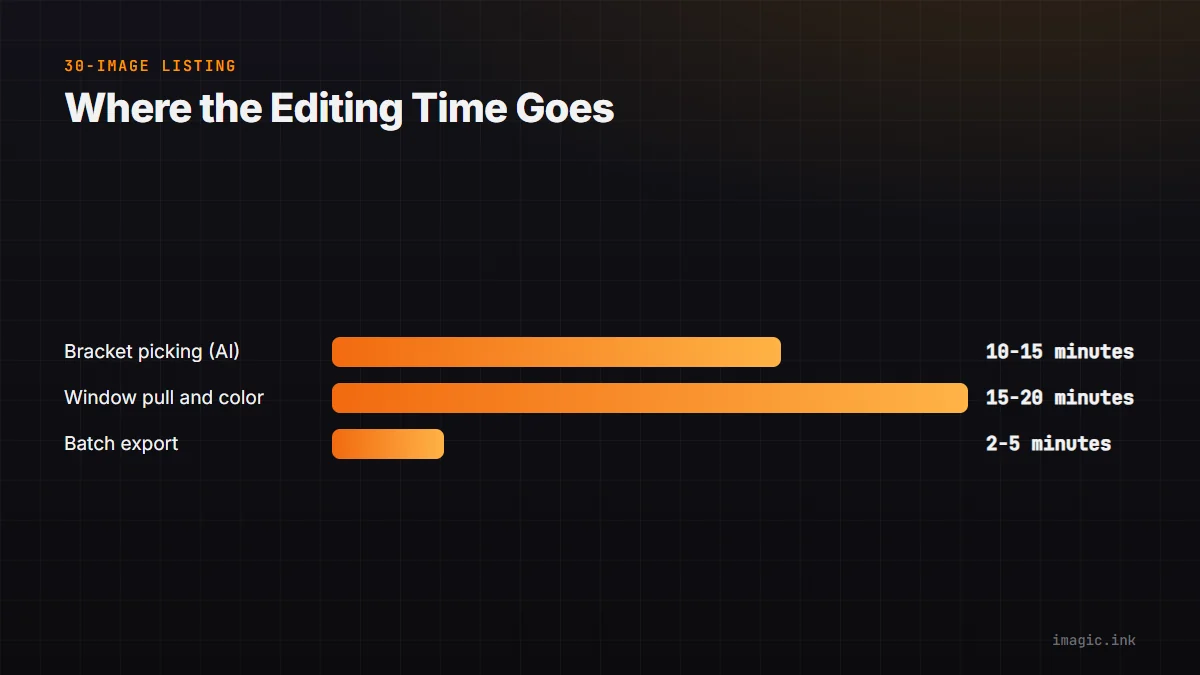
| Stage | Typical time (30-image listing) |
|---|---|
| Bracket picking (AI-assisted) | 10 to 15 minutes |
| Batch window pull + color | 15 to 20 minutes |
| Batch export to preset | 2 to 5 minutes |
The Volume Economics of Speed
A real estate photographer's income is a function of listings per week, not hours per listing beyond a certain quality bar. Cutting the editing time per listing from 90 minutes to 40 does not just free up an evening, it directly raises the ceiling on how many listings you can take on in the same week. See real estate photography editing, fast for more on this workflow, and batch exporting photos step by step for the export-preset mechanics. imagic's batch editing and AI quality scoring apply directly to real estate photography work; more volume workflows like this live in the tips and workflow archive.
Frequently asked questions
Is a 24-hour turnaround realistic for every real estate shooter?
It is achievable for a typical single-family listing with bracket-picking and batch editing in place; larger properties or heavy staging requests can reasonably need more time, and that should be communicated up front.
How many brackets per angle should I shoot?
Three exposures per angle covers most interiors; five is safer for rooms with very bright windows, but more brackets mean more picking time later, so match the count to the room's actual dynamic range.
Should every listing use the same export preset?
Use one default preset for your standard delivery, but keep a second preset ready for platforms with different size requirements, like a specific MLS or a premium marketing package.