Street Photography and the Volume Paradox
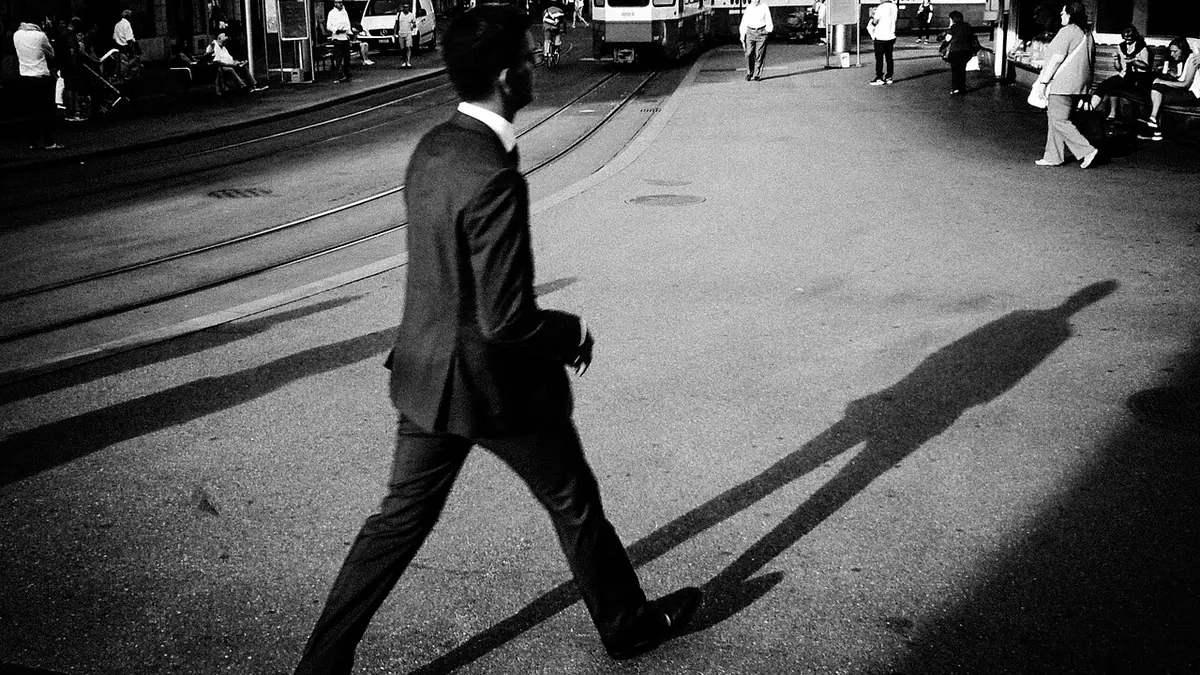
Street photography is a numbers game. You walk, you shoot, you follow your instincts. On a good day in a busy location, you might capture 200-400 frames in 2-3 hours. The great shots are rare — that's the nature of the genre. The challenge is finding them efficiently, because manual review of 400 frames takes time you could spend back on the street.
What Makes a Street Photo "Work"
Unlike commercial photography where technical perfection is mandatory, street photography has more latitude for technical imperfection — deliberate motion blur, grain, unusual exposure — if the moment or composition justifies it. However, some technical failures are still dealbreakers:
- Soft focus on the key subject (especially the eyes or face)
- Severe overexposure that destroys highlight detail in the key element
- Extreme underexposure that buries shadow detail beyond recovery
- Severe camera shake that makes the image look unintentionally sloppy
These are exactly what imagic's AI scoring identifies and flags.
The imagic Street Photography Workflow
- Import: Transfer the day's shoot — RAW files from your camera (Fujifilm RAF, Sony ARW, Ricoh DNG, etc.)
- Analyse: Run AI scoring. For a 300-frame street shoot, this takes a few minutes.
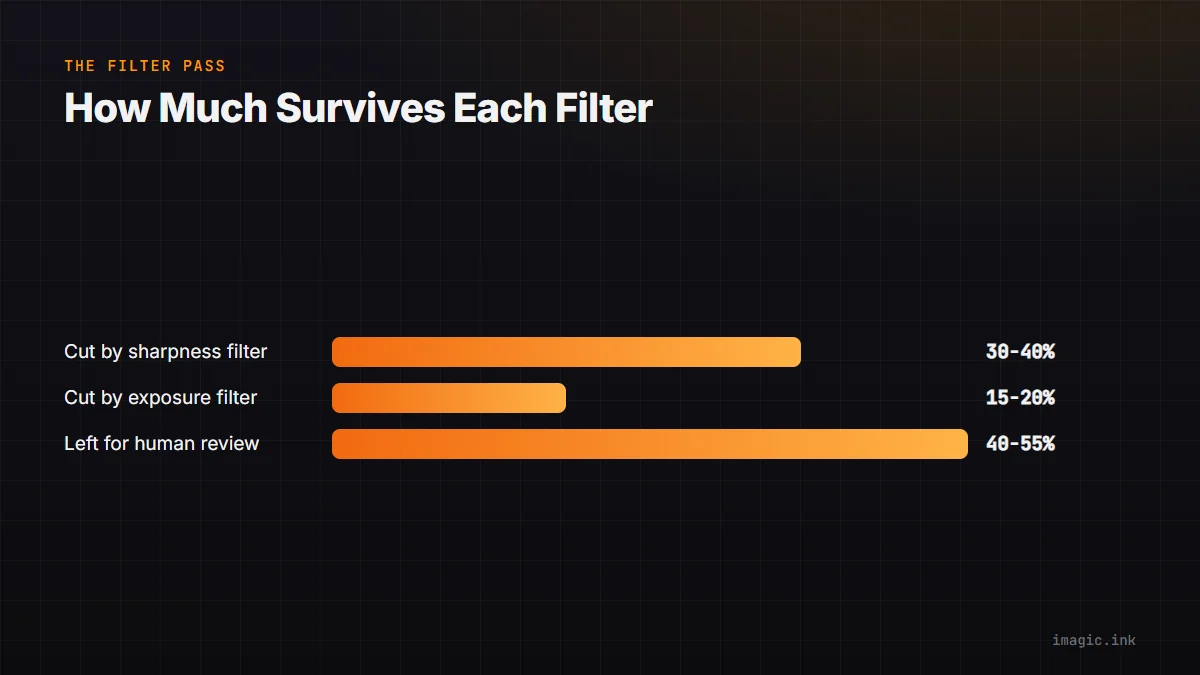
- First filter: Set a minimum sharpness threshold — eliminate frames that are too soft to work with. This might cut 30-40% of the frames.
- Second filter: Set minimum exposure threshold — eliminate frames too far from correct exposure. Another 15-20% gone.
- Human review: The remaining 40-55% of frames are technically sound. Now the human judgment begins: decisive moment, composition, gesture, expression, story.
You've reduced the human review pile by 45-60% before you've looked at a single image consciously.
Why Not Automate the Human Part
Street photography's final selection must remain human. The technical AI scoring eliminates clear failures, but it cannot evaluate whether a moment is decisive, whether a gesture is expressive, or whether a composition has the rhythm of a great Cartier-Bresson frame. imagic handles the technical pre-screening; the photographer's eye makes the final call.
Film Simulation for Street Work
Many street photographers use film simulations — high-contrast black and white, pushed film looks — that work against technically "correct" processing. imagic's cull is based on the underlying RAW data, not the JPEG preview or film simulation. This means your B&W simulation doesn't distort the AI's sharpness or exposure assessment, giving you accurate scoring on technically superior RAW frames before you apply your creative treatment.
Getting Started
Download imagic (imagic.ink/desktop), import your next street shoot, and time how long the cull takes compared to your current manual process. For most street photographers, the first session reveals 30-40 minutes of previously wasted review time.
Frequently asked questions
How many frames should I expect from a typical street photography session?
A busy 2-3 hour session in an active location commonly produces 200-400 frames. The exact number depends on shooting style: continuous shooters accumulate more frames than photographers who wait for a single decisive moment per scene.
Will AI culling reject street photos with intentional motion blur or grain?
No, not by itself. imagic's sharpness and exposure scores flag technical failures like a soft key subject or blown highlights, but deliberate motion blur or grain in an otherwise sharp, well-exposed frame is left for you to judge as a creative choice.
Does converting to a black and white film simulation affect the AI cull?
No. imagic scores the underlying RAW data, not the JPEG preview or an applied film simulation, so a black and white or high-contrast look does not distort the sharpness or exposure scoring. See more workflow guides for other genre-specific culling approaches.