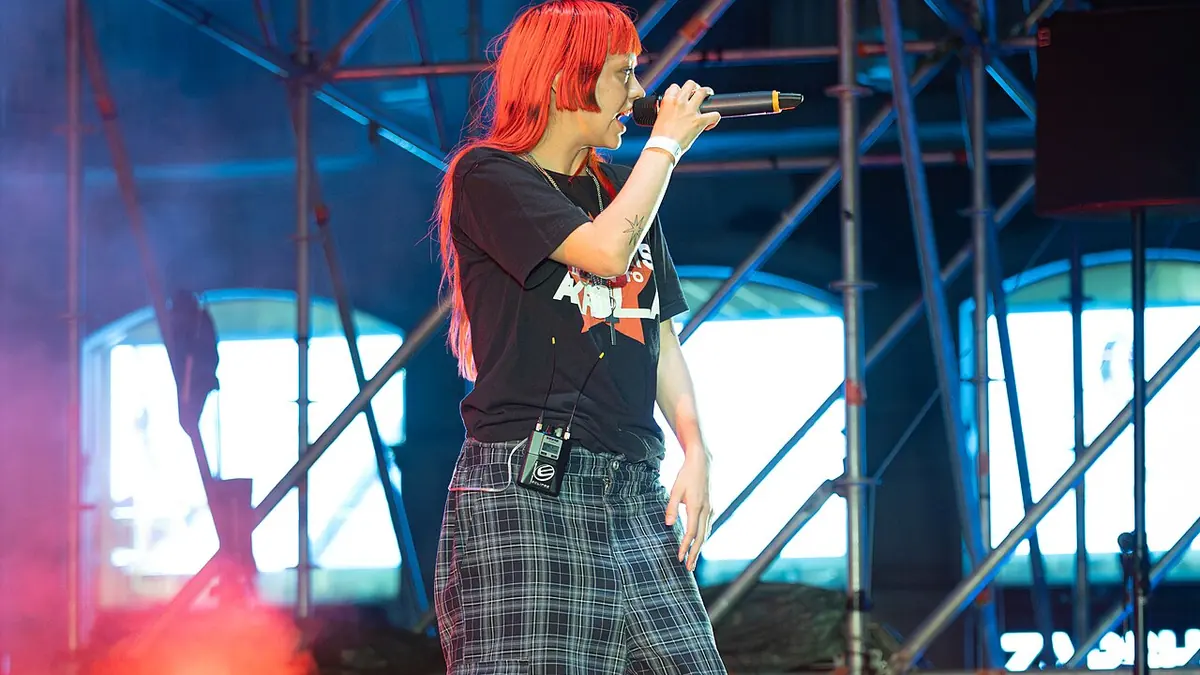
Concert Photography: The Most Technically Demanding Shooting Environment
Concert photography combines the worst of multiple technical challenges: extreme low light requiring ISO 3200-25600, rapidly changing colored stage lighting that defeats auto white balance, fast subject movement requiring fast shutter speeds, and a pit or crowd that limits shooting angles. The resulting RAW files are challenging to process — but not impossible with the right approach.
The Concert Photography Cull Challenge
A 45-minute opening set can produce 400-600 frames. The main act might add another 600-800. Technical variability is high — the difference between a sharp frame and a blurred one can be a single thousandth of a second in lighting timing. Manual review of 1,200 frames is time-consuming; imagic's AI culling reduces the burden significantly.
imagic's sharpness scoring is particularly important for concert work. At 1/200s with a moving performer, many frames will show motion blur on the face or hands. The AI sharpness score identifies the genuinely sharp frames within a set of similar shots, reducing the pool to the technically usable candidates for editorial review.
Handling Extreme ISO Noise
Concert photography at ISO 6400-12800 produces significant noise. The processing approach:
- Chroma noise reduction first: Set chroma NR to 25-40 in RawTherapee. This removes colored speckles in shadow areas without softening detail.
- Luminance NR carefully: Start at 15-20. Too much smoothes the performer's features into a plastic look. A little visible grain in concert photography is authentic and acceptable.
- Wavelet NR for extreme ISO: For ISO 25600+, RawTherapee's wavelet NR tool provides frequency-specific noise reduction that handles extreme noise better than the standard panel.
Colored Stage Lights: The White Balance Problem
Stage lighting changes color continuously. A performer might be lit in deep blue, then red, then white in consecutive frames from the same set. Auto white balance cannot keep up, and a single white balance correction won't work across an entire concert set.
The approach for consistent concert editing:
- Group frames by dominant lighting color (blue section, warm section, mixed lighting)
- Create a separate processing profile for each lighting type
- Batch apply within each group, then apply per-image fine-tuning where needed
imagic's grouping and export features make this per-lighting-type workflow efficient.
Embracing vs. Correcting Colored Lights
Concert photographers face a creative choice: correct the colored stage light toward a neutral white, or embrace it as part of the aesthetic. A performer bathed in deep blue light looks dramatically lit; correcting that blue to white loses the mood entirely. The answer depends on the assignment:
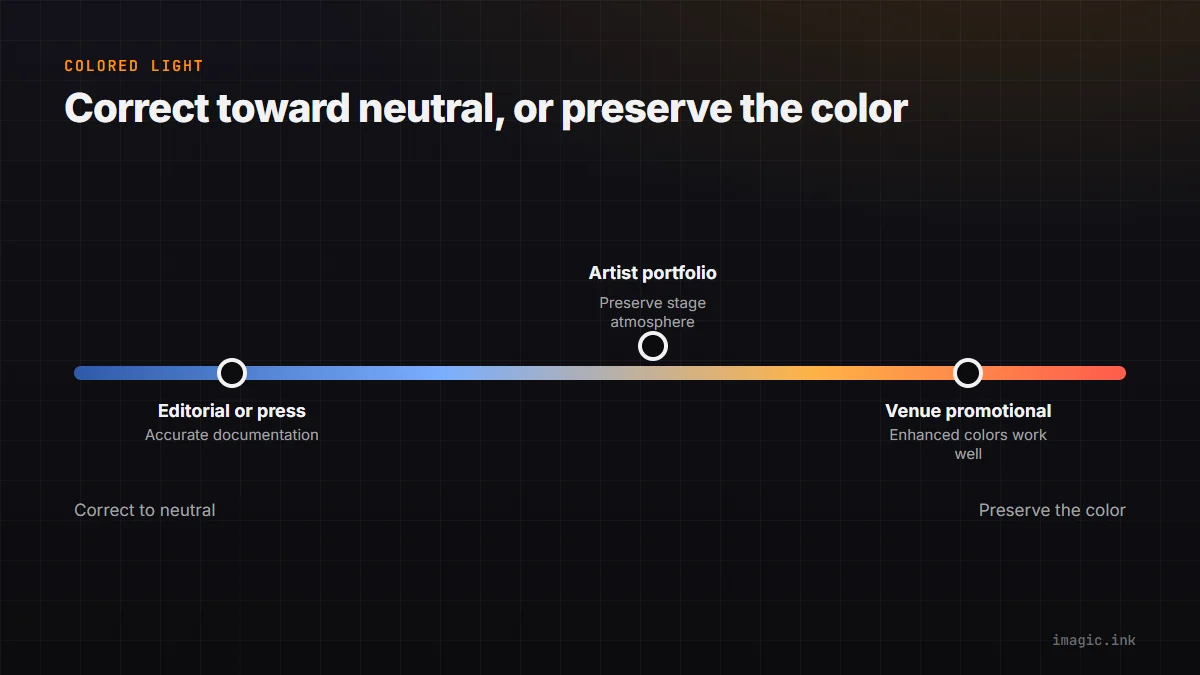
- Editorial/press: Correct toward neutral for accurate documentation
- Artist portfolio: Preserve the stage lighting atmosphere
- Venue promotional: Enhanced colors often work well for concert advertising
Black Backgrounds and Contrast
Concert photography's signature look is performers emerging from near-black backgrounds. In RawTherapee, set the black point aggressively — the background crowd and curtain should be deep black, not dark gray. This increases the visual separation between the lit performer and the dark environment, giving the characteristic concert photo look.
The Complete Free Concert Workflow
imagic for culling (sharpness pre-filtering eliminates blurred frames quickly) + RawTherapee for processing (noise reduction, per-lighting white balance, contrast enhancement) = a complete concert photography editing pipeline at no subscription cost. Download imagic from imagic.ink/desktop and set up RawTherapee for free from rawtherapee.com.
Frequently asked questions
What ISO range is typical for concert photography?
Most concert shooters work between ISO 3200 and 12800 depending on the venue, with darker clubs and festival night sets sometimes pushing past ISO 25600. The noise reduction approach stays the same across that range: chroma noise first, luminance noise more carefully.
Should I correct colored stage lighting to neutral white?
It depends on the assignment. Editorial and press work usually needs a neutral correction for accurate documentation, while artist portfolio and promotional work often looks better preserving the colored stage atmosphere rather than correcting it away.
Why does concert photography need such a large AI-assisted cull?
A single set can produce 400-800 frames with high technical variability, since the difference between a sharp frame and a blurred one can come down to a single thousandth of a second in lighting timing. See more workflow guides for other high-volume culling scenarios.